
Android Auto and Apple CarPlay are two solutions for allowing mobile phones to be used safely within the vehicle, thanks to advanced features such as hands-free commands and voice-activated interactions. With Android Auto configured with a few preinstalled apps, navigation, media playback, and even communication are all available with the press of a button or command. But it's not a flawless system, and much like default entertainment systems from vehicle manufacturers, they can prove distracting.
I've found it best to treat Android Auto as a walled garden of sorts with limited functionality. The less you enable and use within the experience, the better it is to use both before and while traveling. The goal is to make it as distraction-free as possible without completely rendering it useless. I'm talking maps, music, calls, and messaging. That's all one requires through Android Auto for the ultimate in-car experience. Because, really, when we think about it, anything more than this should wait until the vehicle comes to a halt.
After some tweaking, the best Android Auto is the one that shouts the least, staying out of sight and mind so you can focus on the road ahead.
Android Auto is brilliant
Especially compared to most auto software
When you first fire up Android Auto in the car, it feels like a small technological miracle. Okay, that's a bit over the top, but it really is when compared to many of the systems that come with the vehicle. I recall owning a Cupra Formentor, which I purchased in 2023. It was brilliant, but there was one area it lacked, and it completely ruined the entire driving experience. Volkswagen software has been notoriously bad for years, and the Cupra range is no exception. Android Auto solved this by providing a vastly superior interface.
But like the integrated software, it's best to keep features that don't require eyes to be off the road and can be achieved through voice commands. Google Maps and specifically Waze are absolutely brilliant. It's perfect for keeping tabs on pesky speed cameras, traffic, and other road situations. I still prefer to keep it old school by following signs and memorizing as many routes as possible, but it's nice to be able to rely on an accurate navigation system when required. Many apps support Android Auto, too.
This provides the platform for interacting with our Jellyfin server while away. It means we can load up content and get the car ready for departure without even touching the phone, which is great. But there comes a time when things can get a little out of hand. Notifications from active WhatsApp group messages and other apps that don't relate to the journey, and it all feels too much. This is a driving appliance after all. It shouldn't be an infotainment system like what your car offers, and this is where you can make a huge difference.
Keep it simple with a minimal setup. Navigation, audio, calls, and select messaging should be front and center on your car's large screen.
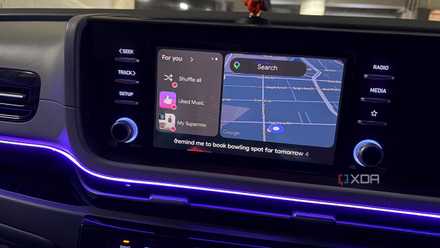
The Android Auto feature nobody talks about that I use on every drive
Go beyond maps and music.
Kill all notifications
Do you really need to read that message?
We managed to somehow survive before smartphones and other wireless technologies. We'd hop into the car, drive for hours, and maybe contact whomever we're traveling to see while stopped at a service stop. It was great, focusing on the road ahead and becoming one with the car. But that's not the case anymore. Vehicles have more screens than people have in their entire house. Android and iOS both have driving modes that allow users to interact with, and use content stored on the phone (and in the cloud).
The first thing to do to make the drive lighter is notifications. Cars don't need to replicate the phone experience, which largely consists of notifications. Sitting behind the wheel of a vehicle is not akin to lounging on the sofa or being ferried across the country aboard a high-speed train. Concentration must be on the road ahead and your immediate surroundings, which is why notifications need to go. This is more concerning if you receive multiple notifications per hour from various apps.
Not everything will be pushed through, but it's better to dig deep and decide what's truly important, so that it simply couldn't wait for you to stop the car at the next appropriate point in the journey to catch up on what's missed. Remember that even a single glanceable notification banner has a cost. Each banner displayed with the chime almost forces the driver to consider something other than driving. Android Auto and Apple CarPlay are praised for enhancing the in-car experience, but there's a point where it becomes too much.
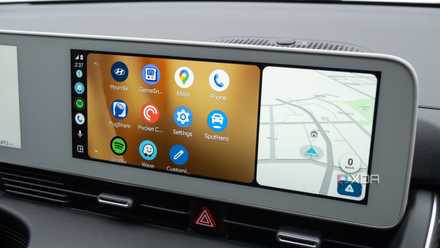
4 ways I stopped fighting Android Auto and started customizing it instead
Small changes that add up to make a noticeable impact
Do you need messaging apps?
Conversations are better had elsewhere
Android Auto can read messages out loud and even allow for responses to be made through dictation. That's all well and good, but even this can cause a distraction. People automatically assume that anything hands-free is better than looking at a screen, and while that is certainly true to a point, listening to TTS read-outs or attempting to construct sentences while driving can be problematic for those who struggle to concentrate on multiple tasks. It's all cognitive, not just visual, through gazing at the center display.
A short "OK" reply is straight to the point and doesn't require much to achieve, but a more detailed message covering a topic or two can require more thought processing, which means less directed to the task at hand. Messages should be treated as secondary within the car. Calls could be viewed as an exception and even urgent depending on who may be contacting your phone, but anything outside of that should be put on hold until it's safe to properly parse the text and form a response.

Android Auto vs. CarPlay
Trivia challenge
Think you know your way around in-car tech? Put your Android Auto and CarPlay knowledge to the test.
In what year did Apple first introduce CarPlay to the public?
What was Android Auto originally called during its early development phase before launch?
Which of the following smartphone operating systems is compatible with Android Auto?
Which voice assistant is natively built into CarPlay?
What is the name of the overhauled CarPlay experience Apple announced in 2022 that extends to multiple vehicle screens?
Which wireless standard does both Android Auto and CarPlay use to enable wireless connections to compatible head units?
Which of these third-party navigation apps was notably NOT available on CarPlay at launch but later received Apple's approval?
Which car manufacturer was the first to offer a fully wireless Android Auto experience in a production vehicle?
Your Score
Thanks for playing!
I like to keep messages coming through from my spouse and immediate family members, all of whom would know I'm driving and would only contact me if necessary. Everything else is blocked by default. And speaking of using voice assistants, I tend not to use them at all. I find it more trouble than it's worth. All those misheard commands, awkward phrase requirements, and repeated confirmations forced me to all but disable the feature as I found quickly interacting with the screen was more productive (and safer).
For quick commands, it can prove useful, but for anything that requires a few more words or even a short conversation always ends in frustration. Voice commands should be concise. Messaging apps can be put on hold until the destination has been reached.
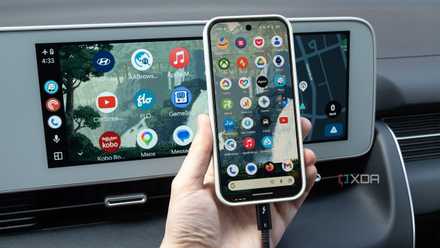
3 easy fixes that completely eliminated my Android Auto lag
Using a faster, higher-quality USB cable, updating your device, and freeing up RAM can help Android Auto run more smoothly.
You don't need all those apps
Android Auto supports a large portion of the apps installed on my phone, but I only have a select few enabled to be displayed and work through the interface when connected to the vehicle. I keep all the essentials that I rely on, such as Waze, Synfonium for music playback, Telegram for messages from the wife, Octoverse EV charging app, and Phone for calls, but that's about it. I see everything else installed as nothing but dashboard clutter and something I try to tackle like I would with Home Assistant. Some may view my screen as boring and lacking content, but that's the point.
It almost feels counterintuitive because tech companies and vehicle manufacturers are doing nothing but chucking as many features into products as possible. What should be a worthy extension from your phone to your car can quickly spiral into information overload. Thankfully, Android Auto provides a means to cut through the clutter and maintain a simplified experience for safely arriving at your destination.