
My home lab has a habit of turning simple chores into small investigations. Checking backups, cleaning old project folders, auditing Docker Compose files, and making sure services still behave correctly all sound easy until they pile up. None of those jobs is exciting, but ignoring them is how small problems get promoted into weekend projects. I wanted scripts that could handle the boring checks without making me nervous every time I ran them.
The scripts became tools I could inspect instead of little black boxes waiting for permission to ruin my afternoon.
That last part mattered more than the automation itself. I’ve had enough fragile shell scripts and half-remembered commands sitting in folders with names that stopped making sense months ago. Claude Code didn’t magically turn home lab maintenance into a solved problem, but it helped me build scripts that were easier to read, test, and revise. The important part wasn’t that AI wrote code faster than I could, but that it helped me slow down in the right places.
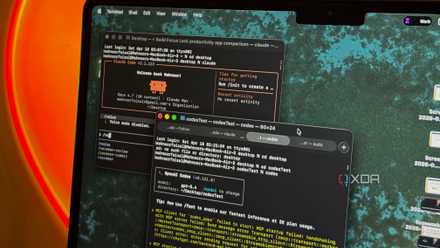
Maintenance scripts only matter when I can verify them
Automation earns trust when it explains its work clearly
The first thing I wanted from Claude Code wasn’t cleverness. I wanted boring, readable scripts that told me what they were about to do before they did it. That sounds basic, but a lot of home lab automation skips straight from command to consequence. When a script can delete, move, restart, or rewrite something, silence isn’t efficiency.
Claude Code was useful because I could ask for guardrails from the start. Instead of asking it to “clean old files,” I asked for dry-run mode, clear logging, path validation, and confirmation before destructive steps. That changed the whole shape of the work. The scripts became tools I could inspect instead of little black boxes waiting for permission to ruin my afternoon.
The best example was a cleanup script for old home lab project folders. I didn’t want it to wander through storage and start deleting anything that looked stale. Claude Code helped me build it around rules I could understand, including file age, folder naming, excluded directories, and a dry-run report. By the time I let it actually move files, I already knew exactly what it planned to touch.
Claude Code helped turn chores into repeatable routines
Small scripts made routine checks easier to run consistently
The biggest home lab maintenance problem isn’t always complexity. A lot of the time, it’s repetition. I know I should check container status, backup locations, disk usage, config drift, and stale files regularly, but knowing something doesn’t mean it happens on schedule. When maintenance depends on memory, it eventually loses.
Claude Code helped me turn those recurring checks into smaller scripts with narrow jobs. One script could summarize Docker container status, another could check whether expected backup folders were present, and another could flag oversized directories before storage became a problem. None of that was revolutionary. It was useful because each script had a single job and readable output.
That changed how I interacted with my home lab. Instead of logging into a machine and poking around until I remembered what I meant to check, I could run a few simple commands and get a quick status report. The scripts didn’t replace monitoring, and they didn’t replace judgment. They gave me a routine that was easier to follow on days when I didn’t feel like spelunking through terminal history.
Generated scripts can still make a home lab nervous
A confident tool can still misunderstand the assignment completely
There’s an obvious catch here, and it’s not a small one. Claude Code can produce something that looks polished while still getting an assumption wrong. A path can be too broad, a command can behave differently on another system, or a script can handle the happy path while quietly ignoring the weird case that matters. Confidence in the output doesn’t make it safe.
That risk is sharper in a home lab because everything is personal and messy. My setup isn’t a clean tutorial environment with one server and a perfect naming scheme. It has old folders, migrated services, odd containers, experimental projects, and decisions made at hours when better judgment had already gone to bed. A script that assumes everything is tidy is already starting from fiction.
That’s why I wouldn’t treat generated maintenance scripts as something to paste in and run. Even a harmless-looking command can cause problems if it targets the wrong directory or restarts the wrong service. Claude Code is helpful, but it doesn’t know the emotional weight of the folder named “old-but-important” unless I explain it. Trust still has to be earned line by line.
The real win was reviewable automation, not blind trust
Claude Code made the boring parts easier to inspect
The reason this still worked for me is that Claude Code made the scripts easier to review, not harder. I could ask it to explain each section, add comments, split risky behavior into separate functions, and make the output more explicit. That turned review into part of the workflow instead of something I promised myself I’d do later. It also made the scripts easier to revisit weeks later.
The dry-run pattern became the most important habit. Every maintenance script that could change files or services needed a mode where it only reported its intentions. That let me test the logic against real folders without turning the test into an event. It also made mistakes easier to spot because the output showed the script’s thinking before anything actually changed.
Don’t let Claude Code turn maintenance scripts into “trust me” automation. Any script that can delete files, move folders, restart containers, or change configuration files should have a dry-run mode first. It should also print exactly what it plans to do before it touches anything. The goal isn’t to make home lab maintenance automatic at any cost, but to make it safer, clearer, and easier to inspect before you let it act.
I also found that Claude Code was better when I treated it as a collaborator with strict instructions. Asking for “a backup checker” was too vague, but asking for a script that checked specific paths, reported missing folders, avoided deleting anything, and returned clear exit codes was useful. The more precise I was, the more reliable the output became. That’s not a weakness of the tool as much as a reminder that maintenance work needs boundaries.
Trusted maintenance starts with scripts I can understand
Claude Code didn’t make my home lab maintenance automatic in the carefree sense. It made it more repeatable, more readable, and easier to test before I trusted it with anything important. That’s a different kind of win, and honestly, it’s the better one. I don’t need a script that pretends nothing can go wrong, because I need one that shows me what might.
Save on Storage & Networking deals for safer backups
The real value was in building small routines that reduced friction without hiding the details. I still review the code, run dry runs, and keep destructive actions separated from reporting wherever I can. But now the routine checks actually happen, and the scripts are clear enough that I don’t dread opening them later. For a home lab, that’s the kind of automation I can live with: useful, cautious, and understandable.