
Summary
- Don't overlook the TDP of your CPU and GPU as it determines the performance as well as cooling requirements.
- The PCIe generation of motherboard's M.2 slots will determine your SSD's maximum speed.
- Having a DRAM SSD can make a huge difference if sustained write performance matters to your workload.
- Your PSU's tier rating and case's component clearances are critical for reliability and compatibility.
If you're building a PC for the first time, you might be aware of the common mistakes you should not make, such as buying incompatible components or forgetting to install a few things. Even if you're buying a pre-built gaming PC, you need to check if it will be good enough for gaming. Similarly, before buying a laptop, you should ensure you understand the detailed specifications.
However, there are many more aspects that you should care about when building or buying a new computer. I'm talking about certain critical specifications of the major components of your PC that can make or break its performance and reliability. These specs might not be as readily apparent as others, leading to inexperienced buyers regretting their purchase later.

You wouldn't believe these 7 PC building blunders I've made in the past
These PC building mistakes from my past almost became PC breaking blunders
6 PC case: Check physical compatibility
It sucks to end up with a radiator that doesn't fit
A PC case is one of the highlights of any build — it defines the PC's exterior looks and also determines things like airflow. However, if you choose a case based simply on looks and mesh panels, you might be doing yourself a disservice. Many of your components need to fit inside your case comfortably. These include AIO radiators, graphics cards, power supplies, and case fans.
If your chosen case doesn't have enough clearance to accommodate a radiator or graphics card, it can quickly become a nightmare. You can easily refer to the product page of your shortlisted cases to compare the stated clerances to the size of your components. A small check before buying anything can prevent needless suffering later.

Forget the fluff. Here are 6 things to look for when choosing a PC case
Because aesthetics aren't everything
5 PSU: Refer to the tier list
Wattage and efficiency isn't enough
Choosing a power supply is perhaps one of the most important tasks when building a new PC. And getting a reliable unit becomes even more important when buying a pre-built PC, as many PCs ship with sub-par units that can put your entire build at risk. A PSU with enough and more wattage for your components and a solid 80+ rating isn't enough — you should also ensure the PSU uses high-quality internals and adheres to the best practices.
One way of doing it is to refer to a well-known PSU tier list that classifies PSUs under various tiers based on actual reviews and tear-downs. The Cultists PSU tier list is one you can rely on. It lists most of the models on the market, along with some of the newer ATX 3.0 PSUs. It's not a perfect source, but by using it, you can minimize your chances of ending up with a model with known faults.

4 SSD: DRAM makes a difference
You might not want a DRAM-less SSD
If you're buying a desktop or laptop for gaming, the presence of DRAM on your SSD won't make a difference, as gaming is a read-heavy workload. However, for sustained write scenarios, where you need to write a lot of data to the SSD, the DRAM speeds up the process significantly. This is because DRAM is a memory buffer that's faster than NAND flash, and stores frequently accessed information.
A DRAM-less SSD might not boot your operating system or load your games any slower than a DRAM SSD, but it will certainly hurt the performance if you're writing numerous files to your SSD frequently. Hence, assess your use case carefully, and then decide if you need to get a DRAM SSD or not.

How to tell if an SSD has DRAM
There are a couple of ways to tell whether you have a DRAM or DRAM-less SSD
3 Motherboard: M.2 PCIe generation and fan headers
Don't end up with an ill-equipped board
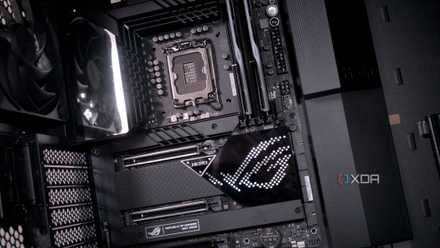
You might be excited about using your fast PCIe 5.0 SSD on your new PC, but if your motherboard doesn't have a PCIe 5.0 M.2 slot, that's just money down the drain. When buying a motherboard for a new build, pay close attention to the connectors and expansion slots, especially the M.2 storage slots. Your blazing-fast SSD will only run at the maximum bandwidth allowed by the PCIe slot on your motherboard.
You'll have to order or buy a fan hub, wait for hours or days to finish your build, and ruin your first-ever building experience.
Another thing that you might overlook is the number of RGB and ARGB fan headers on the motherboard. You might be nearing the end of the build process and figure out that you've run out of headers to connect all your RGB fans or strips. This is one of the most annoying-to-fix PC building mistakes you can commit. You'll have to order or buy a fan hub, wait for hours or days to finish your build, and ruin your first-ever building experience.
If you're buying a laptop, the M.2 PCIe generation check still applies, but it's probably more relevant for a future SSD upgrade rather than the one you get inside the laptop.
5 things to keep in mind when choosing the right motherboard for your gaming PC
If you are planning your next gaming PC build, consider these 5 things before you buy your next motherboard
2 Graphics card: Know your GPU die and TGP
Not all graphics cards are made the same (even the same models)
A similar scenario can arise when you're choosing a graphics card for your new build. Although it's somewhat straightforward to judge the performance of desktop GPUs based on the model names (not always though — *cough* unlaunched RTX 4080 12GB *cough*), you need to be extra cautious when it comes to laptop GPUs.
Nvidia, starting with the RTX 30 series, stopped using the Max-Q branding to differentiate GPU models with the same name but different TGPs
Some of the worst RTX laptop GPUs of all time were riddled with egregious naming practices that could easily mislead consumers. Nvidia, starting with the RTX 30 series, stopped using the Max-Q branding to differentiate GPU models with the same name but different TGPs (Total Graphics Power). This naturally confused buyers who could have easily bought a laptop with an RTX 3070 (80W) instead of an RTX 3070 (115W).
Two graphics cards with the same name can have different GPUs inside them, leading to a difference in performance.
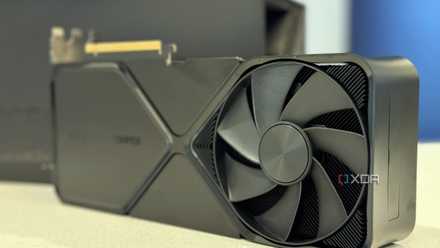
Even with RTX 40 series laptops, the onus is on the buyer to find out the power limit for the laptop GPU under the hood. The GPU die is another important specification you should care about — it's basically the actual GPU silicon at the core of the graphics card. Two graphics cards with the same name can have different GPUs inside them, leading to a difference in performance. The older GTX 1060 6GB and 3GB variants are common examples.
Even today, some uninformed users might consider the RTX 4060 just a slightly cut-down version of the RTX 4060 Ti. Even though the model names are different here, the possible confusion still exists. Most users might not know that the GPUs have totally different silicon inside them, with the RTX 4060 GPU die being around 15% smaller in area.
Beginner's guide to GPU specs
Your GPU dictates how good your gaming PC performs. Let's decode the most important GPU specs you should know about
1 CPU: Don't forget the TDP
You can lose out at either end of the spectrum
The TDP or Thermal Design Power of a CPU is the maximum amount of power it can consume under standard operating conditions. Measured in watts, it's an indication of both the level of performance and the heat output of your CPU. The higher the TDP, the better the CPU cooler you'll need to keep it cool. Conversely, the lower the TDP, the more chances are your CPU could be power-limited, as seen in the case of mobile (laptop) CPUs.
It's possible to end up with a power-hungry CPU that runs too hot to manage with a budget CPU cooler.
If you focus only on the number of cores, clock speed, and cache when buying a CPU, it's possible to end up with a power-hungry CPU that runs too hot to manage with a budget CPU cooler. You'll not only have spent more than you needed to, but you'll also likely be stuck with an underpowered CPU cooler.
The same CPU model on different laptops can have different TDPs, depending on the kind of user the machine is intended for.
On the other hand, if you're buying a laptop, pay attention to the TDP the manufacturer has set on a particular model. The same CPU model on different laptops can have different TDPs, depending on the kind of user the machine is intended for. If you value performance over battery life and thermals, you'll want to buy a laptop where the CPU is running at its maximum possible TDP. Unfortunately, this information is rarely specified by laptop makers.

It's high time PC builders stopped overspending on the CPU
Need a powerful CPU for your PC build? Don't buy more than what you need.
Easy to forget, tough to fix
These essential component specs are easy to forget, but fixing the problems that arise due to that aren't easy to fix. So, make sure you spend enough time in the research stage before building or buying a new PC, so that you know about every important aspect of the purchase. Some of these mistakes can be made even by seasoned users, highlighting the crucial nature of the specs at the root of them.