
As PC gamers or enthusiasts in general, worrying about CPU cooling comes with the territory. No one likes abnormally high CPU temperatures, and certainly not without any reason. Even after choosing a high airflow case, AIO liquid cooler, and optimizing fan curves, your CPU temps might be a tad too high for your taste. I would suggest, however, not worrying too much about it.
As a recovering "temps chaser" myself, I realized that it's simply not worth obsessing over CPU temps unless they are seriously outside the normal operating temperature. Modern processors behave very differently from older chips, and the silicon lottery means even the same model might perform differently on different PCs. Besides, having tunnel vision concerning CPU temps can often ruin your overall PC experience.

4 signs that your CPU is overheating
A CPU that runs too hot isn't going to last very long
6 Modern CPUs run hotter than ever
Some like it hot
For the last 5 years or so, CPU manufacturers started pushing their chips to the maximum, so CPU temps started touching the ceiling out of the box. While older CPUs also ran considerably hot under load, these modern chips unlocked a new tier of both idle and load temps. Manufacturers chose to configure processors for high power and performance as long as the temperatures were just shy of the TJMax of the respective chips.
So, if my Ryzen 7 5700X runs between 50°C and 60°C at idle with a 240mm liquid cooler, I consider it completely within spec. Your CPU might run slightly lower or higher than that range, but chances are that it's not your fault. If you've recently upgraded from a 5- to 7-year-old CPU to, say, a 14th Gen Core or one of the higher-end Ryzen 7000 or 9000 CPUs, your definition of "normal temps" will need some revision.
In a way, this tendency of modern CPUs to run close to their maximum potential is a welcome change since you don't need to rely on overclocking anymore to extract every bit of performance. Even the average user can enjoy the full potential of their new high-end CPU without learning the ropes of CPU overclocking.

How to lower your CPU's temperature
With the latest CPUs using up so much power and getting so hot, it's important to keep them cool. Here's how.
5 Intermittent temperature spikes are normal
Boosting algorithms taking the reins
If you've been monitoring your CPU temps like a hawk, you would have noticed random spikes into the 80s or even the 90s. To be honest, the way modern CPUs are designed to dynamically adjust power levels and frequency, these spikes are completely normal. Unless your CPU temps are in the 90s for sustained periods without any extreme benchmarks running, you can ignore these intermittent spikes and focus on using your PC instead.
If you installed your CPU cooler correctly, ensured the right amount of thermal paste, and configured your fan curves properly, your CPU temps will remain in a comfortable range. There's no reason to worry about momentary spikes, especially under load, since your CPU will automatically try to shift the load among the cores depending on the workload, and that can sometimes lead to these high readings.

How to check CPU temperature in Windows 11
CPU temperature is a crucial indicator of your PC health and CPU performance
4 Your temps might not be as high as you think
Normal operating range is quite large
Alternatively, the CPU temperatures that you're considering "too high" might not be high at all; you probably just aren't used to the new normal. I mentioned high idle temps earlier in the article, but CPU temps even under load can easily reach numbers that might make you squirm. Worry not, however, because your CPU is completely safe and operating normally, helping you achieve the desired performance in games and other programs.
The program you use to check the CPU temperature, such as HWiNFO, Ryzen Master, or Intel XTU, might not always report the actual temperature. Some discrepancies can always arise, making you conclude your CPU is running hotter than it actually is. Your CPU has a failsafe, so it won't allow temperatures to reach dangerous limits anyway. It will throttle itself, lowering the temperature and performance, or force a shutdown in extreme cases.
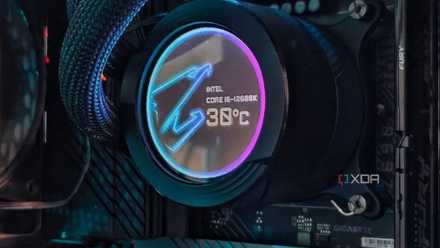
Let's settle this - how hot should your CPU run while gaming?
Is there a magic number to run the CPU at?
3 Every piece of silicon is different
Don't compare temps with other users
Often, the only reference we have for determining what's "normal" and what's "unusual" is Reddit. If you've been concerned that your CPU has been running hotter than the same model on someone else's PC, you should know that every CPU functions slightly differently. The silicon lottery can make your Core i9-13900K run hotter than someone else's 13900K. They might even be able to get way better overclocking results than you; it's just a matter of luck.
So it's not exactly productive to compare your CPU temperatures to other people's CPUs online. Sure, huge variances in the general trend for your particular chip need to be investigated, but you should ignore the minor differences. Plus, even if you manage to bring down your CPU temperatures by single digits, it's not going to yield any tangible difference in performance or perceived experience. Comparison is the end of enjoyment anyway, so stop comparing and start enjoying your PC.
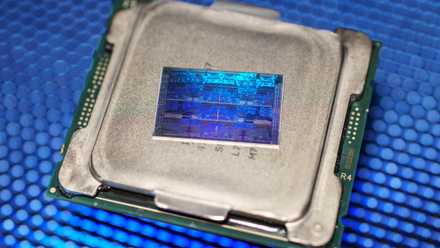
These 5 signs could mean your CPU is about to die
Your CPU be like: "I don't fail much, but when I do, I make sure you know what's up!"
2 Even overclocking won't damage your CPU
Not anytime soon
If you're panicking about slightly high temperatures on your CPU, you should know that even overclocking your CPU is unlikely to damage it. Overclocking involves raising the voltage and power of your CPU beyond the stock limits set by the manufacturer. It can yield significant performance gains by stabilizing higher frequencies, but it also comes with raised temperatures. However, killing your CPU by overclocking is rarely possible since the CPU will simply refuse to boot or force a shut-down if you go overboard.
If the high readings during overclocking can't damage your CPU, slightly higher temperatures at stock settings will certainly not. As I mentioned before, running your CPU significantly hotter than usual for sustained periods isn't advisable, but short periods or intermittent spikes are nothing to be worried about. To address the former, you can consider simple cooling upgrades to your hardware, or you can try ways to reduce your PC temps without hardware upgrades.

5 signs your CPU cooler is not enough and needs an upgrade
Sometimes, it's the CPU, case, or fans - or perhaps it's your CPU cooler that needs an upgrade
1 Chasing lower temperatures is a rabbit hole
You'll ruin your PC experience
Finally, the biggest reason not to obsess over slightly higher CPU temperatures is that you threaten to suck the joy out of your entire PC experience. Chasing some arbitrary numbers is a sure-shot way of getting sucked into a vicious cycle of endless optimization and upgrades. There's no end to CPU cooling shenanigans, and the worst casualty of it all will be the act of enjoying your PC.
Just like being obsessed about the FPS counter when playing games can hurt your immersion, relentlessly monitoring the CPU temps distracts you from actually using your high-end machine. The trap of chasing performance numbers will keep you tied to secondary activities instead of using your PC for what you built it for. I suggest removing HWiNFO, Afterburner, and Ryzen Master from your list of pinned programs once you've gotten all the tweaking and monitoring out of your system in the first few days and weeks of building your PC.
Gamers are more prone to this than anyone else. The amount of variables involved in "improving" your gaming experience is just mind-boggling once you get into it. You might even enjoy the process at first, but after a while, all it does is become an excuse to not focus on some sadder truths — you don't enjoy playing games as much as before or just don't have the free time that you had before. Eliminating obsessive behavior about CPU temps and FPS might allow you to rediscover your love for gaming.

7 worst habits PC enthusiasts need to abandon ASAP
The PC community tends to overdo some of its negative traits
Focus on your PC rather than the CPU
The easiest way to rid yourself of your obsession with CPU temperatures is to stop thinking about your CPU altogether. Stop worrying about the minor inconsistencies in the behavior of individual components and start thinking about your PC as a whole. Try to focus on carving out more time to actually enjoy gaming or whatever else you love doing on your PC. The enjoyment you'll get from that will dwarf any sense of achievement from lowering your CPU temps by a few degrees.

5 PC building myths that somehow still exist
PC building has come a long way, but some myths just refuse to die