
As a long-time PC user (25 years and counting), I've built multiple PCs. From using my bed as my workspace to realizing the benefits of using dedicated tools for every job, I've grown as a PC enthusiast. While you can manage without these essential PC tools, having them in your toolkit doesn't cost a lot, and the utility they offer is disproportionately high. You might have the best software tools on your PC to boost performance and diagnose common problems, but without these hardware tools, you're missing out on the full PC experience.

After 20 years as a PC user, these are the 10 programs I recommend for every PC
I've used countless PC programs over the years, and these are some must-have tools that should be on your PC
8 Large modmat
For an anti-static workspace
A modmat provides an anti-static surface for your components when you're assembling a PC or otherwise working with electronic parts in your workspace. Instead of using an anti-static wrist strap, you can simply get a large enough modmat to cover the length of your desk, and get to work without worrying about static discharge. A modmat will also protect your desk from being scratched as you move heavy components around.
And while you might be tempted to use a modmat as a deskmat, its rubberized surface usually doesn't play well with gliding the mouse. So, I suggest using it only when you're building a PC or diagnosing faulty components. Many modmats come with magnetic compartments to hold screws and other small metal components that are easily misplaced.
StarTech Anti-Static Mat
The StarTech anti-static mat protects your components from static damage and your desk from scratches.

6 tools every PC builder should have in their toolkit
While you may be able to manage without some of these tools when building a PC, they will definitely come in handy
7 Magnetic screwdriver set
Make your job easier
Building a PC involves tightening and loosening a lot of screws, and everything seems to be of a different size and shape. This is why having a screwdriver set with varied bits is a lifesaver for PC builders. If you don't want to force your standard screwdriver on to every single screw, ruining the screwhead, you better get a decent screwdriver set ASAP.
A magnetic set will be even better since you won't have to worry about keeping the screw in position before securing it in place. A magnetic screwdriver also helps to pick up screws that you inevitably drop inside the case when installing the motherboard or SSD. It's just a simple yet highly convenient tool to have when assembling a PC.
iFixit Essential Electronics Toolkit
- Components
- 16 precision bits, Spudger, Suction cup
This iFixit toolkit includes 16 precision bits, a spudger, a suction cup, and more tools to help you get inside your PC and other electronics.
Here are 8 tools, accessories, and components every DIY enthusiast needs
Looking to build a cool DIY project? Here are eight products you might wanna grab first.
6 Magnetic parts tray
When your modmat doesn't have one
A magnetic parts tray is a highly useful accessory to have in your repertoire. It essentially keeps everything in place — screws, bits, and other metal components — on your desk as you work on your PC. If your modmat doesn't come with magnetic compartments, you can get a small magnetic tray to hold each of the tiny screws in place, or an advanced variant that has labeled sections to keep things more organized.
If you've built PCs before, you know how much time you waste looking for screws you lose under the desk or behind the monitor. A magnetic parts tray is a cheap yet elegant solution to all your "screwing" woes.
FixMat
iFixit's FixMat combines an anti-static mat and magnetic parts tray into a single product, allowing you to work on your PC building projects without worrying about ESD or losing screws.

The 5 most difficult parts of building a gaming PC (and how to make them easier)
These PC building tasks are laborious, but unavoidable.
5 Small flashlight
See where you're going
Building a PC inside a case (big or small) can be difficult when you can't see what you're doing. I've used my phone's flashlight countless times to illuminate the motherboard headers, propping the phone awkwardly against the case. Things can go much smoother if you use a small head-mounted flashlight and use both your hands to connect those front panel headers or route those pesky fan cables behind the motherboard.
You could even use the flashlight you have at home, hold it between your teeth, and carry on. This method is risky, though, since dropping the flashlight can lead to some serious financial damage.

7 annoying things when building a PC
You might have PC building pet peeves of your own. These are worst ones from my own list.
4 Needle-nose pliers
For those final touches
A pair of needle-nose pliers with an included wire-cutter can be the difference between an amateur and a professional build. You can use these to pull zip ties and cut off the extra length, which only increases the visual clutter, or remove entire zip ties if you want to redo something. Needle-nose pliers also come in handy when you can't hold certain screws in position, especially in some tight places.
While many needle-nose pliers have wire-cutting abilities, they might not work for you in every situation (due to the odd position). So, getting an additional pair of cutting pliers is also recommended.
Boenfu Micro Flush Wire Cutters
A cable/wire cutter is an important tool to have at your disposal while building a PC. This will come in handy to either cut off extra wires or for getting rid of the zip ties in case you messed up something.

The step-by-step guide for perfect PC cable management
PC cable management is an important part of the PC building process. Here's a step-by-step PC cable management guide to help you get started.
3 Microfiber cloth and cleaning brush set
Cleanliness is next to godliness
You'll have to deal with dust sooner or later. Cleaning fine dust from your monitor screen or the inside of your PC works best with a soft microfiber cloth that won't damage the sensitive surfaces. Using any random cloth in your room to clean your components can scratch, or worse, damage them irreparably. A microfiber cloth treats your hardware right, and doesn't leave lint like other materials.
Additionally, you should also get a cleaning brush set to remove fine dust from the corners of your monitor, the insides of your keyboard, and the many dusty areas of your PC. These tools are cheap investments to keep your system free of dust and damage.
ACKLLR Anti Static Brushes Set
Keep your gaming PC dust-free with this cleaning brush kit made out of anti-static material. It also comes with a microfiber cleaning cloth, which is the best type of material to sweep fine dust.
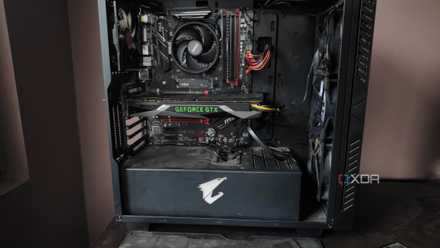
How to clean the dust out of your PC tower
Dust buildup is bad for your system, so you should regularly clean your PC tower to keep it free of dirt and grime
2 Isopropyl alcohol
Bring in the big guns
Isopropyl alcohol, or IPA, is a non-conductive and fast-evaporating chemical that you can use to clean tough stains on your PC case, and remove grime from your case fans, GPU fans, and even the GPU PCB. 99% IPA is the chemical of choice when you need to clean the thermal paste from your CPU's IHS or clean the heatsink of your CPU cooler after a long time. It's highly pure and doesn't leave any residue.
You can also use diluted 99% IPA to remove dust and grime from your monitor screen and mechanical keyboard. It's a cheap cleaning liquid that you should always have at your disposal. You never know when you'll need to remove your CPU cooler, forcing a thermal paste replacement. Besides, it's a universal cleaning agent for almost all of your electronics and surfaces.
ForPro 99% Isopropyl Alcohol
99% isopropyl alcohol is a great addition to your PC toolkit. Not only can it be used to clean tough stains from surfaces, but also to clean thermal paste, PC fans, and dirty PCBs.

5 things you should definitely avoid when cleaning your PC
Properly cleaning your PC will also make it faster, but only if you're doing it right
1 Compressed air can
Yes, we can
A can of compressed air is indispensable when it comes to deep cleaning your PC. It removes the large dust deposits from every nook and cranny of your rig before you can get in there with IPA, brushes, and microfiber cloths for more stubborn remnants. Always use compressed air at an angle instead of pointing it directly at the inside of the PC or your keyboard.
Instead of buying consumable cans, you can opt for a rechargeable air duster for the long term. You'll always need it since dust isn't going away any time soon.
PeroBuno Compressed Air Duster
This compressed air duster can get rid of dust deposits inside your PC and peripherals by blowing them away and then vacuuming them nicely.

How to safely clean your motherboard
Keep on top of cleaning the insides of your PC to maximize performance.
Make your PC toolkit bullet-proof
Every self-respecting PC enthusiast should invest in the right tools for their setup. These essentials can avoid damage to your components, keep them clean, and help you build PCs more efficiently. The great thing about these tools is that they don't cost a lot. You might not even need each of them for your use case, but make sure you buy the ones that make your job easier.