
Ever since DLSS 4.5 became available earlier this year, I've been spending more time experimenting with this feature on my RTX 4090 than I have in years. While that's partly because upscaled footage is almost indistinguishable from the native, it's also because Nvidia has somehow managed to make DLSS more complicated than ever. What was once a simple choice between Quality, Balanced, and Performance modes now comes with two additional model presets that many gamers don't fully understand.
The confusing part about DLSS 4.5 is that no one preset is objectively the best in every situation. Nvidia says DLSS 4.5 uses the second-gen transformer to reduce ghosting, improve temporal stability, and provide sharper anti-aliasing. The problem here is that many gamers using Balanced or Quality mode aren't actually using DLSS 4.5's newer transformer model by default. That's why I wanted to break down the different presets and explain why Nvidia's recommendation isn't always the one I'd choose.
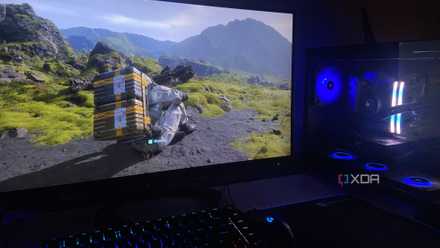
Preset K gives you the most FPS uplift
But only because it still relies on DLSS 4's first-gen transformer model
Let me get this straight. If you don't mess with DLSS overrides in the Nvidia app and continue to choose between Balanced and Quality modes in-game like you always used to, you're not actually using DLSS 4.5's second-gen transformer model. Nvidia defaults those modes to Preset K, which still relies on the first-generation transformer introduced alongside DLSS 4. Now, that makes you wonder why Nvidia would even bother recommending the older preset. And the reason is pretty simple: performance.
Nvidia's newer models are heavier on the GPU, so you won't get the same FPS uplift you would with Preset K. At Balanced and Quality modes, the base render resolution is already high enough that DLSS doesn't need to work nearly as hard to reconstruct the final image. That's why Nvidia recommends this preset for these modes. And if you remember, DLSS 4's transformer model was still pretty good when it came out alongside the RTX 5000 series GPUs, so you'll struggle to notice the difference unless you're comparing scenes side by side.
Preset L gives you the cleanest image
If you're willing to trade FPS for quality, this is your best bet
Nvidia recommends Preset L for the Ultra Performance mode, which makes sense when you consider what this preset is trying to achieve. At 4K, Ultra Performance renders the game internally at just 720p, making image reconstruction much more difficult because DLSS has less data to work with. But that's exactly where the second-gen transformer model truly gets to shine. From a technical standpoint, if this preset can do so much with little data, it should be able to deliver better results at higher quality modes, right?
That thought process is exactly what made me experiment with Preset L outside of Nvidia's recommended use case. As expected, the upscaled image looked sharper with better handling of foliage and fine detail compared to Preset K. To be fair, Preset M gives you the sharper image, but that sharpness ends up making the image look overly processed, which I'm not a fan of. The biggest downside of using Preset L is the performance hit. Preset M is already around 5% slower than Preset K, but Preset L can shave off another 5% of your frame rate.
Preset M is boring because it doesn't excel at anything
It can edge Preset L in some situations, but that over-sharpened look holds it back
Nvidia recommends Preset M for Performance mode, and by now, you probably already know why. The internal resolution is 1080p when you're using it on a 4K monitor, so the upscaler has to work harder, but not as hard as Ultra Performance's 720p starting point. That puts Preset M in a sweet spot where the second-gen transformer model can improve image reconstruction without taking quite as large a performance hit as Preset L. And to Nvidia's credit, it does exactly that. You're only sacrificing about 5% of your FPS to get almost all the visual improvements DLSS 4.5 offers.
The reason I struggle to recommend this preset, though, is that it pushes the sharpness a little too far. Preset L, in comparison, just looks more natural, even in the Balanced and Quality modes. You notice Preset M's overly processed look the most when there's a lot of foliage. As you move around, certain areas can take on a grainy appearance that's hard for me to ignore. Other than that, though, Preset M and Preset L look mostly identical. Both modes reduce ghosting compared to DLSS 4's Preset K and provide better temporal stability. If not for the sharpness, I'd gladly use Preset M over L for 5% more performance.
Your ideal DLSS 4.5 preset depends on the game and your FPS target
At the end of the day, it comes down to the kind of game you're playing and whether you're chasing performance or image quality in it. For instance, if you're already getting decent frame rates, it makes more sense to prioritize image quality and use Preset L. On the other hand, if you're struggling to hit 60FPS in a demanding game like Black Myth: Wukong, it makes more sense to stick with the older Preset K or at least give Preset M a try before sacrificing more FPS for Preset L. Even though you now know what each preset is good for, it's worth spending a few minutes experimenting because Nvidia's recommendation won't always be the one you prefer.
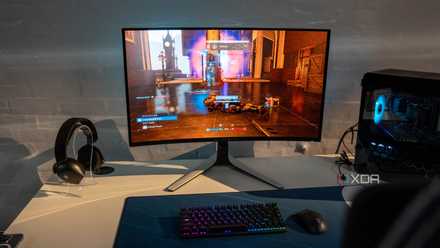
You don't need a 4K monitor to make DLSS 4.5 worth it
Even at 1440p, DLSS 4.5 delivers great results, thanks to Preset L