
Backups are one of those home lab chores that can quietly turn into decoration. You set them up, watch the first job complete, and then slowly stop thinking about whether they still work. The Proxmox dashboard may show a task as completed, but that doesn’t always mean the backup is useful, recent, complete, or easy to recover from. That gap is where my trust started to fray.
Backups are one of those home lab chores that can quietly turn into decoration.
I didn’t need Claude Code to invent a backup strategy from scratch. I needed it to help me turn my existing setup into something I could check without digging through logs every time I felt uneasy. That sounds less exciting than deploying a new service or building another dashboard, but it made the whole home lab feel sturdier. Once the checks were readable, repeatable, and boring, the backups stopped feeling like a hopeful assumption.
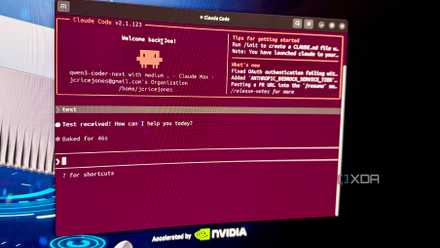
Claude Code's real power comes from the tweaks nobody wants to talk about
Claude Code gets better when you stop chasing flashy workflows and start tightening the boring setup details.
Backup checks matter more than backup settings
The useful part was knowing what actually changed overnight
Proxmox makes it easy enough to schedule backups, especially once you have a decent storage target in place. The trap is thinking that a schedule is the same thing as assurance. A backup job can run without giving you the full picture of what happened, what failed, what was skipped, or whether anything changed in a way that needs attention. I wanted a check that treated the backup task as the beginning of the story, not the whole report.
That is where Claude Code helped most. I could describe what I wanted in plain terms: check the latest backup times, flag anything stale, summarize failures, and make the output simple enough to read before coffee. It helped me shape that into scripts I could actually understand, instead of a pile of shell commands I’d be afraid to touch later. The result wasn’t magical, but it was useful in exactly the right way.
The best part was that it pushed me toward small checks with clear jobs. One script didn’t need to diagnose the entire home lab, rewrite storage policy, and judge my life choices. It just needed to say whether my virtual machines and containers had recent backups, whether the latest jobs had been completed, and whether anything looked suspicious. That narrow focus made it easier to trust the output because I knew what it was and wasn’t trying to prove.
Claude Code made the checks easier to understand
Readable scripts made failures feel less mysterious every morning
My old approach to backup confidence was too manual. I’d click through Proxmox, glance at task history, check storage usage, and occasionally convince myself that everything looked fine. That works until the lab grows just enough to make the routine annoying. Once you have a few LXCs, a couple of virtual machines, a NAS target, and services you actually rely on, “I’ll check it later” becomes a tiny trapdoor.
Claude Code didn’t just help me write scripts faster. It helped me make the scripts less cryptic. I could ask it to add comments, separate checks into functions, make the output more readable, and explain why it chose one command over another. That mattered because a backup check I don’t understand is just another mystery process wearing a responsible little hat.
The output became the real feature. I didn’t want a wall of logs or a dashboard full of numbers that looked important but required interpretation. I wanted something that showed which guests were covered, which weren’t, and which deserved attention. Once the report became readable, checking backups turned from an anxious little audit into a normal maintenance habit.
Don’t just check that a backup file exists. Check when it was created, whether the job completed successfully, and whether the guest it belongs to is still part of your active home lab. A backup check is much more useful when it tells you what needs attention, not just that something landed in a folder.
Automation can make a home lab feel falsely safe
A green checkmark does not always mean recovery works
There is a real danger in letting automation make you too comfortable. A script can tell you a backup exists, but it can’t automatically prove that the restore process will go smoothly. It also can’t know whether the backup includes the data you care about if your storage layout is messy or your important files live outside the expected paths. That means a clean report can still hide a bad assumption.
That risk gets sharper in a home lab because the person building the system is also the person grading it. It’s easy to write checks that confirm what you already hope is true. You might check whether a file exists without checking its age, size, job status, or relationship to the guest it supposedly protects. A script can become a very polite accomplice if you don’t ask it the right questions.
There is also the maintenance problem. Scripts age, APIs change, storage paths move, and backup routines evolve as the lab changes. A check that was accurate three months ago can become decorative if it never gets reviewed. That is why I don’t think Claude Code should be treated as a replacement for understanding the system underneath it.
The answer was simpler checks, not blind trust
The scripts helped because I could still inspect them
The fix was to keep the checks boring enough to verify. I didn’t ask Claude Code to build a grand backup oracle that could judge everything with a single command. I used it to make small tools that asked practical questions and returned plain answers. That made the automation easier to inspect, revise, and distrust when something looked off.
I also treated the scripts as prompts for better habits, not as proof that recovery would always work. If a backup looked stale, I still checked Proxmox. If a job failed, I still read the relevant task log. If storage usage looked odd, I still investigated the backup target instead of assuming the summary knew everything. The script became the smoke alarm, not the fire department.
That distinction made all the difference. Claude Code helped me rebuild the checks, but the trust came from being able to read and reason about them afterward. I could see what commands were being used, what conditions triggered warnings, and what the output actually meant. That made the system feel less like a black box and more like a set of notes I’d written with a very patient assistant.
Trusting a home lab starts with proving recovery
A home lab doesn’t become trustworthy because every service has a backup schedule attached to it. It becomes trustworthy when you can prove, repeatedly and without drama, that the important pieces are being protected. Claude Code helped me get closer to that by turning backup checks into something I could run, read, and adjust without making a whole evening out of it. That is the kind of automation I actually want in my lab.
The result is not a perfect safety net, and it shouldn’t be treated as one. I still need to run restore tests, maintain sane storage habits, and keep enough discipline not to ignore warnings when they appear. But my Proxmox setup feels easier to trust now because the backup status is no longer buried in a place I only visit when something has already gone wrong. For once, the boring chore made the whole lab feel better.