
I have talked about how I lost data to an incorrectly configured NAS during my early days with my first unit. But I have learned to make things work after years of trial and error. This entire experience has also instilled in me the right way to back everything up — my laptop, phone, portable drives, and the NAS — so that I am ready for any event short of an apocalypse.
When setting everything up, I had to first accept that the system will fail — I just don’t know how or when. So, I have to prepare for all possible events. Here’s how I did that.
6 RAID means resilience
And not backup
We’ve heard tens of times that RAID isn’t backup. I’ve said it more times than I’d like to admit. RAID is something that gives you peace of mind and even buys you time in case of a drive failure. If one of the drives on my system crashes, I just need to replace it, and the NAS will magically reconstruct the data on the faulty drive.
Depending on the RAID configuration, your system may even be able to survive two simultaneous drive failures too, which is a huge safety net when you have old drives running 24/7. Drives are going to fail — one should expect that. But RAID ensures that you don’t lose access to your data.

5 tips to prepare for your inevitable NAS drive failure
Your HDD or SSD will fail, but how can you prepare your NAS for this event?
5 UPS is my NAS’s bodyguard
And it’s doing its job well
Tornadoes, cyclones, earthquakes, floods — these are just a few of nature’s forces that result in power cuts. While they have other drastic effects, power cuts like these can jeopardize your important data, especially mid-transfer. A small aftermarket UPS made for NAS can save you from such permanent data loss without costing much.
My system is hooked to my home’s power backup system, so I thankfully get a much longer window to wrap up any pending tasks. Even a small UPS unit can give you enough time to ensure nothing important is lost. It’s a small but worthwhile investment.

Does your Synology NAS need a UPS?
You have a NAS, but do you need a UPS? It depends, but it's always better safe than sorry.
4 Snapshots save me from avoidable mistakes
That I make way too often
Snapshots are criminally underrated. They’ve saved me from myself more than once — letting me recover deleted client folders, correct misconfigured syncs, and even restore files lost to buggy software updates.
As a safety mechanism, my NAS takes daily snapshots of some key folders, with file retention set for the past 30 days. This way, even if I take weeks to come back to a file that has been erroneously edited, I can restore it to a better version. This is the folder-wide ‘undo button’ that makes for a solid part of a strong backup strategy.
5 open source OS options for your self-built NAS
Break free from the constraints of prebuilt NAS devices.
3 Cloud backup is as off-site as it gets
Cloud isn’t to be feared.
Companies may tout NAS as a replacement for the cloud — not gonna lie, I even fell for that narrative — but that’s not quite the case. While on-site network storage has a lot of perks, cloud storage has its own strengths. And you can combine the two to make the best of both worlds.
A reliable backup strategy is one where you maintain an off-site backup for additional safety from physical damage to your main NAS. Now, this backup location could very well be a cloud service that is set to back up your important folders from the NAS so that you have a copy handy in case things go south.

I finally set up TrueNAS cloud sync for the first time, and it blew my mind
TrueNAS taught me more than I ever wanted to know about storage
2 Cold storage, like the good old days
Portable hard drives are your pals
If you were thinking of discarding all your portable HDDs now that you’ve got yourself a new NAS, then hold onto that thought for a moment. Sure, a NAS automates a lot of the tasks you had to do manually with an external disk, but it’s still not completely off-grid — something you’d want for utmost protection.
Maintaining copies of your critical files in encrypted portable HDDs is still a sound strategy for your files’ safety. It’s even better if you can store these drives at different locations, like a friend’s place or a bank locker. This may sound old-school, but when the cloud, NAS, everything fails, these drives are the ones to save the day.

How a basic drive enclosure made my NAS and PC setup more flexible
The best $20 I’ve ever spent!
1 Automation, everywhere
Don’t let a slip of memory cost you something critical
Relying on your memory for something that can be automated is not only risky but also inconvenient. It is hard to remember to take backups and snapshots every week at the same time. But guess what? Your NAS is well equipped to do that, so just let it.
I have set mine to run such automated tasks — like cloud uploads, health checks, and local snapshots — after my working hours. It took some trial and error to get this routine right while also giving the NAS ample time to finish its work before it shuts itself down for the night. And that’s the goal: backups that work even if I forget, or when I’m away.

6 backup mistakes that put your NAS at risk
Let’s clear up NAS backup misconceptions
My NAS is set to handle anything
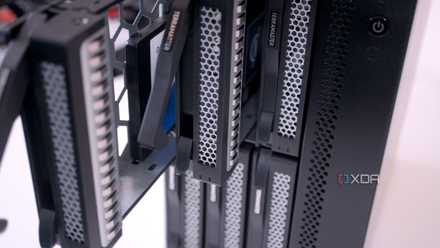
A lot of critical files live on my NAS. I rely on it as my destination for a lot of things — from storing all my family photos to maintaining a versioned backup of both my laptops. So, it’s the device at the center of my storage strategy — one that keeps everything safely stored and synced across devices. I use the strategies listed here to keep everything on my NAS safe and sound, even during incidents no less severe for personal data than an apocalypse.
QNAP TS-464
- Brand
- QNAP
- CPU
- Intel Celeron N5095
- Memory
- 8GB DDR4 (max. 8GB)
- Drive Bays
- 4
- Expansion
- 2x M.2 PCIe 3.0, 1x PCIe Gen 3 x2
- Ports
- 2x 2.5 GbE, 2x USB-A 3.2 Gen 2, 2x USB-A 2.0, 1x HDMI
QNAP's TS-464 is an impressive four-bay NAS with a striking design, powerful internal specs, and IR support for a remote control. If you're looking for the best-equipped NAS for running Plex (or other media solutions) without spending a small fortune, this is the NAS for you.