
Network-attached storage (NAS) is essentially a system full of storage drives. This could be a formation of solid-state drives (SSD) or mechanical hard disk drives (HDD). Regardless of which type of storage you use, you're guaranteed to encounter a drive failure somewhere in the future. While NAS-rated storage is designed to run for millions of hours inside such enclosures, nothing lasts forever. It's as inevitable as Neo from The Matrix destroying Agent Smith. The only question is when, but there are a few things you can do to better prepare yourself (and your NAS).

5 tips to help you pick the perfect drives for your NAS
After all, HDDs and SSDs are just as important (and expensive) as the hardware inside your storage server
5 Check drive health reports
See how bad things are
The primary defense against potential drive failures is ensuring your drive array is healthy and operating normally. Most NAS operating systems will support Self-Monitoring, Analysis, and Reporting Technology (S.M.A.R.T.) and be able to provide status reports on your drives. Once abnormal metrics are read, an alert should display somewhere in the OS — the system may even start beeping. This is when you should consider the possibility of an imminent drive failure.
By checking S.M.A.R.T. reports, you can be wiser on how your storage is performing. You may even notice the drive causing increased vibrations or making strange noises, depending on how badly (and quickly) things are progressing.
4 Purchase a spare drive
Get ready for the swap
If you're aware of some issues with one (or more) of your drives, you must consider picking up a spare drive sooner. Once the drive ceases to work well enough that data can be written or read, you should shut the RAID or system down and swap it out. Having a replacement ready to go before the drive fails is a good way to minimize downtime and reduce the stress of rushing through and purchasing a drive. You can also take advantage of any sales currently underway.
Replacing a faulty drive is also an opportunity to increase the storage capacity of your RAID.
3 Consider a UPS for outages
Loss of power can harm your drives
An uninterruptable power supply (UPS) is precisely as the name implies. It's a means to provide power without interruption. This includes power outages, which can prove deadly for NAS and the drives installed within. With a UPS, your NAS (and anything else connected to the outlets) will be protected against these blips or outages. Should your access to the power grid be revoked for some reason, the UPS will kick in immediately and keep everything running.
With a UPS, your NAS will be able to safely shut down the drives and OS without any damage caused to the RAID and storage pool. It's a must-have for anyone serious about storing data.
2 Check the warranty status
See if you can use RMA
NAS drives usually come with a warranty of at least five years. Should your drive cease to function as designed before this, you may be able to create a Return Merchandise Authorization (RMA) request for the manufacturer to take the drive and run some tests or replace it outright. I've never had a drive fail before the warranty period ended, but it does happen, so it's a good idea to know your rights and how long you have left of any coverage.
1 Back up all your data
You should be doing this already
This is the most important step of using any NAS or home lab server. You must back up everything. I'm talking configurations, settings, data, and more. Anything can happen, and just because you have a fancy RAID with multiple layers of redundancy, it doesn't mean your storage pool is invulnerable to degradation or corruption. Take this opportunity to run automated backups, manually save stuff elsewhere, and implement the 3-2-1 backup rule.
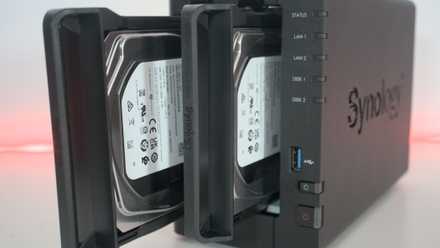
How to follow the 3-2-1 backup rule for NAS and protect your data
Keep it secret, keep it safe
Don't worry, you're in good hands
Your NAS OS is smarter than you think. Most modern NAS operating systems can handle drive reporting and rebuilding the RAID should one fail. Depending on which RAID type is in use, you may be able to withstand more than one drive failing, though you should never rely on RAID as a means of backup. It could fail altogether, which is why you should always have backups (and backups of the backups) available. These tips will see you better prepared for this inevitable situation, at least.