
Did you know that every drive will eventually fail? It's the nature of technology. Components degrade over time and you will end up replacing multiple drives throughout the lifespan of your network-attached storage (NAS) device. Data storage is vital for keeping sensitive information safe and ensuring you're not using damaged hardware will protect you against data loss. Should you know a failure is imminent, getting ahead of the curve makes things easier by rebuilding the RAID and safeguarding data stored on the pool. When all drives are running smoothly without any detected issues, you can keep relying on your NAS.
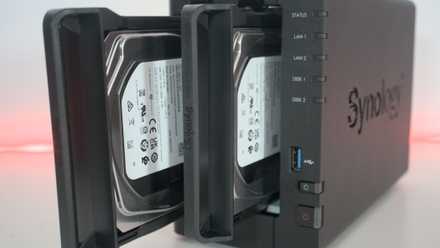
How often do you need to replace your NAS drives?
When should you replace a NAS drive?
4 S.M.A.R.T. tells you the drive is bad
Most modern hard drives can utilize Self-Monitoring, Analysis, and Reporting Technology (S.M.A.R.T.) to monitor specific metrics of the device and provide health alerts for potential failures before they occur. This technology analyzes various metrics reported by the drive and when certain thresholds are met, the drive status will change to reflect its degraded condition. Although lots of data is reported through S.M.A.R.T., you need only be concerned with the overall status. If S.M.A.R.T. finds something wrong with your hard disk, the NAS operating system will alert you with some helpful information through its storage management interface.
Reading through S.M.A.R.T. data can prove challenging and require plenty of search results, but the OS should be able to parse much of this jargon into easily digestible notices.
3 You notice degraded performance
When drives start to fail, you can notice it struggles to keep up with requested operations for reading and writing data. When moving data to and from the drive pool takes longer than expected, you may have one (or more) struggling to keep up with the rest of the pack. S.M.A.R.T. should be able to detect such degraded performance, but if it doesn't, slower transfer speeds with the NAS can be a sign of worse things to come. A typical SATA III hard drive should sustain a transfer rate of more than 500MB/s though this is local speed and will be restricted by network bottlenecks when attempting to move data remotely.
2 The loss of stored data
Even when using RAID, a drive can have bad sectors and blocks that can lead to data loss. There are measures in place to automatically help mitigate this, but it'll likely occur when your drive starts to function as designed. When data cannot be accessed by software, there's a good chance this could be caused by the drive being unable to handle the request. A RAID should never be relied upon for backing up your data. Using one is highly recommended for creating storage pools, but you should always back up your NAS using the 3-2-1 backup rule.
How to follow the 3-2-1 backup rule for NAS and protect your data
Keep it secret, keep it safe
1 The drive is producing strange noises
Inside a mechanical hard drive is a motor and spinning platters. An arm moves across these spinning discs to read and write data. All of these parts will wear out as time passes by and the drive's operational hour count increases. At some point, the drive may start to make some noises. Now, HDDs aren't quiet even when running normally, but you'll notice some clicking noises, grinding, or high-pitch sounds from the unit. This could be a specific part starting to fail inside the drive, which can lead to an impending drive failure.
It's time to replace your NAS HDD
Now that you've noticed some noises, reduced speeds, or S.M.A.R.T. health alerts, it's time to replace your NAS drive. The process of doing so depends on the system and whether hot-swapping is supported. Many turnkey prebuilt enclosures from brands such as Asustor and Synology will let you replace a drive without shutting down the NAS. For all other NAS hardware, you'll need to power off the system and carry out maintenance before booting it back up for the RAID to be rebuilt.

How to replace a failing drive inside a NAS without losing data
Here's what to do when you inevitably encounter a NAS drive failure.