
Windows File Explorer as we know it today has been around for decades, and while Microsoft has made an effort to modernize it with subtle UI tweaks, it still feels like the same old tool underneath. That can be a pro or a con, depending on your point of view, but to me, File Explorer leaves a lot to be desired. It works, but it gets in my way a bit more than I'd like.
A little while ago, I finally made the plunge and decided to replace File Explorer with a free, modern alternative that's more attuned to power-users. It's called OneCommander, and it has genuinely made working with files so much better.

5 best dual-pane file managers for Windows power users
Still using a single-pane file manager? These dual-pane power tools bring twice the efficiency and help you stay productive.
OneCommander is what File Explorer wishes it was
It feels like it's apart of Windows
OneCommander looks and feels like a Windows 11-era app instead of a relic patched through multiple OS generations. The interface is clean, responsive, and thoughtfully designed, with a layout that can adapt to how you work rather than forcing you into Explorer’s single-pane workflow. A single window can be effective, but with the way File Explorer handles tabs, it's hardly the preferable way to navigate files. I've found myself relying on multiple windows for years, and OneCommander almost completely bypasses that.
The interface supports tabs in a way that feels far more intentional than Explorer’s implementation. Navigation is smoother, with clickable breadcrumb paths that behave like a real navigation tool rather than a cosmetic strip. A proper preview system is built right in, capable of loading images, documents, and audio files instantly without relying on Explorer’s somewhat fragile preview engine.
Another thing that stood out immediately was how lightweight everything felt. Explorer was okay with large directories, but the sorting and grouping of files by type and size seemed way more fluid and responsive with OneCommander.
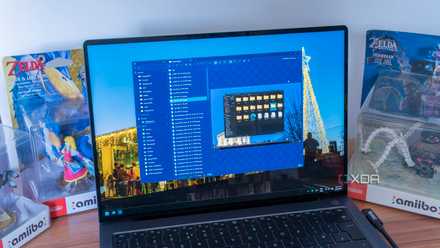
I tested 8 File Explorer alternatives, but this is the one that stuck
File Pilot is the king
Why I swapped in the first place
The straw that broke the camel's back
My frustrations with File Explorer have been brewing for quite some time; there's a ton of very small annoyances that have fallen squarely in the "it's annoying, but I can deal with it" bucket for years. The preview pane is barely functional, sorting tools behave pretty inconsistently, but the thing that actually made me switch was a crash. No idea what caused it (or if Explorer itself was even to blame) but that was the moment I knew I had to at least try something else.

Files 4.0 just came out, and these are my 6 favorite features
A fantastic file manager gets even better
Why I've switched permanently
And haven't looked back
OneCommander’s feature set solves problems Explorer has ignored for years. The dual-pane mode completely changes file management. Instead of opening multiple windows or snapping them side-by-side, both locations live in a single, clean workspace. Moving files between drives, comparing two folders, or staging temporary work directories becomes dramatically easier.
Column view is another highlight. It presents nested directories as a horizontal chain of columns, letting you see exactly where you are and where you’re going at all times. For deep folder structures, this is faster and more natural than Explorer’s left-hand navigation tree, which feels cramped, and honestly a bit archaic by comparison.
The preview system is fully integrated and far more capable than Explorer’s default offering. Documents, PDFs, audio clips, images, and text files open instantly in a dedicated side panel, eliminating the constant need to open random files just to confirm their contents. Metadata appears right where you expect it. For anyone managing photos, assets, downloads, scripts, or any form of media, this alone is enough to justify the switch. PowerToys helped with the pains of the preview pane a bit, but OneCommander pretty much all the accoutrements I wanted from PowerToys out of the box.
OneCommander also includes built-in handling for ZIP archives and advanced file operations, reducing the need for extra tools. Even the breadcrumb navigation is smarter, offering quick access to subfolders without digging through nested menus. Everything about the experience feels considered.

6 reasons OneCommander is my favorite free file manager for Windows, and it's not even close
What's there not to love?
The downsides are still there
You can't escape Explorer in some areas of Windows
Perhaps the most unfortunate part of OneCommander is that it's not a shell replacement, meaning when you go to Save or Open anything from an external app, your PC will still open a File Explorer window. Anything system-level is like this, and cannot be changed, which really sucks.

OneCommander is my go-to for Windows file management
After replacing File Explorer with OneCommander, my daily workflow speed noticeably improved, and I find myself fighting file management less. The app feels modern in a way Explorer simply does not, and it brings order, speed, and clarity to tasks that used to feel clunky. Windows still depends on Explorer for certain system functions, but OneCommander is the tool I now choose by default.