
Although a barebones version of VS Code works as a reliable code editor for simple programming tasks, it’s evolved into a hardcore dev environment – and you can attribute this evolution to the sheer number of extensions available in its marketplace. Whether it’s adding support for the most obscure coding language out there, bringing QoL features into your programming environment, or simplifying snippet formatting, you’ll find a VS Code extension for practically every task you can think of.
But when it comes to extensions that can bolster your productivity, few can rival the likes of Dendron. Designed to bring superior note-taking capabilities to the code editor, Dendron has enough features to replace Obsidian, especially if you keep your head buried in VS Code as much as I do. Toss in the ultra-powerful llama-vscode extension, and you’ve got a slick note-taking and information retrieval pipeline on your VS Code server.
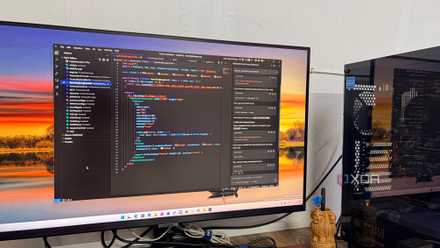
Dendron is a killer PKM for VS Code
Its note-taking tools are next-level
On the surface, Dendron may seem like a simple Markdown extension, but it can serve as a full-fledged Personal Knowledge Management system. If you prefer adding visual diagrams to your notes as much as I do, you’ll be glad to know that Dendron supports Mermaid diagrams. Likewise, it’s compatible with the KaTeX typesetting library, which makes adding properly-formatted math functions a piece of cake, and I can separate conventional notes from my programming snippets via code blocks.
I also adore the reference facility in Dendron, as it lets me paste snippets (or even entire notes) from other .md files into a document. Alternatively, I can add backlinks within my notes to navigate between them with ease, while the customizable schemas are a godsend when I want to create common templates and save time that I'd otherwise spend adding the same elements in every .md document. The best part? It supports note refactoring, meaning all the documents referencing a specific text snippet will automatically update their backlinks if I end up modifying the original .md file.

I replaced NotebookLM with this free tool that uses my local LLMs
It lets me use my own local LLMs instead of being locked into Google's models
Dendron’s note organization capabilities are just as impressive
Dendron has this quirky hierarchical setup where it ditches typical folders and instead uses the notes themselves as directories for nested .md files. On paper, that may sound somewhat weird, but having worked with a similar hierarchical design in Trilium Notes, it’s perfect for building a note repo from scratch, where I can jot random ideas in a document and turn it into a directory containing more information later down the line.
Likewise, Dendron relies on fuzzy search, so it can pull up hundreds of notes in a matter of seconds. It even supports multiple vaults, so I can separate my home lab documents and academic notes from the documentation I use for public code repositories. Speaking of repos, Dendron can also sync notes to Git folders, thereby providing excellent backup functionality for my knowledge base. Factor in its ability to turn simple notes into a visual treat thanks to the graph view, and you can see why I hold Dendron in such high regard. Plus, it also helps that it’s accessible within VS Code – the very application I use for 95% of my coding tasks. That way, I don’t need to switch between VS Code and Obsidian every few minutes when recording my troubleshooting attempts during a home lab project.
The llama-vscode extension supplies the local LLMs
It satisfies my note retrieval needs
Dendron is pretty amazing on its own, but its real utility comes into light once I add my locally-hosted LLMs into the fray. For reference, I’ve got a Qwen3.6-35B-A3B configured on my gaming PC, and it’s as good at generating coding suggestions as it is at diagnosing errors after reading hundreds of terminal lines. And pairing it with my Dendron vaults grants it full access to the documentation I’ve maintained for my home lab – making it even more accurate for my troubleshooting needs.
Score Software & AI Deals to Power Your Local LLM Setup
While there are a couple of extensions designed to connect local and cloud models to VS Code, my favorite has to be llama-vscode. After all, I’m already running llama-server for Qwen3.6, and pairing it with llama-vscode was as simple as adding its IP address and port number to the Settings section of the extension. Since llama-vscode can ingest multiple documents, I can point it to the error logs, IaC configs, and random notes in my Dendron vault, and have it generate detailed reports about what went wrong during my projects, and the solutions that can set things right.
I also use this combo extensively when formatting code blocks within my .md files. In particular, I’m talking about the Ansible playbooks and Terraform .tf syntax that would otherwise require some extra minutes of manual configuration if I had to format the code with the right indentation rules.