
For all the excitement around AI, one question keeps coming up: how much of your data are you willing to hand over in exchange for better answers? The latest cloud models are incredibly capable, but they work by sending your prompts and context to someone else's servers. Local models solve that problem, but they often come with their own limitations.
For a while, I assumed those were the only two options. Either accept the privacy trade-off or accept weaker performance. But after spending time with both approaches, I realized there was a middle ground. I didn't need every AI task to stay local, and I didn't need every piece of my data to reach the cloud. Once I separated those two ideas, building a practical AI workflow became much easier.
The privacy vs. power dilemma
The problem started when I wanted both things
I always felt like a compromise while choosing an AI setup. You either handed your digital life over to Big Tech for top-tier intelligence, or you locked everything down locally and settled for a noticeably dumber model. I wanted the reasoning power of the massive cloud giants, but I refused to feed them my personal documents, client contracts, or private notes. The trade-off felt unavoidable until I stopped treating it as an all-or-nothing choice.
The privacy problem isn't what most people think
When people talk about AI privacy, they usually worry about a massive data breach or their private thoughts leaking online. But the real issue is much more insidious: it’s data training. Every time you paste text into a standard cloud chatbot, that data is potentially absorbed to train the next generation of models.
If you are analyzing a private financial spreadsheet or drafting a sensitive email, that information becomes part of a corporate data hoard. Once your data hits their servers, you lose control over how it is retained or processed. The privacy problem isn't just about security; it's about losing ownership of your digital footprint.
Why going fully local didn't work for me
To fix this, I went all-in on local LLMs. I downloaded open-source models, fired up my hardware, and ran everything completely offline. The privacy was liberating; nothing left my machine. But the reality check hit hard when I needed heavy-duty performance.
Small, consumer-grade local models are fantastic for quick summaries and basic scripting, but they trip up on complex, multi-step reasoning or massive coding tasks. I found myself hitting a performance wall daily, constantly missing the sheer horsepower of the cloud. Going 100% local protected my data, but it severely bottlenecked my productivity, proving that privacy shouldn't have to mean sacrificing capability.

I’d do these 5 things differently if I started self-hosting LLMs today
From trial-and-error to a cleaner local AI workflow.
I ended up building the hybrid approach
A simple setup solved my biggest AI problem
The solution turned out to be much simpler than I expected. Instead of choosing between a local model and a cloud model, I started using both. My local LLM became the first stop for every task, while cloud AI only stepped in when I needed more power.
All of my private information stays on my computer. That includes my notes, client documents, research files, and personal knowledge base. When I need to search through that information, summarize it, or ask questions about it, the local model handles everything without sending the data anywhere.
But sometimes I need help with tasks that local models still struggle with. Things like improving a blog post, brainstorming ideas, solving a difficult coding problem, or working through a complex question. In those situations, I let the workflow fall back to a cloud model.
The important part is that I don't send my entire data collection to the cloud. The local model does the heavy lifting first and only passes along the small amount of information needed for the task. The cloud gets the question, not my whole digital life.
Once I started working this way, the privacy-versus-power problem mostly disappeared. My private data stays at home, but I can still use the best AI models when I need them. For me, that has been the best balance between privacy and performance.
It gives better data hygiene
I share less data by default
One benefit of this setup that I didn't expect was how much it improved my data hygiene. Before, whenever I needed help from a cloud AI, I would often paste entire documents, long notes, or large chunks of research into the prompt. It was easy, but it also meant sharing far more information than was actually necessary.
With a local-first workflow, I naturally work differently. The local model searches my files, pulls out the relevant details, and creates summaries before anything reaches the cloud. By the time a cloud model gets involved, it only sees the information needed to complete the task.
That has made me much more aware of what I'm sharing and why. Instead of uploading everything and hoping for the best, I now treat data like something that should be shared only when necessary. Even when I use cloud AI, I'm exposing far less information than before. In my experience, that's a smarter and safer way to work with AI.
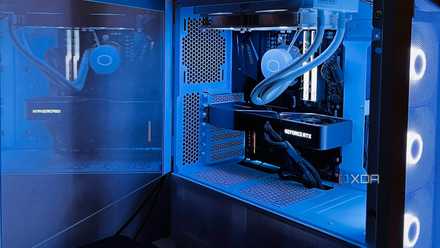
After a year of self-hosting LLMs, I realized the real bottleneck isn’t the GPU
Hardware is just the entry fee for local intelligence.
I prefer the best of both worlds
After trying both local and cloud AI, I've found that neither is perfect on its own. Local models keep my private data on my machine, while cloud models provide the extra intelligence needed for tougher tasks. By combining the two, I get the best of both worlds. My sensitive information stays private, and I still have access to powerful AI when I need it. That's the balance that works for me.