
Moving my workflow to a local AI setup was the best productivity hack I’ve discovered in years. Relying on cloud APIs often felt like building my house on someone else's land. I was always at the mercy of their subscription fees, privacy policies, and server downtime. By leveraging Docker and self-hosting, I’ve built a private, high-performance ecosystem that runs entirely on my own hardware.
Equipped with an Intel Core Ultra 9 processor, 32GB RAM, and an Nvidia GeForce RTX 5070, I can run heavy 14B models with zero lag. I even run a few 20B models whenever required. With a 1TB SSD for model storage, my machine is now a localized powerhouse. Here is the exact Docker stack I use to create a powerful local LLM workflow.
Ollama
The core layer
If my self-hosted AI stack were a body, Ollama would be the brain. It’s the core engine that runs large language models directly on my machine, without relying on any cloud service. That shift completely changed how I use AI. Instead of sending prompts to external APIs, everything stays local, private, and always available.
I use different models for different tasks. Ollama lets me run models like gpt-oss (20B), qwen2.5-coder (7B), llama3.1 (8B), Mistral (7B), DeepSeek (14B), Gemma, and others depending on what I need. Some models are better at reasoning, some are faster for quick writing, and some are excellent for coding help. Switching between them is as simple as pulling a Docker image.
Ollama also handles memory management and quantization efficiently, so even high-parameter models run smoothly without stressing my system. The API is clean and easy to integrate with tools like Open WebUI, LangFlow, AnythingLLM, and even my productivity stack like Logseq or Home Assistant.
It’s one of the easiest ways to start self-hosting LLMs without dealing with complex setup. Ollama handles most of the heavy lifting, so I can focus on actually using the models instead of managing them. There are other options, like LM Studio, that also power local AI setups.
Open WebUI
Bring the ChatGPT experience to your own local hardware
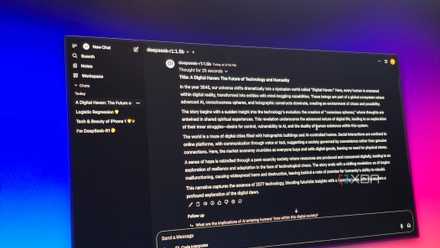
While Ollama runs the models, Open WebUI is where I actually use them. It gives me a clean, familiar chat interface, similar to ChatGPT, but everything runs locally on my machine. I don’t need to send API requests or switch between tools. I just open the browser and start typing.
Just like people who use ChatGPT, Gemini, etc., I use Open WebUI for summarizing notes, brainstorming ideas, and testing prompts. It connects directly with Ollama, so changing models takes only a few seconds. If I want faster responses, I switch to a smaller model. If I need better reasoning, I choose a stronger one.
The chat history feature helps me revisit past conversations and reuse prompts that worked well. It also connects easily with tools like n8n and AnythingLLM. Open WebUI makes my local AI setup feel simple, practical, and ready to use every day.
n8n
The automation layer
n8n is an open-source workflow automation tool that I run locally with Docker. I treat it as a self-hosted alternative to Zapier, but with much more control and flexibility. I can connect apps, APIs, and my local LLM without relying on cloud services, which keeps everything private and reliable.
n8n is what turns my local LLM setup into a real workflow instead of just a chat tool. It helps me automate repetitive tasks and connect different parts of my stack. Instead of manually copying prompts and responses, I create simple workflows that run on their own.
It can monitor folders, call Ollama through API, and save results wherever I need. The visual builder makes it easy to understand how data flows between steps and quickly fix issues if something breaks. n8n makes my AI setup feel like a complete system that actually works for me.
I used my local LLM to rebuild my workflow from scratch, and it was better than I expected
I rebuilt my workflow when AI finally felt truly mine.
AgenticSeek
Personal multi-step problem solver
AgenticSeek adds the “agent” layer to my local AI setup. Instead of just answering prompts, it helps my LLM take actions, follow steps, and complete multistep tasks on its own. It brings goal-based behavior to my self-hosted workflow.
I use AgenticSeek when I want my AI to do more than simple chat. It can break a task into steps, search for information using SearXNG, process results, and generate structured output. This makes it useful for research, drafting content, and structured problem-solving.
What I like most is that everything still runs locally. My data stays private, but I still get the experience of using an autonomous AI assistant. AgenticSeek works well with Ollama as the model layer and connects easily with n8n for automation. It makes my local LLM feel more proactive, not just reactive.
SearXNG
Connect your local LLM to a private internet
SearXNG gives my local LLM access to real-time information without depending on Google or other tracking-heavy search engines. It is a privacy-focused metasearch engine that I run locally using Docker. This means I can search the web without ads, tracking, or personalized results influencing what I see.
I use SearXNG when my AI needs fresh information that isn’t part of its training data. I connect it with AgenticSeek, so the agent can search the web, collect useful links, and summarize the results. It helps me research topics, verify facts, and explore ideas without leaving my local workflow.
With SearXNG, my AI stack can fetch information on demand while everything stays under my control. It completes my stack by giving my local LLM a private window to the internet.
Self-hosted LLM took my personal knowledge management system to the next level
I upgraded my second brain with fully local intelligence.
Build once, improve forever
What I like most about this setup is how it grows with my workflow. I can start simply, then gradually add more capabilities as my needs change. Each container solves a specific problem, but together they create a flexible system that keeps improving over time.
Self-hosting AI is not just about privacy; it’s about ownership and control. I decide how my tools behave, how my data is used, and how everything connects. That freedom makes experimentation easier and removes dependency on changing pricing or policies.