
While working in my home lab, I find the networking part challenging. When I learned that my consumer-grade router wouldn’t deliver the speeds and features I wanted, it became clear I should build my own router. So I picked up a mini PC to build my own router to manage the networking and the several self-hosted services I run. Contrary to my belief, it turned out to be an arduous project. Here are the blunders I made with my first mini PC router that you can easily avoid.

I simplified my home lab with a single Proxmox node
Transforming scattered chaos into a single, quieter, and efficient home lab
Underestimating the hardware requirements
Picking the right components
My first assumption was that any mini PC with a low-power processor would outperform a consumer router. That misconception fell apart once I enabled VLANs, multiple firewall rules, VPN tunnels, and IDS/IPS systems on my initial build with an old, entry-level Intel processor. The CPU choked when the load increased.
That’s when I realized that picking the right components for a DIY router is key. Upgrading to a mini PC with an Intel Core-series processor resolved most bottlenecks. Also, 8GB of RAM was sufficient for basic routing, but 16GB provided enough headroom to handle logging, background tasks, and peak usage. A decent 256GB NVMe SSD helped prevent the slowdowns and hiccups I experienced with a cheap, lower-capacity drive.
Oversight of choosing the network interface
Avoiding NIC-related bottlenecks
My HP ProDesk 600 G6 has enough CPU power, but its Intel I219-LM was its most significant limitation. It has a reliable NIC with 1 Gbps Ethernet capability to support basic NAT and firewall rules. It struggled when I added multiple VLANs and worked with VPN configurations.
For a mini PC router build, at least two physical interfaces are essential. Mini PCs with two or four Intel i210/i225/i226 ports offer flexibility for sustainable loads and handle VLANs cleaning. Moving to a 2.5GbE network makes sense since the multi-gig internet is becoming common, and setting up a high-speed home lab network futureproofs it. Though these 2.5 GbE boxes cost more, they eliminate the need to upgrade in a year or two. Meanwhile, the absence of PoE support would certainly pinch. Hopefully, a compatible network will remedy that.
Rushing through software complexities
Common configuration traps
After unboxing my mini PC, I upgraded its BIOS and set Proxmox to run OPNsense. Besides routing, I wanted the machine to work as a home server. For better power settings, I installed the PVE CPU Scaling Governor script using the Proxmox VE helper community site. Once I began tinkering with OPNsense, I skipped way too many steps.
At first, I configured basic NAT and firewall rules in OPNsense, and quickly jumped into setting up multiple VLANs, multiple subnets, and VPN configurations at once. Result? Poor speeds, broken routing, unreachable devices, and I had to roll back the changes because my family complained that web pages loaded as if they were watching the paint dry.
I didn’t stop there and experimented with Suricata to enable intrusion detection, but ran into hardware limitations. Even basic IDS rules pushed the CPU too hard, and the steep learning curve made it difficult to adjust rules without accidentally breaking things. So, I turned it off till I put better hardware and a clearer understanding of what I need from an IDS/IPS setup.

5 home networking mistakes my friends make all the time
Getting the basics wrong, and then some
Setting an unnecessarily complicated network
Simplify the requirements for home
While building a futureproof DIY router, I flipped the switches for every fancy networking feature OPNsense offered. I configured WireGuard for remote access, added a commercial VPN, and created way more VLANs than my home network needed. Clearly, over-segmentation unleashed more chaos, and I ended up troubleshooting often.
Running both WAN and LAN on the same physical interface without proper offloading made things worse. OPNsense worked harder to separate the subnets and process encrypted traffic. So I planned to switch to a dual-NIC setup to simplify my VLANs, making my network more stable and easier to manage.
I rely on WireGuard to access my files, self-hosted services, and Home Assistant smart home controls when away from home. But for gigabit VPN speeds, solid processing power is required, and most consumer or prosumer routers won’t deliver that. Streamlining my network design improved its stability rather than enabling more features mindlessly.
Skipping the tests and backup strategy
Leads to unexpected downtime
When the mini PC’s CPU was under full load, its small case fan became loud. I hadn’t configured Proxmox to take snapshots or scheduled backups. That hits me hard whenever the mini PC crashes.
But my biggest mistake was making changes to a live network without the option to roll back. Several times, a single firewall rule brought down the home internet and frustrated my family. Another grave oversight was the need for an access point to expand the router’s wireless coverage rather than relying on LAN-only routing.
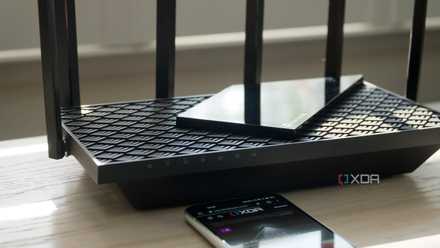
5 ways home networks fail that have nothing to do with your router
Sometimes it's a wonder that the internet works at all
When does a DIY mini PC router make sense
The mini PC serves as a home server to replace the Raspberry Pi I battered. Trying to turn the mini PC into a router taught me a lot about choosing the proper hardware and network design to align with the configurations. Setting realistic networking goals dissolved all the self-inflicted complications. Configuring features requires some effort. An important thing I learned through this project is to never make changes to a live network. Also, I don’t need too many VLANs, probably just enough to segment the smart home devices. Next, I plan to build my own firewall.