
Local AI may still be a niche interest, but the hardware it demands is far from it. For the longest time, conventional wisdom dictated that you can't run a model worth running locally without massive amounts of VRAM. On consumer graphics cards, this is usually in the 24GB–32GB range, and even then, you can't run most of the bigger models uncompressed. This advice remained true since you needed a large enough framebuffer to hold dozens of billions of parameters in memory. When you pass a prompt to, say, a 14B model, all 14 billion parameters get activated, which can sometimes create a roadblock even for GPUs with 32GB of VRAM. This is where Mixture of Experts (MoE) models come in. Consisting of a set of smaller neural networks, MoE models only activate specific submodels, or experts, depending on the prompt and task at hand. This reduces the dependence on VRAM, and brings in many more GPUs into the local AI conversation. MoE models aren't without compromises, but being able to fit a model inside a mid-range GPU is miles better than not being able to run it at all.
High-VRAM GPUs aren't the future of local AI — unified memory and Mixture of Experts models are
GPUs are fast, but they have limited RAM. Unified memory machines are big, but they have less bandwidth.
The "VRAM or nothing" advice became outdated overnight
MoE is where the excitement has shifted
Conventional LLMs are dense beasts where every single parameter participates in processing a token. For instance, if you're running a 70B model, all 70 billion parameters are activated to analyze every word you type and every unit of data the model sends back. This is why traditional LLMs are so VRAM-heavy; the GPU needs to hold the entire model in memory for every input and output. Any worthwhile model on your local machine requires a high-end, expensive graphics card, which usually leaves only options like the RTX 5090, RTX 4090, RTX 3090, and RX 7900 XTX. Quantization helps reduce the VRAM overhead, but you risk losing the reasoning quality that made you pick a particularly large model. Offloading a few layers to the system RAM also helps, but performance tanks, as a result.
So, unless your GPU could fit the entire model in its VRAM, with or without quantization, you couldn't even load the model — it was an either-or situation. For context, even the mighty RTX 5090 with 32GB of VRAM can often only manage models with up to 14B parameters (without quantization). And the truly game-changing models are usually way bigger than that. However, the innovation in newer LLMs has been leaning toward MoE models, allowing your local AI setup to do more with less. These models use a routing mechanism to activate only a few specialized "expert" subnetworks instead of the entire model. The rest of the network is still stored somewhere, but it doesn't need to sit inside the GPU's VRAM for active processing. VRAM has ceased to be the be-all and end-all of local AI hardware, with the focus shifting to a more balanced approach, combining memory capacity and bandwidth in flexible configurations.

8 local LLM settings most people never touch that fixed my worst AI problems
If you run LLMs locally, these are the settings you need to be aware of.
MoE models flipped the script on hardware
VRAM is no longer the star
MoE models shifted the bottleneck from VRAM alone to encompass other components of a system. Since only a subset of parameters needs to be active at a time, you no longer need massive amounts of VRAM just to fit a large, dense model. The GPU necessary to host a game-changing LLM locally changes from a high-end model with a several-thousand-dollar price tag to a mid-range model priced under a grand. The inactive parameters can be stored in the system RAM or unified memory.
Apple's Mac Studio and MacBooks have suddenly become perfect for a workload no one at the company thought of when designing the Apple silicon architecture. With a large unified memory pool of, say, 512GB, these systems can store models like the DeepSeek R1 671B when quantized to 4-bit. Even at the consumer end, a MacBook Pro with M4 Max can get you 128GB of unified memory, four times that of the RTX 5090. Besides, since the CPU and GPU draw from the same memory pool, there's no PCIe handoff slowing down performance.
Compared to the RTX 5090's 1,790 GB/s bandwidth, the Mac Studio's 800 GB/s can seem disappointing. That said, there are two stages of local AI inference, and they use your compute capability differently. The first is the prefill, where the model reads your prompt, and the second is the decode stage, where the model replies in the form of tokens. The first stage is compute-heavy, but the second one depends on memory bandwidth. Your token generation speed is directly linked to your total bandwidth divided by how many bytes of parameters each token needs to read. MoE models mitigate the impact of the lower memory bandwidth of, say, a MacBook Pro by keeping the active parameter count low enough. The memory capacity is large enough to house the full-fat parameter count of the model, and the bandwidth isn't so bad that the active parameters start to slow things down.
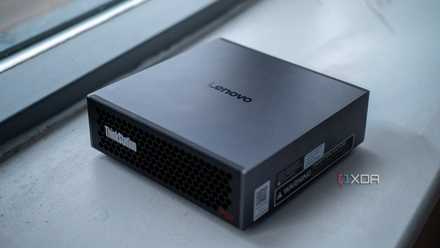
So, a high-end GPU like the RTX 5090 is no longer your only option when it comes to self-hosting the biggest LLMs. Nvidia's fastest consumer GPU wins against almost any other setup when you're dealing with a model that fits inside both of them. However, the moment you exceed the VRAM of the RTX 5090, devices like the MacBook Pro (M4 Max) and Lenovo ThinkStation PGX (Nvidia GB10) start to look pretty attractive. Leaving the high-end segment aside, even a modern GPU with 16GB of VRAM combined with sufficient system RAM can run the right MoE model with the right quantization. This is what MoE models have achieved: bringing local AI to hardware that most users can afford.

My RTX 5090 can't keep up with Apple Silicon on the biggest local LLMs, and I hate to admit it
They don't win on speed, but they do win on being able to run them in the first place.
It's not all sunshine and rainbows
You need to know what MoE is good for
MoE models aren't without a few downsides, of course. Since you're routing a small subset of tokens to each expert, they get a limited view of the entire training distribution. This puts a question mark over the effectiveness of the experts, and requires significant effort to solve. MoE models are known to excel in memorization-dependent jobs, but they can lag behind dense models in reasoning. It remains to be seen whether more advanced MoE models can match their dense counterparts. What is clear is that MoE models work well in scenarios where the prompts are short and the generated replies are long. If you try to feed a long context, such as dumping a large codebase, and expect the generation speeds seen on a high-end GPU, then you'll be left disappointed.
That said, MoE models at least allow you to fit massive models in memory, something not possible even on a GPU with 32GB of VRAM. It doesn't matter how fast your memory is if it's not large enough to fit the model. The conversation has shifted from VRAM-heavy systems to those that make efficient use of the CPU, GPU, and memory together. When you can get the quality of a massive, dense model without the VRAM overhead that used to come with it, it genuinely changes the cost-benefit calculation of local AI hardware.
Zotac Gaming GeForce RTX 5070 Ti Solid SFF OC
The Zotac RTX 5070 Ti Solid SFF OC is one of the more affordable variants of Nvidia's mid-range graphics card, and offers excellent 1440p and decent 4K gaming.
Trying to self-host LLMs made me realize local AI has a friction problem, not a quality problem
Think of it as the Linux desktop problem, all over again
Mixture of Experts changed what truly matters for local AI
Traditional dense models required a massive framebuffer to fit the entire set of parameters, without which you couldn't expect to run the model at all. MoE models changed the game completely, activating only those parameters needed for a particular prompt. These specialized subnetworks or experts make it possible to achieve on a mid-range GPU and sufficient memory what was only possible on an RTX 5090.