
Gamers have understandably been worried about VRAM capacities, since running out of VRAM during gaming is something no one wants to experience. Companies like Nvidia and AMD haven't exactly kept pace with the VRAM requirements of modern games, which is evident in the series of 8GB VRAM GPUs still being launched. That said, VRAM alone doesn't guarantee a great gaming experience. If your only criterion when buying a graphics card is 12GB or 16GB of VRAM, you may be setting yourself up for disappointment. Adding more VRAM to a weak GPU won't magically fix its poor performance. Similarly, your system could be limited by other bottlenecks, not your GPU's VRAM. Before making a purchase decision, do your research about not only how much VRAM you need for your favorite titles, but also the GPU performance tier you should target.

Forget VRAM — these 5 GPU trends are way more disturbing
It's not looking good for gaming GPUs, and it might get worse
Lower resolutions don't stress your GPU's VRAM as much
At least not in every title
I know you "can exceed" 8GB of VRAM even at 1080p, given the right game and graphics settings, but I'm not interested in outliers here. For the majority of titles and graphics presets, 8GB VRAM is still enough. Paired with a capable modern CPU, you can still enjoy High settings with DLSS or FSR Quality presets. And that's exactly what the average gamer does. Nearly 30% of gamers still run 8GB VRAM GPUs, and almost 50% of gamers are still on 1080p, according to the Steam Hardware Survey. Most titles at 1080p are not stressful enough on your GPU to make you question the 8GB framebuffer, especially when you turn upscaling and frame generation on.
Someone running an equivalent GPU that has more VRAM will not enjoy a markedly different gaming experience than what you're seeing on your PC. If your GPU upgrade is more of a sidegrade, with the only saving grace being a larger VRAM capacity, you'll probably feel it's a waste of money. Having more VRAM is a plus, but only if you are playing at higher resolutions, such as 1440p and 4K. In today's GPU market, GPUs with 8GB of VRAM are perhaps the only ones affordable enough for the average gamer. Fortunately, they are still fine for most games, if not ideal for the most demanding AAA titles.

Other bottlenecks in your PC may limit the FPS
Check your CPU and RAM
If your PC isn't delivering the performance you desire, your GPU may not even be part of the problem. Several other components are part of the pipeline, the most important of which are your CPU and RAM. If you have a 10-year-old CPU chugging along with your RTX 30 or RTX 40 series GPU, it might be holding your system back. Most gamers upgrade their GPU much more frequently than their CPU. Your GPU shouldn't have to wait for the CPU to feed the necessary data. This scenario creates a CPU bottleneck, which can reliably be resolved only with a more powerful CPU.
You can confirm a CPU bottleneck in multiple ways. Lowering your graphics settings should ideally improve the FPS, but if it doesn't, your performance might be capped by the CPU. Analyzing the GPU usage is another method, where a consistently lower utilization than, say, 99% or 95% could be a sign of a CPU bottleneck. You can also use tools like Special K and PresentMon for a more detailed analysis. Once you've diagnosed a CPU bottleneck, short of replacing the chip, you can lower the CPU dependency in a number of ways. Increasing the graphics settings to increase the GPU load, trying less aggressive upscaling presets, and increasing the virtual resolution with Nvidia's DSR/DLDSR or AMD's VRS are some techniques at your disposal.
Insufficient or slow RAM can also limit your FPS, especially if you're using a slower DDR4 kit. The impact isn't as significant as that of a weak CPU, but it's still noticeable. If you're coming up on a platform upgrade soon, you'll be able to remove your CPU and memory bottlenecks. Otherwise, upgrading to a faster SSD or a modern gaming monitor are some other ways to enhance your gaming experience, if not in terms of raw performance.

My CPU was bottlenecking my GPU — here's how I found it out
My RTX 4090 just wasn't performing the way I expected it to.
Your GPU's raw performance may not be enough to leverage more VRAM
With more VRAM comes more responsibility
I mentioned how less demanding resolutions and graphics settings don't stress your GPU enough, but another limitation could be your GPU itself. In the past, we have seen many GPU models that had decent VRAM, but not enough GPU grunt to take advantage. Graphics cards like the RTX 3060 and RTX 4060 Ti sport 12GB and 16GB VRAM, respectively, but they are much slower in performance than, say, the RTX 3080 10GB and the RTX 3070 8GB. More than GPU memory, the number of cores, memory bandwidth and speed, and clock speeds determine your graphics card's performance. If your GPU's raw performance isn't quite there, a variant with extra VRAM won't help much.
GPU companies should ideally assign VRAM capacity according to the GPU's performance tier, but that doesn't always happen. A high-end card like the RTX 5080 has no business being stuck with 16GB of VRAM, but companies use VRAM for artificial segmentation to force consumers to buy more GPU power than they need. Anyway, more VRAM doesn't mean much unless your GPU is otherwise capable of pushing high framerates at higher resolutions and more demanding graphics settings.
ASRock Radeon RX 9070 Steel Legend
- Memory Clock Speed
- 2518 MHz
- Architecture
- RDNA 4
- Process
- 5 nm
- Shader Units
- 128
The Radeon RX 9070 is one of AMD's first GPUs powered by RDNA 4, capable of smooth 4K gaming with powerful internals and more advanced upscaling and frame generation technologies. It's a great graphics card to buy for 4K gaming.
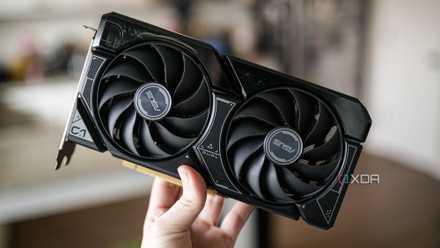
PC gamers are running away from 8GB graphics cards
We're starting to see a shift in favor.
It's great to have more VRAM, but you need other things, too
In 2026, we should not be forced to use GPUs with 8GB of VRAM, but those are the only ones most people can afford right now. Modern games with advanced ray tracing have shot up VRAM requirements, but more VRAM can only go so far. Your GPU should also have the raw performance to push high-end 1440p or 4K settings. VRAM alone won't do much for a weak GPU or bottlenecks associated with other components. And frankly, most people playing at 1080p don't exceed 8GB of VRAM in most games.