
Over the past few months, the automation that switches off my Philips Hue lights in my bedroom has been failing. Every time I had to pull out the Home Assistant app on my phone to toggle them off. Even that didn’t work, and it led me to restart Home Assistant. I unplug and replug the Zigbee coordinator to the Raspberry Pi 4 to work as the Home Assistant machine.
The Raspberry Pi 4 seemed like a solid, dedicated solution for running Home Assistant. I plugged in a SONOFF Zigbee 3.0 USB dongle for handling all the Zigbee stuff and called it a day. For the first few weeks, everything worked fine until I realized that automations kept failing, there were random freezes, and long reboot times, despite using an SSD for storage. When it started happening often, I decided to move the entire smart home setup to a better dedicated box: a mini PC.
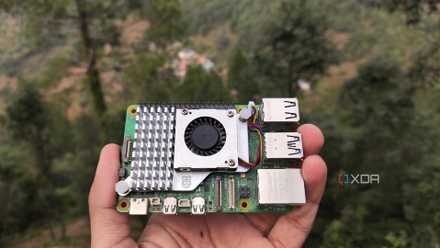
Cheap mini PCs are the death knell for Raspberry Pis
With x86 mini PCs becoming more budget-friendly, I find it hard to recommend Raspberry Pi SBCs
A Zigbee coordinator with a Raspberry Pi is a dream setup
Until you wake up to reality
I started my home lab as a textbook enthusiast, using a Raspberry Pi 4 for everything possible. Initially, I ran the Home Assistant Supervised. When Nabu Casa deprecated that method, I flashed the Home Assistant OS directly on my SSD. Next, I plugged in a SONOFF Zigbee 3.0 USB dongle as the coordinator for Zigbee devices. On paper, setting Home Assistant with Zigbee on Pi looked perfect. In reality, I was troubleshooting issues every other week, and convinced myself that it was all “part of a learning curve.”
My first project was repurposing the first-generation Philips Hue bulbs through Zigbee2MQTT. Getting those bulbs to pair was genuinely harrowing for me, as I kept failing with the switch-on and off sequence. I ended up using an Amazon Echo (1st Gen) to factory reset those lights so that Zigbee2MQTT would acknowledge them.
That felt like a short-lived victory. The Zigbee coordinator was physically large, leaving no room for other USB devices to be plugged into the Pi. That forced me to use a long USB extension cable, but at least the coordinator was out of the Pi’s RF interference range.
That created a new problem: the coordinator started dropping connections until I restarted the Pi and cycled the dongle’s USB, a pattern others have reported when running Sonoff‑based Zigbee 3.0 dongles directly on a Pi 4. Real issues cropped up during Home Assistant updates, with most devices and automations freezing. Again, I assumed it was part of the system design and never thought that the Pi might be the culprit.
Raspberry Pi 4
- Storage
- MicroSD card slot
- CPU
- Arm Cortex-a72 (quad-core, 1.8GHz)
- Memory
- 1GB, 2GB, 4GB, or 8GB of LPDDR4
- Operating System
- Raspberry Pi (Official)
The Raspberry Pi 4 is a single-board computer that can be used for many different DIY computing projects, from programming to retro gaming emulation.
Moving the Home Assistant instance to a mini PC
Getting better dedicated hardware
When Home Assistant ran on the Pi, flashing ESPHome on ESP32 boards took a very long time due to the underpowered CPU. I wanted to build ESP32 devices for my smart home and needed a relatively powerful machine to run Home Assistant. I chose to install it on my Proxmox running mini PC (HP ProDesk 600 G6) that I bought for $130 from a reseller.
The Home Assistant migration to a mini PC was easier than I estimated. I made a full Home Assistant backup on the Pi and shut it down. On my mini PC’s SSD, I followed the official guide to install a Home Assistant instance on Proxmox. Restoring the backup barely took a few minutes. Next, I plugged the SONOFF Zigbee 3.0 USB dongle into the mini PC and rebooted the Home Assistant.
The entire migration from backup to a fresh installation took under an hour. Thanks to the backup, I didn’t have to set up or repair any devices.
- Brand
- AITRIP
- Connectivity Features
- UART, USB
The ESP32 is a fantastic development board that combines solid specs with an affordable price. Despite being cheaper than Arduino and Raspberry Pi Pico, it outperforms most of its rivals. Plus, the ESP32 even has Wi-Fi and Bluetooth functionality built into every board, making it great for projects where you can't physically keep the microcontroller connected to your PC at all times.
Unlocking improvements and hidden surprises
Everything became responsive
The first obvious difference: Home Assistant boots quickly on a dedicated x86 box. The automations are triggered instantly, especially those that depend on presence detection. The lighting automation woes disappeared.
Several other devices started to pop up quickly. The ones that’d often lose connection started working non-stop. The Zigbee coordinator was always available since I plugged it directly into the USB port, without an extension cable.
Compiling and flashing ESPHome firmware on ESP32 boards is fast and more consistent. I built a Zigbee motion sensor using ESP32-C6 that works flawlessly with the coordinator to trigger automations. For connectivity, I use the same Zigbee2MQTT instance I set up for my light bulbs.
Since the migration, I no longer need to bother the Zigbee coordinator or restart Home Assistant. The troubleshooting sessions stopped, and everything felt zippier. No more devices going offline or becoming available without explanation. However, the cheap Tuya smart plugs still have issues.
Besides that, automatic restart after app or system updates, I haven’t restarted Home Assistant in the past three months.
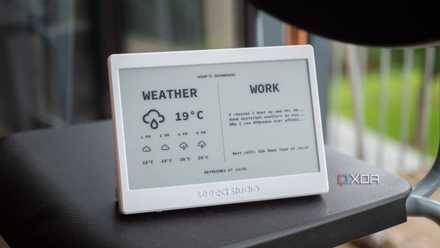
My smart home still works without the internet, and it's all thanks to one app
Home Assistant is the best unified platfom for your smart devices.
Scaling a smart home requires better hardware
The Pi worked fine when I ran only the smart bulbs with the Zigbee coordinator in Home Assistant. If I could go back and tell myself something a year ago, it would be to stop optimizing and overloading the Pi as a smart home system. For a starter smart home setup with limited devices, the Pi is still a good choice.
If you are adding over 10 Zigbee devices and constantly troubleshooting their connectivity, it’s worth migrating to better hardware. It certainly helps when making your own ESP32 devices on a tight budget. That additional $100–$120 you spend on a used mini PC or NUC is worth avoiding constant maintenance and troubleshooting headaches.