
As another year comes to a close, it's time to remind ourselves that not every tried-and-tested PC hardware tip remains that way forever. Times change, components evolve, and some older rules no longer apply. PC building involves mastering multiple aspects of PC components. From performance scaling and stability trade-offs to value for money and the role of non-core components, it can be a lot to take in. If you're building a PC for the first time or re-entering the market after a hiatus, knowing and ignoring these outdated PC hardware rules will probably help you build a better system.

7 PC building habits that were smart in 2015 but not anymore
A decade makes a huge difference
You should always build a balanced PC
Break the balance for the best results
We've all probably heard this ad nauseam. Building a "balanced" PC sounds like great advice, right? After all, you don't want to ignore any area of your build by overspending on one component and cheaping out on others. However, if you're explicitly trying to maximize performance for a particular workload, i.e., gaming, video editing, 3D rendering, or home lab use, you'd want a build that's technically "lopsided." A gaming PC targeted at 4K gaming needs a beefy graphics card and an immersive monitor, not a high-end CPU. Similarly, an editing PC needs all the CPU cores, RAM, and storage speed it can get, while the GPU department can manage with a budget or mid-range card.
Sure, you can just buy the best thing in every department, but that's rarely realistic. We often need to maximize performance on a given budget, and some compromises need to be made. Trying to balance everything can leave you with a PC that's just fine instead of one that excels at one or two key workloads. I don't need a high-end CPU for a high-end gaming rig, but I absolutely need an expensive GPU to handle ray tracing titles at 4K settings. If you're putting together a home lab, you'd want to focus on things like 64GB of RAM, high-speed storage, and 10Gb Ethernet. Older CPUs and GPUs will work just fine on such a setup. This is why a "balanced" PC doesn't work for most PC builders. You should buy the components that make your build shine for what you do the most.

5 reasons a balanced PC is actually a mistake
Some scenarios dictate that you actively avoid a balanced build
The motherboard doesn't affect the performance
Motherboard features matter more than ever
It's often repeated that spending more on a high-end motherboard is flawed. While it's true that most gamers will be just fine with a cheap motherboard, this doesn't make a motherboard inconsequential in your setup. Most PC builders believe that as long as their motherboard has the necessary features, I/O, and expansion slots, they don't need to worry about anything else. In an era when successive CPU generations don't significantly change real-world performance, your motherboard matters more than ever. It doesn't just determine future upgrades or RAM speed, but also your CPU's peak performance and PCIe lane sharing.
The VRMs on your motherboard determine how well it can handle the demands of the CPU, especially a high-end chip. And the power limits set by the motherboard manufacturer influence the behavior of your CPU, including how long it can sustain its boost clocks. The number of PCIe lanes available to your GPU, SSDs, and chipset differs based on the motherboard chipset, with high-end chipsets providing enthusiasts with the maximum number of lanes. The motherboard doesn't directly influence your FPS or render times, but it influences a lot of your PC's real-world behavior. Not everyone needs to spend $500 on a motherboard, but don't be fooled into believing that entry-level and mid-range motherboards are similar.

5 scenarios where a premium motherboard is your only choice
It's all about the things you can't let go of
Buy the fastest RAM you can
Not if you want a stable PC
When DDR5 ushered in the era of faster memory speeds, it was only a matter of time before PC builders started flocking to high-end kits pushing speeds that don't meaningfully impact performance. The allure of 8,000MT/s memory doesn't come from necessity or because it unlocks a performance tier most people don't care about. It's simply about bragging rights. However, the downside of buying high-end RAM isn't limited to wasting money; it poses a genuine risk to the stability of your system. Unless you're lucky with the silicon inside both your RAM and CPU, and have a high-end motherboard that can handle top-tier memory speeds, you'll not be able to run your RAM at such insane speeds.
DDR5 RAM is even more susceptible to signaling issues compared to DDR4 RAM. High-speed kits put greater stress on the CPU's memory controller, and it's forced to run at half the speed of the memory to sustain the high transfer rates. This decoupling of the memory clock and memory controller often negates any benefits brought about by the faster memory speed. In many cases, you might simply be forced to run your RAM at slower speeds to maintain system stability. When buying memory, you should focus on capacity, configuration, and latency. Most people don't need anything faster than DDR5-6000 or DDR5-6400 kits.

Stop chasing 8,000MHz: Why 'Sweet Spot' RAM is all you need
No need to spend hundreds on memory
A small SSD with a large HDD is the ideal storage combo
It hasn't been that way for years
This age-old wisdom used to work when SSD prices were prohibitively high. Even in 2018, I bought a tiny 250GB SATA SSD because I didn't feel comfortable spending more. That drive cost me more than the 1TB hard drive I had bought just a year before. During those times, a small SSD made sense for the OS, applications, and a few games. The game library and all other files were meant to be stored on a 1TB or 2TB hard drive. This combination worked well to balance performance and storage costs, but it hasn't made much sense in the last few years.
SSD prices have made hard drives all but obsolete for primary storage. Gen4 NVMe SSDs have been affordable throughout the last five years or so. Before the ongoing DRAM crisis led to a price hike for all kinds of storage, almost everyone was buying SSDs for their OS, applications, games, and other data. Hard drives are still relevant for secondary storage, archives, cold storage, backups, and servers, but not much else. If you're building a new gaming PC, there's no reason to have a hard drive in your rig anymore, unless you have tons of rarely-accessed data that you need on a capacious yet affordable drive.

4 storage types that are officially too old for 2025
From CDs to SSHDs: The storage formats we left behind
More CPU cores = future proofing
The future rarely turns out the way you expect
PC builders loved to buy more CPU cores than they needed in hopes of future-proofing their builds. Building a PC around an 8-core or 12-core CPU instead of a perfectly capable 6-core chip was seen as a smart move. It was meant to avoid a premature CPU upgrade as performance needs evolved and applications demanded more cores. As far as gaming is concerned, this never happened. Games still don't utilize multiple CPU cores well, meaning 6-core CPUs are enough even for 4K gaming. Even outside of gaming, buying a high-core-count CPU doesn't guarantee that you'll continue to extract a high-end experience for multiple generations.
Newer CPUs with better single-core performance and thermal efficiency often beat older CPUs with more cores in gaming as well as productivity workloads. The architectural improvements and IPC gains can trump the benefits of more cores, foiling all your future-proofing plans. Today, features like cache matter more than cores, as shown by AMD's Ryzen X3D CPUs, which remain the fastest processors for gaming. When buying a CPU, it's best to buy the chip that's currently the best for your needs. If it happens to be an 8-core or 16-core CPU, so be it. That said, don't just invest in higher core counts in hopes of using them at some point in the future.

4 reasons I'm going back to a 6-core CPU for my next build
Modern 6-core CPUs have everything I'll ever need from my PC
Only Nvidia GPUs are good at ray tracing
AMD is back in the conversation
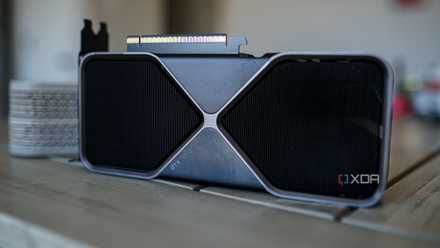
Nvidia debuted real-time ray tracing on consumer graphics cards, and remained the only brand offering worthwhile ray tracing performance for a number of generations. Even AMD's RX 7000 series significantly lagged behind Nvidia's RTX 4000 series in ray-traced scenarios. It wasn't hyperbole to say that gamers who cared about ray tracing should only consider an Nvidia GPU. However, things finally took a turn this year with the launch of AMD's RX 90 series. Thanks to a much-improved RDNA 4 architecture, AMD finally offered competitive ray tracing performance for the first time. While Nvidia still leads in the high-end segment, AMD has offered ray tracing enthusiasts a real alternative in the mid-range segment.
Combined with more VRAM and better price-to-performance than Nvidia's offerings, this year has ignited a comeback for Team Red in the GPU market. Nvidia still holds the lion's share of the market, but the RX 90 series is promising for AMD's future. With Intel also offering worthy GPUs in the budget segment, the consumer GPU market might just get the competition it sorely needed.
Ray tracing isn't Nvidia's killer USP anymore
Ray tracing alone doesn't justify buying an Nvidia GPU anymore
PC hardware wisdom changes slowly, but some long-held beliefs need shedding
In the world of PC building, conventional wisdom doesn't change too often. Perhaps that's the reason most people don't think twice about oft-repeated PC hardware tips that aren't sensible anymore. Before embarking on a new build, it's best to consume newer content from a variety of sources to ensure you're not sabotaging your build due to the wrong beliefs. It's best to err on the side of caution during the planning phase instead of regretting later.