
You've probably heard this a million times, but building a balanced PC isn't the right answer every time. Balancing the core components in every build seems sensible on the surface, but quickly falls apart in the face of real-world considerations. Gaming at 1080p involves wildly different considerations than gaming at 4K. And a PC for video editing needs to prioritize different components than one for 3D rendering. Building an intentionally lopsided PC is the best way to extract the most performance out of your budget. You don't need to build a "balanced" PC; you need to build one optimized for your needs.

5 tips to balance performance, esthetics, and budget in a PC build
Strike the PC building trinity sweet spot
You're after 4K gaming
The GPU is the main character
While both the CPU and GPU play a role in gaming at every resolution, things become increasingly GPU-dependent at higher resolutions. This is why you see high-end CPUs perform virtually the same as mid-range or even budget chips at 4K. The GPU does all the heavy lifting at such resolutions, and while performance can vary across CPUs even at 4K, you don't need to overspend on the CPU to "balance" your build. Buying a CPU from the same tier as that of your GPU won't improve your performance or remove bottlenecks that don't exist. You're simply wasting your budget on a high-end chip if your sole purpose is 4K gaming. Spending that extra money on a more powerful GPU will deliver more performance than a flagship CPU ever will.
Even the processors engineered for gaming performance, such as AMD's Ryzen X3D CPUs, often provide the same performance as regular 6-core CPUs unless you have a GPU like the RTX 5080 or RTX 5090. For most people, buying the best GPU they can in their budget and settling for a 6-core CPU is the best strategy, especially at 4K. By building a conventionally "imbalanced" PC, you're making the most of your available budget, optimizing your PC for the one thing you built it for, i.e., GPU-bound gaming.
Some games can be more CPU-bound, such as world-building, strategy, and simulation titles. If you're solely targeting those games, then it might make sense to reduce the spend on the GPU and buy a heavy-hitting CPU instead. It's all about knowing your use case and configuring our build accordingly.

Does your CPU matter for 4K gaming? The answer might surprise you.
CPUs apparently don't matter as much at 4K resolution. But there are many cases where a high-end CPU will deliver better gaming performance.
You're into photo editing, video editing, and scientific modeling
It's all about complex calculations
High-resolution gaming might be GPU-dependent, but productivity workloads like photo and video editing, as well as scientific modeling, require CPU grunt more than GPU performance. Photo and video editing involved complex calculations for real-time timeline scrubbing and playback, pixel-level effects, and handling uncompressed file types. At high resolutions, programs like Photoshop and Premiere Pro require high-end CPUs for the best results. Other use cases, like scientific modeling, also involve complex simulations and massive databases, stressing the CPU to its limits.
For such builds, leaning heavily toward 12-core and 16-core CPUs with strong single-core and multicore performance is key. Even the RAM capacity and storage speed can be more important than the GPU in such systems, since reading massive files and loading them into memory needs to be executed without bottlenecks. You'll probably need 64GB of RAM and a Gen4 or Gen5 SSD for the best performance. Building a balanced PC in such cases goes against the objective of extracting the best performance possible on a given budget.

Ranking 5 of the most punishing PC workloads
Not every workload is made the same. Gaming, editing, rendering — find out the most punishing workloads for your PC
3D rendering, color grading, and visual effects are your main objectives
GPUs are built for this
If editing and scientific modeling are the CPU's domain, workloads like visual effects, 3D rendering, and color grading belong to the GPU. GPUs are great for parallelized operations, making them ideal for processing the complex math behind lighting, geometry, and textures. Rendering real-time visuals is much faster on a GPU than a CPU, thanks to its specialized hardware, high-bandwidth memory, and advanced features. Programs like Blender, Maya, and Cinema 4D are heavily GPU-dependent, with some tasks utilizing CPU power as well. Investing in a modern high-end GPU with enough VRAM will prepare your system to perform well in such workloads. You'll need a capable RAM and storage setup, too, but you don't need to pick an expensive CPU.
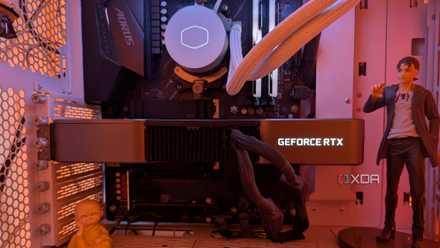
4 ways I use my GPU for more than just gaming (and no, it isn't AI)
Of late, I've been using my GPU the least for gaming
You're creating a home lab or server
The CPU and GPU are secondary
Most home labs and servers need to run virtual machines, self-hosted services, backups, and other always-on workloads that don't need the latest CPUs and GPUs. The priority in such a setup is reliability, power efficiency, and lower costs. Instead of buying modern processors and graphics cards, you should invest in more RAM and storage to ensure smooth performance and enough space for all your data. Hard drives offer a superior cost per TB compared to SSDs, and refurbished enterprise HDDs are even better when you need to scale capacity as well as endurance. As for RAM, you don't need the fastest kits, but having more memory than you need will allow your home lab to scale in the future.
You might also benefit from a motherboard with 5Gb or 10Gb Ethernet if your setup writes huge amounts of data all day. Your network becomes a bottleneck long before your storage or RAM, so advanced Ethernet should be high on your priority list. Lastly, a UPS is one of the most important components for a 24/7 home server. You can't afford interruptions to your backups, video streaming service, and other self-hosted services. A quality UPS will not allow your home lab to be shut down properly in the event of a power loss, protecting your data. It'll also prevent damage to your hardware due to power surges and brownouts.
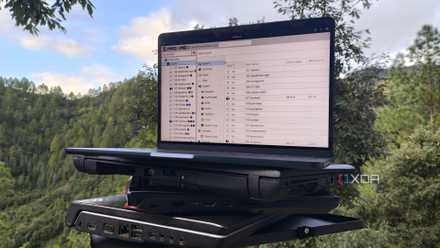
5 signs you need to upgrade your home lab
It might be time to grab some new hardware if you keep running into these snags
You've decided to go SFF
Knowing where to compromise
A small form factor (SFF) build needs to be configured after considering the space and thermal constraints. Unlike a mid-tower or full-tower build, you can't freely choose any component you'd like. You'll have to make some compromises instead of balancing the components with each other. Rather than picking a flagship CPU that's near impossible to tame, you'd want to opt for a low-TDP processor that doesn't need a fancy CPU cooler or luxurious case volume to function. Even your graphics card would probably have to be a slim, dual-slot model, but you can at least get a mid-range GPU instead of matching it with your budget CPU.
By saving money on the CPU and GPU, you can allocate more of the budget to ample RAM, fast storage, higher-quality case fans, and a low-profile air cooler. SFF builds don't always have to be nerfed, but before you embark on your first SFF build, you have to accept that you'll be working around some constraints. Keeping thermals and noise levels in check, and assembling the build without pulling your hair out, are some of the things you could struggle with.
A balanced PC is not always the smart play
If your PC isn't a do-it-all but is rather meant to excel at one particular type of workload, you should intentionally build a lopsided PC to make the most of your budget. Attempting to match your CPU to your GPU, and your motherboard and SSD to everything else, just so that every component belongs to the same tier is a mistake. You should aim to optimize the build, not balance it at the cost of performance per dollar. Knowing when to pair a high-end GPU with an entry-level CPU and vice versa will allow you to build the right build for every use case.