
Keeping up with everything happening in AI isn’t easy, to say the least. New models, tools, and features seem to drop every other week, along with entirely new corners of the industry you somehow missed. Somewhere in all this noise, genuinely useful things end up slipping through the cracks, and you only realize it months later.
Claude Code is one of them. And while it’s a feature many Claude users seem to know exists, it’s often deliberately ignored, even by those who would benefit most from it. So, developer or not (especially if not), you’re missing out big time if you haven’t given Claude Code a shot yet.
So, what is Claude Code?
AI that writes, edits, and fixes code for you
If you've been keeping up with AI even slightly, you've likely heard of Claude Code and Claude Cowork. These are two of Anthropic's flagship agentic products and are designed around the concept of AI doing the work for you instead of just answering questions. Claude Code is the one that came first. It started as an internal tool developers at Anthropic used to speed up their own work. It worked so well that they ended up releasing it publicly in late 2024.
At its core, Claude Code is a command-line tool that sits within your terminal. The tool reads your entire codebase, and it lets you describe what you'd like to do in plain natural English. Here's where the agentic bit comes in: instead of simply telling you how to fix a bug or build a feature, Claude Code actually does it. It traces through your files, identifies what needs to change, writes the code across however many files are involved, and verifies that it works.
While Claude Code's name might make it sound like it's purely for coding, users quickly discovered it can be used for a bunch of general tasks too. Since it can read files, run commands, and manipulate things on your system, users quickly started using it for all sorts of non-programming tasks. This includes tasks like organizing messy folders, compiling research, drafting documents, and more.
However, the terminal interface was what stopped many people from giving it a proper try. For developers, working in a terminal is second nature. But for everyone else, it can feel intimidating. That's exactly where Claude Cowork comes in. Cowork takes the same underlying agentic architecture of Claude Code and wraps it up in a more approachable interface directly within the Claude Desktop app. You'll find it as a dedicated tab right within the app.
The core distinction seems to be that Claude Code is built with developers in mind, while Cowork is designed for everyone else. However, my core point still remains: even if you aren't a developer, you should absolutely be using Claude Code.
Claude Code's terminal interface is the only reason it feels intimidating
It isn’t as technical as it seems
Now, here's the thing — I'm not a developer myself. I am majoring in Computer Science and have some experience with coding, but the terminal has always been something I find a bit intimidating. My usage has mostly been limited to downloading the occasional package or configuring something by following a tutorial step by step. So when people say "it's a command-line tool," I get why that's enough to make a lot of people close the tab and move on.
However, the terminal part really is only a barrier when you think of it as a standalone experience. The reality is that you have a few options that make it far less daunting. The first is to skip the terminal entirely and use Claude Code through its dedicated tab in the Claude Desktop app, similar to Cowork. The second option, and the one I've personally been taking lately, is to use the terminal inside an IDE.
An IDE is basically a text editor designed for writing code, and they come with terminals built-in. I use VS Code, and all you have to do is open the terminal panel, type claude and you're in! Once you're past that initial hurdle, you quickly realize that using Claude Code doesn't actually require you to know how to code. You're just describing what you want in plain English. The terminal is really nothing more than the doorway!
The trick is to build tools you'll actually use
Don’t chase trends, build what you need
Once you have Claude Code set up, all you really need to do is begin...prompting. Claude Code has a Plan Mode that I'd highly recommend beginning with. You can activate it by pressing Shift + Tab twice, and what it does is put Claude into a read-only state where it asks you clarifying questions and comes up with a detailed plan.
This is genuinely useful because it means you can describe what you want to build, have Claude lay out exactly how it would approach it, and then review that plan before giving the green light. If something looks off, you can course-correct before any changes are made. Once you're happy with the plan, you switch back to normal mode and let Claude execute it step by step.
For decades, if you've had an idea of something you'd like to build, you've either needed to commit a lot of time to learning how to code or pay someone else to do it for you. With Claude Code, regardless of your expertise with coding, you can go from an idea to a working prototype in hours.
For instance, one of the first things I built was a simple grade calculator tailored to my university's specific grading system. I then vibe-coded a local NotebookLM alternative, and later a tool to replace my entire productivity stack. Something I did recently was vibecode a tool to help me with my article pitching process!
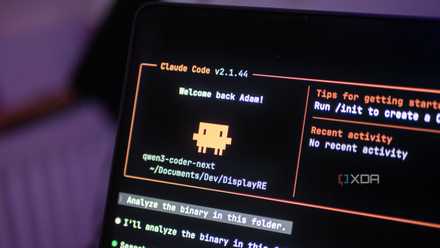
I finally found a local LLM I actually want to use for coding
Qwen3-Coder-Next is a great model, and it's even better with Claude Code as a harness.
The key here is to build tools that help your own workflow. Don't make a tool with the intention of selling it and profiting off it. Instead, pick a problem you've genuinely had and try to solve it. You'll be far more motivated to get it right, and you'll actually end up using the thing you build, which means you'll naturally iterate on it and make it better over time.
This is important because the real learning doesn't happen when you build something once and move on. It happens when you use your own tool, notice something that bugs you, and go back to Claude Code to fix it.
It’s not nearly as intimidating as it looks
Even as someone who has used the terminal before and is a hardcore nerd when it comes to coding, it took me an embarrassingly long time to actually give Claude Code a proper try. Developer or not, if you haven't tried Claude Code yet, take this as your sign to give it a shot.