
I'm usually the first one to advise people to maximize FPS per dollar and build a balanced gaming PC. While that means buying only those components that directly affect the performance of your PC, I'm also someone who appreciates esthetics and convenience in PC building. You might not need an expensive motherboard, but it comes with definite benefits that extend beyond performance. Spending on a good-looking case or graphics card isn't mandatory, but it sure feels great.
These components are only slightly more expensive than their regular variants, but can provide disproportionately greater value to some PC builders. If you value performance, looks, and convenience equally on a PC, then you should consider spending slightly more on some PC components.

5 tips to balance performance, esthetics, and budget in a PC build
Strike the PC building trinity sweet spot
6 A premium case
Enhance your rig's esthetics
The PC case is the first thing you see when you look at a PC — it might not be the origin of your PC, but it's where everything ends up. While the basics dictate that your case should be big enough to house your components, have good airflow, and allow for upgrades, there's more to a PC case, right? Spending big on your case is worth it for that premium build quality, extra room to build in, and enhanced looks for your beloved machine.
And you don't even need to spend hundreds for those privileges. Where a decent budget case costs around $60, a premium one can be had for around $100. And for around $150, you can easily get your hands on one of the best PC cases on the market. Dual chambers, removable panels, multiple build layouts, glass panels all around, natural materials, clean designs — you get to pick whatever your heart desires. A small premium is nothing when you're choosing a house for your precious components.
NZXT H9 Flow
- Brand
- NZXT
- Motherboard Size (Max.)
- ATX
- Graphics Card Size (Max.)
- 435 mm
- 3.5" Drive Slots
- 2
- 2.5" Drive Slots
- 4+2
- Power Supply Size (Max.)
- 200 mm
The NZXT H9 Flow is a premium mid-tower chassis from a reputable brand that offers a unique take on the traditional PC case design. It has ample support for water cooling, excellent thermal performance, and a gorgeous aesthetic.

Why you shouldn't save too much money on a PC case
When saving a little too much money can negatively affect your PC.
5 A modular PSU
It's just more convenient
These days, it's harder to find a power supply that's not modular, but the budget builders out there trying to save every penny might consider skimping on the PSU. You can save a few bucks by choosing a non-modular PSU, but you're losing out on a lot. For instance, while building your PC, a modular power supply simplifies the number of cables you need to manage. You only use the cables you really need for your components.
Additionally, the build process becomes easier with a modular PSU since the extra cables don't come in your way. Plus, a modular unit allows you to use custom cables of your preferred design to truly personalize your PC. Also, if you ever need to diagnose a hardware issue with your build, opening up your PC and removing a component is far easier with a modular power supply.
Thermaltake Toughpower GF A3 850W
The Thermaltake Toughpower GF A3 850W is a PCIe 3.0 power supply with a fully modular design, a 12VHPWR connector, and 80+ Gold efficiency.

6 features to look for when buying a new PSU
Here are the most important things to look out for when buying a new PSU for your PC
4 An SSD with a heatsink
Cover it up
Most of you aren't using a Gen5 SSD yet, so a heatsink isn't strictly required, but it's still worth buying an SSD that comes with one. SSDs with heatsinks look much better compared to their naked counterparts. SSD manufacturers don't really focus on looks when designing SSD, so if your motherboard doesn't already have pre-installed heatsinks for each of the M.2 ports, you'll be left with a mostly ugly-looking drive.
SSDs with heatsinks usually cost only around $10 more than their non-heatsink variants. And for that amount, you can ensure that your storage drives aren't the ones ruining the vibe of your PC. Heatsinks might not be required for Gen4 drives, but they sure don't hurt. Heat is one of the major reasons that could contribute to a drive's early demise, and getting some help keeping it cool is always a bonus.
WD Black SN850X with Heatsink
The WD Black SN850X is still one of the best Gen4 gaming SSDs on the market, going toe to toe with the best. The heatsink variant looks great and keeps your drive cool in the toughest workloads.

5 things you do regularly that could damage your SSD’s lifespan
These things might not seem serious but could be reducing your SSD's remaining life
3 RGB RAM
Lighten up, will ya?
I know what many of you think about RGB, and the "colorful" names you have for it, but hear me out. Besides the case, cooler, and GPU, the RAM is one of the most important visual pieces on any PC. Using a standard non-RGB kit might work for some builds, but most PCs look incomplete without a good-looking memory kit. And no one can deny the effect some clean RGB DIMMs can have on the overall looks of a PC.
RGB RAM isn't even priced like a premium product anymore, so you aren't really wrestling with spending more than you'd like on your memory kit. For around $100, you can get a great DDR5 RAM kit with RGB and enough performance for gaming and other workloads. For those building an all-white or classic dual-tone PC, a pair of white DIMMs can work wonders. You can also opt for non-white designs if your PC's theme matches it.
TeamGroup T-Force Delta RGB DDR5
The TeamGroup T-Force Delta RGB DDR5 is one of the most trusted and high-performing memory kits on the market. For lovers of the white theme, it's a great pick as it combines a striking design with a beautiful RGB implementation. You can find kits ranging from 5600MT/s to 8200MT/s. It's also very reasonably priced for the 6000, 6200, and 6400MT/s variants.

G.Skill Trident Z5 Neo RGB DDR5-6400 review: Gorgeous RAM design with the performance to match
An excellent DDR5 RAM kit for AMD and Intel processors
2 A good-looking GPU
Not the time to save a few bucks
The graphics card is easily the highlight of any gaming PC, both functionally and visually. While you could get the same performance from the cheapest AIB model and the more expensive ones, it pays to be more discerning when buying a GPU. For around $50 or $100 more (in a normal market, unaffected by inflated MSRPs), you can score AIB models that not only come with great designs, but also provide better cooling and lower noise levels.
You don't even need to consider AIB models for some GPUs. Reference designs from Nvidia and AMD often look striking on their own, and they're the cheapest variants on the market. You don't buy a GPU often, so picking one with great looks for a slight premium isn't a big deal, especially if you're already spending around $1,500–$2,000 on a build. With a good-looking GPU, you'll want to mount it vertically to show it off, or install it in an upright orientation, if your case supports it.
Nvidia RTX 5070 Founder's Edition
- Brand
- Nvidia
- Cooling Method
- Dual-fan
- Interface
- PCIe 5.0 x16
- Memory
- 12GB GDDR7
- Power
- 250W
- CUDA Cores
- 6,144
The RTX 5070 is a relatively affordable Blackwell GPU from Nvidia, providing 20% more performance than its predecessor, and the latest DLSS 4 features. The Founder's Edition looks great and costs around $550, if you can find one in stock.

6 rules of thumb PC newbies should know about the GPU market in 2025
AMD & Intel are back in the game, and advertised prices are a scam
1 A white motherboard
Unparalleled sophistication
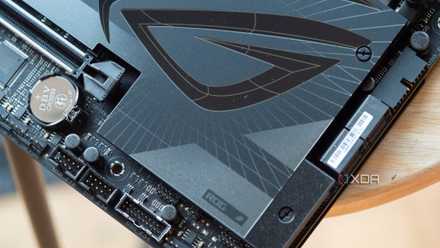
An expensive motherboard contributes the least towards gaming performance, but if you need a good-looking model, the white-themed variants are your only options; and they're usually more expensive. Still, the impact of a white motherboard on a gaming PC can't be overstated. Compared to standard motherboards with black PCBs, an all-white motherboard looks highly premium, effortlessly standing out from the crowd.
A black motherboard disappears in the background, but a white motherboard reflects more light, fully showcasing its premium esthetics. They might cost slightly more than regular variants, but they're not overly expensive by any standards. For instance, the Gigabyte B650 Aorus Elite AX Ice at around $220 is priced similarly to most other B650 motherboards. Spending slightly more on the motherboard makes sense if you're targeting a specific theme for your PC, and if you're fawning over a certain design.
Gigabyte B650 Aorus Elite AX ICE
The Gigabyte B650 Aorus Elite AX ICE offers premium esthetics and great features at an affordable price.
10 reasons skimping on your motherboard is a false economy
It's always tempting to save money by skipping the flagship motherboards but you might be losing out on features by doing so.
Set aside some of your budget for esthetics and convenience
The next time you're building a PC, ensure you're spending on looks and quality-of-life features as well. Unless you're working on a strict budget, it's always possible to spend a bit on components that might not enhance performance, but make your PC look considerably better. You'll use your PC almost every day, so make sure you craft a machine you're proud to look at.