
When you're planning a new PC build, it's all too easy to focus on the CPU and GPU and not on the most crucial part of your system. That's the motherboard, which connects every part of your system, helping it all work in glorious harmony and giving you smooth frame rates or high-performance productivity tasks. But by skipping the more expensive motherboards, you might be missing out on features that you might think should be standard equipment but aren't. Here are some reasons that you should really consider the more expensive motherboards the next time you build.

4 signs your aging motherboard might need replacing
Get rid of your old motherboard and enjoy new features and better performance.
10 If you want faster networking
Wi-Fi 7 might be more common now, but 10GbE isn't
One thing that is always overlooked when choosing budget motherboards is the level of connectivity. While 2.5GbE ports are replacing 1GbE as the standard for motherboards, not every budget board has caught up. Plus, you might want faster networking and 5GbE and 10GbE are only found on more premium lines.
But wired networking is not the only one that suffers. Wi-Fi 7 with Bluetooth is now standard on every premium motherboard, and even if you don't have a Wi-Fi 7 router, you might in the future. Sure, you can swap the Wi-Fi card from your motherboard, but it's annoying these days with Intel-only chips and a very small selection that works with AMD motherboards.

5 reasons you need 10GbE in your home network
Explore the fantastic advantages of 10GbE networking and explain why you need to build your network around it
9 Flagship CPUs and GPUs need a better-quality motherboard
Low- and mid-tier motherboards might not have what it takes
It's true enough that most mid-tier motherboards are good enough for most CPU and GPU combos, but they're still not quite good enough for flagship parts. If you're already budgeting for the enthusiast-level CPU and the best GPUs on the market, why would you buy anything less than a premium motherboard to go with them?
Note that I'm specifically talking about the top-tier components here. To get the peak performance from your components, you'll want PCIe 5.0 for both SSDs and x16 PCIe slots. Plus, you'll get better power delivery, two CPU power connectors for overclocking and stability, and premium parts all around.

AMD Ryzen 7 9800X3D review: Why would you buy any other CPU for gaming?
Playing around with AMD's first Zen 5 X3D gaming CPU.

Intel Core Ultra 9 285K review: Teething issues for the new tiles
Intel's new Core Ultra 9 is here and it's impressive but not at the things you want from an Intel CPU.
8 If you're a watercooler
Showcase builds deserve flagship hardware
The hobby of PC watercooling has come a long way since its early days using hand-crafted blocks and aquarium parts. Now, it has a big focus on looks to go with the minor performance boost of keeping components running at lower temperatures, and the premium motherboard ranges are where to look.
It's not just the metal armor that covers up the bare PCBs, but a more cohesive design language that makes it easier to put your own spin on things once the custom watercooling runs are planned. Plus, there are features like temperature and flow sensor headers that you're not likely to find on a midtier motherboard, let alone on a budget one, making the premium tiers the only ones that are really suitable.

Watercooling your PC: What is it and should you do it?
When it comes to cooling computer components, water cooling is the most premium option, but it's not just for high-end systems.
7 To use more M.2 storage
Most high-end motherboards have more M.2 slots and some also have adapter cards
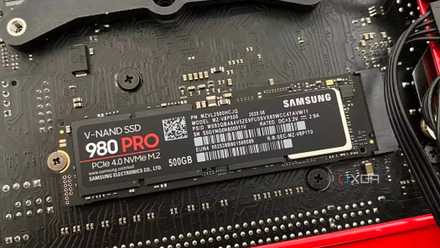
Mid-range motherboards like the Gigabyte B650 Aorus Elite AX Ice are perfectly fine for most users, and have three M.2 SSD slots, with one of them being PCIe 5.0. But if you need a lot of super speedy storage space, three slots will only get you up to 20TB right now, and while I can't think of a reason you'd need more, I know that there are users out there who want four, five, or more M.2 SSDs for their tasks. Video editing professionals eat up storage like crazy, and so do 3D modelers, and anyone with a large Steam library knows that game installs are getting bigger. Some premium motherboards come with additional PCIe cards to use even more M.2 NVMe storage, making them the only option when you have lots of things to store.
How to know if an M.2 SSD is compatible with your motherboard
Buying a compatible M.2 SSD for your brand new PC can confuse even the most experienced PC builders
6 Overall, better build quality
A thicker PCB with more traces for power and signaling plus better components everywhere
Along with the components mentioned in the specifications, like PCIe slots, M.2 slots, and VRMs, your motherboard has a host of necessary but not always important enough parts to warrant their own inclusion on the list. The PCB for premium motherboards is thicker, has more layers, and usually has more metal in the traces that shuttle power and signals around. This is important for daily stability, but it also means the more expensive motherboards are more likely to last longer.
When you're building a PC that you want to last for many years, you want good cooling for your CPU, good power delivery for all components, and solid build quality. Those are things that are sometimes found on midrange boards, but they're always found on premium motherboards. The enthusiast crowd is often the loudest as well, and you'd know if there were glaring issues with most boards very quickly after release.
5 For better power delivery
VRMs are important for your CPU and RAM and high-quality ones cost more
This might be related to the earlier point about flagship CPUs, but in most cases, when buying a new motherboard, you do really get what you pay for. Premium motherboards have more metal in the traces, so they can handle more power delivery. They also have VRM solutions that can run hotter and for longer and supply the power needs of enthusiast CPUs when they're overclocked, as well as the clean power that RAM needs to perform at optimal levels. While mid-range CPUs won't often draw more than 100W at full load, enthusiast CPUs can draw more than three times that amount at stock settings, needing a better-built VRM solution to work without issues.

4 For a 7-segment debug indicator
This should be a standard feature by now, but it's not
There are many things that could go wrong with any PC build, and the only way to know what's going on is a combination of experience and debug tools. I've been building PCs for decades now, and even then, I still heavily rely on one feature that every premium motherboard has: the 7-segment display. Otherwise known as the Q-Code display, this two-digit low-tech digital display is invaluable for figuring out at which stage of the boot cycle your issue occurred, and I won't buy a motherboard that doesn't have one.
I've also noticed that a lot more motherboards have a four-led display for the boot process, that at least shows CPU, RAM, and GPU initialization steps, so you can narrow down troubleshooting. But it's not as precise as the Q-Code displays, and you'll be glad to have one if your PC starts to have issues.
3 For more USB ports
You'll get more I/O and faster speeds on premium motherboards
When comparing different motherboards, you'll no doubt have noticed one big difference between the price tiers. The more expensive motherboards almost unequivocally have more I/O ports on the rear panel. There are more USB-A ports, more USB-C ports, sometimes Thunderbolt ports, sometimes multiple monitor outputs, and often nice-to-have features like a button to clear the CMOS or reboot into the BIOS. The onboard audio solution will also be of better caliber, which is nice if you're not using external audiophile-level equipment.
Sure, you could add more ports to your computer with a USB-C dock. But then you're spending the extra money adding ports after your original purchase. Isn't it better to spend that money on a premium motherboard instead of trying to fix issues after the fact?

Asus ROG Crosshair X670E Hero review: You shouldn't buy this fantastic motherboard
Why this Asus motherboard is great for an AM5-powered PC
2 If you want a smaller form factor
SFF builders get hit with the shrink tax
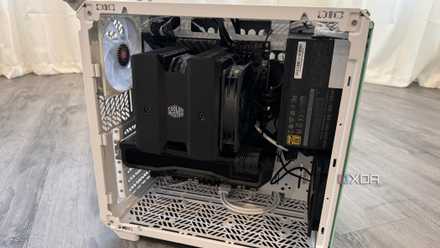
One segment of the PC market has almost no choice when looking for a premium motherboard: small form factor enthusiasts. Mini-ITX motherboards are always more expensive, even if they use a mid-range chipset. Manufacturers have to stuff the same number of components and features onto a smaller PCB, with the only real space-saving measures being the lower PCIe, M.2, and RAM slot amounts. They're harder to engineer, and the market is small, so they get a price premium before even comparing specifications.
Don't forget these 5 things before building a small form factor PC
An SFF PC can be an exciting project, but keep these things in mind before you start building one
1 For better BIOS options
More expensive motherboards tend to open more options in the BIOS for overclocking
If you want the most control over your PC, you don't want to skimp on the motherboard you choose. Premium motherboards often offer overclocking, fine-grained fan control, RGB lighting, and other user-customizable options. More affordable motherboards are usually used with more affordable CPUs and RAM, which means the manufacturer doesn't have to offer the deep overclocking menus of enthusiast motherboards. And why would they? It would make those affordable motherboards more expensive as development costs would get added to the price.

How to overclock your CPU in BIOS
Unlock your GPU's full potential with these comprehensive steps on overclocking using BIOS settings
Budget motherboards have their place but paying for a premium one pays off over time
While it's true that motherboard choice doesn't matter as much as it used to, you'll still miss out on important features if you don't get a premium model. You don't need to get the halo motherboards that could cost $1,000 or more, but going for the top chipset for your CPU choice will give you most, if not all, of the features mentioned here.