
I started using Plex only around a year ago. Before that, I always transferred movies and TV shows to an external USB drive which I plugged into my TV. Streaming apps like Netflix and Prime Video took care of the rest of my media consumption needs. Plex became a necessity when moving content manually became a little too inconvenient. Plus, the added benefits of Plex's UI made me wonder why I didn't switch earlier.
Now, after using my gaming PC as my Plex server for a year, I'm making another change — switching to a dedicated media server. My PC still works fine as my Plex server, but there are a lot of practical advantages to ditching the PC and moving to a dedicated device (which will most likely be my older PC or a cheap SBC).

How I built a powerful media center with my SBC
Even a compact PC can be a mighty server for streaming media.
3 I always need to turn on the PC
Nobody got time for that
It might sound like a minor inconvenience, but after a long day of work (on the PC), when I land on my couch to relax with some TV, I don't want to have to turn on the PC that I just put into Sleep mode. There have been days when I simply decided to watch Netflix instead, as I refused to walk back to my PC to turn it on. And yes, I know I can set up Wake on LAN, but in the past, that has resulted in the PC turning on even when I wasn't using Plex.
Besides the inconvenience of turning the PC on, the fact that the entire system needs to stay on for the entire duration keeps eating away at me.
This used to be a non-issue when I watched my local content only occasionally, but over the past few weeks, my partner and I have found ourselves using the Plex app more than Netflix, Prime Video, or other streaming apps. Besides the inconvenience of turning the PC on, the fact that the entire system needs to stay on for the entire duration keeps eating away at me. It just seems unnecessary and inefficient.
A dedicated media server will always be available, no matter when I decide to access my local content on Plex. Plus, powering the Plex server will be its sole responsibility, so running it 24/7 won't feel unnecessary at all.

Best NAS for Plex in 2025
Create your very own Spotify and Netflix streaming service.
2 PC's higher power consumption adds up over time
Gaming PCs consume a lot of power at idle
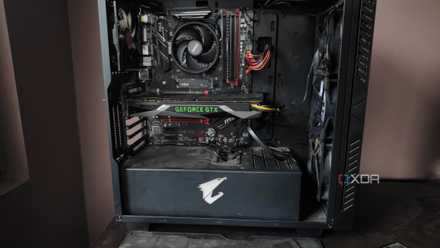
While many people start their Plex journey by doubling up their PC as their media server, it quickly becomes a poor long-term arrangement. Gaming PCs, especially with today's high-end hardware, can consume over 100W at idle. This can be even more if you have multiple radiators, RGB fans, or fancy stuff like a case with a display. My personal rig draws around 100W at idle from the CPU + GPU alone.
The idle power consumption can quickly add up on your power bills, especially in regions where energy costs are high, and when Plex usage is frequent.
And when I say this, I haven't even counted the monitor's power consumption. In my case, I turn it off whenever I need the PC on just for Plex. If you don't like doing that, or turn your PC on remotely, you might not be able to turn the monitor off. The idle power consumption can quickly add up on your power bills, especially in regions where energy costs are high, and when Plex usage is frequent.
Hence, my plan is to repurpose my old desktop PC into a Plex server, which should be a simple task. I'll need to set up the server on the old PC, switch from the dedicated GPU to integrated graphics to save power, leave it turned on all the time, and check the average power consumption over a week. If it's not too dissimilar to that of my existing gaming PC, I'll have to turn a Raspberry Pi into my media server instead.
7 coolest things to do with your old PC instead of throwing it away
Thinking of parting with your old PC? Here are some cool ideas to explore before you sell it or throw it away.
1 A dedicated media server isn't expensive
Time is the only thing I need to invest
As I plan to use an old gaming PC as my new Plex server, buying a new device isn't necessary in my case. Hence, the biggest cost of buying a NAS is eliminated. Next comes the cost of the storage drive that will actually house the content I plan to watch. This is also not a problem, as I'll simply re-use the external drive I'm already using as the dedicated storage for the server.
I don't think I'll ever switch back to using my PC as my Plex server, but I could go the other way.
Even if I end up buying a Raspberry Pi for this project, it would only mean a $70-$100 investment for a Raspberry Pi 5 (in my region). That's not bad at all, considering I'll no longer need to worry about keeping the PC turned on whenever I want to watch my favorite content. As for how long I'll continue with this new setup, time will only tell. I don't think I'll ever switch back to using my PC as my Plex server, but I could go the other way.
Buying a full-fledged NAS device to serve as my Plex server, archival storage, and most importantly, my entire photo and video library (to end my reliance on expensive cloud storage) is something I see myself doing eventually.

How I built a Google Photos alternative on my NAS with PhotoPrism
If you have a NAS, combining PhotoPrism with Nextcloud can make for a great Google Photos alternative.
A dedicated Plex server doesn't need to be complicated
Some users have the perception that setting up a home media server is a long and arduous process. From using your PC or laptop, to an affordable SBC or a dedicated NAS device, you have many options and plenty of them don't cost much at all. The only roadblock to having an always-on media server is your inclination to take on the project, and a bit of spare time to dedicate to the setup.