
Whether you're building your own NAS for home backup purposes, deciding on a cloud provider, or working on datacenter scale storage projects, we've never had more options for backing up our precious data. That's just as well, because we're making absolute reams of it daily, and much of it needs storing for future use. While each method of data storage has its good and bad points, there are no rules saying you can't mix and match to find the solution that works best for your budget. That's an approach that's becoming more popular, and it's known as hybrid storage. It takes the best parts of storage solutions and turns them into a seamless system for the user, and it's awesome.

4 reasons your cloud provider should be using end-to-end encryption
Using zero knowledge architecture and E2EE makes the web safer for everyone.
5 Scalability
Hybrid solutions are easily increased as storage needs change
The flexibility of software-defined management layers used in hybrid storage architectures makes them perfect for scaling data storage as business needs change. Whether the data is on SSDs or HDDs, on servers you own, or on the servers of cloud providers, the management layer knows where everything is and where to save the varying types of data that your business makes daily.
Like how hybrid RAID solutions on consumer NAS devices can adjust to new drives, differing sizes, and mixes of all-flash and HDD storage, the hybrid cloud takes that further with cloud providers in the mix. Even with it being more complex, the ideas behind it are solid and have years of real-world testing on smaller-scale systems. Hybrid cloud storage knows if data is "hot" or "cold" and will route it accordingly so that frequently-accessed data is closer to your users, while infrequently used data goes to more cost-effective methods of storage. But it also knows how much data you're producing and how much storage space you have, so it can intelligently increase cloud allocation when needed for no downtime.

What is a redundant array of inexpensive disks? Everything you need to know about RAID
Keeping all your data safe on larger storage volumes since the 1970s
4 Cost
Spend on the storage you immediately need
The flexibility of hybrid cloud storage solutions makes them cost-effective for any business size. While on-premises servers are expensive to commission, run, and replace, cloud storage costs depend on your level of need. This makes it easy to save costs overall by putting non-critical data in the cloud and keeping necessary data close to home in private servers. Times of more data usage can be quickly adjusted by increasing cloud capacities, and then you have time to decide if you need more on-premise storage or if the additional data can go into even cheaper, long-term cloud storage like Backblaze or AWS S3 Glacier. The hybrid solution means no overspending on over-provisioning while also avoiding the issue of under-provisioning and having to scramble to find a data storage provider.
How buying a NAS can save you money vs. cloud storage
You can save money if you stick with it for long-term data storage.
3 Data security
Keep your most sensitive data on-premises
A key feature of hybrid storage solutions is the ability to choose the right storage option for each type of data you save. Some might require more stringent security measures to comply with local laws or other considerations. In that case, it's less likely that a cloud provider will be able to meet the requirements, but keeping that data on-site will satisfy things. With a hybrid cloud solution, whether you're segregating data to comply with regulations or because some are cheaper to store in the cloud, it doesn't make a difference to your employees. The management layer keeps every location storing data accessible to the users without them knowing where it's actually coming from.

6 common security mistakes people make on their NAS
Don't be a sheep and make the same mistakes with your network-attached storage!
2 Improved data accessibility
The lowest latency network is the one you're on
All data might take up the same amount of storage space, but not all data is equal in terms of business needs. Maybe some of your databases need a low-latency connection to the user's workstation so they can carry out their daily tasks without waiting around for data to be served. Or some of your data, like information that is kept for compliance, can be kept in a relatively slow archival cloud provider.
These and many other situations can be planned for, designed around, and implemented in the management layer used in a hybrid storage system. Data that has specific requirements can be kept on-premises, on speedy SSD storage if the speed of access is critical, instead of on hard drives or in the cloud. Then, data that doesn't require such levels of access can be kept in the cloud, where the speed of access doesn't matter as much as the fact that it's saved. The software layer then connects the many storage options together so they look like one contiguous option to the user, and if set up properly, they won't experience any negative effects from the system.

When should you use wired or wireless internet?
There are certain times where you may need wired or wireless internet, and you can follow this guide to help you figure out if you need to switch.
1 Better backups
Keeping copies of data in multiple locations makes for quicker recovery
Backing up your data is incredibly important on a personal scale, and when it becomes enterprise-level data, it's one of the most important functions of any IT department. The basic rule is that a single copy of anything is almost worthless, as it could get corrupted at any time. The 3-2-1 rule mitigates this by keeping 3 data copies on 2 storage devices, with 1 backup stored off-site. That makes it so if the worst happens to one copy, or one drive, or one machine, there is always a copy to fall back on for recovery purposes.
With a hybrid cloud storage solution, this rule is adjusted slightly, as the software that ties the hybrid architecture together can serve the same data from multiple locations. That makes it not only a solid backup solution but also able to adjust to your company's changing data demands. As usage of your on-premises servers increases, it can intelligently send some of those data requests to the stored copies in the cloud so that none of your business-critical systems encounter slowdown or even downtime. The continual backup also means that if anything happens to files on your private servers, they can be replaced from the cloud copies, without any interruptions.
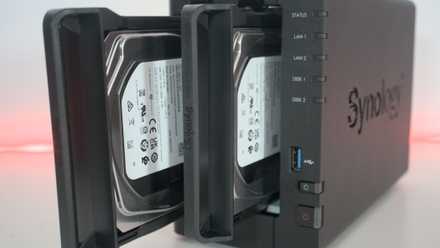
How to follow the 3-2-1 backup rule for NAS and protect your data
Keep it secret, keep it safe
Hybrid storage solutions give you the best options for the different needs of your data
Whether you're a home user with a few devices, a NAS and a cloud storage subscription, or an enterprise-level IT department, adopting a hybrid storage solution is the best way to ensure you don't lose precious data. The scalability of these hybrid solutions means they work for anyone, and while they might take up a little bit of setup time, they're well worth the effort.