
Large Language Models are infamous for requiring a hefty monetary investment, and you’ll want a VRAM-laden GPU with plenty of tensor cores to get the right performance for bulkier LLMs. But I decided to go against the norm a few weeks ago by hosting LLMs on my Raspberry Pi. Although my tiny tinkering companion isn’t a powerhouse by any means, it’s still more than enough to run simple embedding models and edge LLMs. The former are pretty handy for RAG analysis, while certain 4B models can answer prompts without devolving into hallucinatory loops.
So, I wanted to take this wild experiment further by arming my Raspberry Pi with Pi – one that uses the LLMs hosted on my SBC for its inference tasks. Dumb pun aside, I’ve been using Pi as the agent harness for a few weeks, and with the right guard rail plugins, it’s a productivity beast that can tackle the annoying aspects of coding and home lab management tasks. While I wouldn’t use my Raspberry Pi to replace my RTX 3080 Ti-powered workflows anytime soon, this unhinged project worked better than I expected.
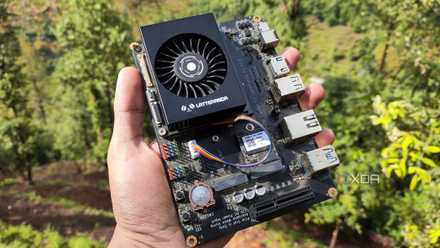
I ran local LLMs on Intel's cheapest iGPU, and the results were surprisingly decent
It ain't no match for a dedicated GPU, but you can run some light LLMs on the N100
Configuring Pi on the Raspberry Pi is fairly straightforward
I also hooked it up to the llama.cpp server running on my SBC
What I really appreciate about Pi is that it ditches the bells and whistles you’d find in typical agent harnesses for a barebones design that doesn’t hog thousands of tokens in the context window just to load basic functions. As such, it’s perfect for something as weak as a Raspberry Pi, especially since I want to use my SBC to run the LLMs, too. Just to avoid a desktop environment from draining extra resources, I went with a clean installation of Raspberry Pi OS. Likewise, I avoided the bloated Ollama and opted for a manually-compiled llama.cpp instance for my LLMs.
Fortunately, the setup process for my Raspberry Pi-based Pi harness was pretty simple. The curl -fsSL https://pi.dev/install.sh | sh command pulled the Pi installation script and began executing it. Within a few moments, install.sh had finished working its magic, and I ran the export PATH command to add its directory as an environment variable. Then, I ran sudo nano ~/.pi/agent/models.json and added the following code (with the right indentation, of course) to connect the Qwen 3.5 (2B) LLM running on llama-server to Pi.
{
 "providers": {
 "llamacpp": {
 "baseUrl": "http://192.168.0.189:8087/v1",
 "apiKey": "nothing",
 "api": "openai-completions",
 "models": [
 {
 "id": "Qwen3.5-2B-Q4_K_M",
 "name": "Qwen3.5-2B-Q4_K_M",
 "reasoning": true,
 "input": ["text"],
 "cost": { "input": 0, "output": 0, "cacheRead": 0, "cacheWrite": 0 },
 "contextWindow": 75000,
 "maxTokens": 8192
 }
 ]
 }
 }
}
For reference, I’d used the ./bin/llama-server -m /home/ayush/models/Qwen3.5-2B-Q4_K_M.gguf -c 100000 --host 0.0.0.0 --port 8087 command to get Qwen 3.5 up and running with a context window of 100000 tokens. While I didn’t need the context window to be this high for simple tasks, I didn’t want to cause my llama-server instance to crash after long prompting sessions (which almost happened later on).
The local LLM-powered Pi instance is surprisingly good at running bash commands
But I had to switch models for some tasks
For the first couple of tests, I decided to go easy on my Qwen 3.5 2B + Pi combo. First, I tried asking it to run simple tasks without explicitly stating what commands it should run. This includes everything from querying about the contents of a directory to skimming long documents, and the low-parameter model did pretty well in both situations. It’s also the most lightweight LLM I used for this experiment, so I got the results within 3–4 minutes.
However, it’s not the best at coding. I asked it to generate an Ansible playbook that installs Krita on all hosts, and although the LLM didn’t mix up the indentation rules, it ended up inserting well over 80 lines into the config file. The problem? The clanker had added multiple arguments for different situations, including three distinct commands to check the package version, when a simple 10-line playbook would’ve sufficed. It also created a hosts file with multiple sections for different types of hosts, which I never instructed it to do.
So, I switched to Qwen 2.5 Coder and repeated the test. Specifically, I used Qwen2.5-Coder-3B-Instruct-Q4_K_M, as it’s small enough to fit on the Raspberry Pi. The Ansible playbook didn’t feature useless functions this time, and while it took slightly longer than Qwen 3.5 (2B), Qwen 2.5 Coder was better at running terminal commands from conversational inputs. However, I wanted to use these LLMs to build extensions for my Raspberry-flavored Pi agent harness, so I still had one last test I wanted to subject them (and my sanity) to.
Creating Pi extensions with weak LLMs was a test of patience
It quickly devolved into never-ending loops, hallucinated outputs, and full-blown identity crises
Besides its lightweight nature, Pi’s biggest strength lies in its ability to create custom extensions using LLMs, essentially building all the MCP servers and tools on the fly using simple prompts. But to nobody’s surprise, nearly every sub-5B model running on my Raspberry Pi was a disappointment compared to the behemoth Qwen3.6-35B-A3B.
Anyway, I switched to Qwen 3.5 2B for this test and asked it to create an extension that lets the Pi instance connect to the local Docker server. For reference, I’d installed Docker Engine on the Raspberry Pi and armed it with really lightweight containers (like IT-Tools) to see if my LLMs could detect them. Qwen 3.5 2B, however, misinterpreted the Pi in the prompt for OpenPi, so I re-attempted this test with the following prompt:
I want to use Pi (you) to control Docker containers on this system. Can you design an extension that lets me do so?
With that, Qwen 3.5 got to work, and once it had correctly inferred the prompt, I let it create the extension for half an hour. When I logged back in, I noticed that the LLM had created well over 500 lines for the extension, which is insane considering that my Qwen3.6-35B-A3B wrapped it up in less than 150 lines. But after checking the logs, I realized that the clanker had been repeatedly adding the same line for several minutes. So, I deleted the barely-functional extension it had created and turned my attention to the other LLMs at my disposal.
Gemma-4-E4B was the only one that delivered decent results
Switching to Qwen 2.5 Coder made the inference tasks somewhat slower, and I left it running for another half hour. But just like Qwen 3.5, this LLM also kept adding too many lines of code to the extension file. After staring at the logs, I learned that Qwen 2.5 Coder kept adding new syntax for seemingly random Docker functions, and it had even generated code for the same Docker task multiple times.
So, I decided to move my Pi setup to Gemma-3-4b-it-Q4_K_M, which created a fairly detailed set of instructions to create the extension. But for some inexplicable reason, it simply saved all the output as a .md file before patting itself on the back for a job well done. Following Gemma 3’s massive failure, I moved back to the Qwen architecture with Qwen3 Thinking (4B). Well, specifically the Qwen3-4B-Thinking-2507-Q4_K_M model, as I’ve heard good things about its reasoning capabilities. That said, I had to drop the context window to 30,000 tokens, as llama-server refused to load with the previous value of 100,000.
After entering the same prompt as earlier, Qwen3-4B-Thinking-2507 started off with a pragmatic chain of instructions. However, it began second-guessing every line it generated for the extension-creation process – to the point where it’d come up with a perfectly viable strategy, misinterpret my prompt in the next section, and then go back to creating the same instructions as it did when it first started the inference process. Rinse and repeat. But after nearly an hour, the model created a JavaScript document that bore some semblance of an extension. The problem? It continued this counterfactual mess of an inference process when I asked it to check the status of my containers. In the end, Qwen3-4B-Thinking-2507 ended up generating a random sample of containers, instead of actually using the extension to check my Docker setup.
With every model failing miserably, I decided to give this experiment one last shot with Gemma-4-E4B. It started the inference task by scanning my Raspberry Pi for an extension that could accomplish this task, and in a strange twist of fate, found the config generated by Qwen3-4B-Thinking-2507. After nearly 45 minutes of what can best be described as a confident and (somewhat) capable clanker modifying the wild code generated by a weak, stuttering mess of a clanker, Gemma-4-E4B was ready to use the extension. After entering the same prompt to check the status of my self-hosted tools, Gemma-4-E4B correctly detected my Docker containers. I also asked it to use the extension to create a new Debian container, and the model did so without any issues (even though it took another five minutes for this process to complete).

I ran this bulky LLM on an SBC cluster, and it's the most unhinged setup I've ever built
My SBC cluster runs bigger models than a single Raspberry Pi, but the trade-offs are brutal
Gemma-4-E4B + Pi on a Raspberry Pi are a surprisingly decent combo
Although I wouldn’t use this setup for my coding misadventures by any means, I have to admit that this experiment turned out much better than I’d thought, especially after seeing the complete nonsense the LLMs decided to pull when creating the extension. I was particularly surprised by how competent Gemma-4-E4B is at inference tasks, and I even used it to troubleshoot some log files. While its suggestions weren’t as succinct or precise as the answers generated by my bulky 26B+ LLMs, it wasn’t too far off the mark, either. If anything, Gemma-4-E4B proved that edge models have come a long way, and I plan to use it for some even wackier Raspberry Pi-based Pi experiments in the future.
Raspberry Pi 5
- CPU
- Arm Cortex-A76 (quad-core, 2.4GHz)
- Memory
- Up to 8GB LPDDR4X SDRAM
- Operating System
- Raspberry Pi OS (official)
- Ports
- 2× USB 3.0, 2× USB 2.0, Ethernet, 2x micro HDMI, 2× 4-lane MIPI transceivers, PCIe Gen 2.0 interface, USB-C, 40-pin GPIO header
- GPU
- VideoCore VII
- Starting Price
- $60