
We at XDA are big proponents of using a password manager. It increases personal security by requiring you to use unique passwords for every service you sign up for. After all, yearly reports show just how bad we really are at choosing our own passwords. That might mean you're already using one of our favorites, like Bitwarden, but are you using all the security features it offers?
Generating random, long passwords is a good start, but these other features can make your digital life safer and easier to manage. Here are some of the features of Bitwarden that you might not be using already but should check out.
5 Passkey storage
The best password is one you don't ever have to type
Long, randomly generated unique passwords are a good step towards keeping online accounts safe. The length is the most important part, and we suggest setting Bitwarden to 20 digits or more if the service you're signing up to supports it. That's because password crackers can brute-force shorter passwords in a matter of minutes, especially with the graphics cards used for cracking getting more powerful every generation.
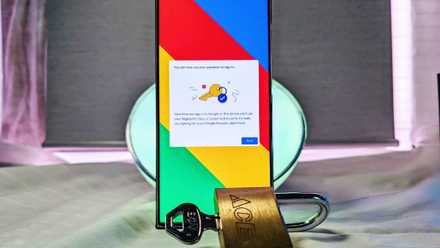
But long passwords can't protect you against bad data storage practices or against hacks or leaks from the services you're using. What can protect you is by using passkeys wherever possible and storing half of the passkey in your Bitwarden account. That way, even if a service gets hacked, the hacker only gets a partial credential in that half of the passkey, and can't get into your account without also having access to your password manager's vault.
It's one of the safest ways to handle credentials currently, and it also protects your online accounts against hackers who try to access them by reusing common passwords or using password-stuffing attacks. Simply set Bitwarden as your passkey provider in your device's menu or in the Chrome extension, and generate passkeys wherever you can.
Passkey portability is what the password-less future needs
The best password is no password at all.
4 Secure note storage
Keep your important notes safely encrypted with zero-trust
Password managers like Bitwarden can store more than just passkeys and passwords. You might already be using your password manager to store credit card details securely, so that you don't have to type in your details when checking out online. You can also store identities in Bitwarden, which includes personal data that might not be associated with an individual account, like name details, physical addresses, and more.
But the feature you might not be using is Bitwarden's secure notes function. Many people use their mobile devices to jot down notes for future use, but those notes are usually saved insecurely, which could become a security issue. By saving these notes in Bitwarden, they are encrypted and locked behind the biometrics of your mobile device, so only you can access them. That's important if you were to misplace your phone or if someone stole it and went looking for any information that might have value. Free users can only add notes,
It's important to note that Bitwarden encrypts all information in your vault, not just passwords. That means anyone who gains access to your vault without the master password won't be able to see usernames, URLs, secure notes, credit card details, personal information, or anything else. The whole architecture is built on zero trust, and that's fantastic to see from a password manager.

4 reasons your cloud provider should be using end-to-end encryption
Using zero knowledge architecture and E2EE makes the web safer for everyone.
3 Emergency access and sharing
Give other users access to specific credentials with stipulations
If you ever have to share credentials with someone else, you might be tempted to pick up a Post-it note and write it down. But that's a terribly insecure way of doing things, and we don't recommend it. Bitwarden has two ways of sharing credentials with someone else that make the process easy and secure. The first is Bitwarden Send, which shares the credentials as an encrypted link. You can make the process even more secure by setting an expiry date on the link, a deletion date, and even a maximum access limit so you know that other users with the link won't be able to access the account.
That's all you need for occasional sharing, but if you have accounts that you want someone to have access to more often, you can set up an Organization. Then, you invite the user to that Organization, create a Collection for shared credentials, and invite the user to that as well. This is useful for setting up family-shared accounts or tools used in the workplace while still retaining full control over who has access.

5 things that will need to happen before we stop using passwords
Passwordless solutions are growing in popularity, but do you trust them?
2 Self-hosting
Don't trust the cloud? Host your own password vault at home
If you're tech-savvy enough to secure your own NAS, you can forgo using Bitwarden's cloud storage and self-host your password manager. This option makes you the guardian of your own secrets, passkeys, and passwords, which is attractive to many. You'll want to ensure you have robust backup practices because if anything happens to that NAS, your password vault will be lost.
Still, with how many high-profile breaches of password managers get reported, self-hosting looks better by the day. Even with a service like Bitwarden that's built on zero trust architecture, so every piece of information is encrypted, and the company is unable to read it, some users might feel more comfortable knowing their data is on a device they control.

How to set up Bitwarden and keep your passwords safe on a Synology NAS
Store and manage all your passwords on your Synology NAS.
1 Use a security key for MFA
A hardware-based token is a good, secure second line of defense
Password managers should all have the option to set up multi-factor authentication (MFA) for their vaults because a second line of defense behind your master password is a good idea. Bitwarden lets you set up hardware keys like YubiKeys or similar as the MFA method, which is more secure than getting codes emailed to you. You can also use another authenticator app if you have one that you've been using for other accounts.
If you're on the paid plan for Bitwarden, you can also use the password manager to serve as an authenticator and have it generate the TOTP passcode for MFA as you log in. This makes things easier as you don't have to switch between different apps, but it does mean that your security has a single point of failure, so if you lose access to your Bitwarden account, it makes it harder to recover your online accounts.

The 5 best YubiKey alternatives to secure your digital life
Looking for a hardware key to secure your online presence? Look no further than these great options for YubiKey alternatives
These features of Bitwarden help keep your digital life safer
Even by using the basic functionality of Bitwarden, you're already making your digital presence more secure. Long, unique passwords are important, and the open source nature of Bitwarden means it's regularly audited, so the code is safe to use. It's also free for most functions, with the paid plans adding more advanced features like an integrated authenticator and robust sharing options. These additional features of Bitwarden make it even more secure, whether you prefer to self-host your vault or use Bitwarden's managed servers.