
I use AI tools for a big portion of my productivity and creativity tasks now, so uploading files to them has become second nature at this point. Things like course notes, research documents, screenshots, image references, and just random PDFs. Bringing in outside context is one of the most useful and underappreciated aspects of AI in my opinion. But among my design notes and article research also sits more personal documents, such as health reports and bank statements.
My tech background is in audio engineering, design, and video editing, so not exactly the crowd that talks about server infrastructure. A couple of years ago I might have just uploaded personal files anywhere without a second thought. And honestly, I'm even more tempted to now because file analysis and RAG have gotten so good. But once I started understanding a bit more about how servers work, I couldn't really unknow it. Once something leaves your device, it's pretty much out of your hands, and "we process your data securely" means something different at every company - and isn't always what it sounds like either.

I ditched Claude Pro for free tools for a week — and one of them had no right being this good
Free gets you far, but not all the way
Cloud AI and our files have a longer relationship than we realize
It's in the terms and conditions, but nobody actually reads all that
When you upload a file to a cloud AI, it doesn't just get read and discarded. It has to live somewhere while the model processes it, and that somewhere is their infrastructure which is servers you have no visibility into. Even after you delete something from your chat history, traces are likely still sitting in backups and logs. Complete removal from a distributed system like this is close to impossible on your end.
Let's take ChatGPT for example. It stores files separately from your chat history, so deleting a conversation doesn't even delete the document - they're managed independently, and the file sits there until you specifically go remove it. Also, standard accounts retain chat history indefinitely unless you delete it manually, and even then it takes up to 30 days to actually clear on the backend. Claude doesn't use your data for training by default, and deleted conversations clear within 30 days - but if you opted into model improvement at any point, retention stretches to five years.
Gemini keeps conversations for 18 months by default, but if a human reviewer looks at one of your sessions, that data gets held separately for up to three years regardless of whether you've deleted it. NotebookLM is probably the cleanest of the bunch, it doesn't train on your uploads at all and files stay put until you delete them. It's still Google infrastructure though, so the same caveats apply - meaning, your data is on their remote servers and may be subject to internal policies, backups, legal holds, or something else.
My point is that none of these tools know what kind of file you just uploaded, there's no personal file filter. A bank statement and a generic research doc get handled exactly the same way, and I find that a little hard to ignore.
I don't pay for ChatGPT, Perplexity, Gemini, or Claude – I stick to my self-hosted LLMs instead
There's no point in relying on AI tools when my local LLMs can handle everything
So, how do I handle my private documents now?
The local setup I switched to
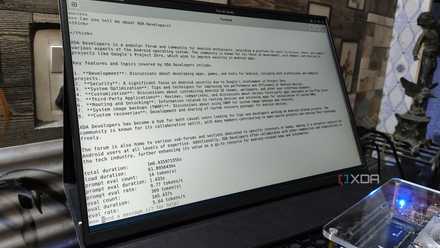
My actual setup for anything personal is my local LLM through LM Studio. Nothing I type into it leaves my machine, so no retention windows or terms of service clauses about how my inputs might be used down the line. The privacy aspect is not even why I got started with local LLMs to be completely honest (it was primarily curiosity), but it quickly became apparent that it's a good reason to keep using local models. For many, using local AI for sensitive documents is the whole point of going local. For reference, my primary local model is Qwen 3.5 9B, but I also still use gpt-oss 20B from time to time.
The document handling is more capable than I expected going in. LM Studio has had built-in document support for a while now - attach a file and if it fits inside the model's context window, the whole thing gets loaded directly into the prompt. If it's too long for that, it switches to RAG, chunking the document and pulling the most relevant sections based on what you're asking. It's not as seamless as NotebookLM for very long files, but for a shorter health report or a contract, it handles it without issue. I also have Brave Search MCP hooked up, so if the model needs outside context or up to date info to make sense of something in the document, it can pull from the web mid-conversation without me having to switch tools or add my personal information into a search engine.
That's pretty much all there is to it. Moreover, I'm not signed into a Microsoft account so this doesn't affect me, but it's worth checking if you are - OneDrive syncs certain folders automatically by default, so your files might not be as local as you think. At first I just didn't want to deal with Microsoft's setup prompts, but now I'm keeping a local-only Windows account on purpose. For syncing to my other devices, I use Syncthing, it exposes minimal metadata and performs no server-side decryption or telemetry unless explicitly enabled. As for backup: my tried and true, encrypted little physical hard drive. There's no need for massive cloud storage for text and PDF files.

4 reasons Open Notebook is the best self-hosted NotebookLM alternative
No need to share your research data with Google anymore
The context ceiling is real
But the documents worth protecting aren't usually the long ones anyway
The honest limitation is context. I can push my local model to a 60k context window with my small GPU. It's a lot, or at least, it sounds like a lot until you factor in that back-and-forth for a working session can add up fast, especially if you're coming at it with information you don't understand at all, like a genetics test. So it's worth being mindful of your prompts to ensure you get better answers without wasting tokens on reprompting.
The other thing is long documents. Something like NotebookLM will almost always handle it more reliably because it has a context ceiling that's hard to compete with locally. For these situations, the solution is simple: split up the docs. There are self-hosted tools available for this, such as OmniTools, so you can stay in control of the data. I've only had to do that once or twice with a personal document though; most of the time the types of documents I'm talking about here are pretty small.
The setup is worth it for the files that matter
For most files it genuinely doesn't matter where they get processed, least not to me. But there's a specific category where it does, and "trust us, we de-identify it" stops being a satisfying answer once you've actually read the privacy policy. The local setup isn't without limits - your hardware will dictate what you can actually run and how long your sessions can get. But I pretty much have a new criteria now: if I wouldn't feel comfortable with a stranger seeing it, I probably shouldn't upload it to cloud AI either.