
Your network-attached storage (NAS) device is designed to handle the storing and transferring of data. Once configured and up and running, it can also serve as the foundation of your home lab, smart home, and self-hosted empire. One of the many questions you may have when looking at the best way to manage all of this is "Which protocol is best?" Server Message Block (SMB) is one of the available options and is likely what you've come across and used with Windows systems.
Even though it's designed with Microsoft's OS in mind, SMB is actually brilliant. It's simple to set up and use, works well with most other operating systems, and doesn't really require much documentation when you wish to alter settings or if something goes wrong. Where SMB can fall short is that it's not ideal for every deployment, and protocols such as NFS or iSCSI may be a better fit.
When SMB makes the most sense
Especially in Windows-only environments
SMB is essentially unmatched for Windows ecosystems. If you have a few Windows PCs and no other OS platform, SMB is the way to go. But it becomes slightly muddy for Linux and macOS. Linux supports SMB clients, and it's not terribly difficult to configure them with one of your favorite distros. NAS enclosures primarily run Linux and some form of UNIX-like OS, making it a perfect candidate for running NFS when you have a few clients that run Linux and other UNIX-based OSs.
For me, SMB became less optimal for not only my home lab experimentation, but also daily usage, with more and more systems migrating from Windows. My spouse used Microsoft's OS all her life. She didn't even touch Linux before we met, and now she's using a MacBook Air and an Ubuntu-powered desktop PC. Guests to the house aren't really of concern since they largely won't be interacting with stored data on the NAS, so this is when NFS started to make more sense.
Compared to SMB, NFS is notably faster at transferring larger files, such as ISO images, movies, and full device backups. We've got a NAS with more than 50 TB of capacity, so having a speedy network backend with the means to fully utilize as much bandwidth as possible, I was able to bring down transfer times considerably. Now, configuring NFS permissions can prove challenging, but it was the lack of additional authentication in earlier versions that stopped me from making the switch.
But since NFSv4, we've now got Kerberos-based authentication. NFS was now a viable option as our only storage protocol, and it's even supported by Windows.

I don't use SMB for everything like I used to - here's why
It's still a solid file-sharing protocol, though
Kerberos changed the NFS game for my NAS
It became more than usable
I dabbled with NFS previously, but I always switched back to SMB. Although NFS offered quicker file transfers between my clients, lower overheads, and consistent permissions across platforms, the lack of authentication and longer setup times meant that I stuck with my familiar stack. Transferring larger files via NFS compared to SMB was enough of a difference to make it worth switching.
Not that NFSv3 felt unsafe on my home network, but UID and GID matching was painful at the best of times, and NFSv4 really transformed how I could use the protocol to improve network storage performance. SMB was starting to feel a little underpowered for what I personally required with the 2.5Gb network backend and 10Gb switch node links. iSCSI is fantastic, but overkill for NAS use, especially for what I needed.
Enter NFS, which ultimately fits shared storage better with the more recent versions. SMB isn't slow, but you can expect to see CPU overhead on the NAS at higher speeds, especially when comparing it against NFS. Then there are the slower, large sequential transfers, which are often what a NAS handles daily. But for my Linux-first home lab, the less predictable behavior was the last straw.
NFS finally allowed me to feel like I was using my network to the best of its capabilities. I invested time and money into fleshing out a 2.5Gb and 10Gb backend, so it's only right that I get to experience the types of performance I would expect. All that prevented me from fully switching was the permission setup that sucked for larger-scale storage.
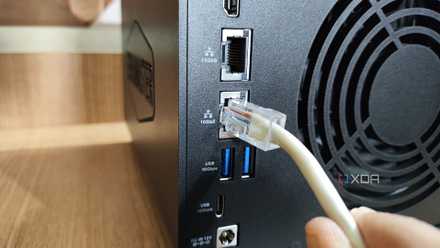
3 ways I sped up my SMB file transfers
SMB can be pretty fast when properly configured
I don't have to ditch SMB
SMB continues to have a place. It's a backup protocol and is available should the need arise. It's even possible to work out some truly unusual custom configurations throughout the network with SMB and NFS, though you will need to thoroughly read through documentation and ensure checks are in place to prevent data corruption. That's the beauty of building out your own network storage. There are a variety of options and different setups that suit varying scenarios.