
PC gaming handhelds are fantastic devices. Thanks to them, PC games are more accessible and portable than ever, and thanks to the power of modern integrated graphics, they still play at decent quality on these low-power devices.
However, while you can tone down graphics settings, you can't really make a game smaller, so the real problem these days is storage. With the ballooning file sizes for games, putting it all on a handheld device is a challenge. Thankfully, you don't need to. Local streaming solutions make it easy to play your games on a handheld without using up storage, and it's a great solution if you have a dedicated gaming PC.
Solving the storage problem
Your games don't need to go with you
Games these days are increasingly big, and many handheld manufacturers know this, because some brands do have fairly generous offerings, sometimes as high as 4TB if you're willing to shell out the cash. But those options are actually quite rare, especially when it comes to brands that have a meaningful presence in the United States. The Steam Deck started with just 256GB of storage until recently (that's already ignoring the 64GB launch model which has been discontinued for a while), and even now, the base model has 512GB, which isn't a lot for modern PC games, and the maximum is 1TB. The same goes for most competitors.
If you're trying to keep your games on the handheld, you're going to have to keep swapping things around, unless you want to pay up for a much larger SSD. But if you're playing at home, and you have a gaming PC, you don't have to put all your games on the handheld itself. You can just store them on your big desktop PC, where you have access to more storage. Not only is it likely you have larger SSDs on a desktop, but you can have multiple of them for even more storage space, or even add some SATA drives for more space.
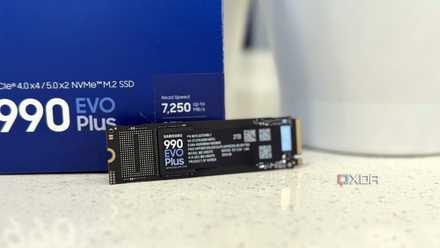
Your next storage upgrade probably shouldn’t be another NVMe SSD
You are paying more for speed you won't even notice.
That's what solutions like Moonlight are all about. This program lets you stream games from your main PC to a wide range of other devices, including gaming handhelds. There's also Steam Remote Play, which does something similar for games you have on Steam. These solutions can save you a lot of money if you already have a gaming PC, and you're not making as big of a sacrifice as you might think.
It works better than I expected
Local streaming is really good
I hadn't really attempted to use local streaming in a very long time prior to writing this article, so I wasn't fully sure what to expect going in. However, I was very pleasantly surprised with what I saw. I started by testing Moonlight, which required me to set up Sunshine on the host PC and the Moonlight client on my handheld. Both work with Windows and Linux, so no matter what machine you're using, you shouldn't have any problems.
Streaming with Moonlight is very flexible: you can choose the resolution, frame rate, and bit rate of the video feed streamed from your main PC, so if you have a good enough router, you can push pretty far and have a great experience overall. I was fairly surprised at how easy it is to set up: just launch Sunshine on your host PC and the Moonlight client on your handheld, and your PC should appear as an option.
Actually using it, the experience was similarly great. I initially had to tweak the resolution because it wasn't fitting my screen properly, but on the second try, everything looked great and the delay was, for the most part, minimal. I did notice a couple of stutters every now and then, but even in a fast-paced game like the demo for Grip XR, I was able to win a race this way.
I'd say Steam's Remote Play feature worked even better, though. It's even more convenient because you can still use the Steam client on your handheld, but instead of installing it, you'll see an option to stream it from your main PC, which makes things seamless. Plus, you can still access your handheld's Steam menu for exiting the game, it feels a little more natural.
The game looked perfectly scaled right out of the box with no tweaks needed, and the actual performance was even better. During a Grip XR race, I didn't notice a single stutter when I was in the same room as the host PC and the router. I tried pushing my luck and moving to the furthest room in my house and that did make the games kind of unplayable, but to be fair, both the host and the client were using Wi-Fi, and I was quite far from the router. You'll probably want to use Ethernet for your gaming desktop, and keep your handheld within a reasonable distance from the router.
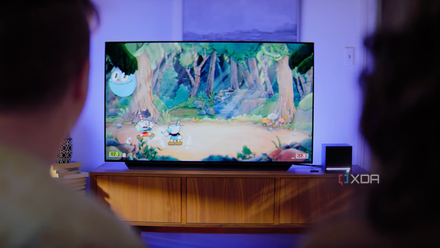
Steam Remote Play works better over LAN than most people realize
There's no point buying a Steam Machine.
Storage isn't the only benefit
Your desktop is more powerful
Streaming games from your desktop isn't just a way to save storage on your handheld, though. It also makes your games run and look a lot better. I'm streaming from a relatively weak gaming laptop with a 45W GeForce RTX 3050 GPU, but even that allows me to crank up the graphics and resolution settings in games to much higher degrees.
Score Storage & Networking Deals for Gaming Handhelds
Grip XR ran extremely smoothly on my PC, but the difference was even more noticeable in Elden Ring. The level of detail and the frame rate I could get this way was nowhere near what the gaming handheld would have been able to do on its own, and it was a joy to look at by comparison.
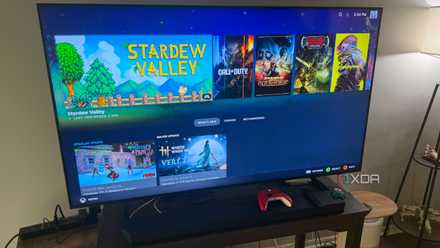
Sunshine and Moonlight let me build my own game streaming service for the cost of one GPU
Taking my gaming wherever I go.
Sure, when you're streaming, there's going to be some compression artifacts, but it's nowhere near as impactful as the jugged edges and low-resolution textures you'd get by turning down the settings to get these games to run on low-power handhelds. That's especially true of the Steam Deck, with its older and weaker hardware compared to many of the other gaming handhelds. So even if storage isn't a problem, I'd recommend trying this option just for the increase in graphical fidelity.
Local game streaming is more useful than ever
Steam Remote Play and other similar solutions are nothing new, nor were they made for gaming handhelds specifically. Whether it's thin and light laptops, phones, or smart TVs, there have been plenty of use cases for this technology before. But since gaming handhelds have their own gaming prowess, it's easy to overlook that this option still exists, and it might actually be better than playing your games on the device itself in some cases. If you're using Steam anyway, I highly recommend using Steam Remote Play, but if not, then you might want to check out Moonlight.