
If you are looking to add more storage to a system, an NVMe SSD is naturally the first thing that comes to mind. It's fast and reliable, and the price difference between SATA and NVMe is not as big as it used to be. With NVMe Gen3, you get maximum speeds of up to 3500 MB/s, and with every subsequent generation, this doubles. Gen4 and Gen5 deliver 7000 MB/s and 14000 MB/s, respectively. But is speed the only thing that matters, especially as Gen5 isn't all that faster than Gen4 in everyday use?
After a roughly 2-3x increase in SSD prices in recent days, you have to be more careful with storage upgrades. The prices of RAM and SSDs should eventually come down, perhaps 2–4 years down the line. So, if you could put off storage upgrades until then or explore more value-for-money options, you would end up saving a decent amount. And there's not a lot to lose. On the contrary, it will actually be a smarter choice for most, and you will realize that once you reevaluate your storage requirements.
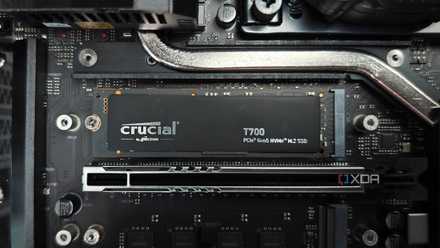
My next storage upgrade won't be a Gen 5 NVMe, I'm getting this instead
User experience matters more than benchmarks
Speed isn't the bottleneck for most
It's time you prioritize storage instead
The NVMe protocol gained popularity for a reason: the blazing-fast speeds. That begs the question: how much is too much speed? Because after a while, the upgrade no longer translates into real-world gains. The switch from an HDD to a SATA SSD is definitely an upgrade in the true sense. The transfer speeds instantly jump from around 80–120 MB/s to almost 500MB/s. From that to a PCIe 3.0 (Gen3) NVMe SSD, the speed again increases manifold. But is it all that noticeable?
For many everyday PC users, the answer will be "No." It's not because the NVMe SSD isn't fast enough, but after a while, the improvements don't matter anymore. You already have a sufficiently fast system, one where storage speed isn't the real bottleneck. In such a situation, it's smarter to prioritize storage capacity over speed, especially when prices are near an all-time high.
SATA SSDs are an option
Though slower, the impact is not always noticeable
SATA SSDs, though considered old tech, are still useful in many use cases. Some with home labs prefer SATA over NVMe, while others with older systems without M.2 or NVMe support have no choice but to use SATA. If you fall into either of these groups, you probably don't need a lot of convincing. But for others, as I have repeatedly said, the difference between SATA and NVMe is not that noticeable in everyday use.
The best part is that SATA SSDs are still relatively cheaper than NVMe. Though the gap has narrowed over the years, you will still save $20–100, depending on the storage size. For instance, a WD 1TB Gen4 NVMe SSD available at Best Buy costs $239.99, while a SATA SSD with the same storage is priced at $219.99. As we explore options with more storage, the price difference increases. For 4TB, the difference almost reaches $75. That said, I agree that this won't be the case for everyone. There are regions where both SATA and NVMe SSDs are priced almost the same. But it's still worth a shot, especially if you are aiming for reliability, better cooling, and easier installation.
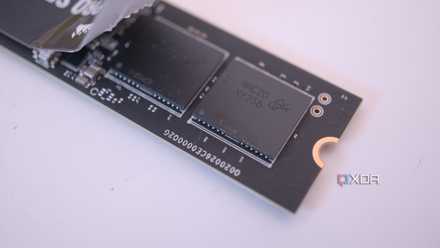
Here's why your NVMe SSD feels worse than a SATA SSD
Some NVMe SSDs can perform slower than quality SATA SSDs in certain workloads
Hard drives are still an excellent choice
Best for long-term, cost-effective storage
Believe it or not, HDDs are still an excellent choice for the vast majority, especially for everyday users looking for an additional drive to store media files and backups. These, too, have seen a major price rise over the past year, but not as much as NVMe SSDs, making HDDs worth the money. My last upgrade was an HDD for this very reason. I didn't want to pay much, knowing well that the prices are bound to come down.
For gamers who have a number of titles stored on an SSD, moving a few to an HDD can help. First, it frees up a massive share of storage. Games these days are big. Second, not every game requires the fast read/write speeds offered by SSDs and runs just as well on HDDs, especially older titles. So, if you have many of those, moving them to an HDD will be a smarter choice. HDDs are even the first choice for NAS, given that the reliability and cost factors work in its favor.

5 HDD myths that you shouldn't believe
HDDs might be on their way out, but these myths are still alive
The problem isn't NVMe
It's all about value for money
All that said, there's no denying that modern NVMe drives are way faster than SATA SSDs. I even agree that, in an ideal world, the vast majority should get an NVMe when there's such a narrow price gap between the two. But we are not living in an ideal world. The price of storage drives, amongst other components, has shot up massively, and in the current situation, NVMe doesn't feel like a smart upgrade. And if you are already using an older NVMe SSD, it makes even less sense to upgrade to Gen4 or Gen5.
I would even go as far as to recommend that you defer storage upgrades for a few years, if possible. But since that's not always feasible, there are other solutions, options that truly are value-for-money upgrades.