
NVMe SSDs are known for their blazing-fast sequential speeds compared to the humble SATA SSDs. Even the older Gen3 drives are about 7 times faster than what SATA SSDs are capable of. However, not every NVMe SSD is guaranteed to perform better than every SATA drive in every scenario. Depending on the make and model of your NVMe drive, it can very well exhibit slower transfer speeds than a quality SATA SSD, sometimes even dropping to HDD speeds. The sustained performance of any SSD depends on the type of NAND and the cache configuration inside it. For the average user, NVMe trumps SATA hands down, but anyone transferring large files and running professional workloads needs to buy NVMe storage more carefully to avoid underwhelming performance.

QLC NAND can tank your NVMe transfer speeds
SATA SSDs with superior NAND are better for certain users
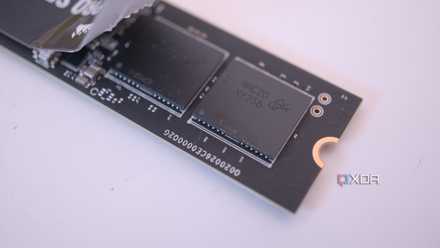
The type of NAND used by your SSD manufacturer determines a lot of its real-world performance. Quad-Level Cell (QLC) NAND stores four bits per cell, with SLC, MLC, and TLC NAND storing one, two, and three bits, respectively. This allows manufacturers to produce denser drives that can store more data on the same number of cells, lowering the costs and making these drives more accessible. The flip side, however, is that the more bits per cell, the more management the drive needs. The SSD controller on a QLC drive takes longer to read and write data, giving these SSDs their bad reputation. While manufacturers use about 10% of the NAND flash as pseudo-SLC cache to bypass slower speeds, it only works until the data being transferred falls within the cache. Beyond that, your "NVMe" SSD can become slower than a hard drive, let alone a high-quality SATA SSD.
Comparing a QLC NVMe drive, such as the Crucial P3 Plus, to a SATA SSD with TLC NAND, such as the Samsung 870 EVO, exposes the limitations of the former. Despite using a faster interface, the QLC NAND inside the NVMe drive can drop transfer speeds way below peak SATA speeds during sustained file transfers and heavy write workloads. At this point, you're better off with a TLC SATA SSD that provides better, more consistent performance. Due to the structure of QLC NAND, it also suffers from lower endurance compared to TLC NAND, risking the integrity of sensitive project data and other important files.
Please stop buying QLC NAND SSDs, and here's how to check if you have one
It's time we leave QLC NAND in the past
A DRAMless NVMe drive isn't suited for sustained transfers
It can sometimes perform worse than hard drives
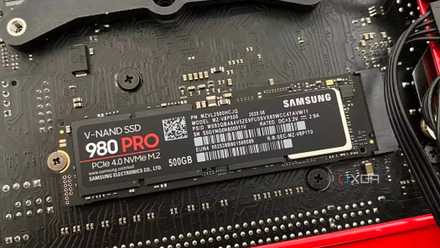
Another reason that can inhibit the otherwise superior speeds of your NVMe SSD is the absence of a DRAM cache. A dedicated chip on the SSD, the DRAM cache manages metadata on the drive, informing the controller about the location of the data on the NAND. SSDs with DRAM perform faster than those without in certain write-heavy scenarios, such as video editing, streaming, and database management. DRAM-less SSDs have come a long way in simulating the DRAM cache using a portion of the system RAM as Host Memory Buffer (HMB), so most users won't notice any performance downside with a DRAM-less NVMe SSD in read-heavy workloads like gaming. That said, DRAM is absolutely useful in write-heavy scenarios.
A SATA SSD with a dedicated DRAM cache can still outperform a DRAM-less NVMe drive in sustained writes, making the former feel faster. If your regular, write-heavy workloads aren't able to leverage the much faster sequential speeds of an NVMe drive, you won't feel like you have a fast SSD. In such cases, even a high-quality SATA SSD with a DRAM cache can outshine your supposedly better NVMe SSD. Of course, an NVMe SSD with DRAM is superior to everything else, but that's not the comparison I'm making here.
Here's why your old SSD feels slower than it used to be
Your SSD performance can drop with time, but you can do something about it
NVMe SSDs are still superior for the average user
They've replaced SATA drives for a reason
All these specific scenarios aren't edge cases; they're perfectly reasonable for professionals and enthusiasts running write-heavy workloads. However, for everyone else, NVMe SSDs are obviously the way to go, since they provide you with way faster speeds in most workloads, such as gaming, browsing, and regular OS operations. Most of the popular Gen4 and Gen5 SSDs use TLC NAND, and even without a DRAM cache, they're more than fast enough for the average user. You'll rarely run into situations where the lack of DRAM will realistically slow you down. SATA SSDs can be fast enough for gaming and general OS operations, but the upgrade to NVMe is worth it, considering the price difference between the two options is minor.
When you're buying an NVMe SSD for your PC, ensure you know the NAND type it has, and whether it has DRAM. As someone who rarely transfers large files or runs productivity workloads, you may not see any downsides with QLC or DRAM-less SSDs. Still, if the price difference compared to TLC and DRAM SSDs isn't huge, it's worth paying for the extras.

5 SSD specs I always focus on instead of transfer speeds
Every SSD is fast enough, but here's what truly matters
NVMe vs. SATA can be slightly more complicated than it seems
By default, not every NVMe SSD will be faster than every SATA SSD on the market, at least not universally. In the right workloads, a high-quality SATA SSD with TLC NAND and DRAM cache can still beat an NVMe drive missing those features. Creative professionals and home labbers running sustained write workloads should avoid QLC and DRAM-less NVMe drives that can sometimes perform worse than hard drives, let alone SATA SSDs. Everyone else, however, can buy these NVMe drives without worrying too much about them.
Samsung 990 EVO Plus
- Storage capacity
- 1TB, 2TB, 4TB
- Hardware Interface
- PCIe Gen 4 x4 / Gen 5 x2
- TBW
- 600TB per TB
- DRAM
- N/A