
I have a house full of smart home devices and other gadgets, which are (mostly) controlled by Home Assistant running on a mini PC. Which is fantastic for not needing to flip through different apps, but it still means that I need my phone or computer to see what's going on with my home. And that's a problem, but it's also one that can be solved fairly easily with an old Kindle.
You've probably seen all kinds of projects that use Android tablets and other devices to build a Home Assistant smart display. There's nothing wrong with those, per se, just that using an old Kindle is better. It's even better than a standalone E Ink display, because it has everything you need, and the process for turning it into a smart home display has never been easier.
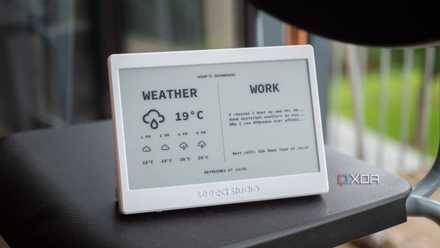
I bought this cheap ePaper display, and it massively improved my smart home and desk
It's been a big improvement, and I absolutely love it.
Why a Kindle specifically?
The hard work is all done for you
It's not hyperbole to say that the humble E Ink Kindle is the best product Amazon has ever made. The hardware is great; it has Wi-Fi, and whether you have a Paperwhite or a regular Kindle, the screen is easy to read in almost every lighting condition. And that was before people figured out how to jailbreak it to put other software onto the device.
Once that's done, you can use webhooks and APIs to create a smart home dashboard on the Kindle, and a few more lines of code let you use the Kindle as a control device. I've even put Tailscale on my Kindle so it always thinks it is at home and can control my smart home from anywhere with a Wi-Fi connection. And since I rarely go anywhere without it as I love to read when waiting around, it's the perfect smart home display controller for my needs.
And it has a touchscreen
We've used various other E Ink displays to show the state of our smart homes, calendars, and other important information. Pairing an E Ink display with an ESP32 is a fantastic project, and if you find a picture frame the correct size, it makes for a display that rivals anything you can get in the stores.
Except for one thing — most standalone E Ink displays for project use don't have a touchscreen. That's fine if all you want is informational feedback, but I feel that smart home displays should also have some level of interactivity. Sure, you can't use Alexa on a Kindle to control your smart home, but the touchscreen and a few webhooks can turn it into a perfectly usable panel for controlling lights, fans, and anything else you want easily accessible.
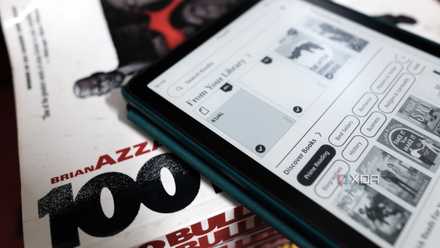
Amazon's own Kindle ads turned out to be the security hole that lets you jailbreak it
The "Uno Reverse" moment.
E Ink is absolutely the best choice for smart home displays
Low-power, easy to read, and fade into the surroundings
Whether you're monitoring a home server or keeping an eye on your smart home, E Ink is the right display tech for the job. It's easy to read from across the room, and it uses reflected ambient light, so it is visible in almost every lighting condition. But the best thing is that it only draws power when changing the image, so it sips power and is perfect for battery-powered dashboards.
The only issue is that most E Ink panels come without the other parts needed to turn them into working displays, or as DIY kits that require some level of electronics and coding knowledge. Which is fine, if you want to learn those things, but there is another option.
reTerminal E1001/E1002
- Connectivity
- 2.4GHz 802.11 b/g/n Wi-Fi, Bluetooth 5.0
- Battery
- 2000mAh
Kindles come loaded with extras
Using a Kindle as your smart home display means you don't have to worry about putting hardware together. We've used them for wall-mounted calendars and for Home Assistant with great success. The setup process can be a little complicated, as you need to jailbreak it to install the Kindle Unified Application Launcher (KUAL) and the software that shows the dashboard via WebSockets, but it's worth it in the end.
Most of the projects I found that use a Kindle as a smart home dashboard use apps like Puppeteer to take screenshots of Home Assistant and then feed those images to the Kindle, rather than using a direct connection. That's fine for monitoring, but you can set up RDP into your smart home server, and use the touchscreen on the Kindle as your control plane, with a little extra work. It might not work on every Kindle as not all of the inbuilt web browsers work, but it's an option.

I built my own basic Kindle with Home Assistant and this 7-inch ePaper display
If you want a device that's like a Kindle, but made by you, then this might be a place to start.
Kindles can do a lot more than what Amazon wants you to use them for
Connecting an old Kindle to Home Assistant turns it into a fantastic smart home display panel. And with the right software tweaks, you can use the touchscreen to control your home, instead of only using the display for monitoring use. It's still a fairly involved project, but it's not as deep as using a standalone E Ink display, since the hardware is all done for you.
Home Assistant
- OS
- Windows, macOS, Linux
- iOS compatible
- Yes