
If you have followed my IDE coverage, you know I prefer the familiarity of VS Code and its endless library of extensions. However, lately, the industry has shifted from simple code completion to full-scale agentic autonomy.
That’s why I have spent the last thirty days putting the heavyweights of 2026 to the test: the reliable VS Code, fan-favorite Claude Code, and the ambitious Google Antigravity.
While each tool promises to revolutionize the way we build, one platform didn’t just assist my workflow — it fundamentally changed my role from a manual coder to a technical architect.

Google Antigravity supports VS Code extensions, but I found myself needing fewer of them
The extension era is over.
VS Code
Mature, extensible, manual
VS Code needs no introduction in 2026. I have used VS Code for years, so my keybindings and extensions are perfectly set up. However, after testing modern AI agents for a month, I have started using it more as a backup than my primary editor.
VS Code has nailed the basics. Whether it’s the integrated terminal, the GitLens markers, or the IntelliSense pop-ups, everything feels faster.
When I’m working on a surgical task — like fixing a specific CSS bug for Swami Jewels' website, VS Code is unmatched. I can pull up the file, hit Ctrl/cmd + P, and be at the exact line in milliseconds.
The stability is its greatest feature; even with 20+ extensions, it rarely crashes on my MacBook Pro.
In another positive move, Microsoft has started offering Autopilot, which allows agents to act autonomously until a task is complete.
There is still some manual overhead involved here. I have to prompt it, wait, review, and manually trigger the next step. And although GitHub Copilot is now a built-in extension, you still need to rely on dozens of extensions for complex projects. After a while, it eventually starts to eat into my RAM and slow down the UI.

VS Code, Claude Code, and Google Antigravity
Trivia challenge
From code editors to AI terminals and Easter eggs — how well do you know these developer tools and tricks?
Which company originally developed and maintains VS Code?
What is the keyboard shortcut to open the Command Palette in VS Code on most systems?
Which engine powers VS Code's rendering and runtime environment?
Claude Code is an AI coding tool developed by which company?
How is Claude Code primarily accessed by developers?
Which of the following best describes the 'agentic' capability of Claude Code?
What happens when you type 'import antigravity' in Python?
Which search engine made 'Google Antigravity' a well-known Easter egg experience?
Your Score
Thanks for playing!
Claude Code
Minimalist, logic-heavy, autonomous
Claude Code is no longer just a separate CLI tool — it’s now deeply integrated into the main Claude desktop app. This means I can flip between a high-level chat and a terminal-ready agent without ever losing context.
Now, it’s a seamless GUI where I can actually see my code, a live preview of my app, and a conversation with an agent all in one window. The magic happens in the Code tab. Instead of copying and pasting snippets, I just point Claude to my local project folder. It’s not just looking at one file; it understands how my backend talks to my frontend.
I have been using it for a variety of projects lately. For instance, I recently used it to build a client’s dashboard for a jewelry business. I told Claude, ‘I need a page that pulls our latest inventory from a CSV and shows it in a clean grid with search.’
I just watched as Claude created the files, set up the styles, and opened a live preview window right inside the app.
The reason I prefer the app over the old CLI is the Visual Diff view. When Claude suggests a change, it shows me a clear ‘before and after’ side-by-side. I can click Accept or Reject on specific lines, which gives me a lot of confidence.
It’s not all magic. The biggest hurdle is the cost and context management. It often re-scans or re-sends chunks of context to the API, which can get expensive on massive projects.
Also, it can sometimes be aggressive. If I’m not specific, Claude might decide to refactor an entire folder when I only wanted one function changed.
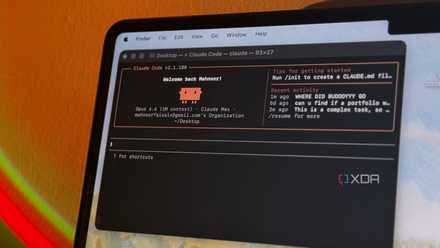
I gave Claude Code control of my desktop for a week, and it automated things I didn't think were possible
I was seriously stunned.
Google Antigravity
Power-user agent orchestration
While VS Code is a code editor with AI bolted on, Antigravity is built from the ground up to be an orchestration layer. Agent Manager is where Google Antigravity shines.
By hitting cmd + E, the interface splits and gives me a dedicated view of every action mission. When I’m working on a complex feature for Asha Jewels, I don’t just ask for a snippet; I define a goal.
The planning mode kicks in, and Antigravity generates an implementation plan and a task list before writing a single line of code. I can comment on that plan just like Google Docs (changing the tech stack or adding specific verification steps), and the agent adjusts its strategy in real-time.
The browser preview is also spot on. I can tell it to ‘Build a login page and take a screenshot to prove the CSS isn’t broken,’ and it will open a browser, navigate to the local host, and ensure a successful process.
However, all this power comes with performance issues. Whether I’m working on my MacBook Pro or an HP Specter, it feels heavier to use.
Stop writing code, start reviewing
After a month of intensive testing, the debate is no longer about which LLM writes better code – it’s about which platform manages my workflow better without getting in my way.
VS Code remains the gold standard for manual precision. If you are working on a legacy codebase where every semicolon needs human eyes, or if you have a decade of custom keybindings you can’t quit, VS Code is your home.
Claude Code is perfect for the CLI-purist. Its reasoning remains the most human-like. If you need to fix a race condition across 20 files, Claude’s terminal-first approach is efficient.
It’s Google Antigravity where I have moved my production workflow. The Manager View allows me to act as a project lead, running agents for backend, frontend, and testing simultaneously. However, it’s a resource hog, and I would love to see Google focusing on performance in future updates.
Google Antigravity
Google Antigravity is one of the best AI-powered IDEs out there.