
Visual Studio Code's popularity has exploded over the last decade, and it's become an essential part of the workflow for many developers. I've always thought of it like a carefully customized tool where my extensions, keybindings, and configuration come together to create my ideal coding environment. That view hasn't changed much, but recently the way I use the editor has.
Now that I've begun using terminal-based AI agents inside of VS Code, those other customizations matter a lot less than they used to. I had toyed with using Claude Code from the command line for Linux configuration and system debugging, essentially pointing it at my environment and letting it read context and push changes to files. At some point, I started using it for development work, too. VS Code remained open, only I wasn't clicking onto it much until I discovered the right way to combine the two tools.
With an AI agent that can read your files, run commands, and write changes back to the disk, VS Code has started to feel closer to a file viewer than a development environment. That's not a slight against VS Code, because I still spend a lot of my screen time in the app. It's just that the actual edits to my code are mostly coming from somewhere else these days.
I tried VS Code, Google Antigravity, and Claude Code for a month and one clearly dominated
The AI coding war has intensified.
AI does a lot of the heavy lifting now
Sometimes I feel like more of an overseer than a coder
The reason terminal agents are so impactful inside of VS Code is that they offer a lot more than just autocomplete or a chat sidebar. Claude Code drops into your project directory with shell access and is able to read files, run tests, check for installed dependencies, and write output back to files. It feels a lot like working with someone who already knows how to code and can quickly understand your project.
Here's how my workflow is now: I describe a feature I want to add, the agent reads through the relevant source files on its own, figures out what changes it needs to make, and then implements the changes and gives a report on what it did. Avoiding the extra step of pasting a file into a chat app is huge. AI already has the context of my codebase, and I don't need to deal with the usual back-and-forth of switching between an AI panel and my code.
After using VS Code this way for a few weeks, the editor's own AI features started to matter less. I had the Continue extension configured to use a local Ollama instance, which gave me inline completions and a chat sidebar, but they felt obsolete compared to an AI agent that can completely refactor a thousand lines of code without me needing to open any of the files myself.
Since AI agents are native to the terminal, it won't matter which editor you choose to use. The capabilities of each agent are the same whether you're in Neovim, Zed, or bare VS Code with no extra extensions. This is a new level of portability that isn't offered by a lot of VS Code's other AI tools and extensions.
VS Code's extensions still have their use
Just a different use than it used to be
I don't think that the advent of AI terminal agents makes VS Code irrelevant. Tools inside the editor still earn their keep when it comes to things like error highlighting, quick definitions on hover, Git diff views, and anything else that benefits from immediacy. Delegating these kinds of tasks to round-trip terminal agents would be overkill and inefficient. These are the niceties that VS Code does better than other editors, and it keeps me from migrating to an IDE or other alternative.
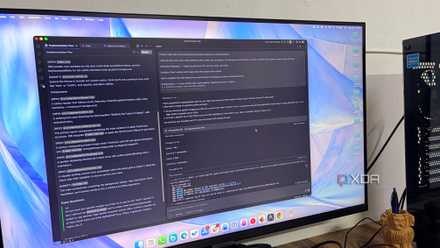
VS Code's integrated terminal has always been my favorite feature the editor offers, and with the arrival of agentic AIs, I use it more than ever. I run the agent in a split pane, with the affected files visible in the adjacent panel. I have Claude Code connecting to my remote web host and making changes directly to the files there, meanwhile I can see the updated code in another pane that instantly reflects the changes. Having everything on the screen at the same time feels like it ties the workflow together.
But don't you stop understanding your own code?
There's a wrong way to vibe code
Relying on an agent to program fixes and features is a slippery slope, especially when combined with the convenience of having the AI right in your editor. If you aren't careful, it can quickly lead to a situation where you no longer understand your own code. In the early stages of this workflow, I noticed I was letting things slide that I'd previously had been more careful to audit.
Save on developer gear: deals for your work setup
What I needed to do was fix my coding habits. I wasn't going to abandon the new AI-enhanced workflow because it's just too good, and I was getting more lines out than ever before. I've developed a habit of reading every diff that the agent proposes before accepting it, much like reviewing a PR on GitHub from someone you don't fully trust. The agent has also caught bugs in code that I wrote myself, so it turned out to be a double-edged sword.
The editor isn't going anywhere, but the way we use it is changing
If you've been treating VS Code as the engine powering your development setup, terminal agents will challenge that perspective. Once you've had an agent read your whole project and handle something that would've taken you twenty minutes of switching between different windows, it's hard to go back to treating the code editor as the most important component of your workflow.