
Most people don’t need to think twice about the router their ISP gave them. It gets your devices online, maybe lets you forward a port or two, and that’s usually good enough. But for power users, home labbers, and anyone who wants to host services (public or not), those basic features start to feel limiting.
That’s where something like OPNsense comes in. OPNsense is a free, open-source router and firewall platform that's rife with enterprise-grade functionality. If you're someone who loves to tinker, it might be worth trying out just to toy around with it, but if you think you might deploy it for real, ask yourself these 5 questions before making the plunge into OPNsense.

I've tried countless solutions, and I keep returning to this self-hosted firewall
OPNsense is a great foundation for a stable firewall.
Are you planning on running a home lab?
OPNsense is great for divvying up traffic
With a home lab that's running hosted services or anything beyond the bare metal, you're going to want to divide up your network somehow. VLANs are a great way to divvy up physical network traffic into multiple logical, isolated networks. Most consumer routers have very rudimentary VLAN configuration, if they have any at all, and you're on an ISP-provided router, you can basically forget about any kind of robust VLAN configuration.
OPNsense provides this functionality, allowing you to truly segment your network. This allows you to create multiple guest networks, so you can keep your home lab separate from actual guest use as well as your primary network activity. This is a must if you're planning on testing services in your home lab. If you're not planning on doing any of that, you probably don't need OPNsense.
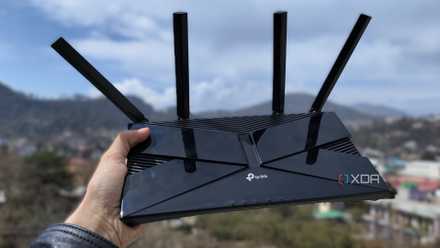
5 reasons to replace your basic router with a pfSense or OPNSense box
A custom router and firewall gives you so many more options.
Do you need more advanced firewall rules?
Granular control
ISP-provided gear doesn't allow for a ton of control over firewall rules. At best, it'll allow you to open and close ports, maybe create a DMZ, if you're lucky. Some consumer routers are also limited in what they can do, but OPNsense blows the doors right off both sets of gear.
OPNsense lets you set firewall rules based on device, time of day, subnet, IP range, and specific services you run. If you're running any kind of home server, OPNsense allows you to control exactly who can access what services, and when.

I replaced my ISP router with OPNsense months ago, and I don't regret it at all
I took the plunge a while ago, and OPNsense is fantastic.
Do you want to host your own services?
Anything public-facing will benefit from OPNsense
If you're planning on running services that are available on your local network, the next logical step for a lot of users is to make those services available anywhere. This could be something as trivial as a game server for Minecraft, or as robust as Nextcloud for a Google Drive replacement.
It's possible to do this on a consumer router, but the method is ham-fisted and often results in sloppy security, leaving a myriad of holes for potential attack. OPNsense features built-in support for more granular NAT and reverse proxy settings, meaning you can expose these services while maintaining some level of security. Instead of opening ports with no visibility, you can route incoming requests properly.
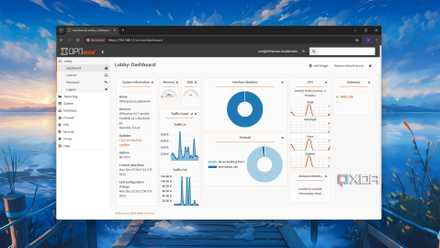
8 things I always do after installing OPNsense
Here's a checklist of things to do with your fresh OPNsense firewall.
Do you need a VPN server?
Not everyone does
For a lot of users, a VPN client from someone like NordVPN or PIA can be enough to keep your traffic encrypted, but if you want to access your home network remotely, setting up a VPN server with OPNsense is the way to go. Its built-in support for OpenVPN and WireGuard means you can selectively route traffic and access your network from wherever. If you're often traveling and require a connection to your NAS, for example, this is a must, and OPNsense is a great solution. If you just need the occasional access to websites from other countries or a slight boost to privacy, your paid premium VPN service will be enough, and you probably don't need OPNsense.

5 advanced firewall rules to lock down your home lab
You don't want your home lab to bleed over into your home network.
Do you want more robust visibility of network traffic?
Detailed traffic reports
Consumer routers often give a rudimentary window into network traffic. Nothing more than which devices are connected, how they're connected, and how much bandwidth they're using. OPNsense gives a much more robust view of what is happening on your network. You can see traffic on a per-protocol, per-service, per-IP basis. This can not only help you troubleshoot, but you can also track usage over time. It's also a good security tool, giving you a view of exactly what kind of traffic is flowing in and out.
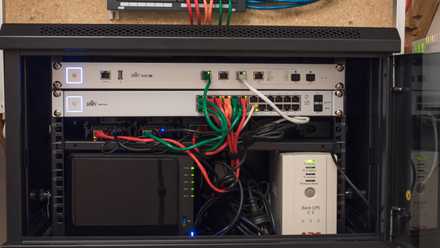
6 best practices for deploying pfSense or OPNsense in your home lab
Home lab life is all about learning, and already-established best practices will help your journey.
OPNsense is amazing (if you need it)
If your answer to all or a few of these questions was "no", it doesn't mean anything bad. It probably just means you don't need to overcomplicate your network setup. If a simple, ISP-provided router allows for proper security and performance, there's no shame in sticking with what works. But for those of you who answered "yes", OPNsense is a fantastic way to customize all aspects of your home network.