
Summary
- Serve files over your network with a Raspberry Pi NAS and save on storage costs.
- Use a Raspberry Pi for other tasks like a music streamer or Minecraft server.
- Raspberry Pi offers more RAM and software support than budget NAS devices.
When you're choosing where to store all your backups, it can be tempting to buy one of the best NAS devices, fill it with drives, and not worry about storage for some time. Except, that can get expensive pretty quickly, and you might not need that much storage at first. What you will get is a purpose-built device that has been tested by the manufacturer to work out of the box, but then again, you do pay for that level of support. If you're only after backing up a few devices on the cheap, a Raspberry Pi can be your NAS, and you'll learn a lot about networking and storage in the process.

5 reasons you should build your own NAS instead of buying one
Should you go it alone or grab a prebuilt turnkey NAS off the shelf? I say DIY and here's why.
5 It's a great way to get started
You can learn a lot from a Raspberry Pi
The main function of a NAS device is to serve files over your network, and the Raspberry Pi can easily handle that task . What's more, if you get the latest Raspberry Pi 5, it's more powerful than most of the CPUs used in consumer-level NAS devices. You get Wi-Fi and Bluetooth and a bunch of connectivity, including a PCIe Gen 2.0 interface that can be used for a SATA HAT to add up to four 2.5" SATA HDDs or SSDs. That means even with a low cost Pi setup, you don't have to forgo the speed or data protection of a RAID array.
Even without the additional HAT, you can still use USB drives for your Raspberry Pi NAS and share them over your network as usual. In doing so, you're not only learning valuable skills, you can go at your own pace. NAS devices are pretty plug-and-play these days, but there's nothing quite like the experience of setting a device up from scratch by following tutorials.

4 ways the Raspberry Pi can replace a NAS
We take a look at all the ways the humble Pi can replace a hulking great NAS
4 You can use it for other tasks
Once you outgrow your Pi NAS you can reuse it
NAS devices can do a lot, especially since even the basic models these days can run virtual machines and have Docker support for containers. But there's one thing they can't do: easily unplug and turn it into a different project. Do you know what can? The Raspberry Pi, and we love reporting on the weird and wonderful things that the maker community constantly thinks up for the SBC that started it all. Things like a tiny game of Snake, an arcade cyberdeck, or a tracker rover.
We've even done our own projects, like a stickless fight stick for PC gaming or giving a non-smart TV some smarts. The point here is that the Raspberry Pi has more uses than you can think of, whereas dedicated NAS hardware does not. Even if you built your own NAS with desktop or server parts, you still couldn't do some of these projects with it, because of the size of the Raspberry Pi hardware. With e-waste always being an issue, it's good to know that the hardware you buy can be reused for other things when you're done using it for the thing you bought it for.

This amazing automatic chessboard uses a Raspberry Pi under the hood
How good at you at chess? This Pi wants to know.
3 If you don't need a lot of storage
Reuse an existing USB drive for your network storage option
Storage is often the largest cost in creating your own NAS, and the best NAS drives aren't cheap. Plus, you need several of them to start with if you're planning on using RAID, driving that cost up. But the Raspberry Pi can use relatively inexpensive USB hard drives for storage, and who doesn't have one or two of those sitting in a drawer? You could even use a USB flash drive if you wanted, at least as a stopgap while you hunt for something more suitable.
If you are going the USB hard drive route, I recommend looking for one of the larger external drives that has its own power supply. It's not that the USB ports on the Raspberry Pi can't give enough power, but I've found that the larger the drive, the more issues it could have with solely USB-powered connections, and it's just easier to use an external drive, like a WD MyBook, that has its own power supply.

Best external drives to use with your Windows PC in 2024
The easiest way to upgrade your Windows computer's storage is an external drive. Here are our favorites.
2 More base RAM available
Budget NAS boxes are woefully underpowered
The Raspberry Pi has one thing going for it that low-cost NAS devices don't have. That's either 4GB or 8GB of RAM, which is plenty for creating your own network-attached storage. Budget NAS devices often have 1GB or 2GB of RAM, and while you can upgrade it in most cases, that's an additional cost over the $200 or so that you've already shelled out for the NAS.
Compare that to $60 for the 4GB Raspberry Pi 5, or between $80-90 for the 8GB version, and you can save a bunch on the device. That gives you extra budget for a case, cooling, and storage, while still coming in under the cost of most budget NAS devices. With more RAM, you can run more tasks at once, including things like media servers to stream video files to everything on your network.
-
Raspberry Pi 5
- CPU
- Arm Cortex-A76 (quad-core, 2.4GHz)
- Memory
- Up to 8GB LPDDR4X SDRAM
- Operating System
- Raspberry Pi OS (official)
- Ports
- 2× USB 3.0, 2× USB 2.0, Ethernet, 2x micro HDMI, 2× 4-lane MIPI transceivers, PCIe Gen 2.0 interface, USB-C, 40-pin GPIO header
- GPU
- VideoCore VII
- Starting Price
- $60
The Raspberry Pi is back, and the fifth iteration of the SBC is a lot more capable than the older models. From a new quad-core Arm Cortex-A76 CPU, support for dual monitor setups at 4K 60Hz, and a dedicated power button, there's a lot to love about this palm-sized computer.
-
Raspberry Pi Active Cooler for Raspberry Pi 5
Keep your Raspberry Pi 5 cool under demanding workloads.
1 Wider software support
Run more than just storage tasks
The Raspberry Pi has a huge community, creating software to run on it, from operating systems to handy utilities. Even if you've set yours up as a NAS device, you can still run plenty of other tasks on the hardware at the same time, like a music streamer, a Minecraft server, a DNS cache, or network-level adblocking. Sure, you can run many of these tasks on a NAS device, but you usually can't change the operating system on them, while the Raspberry Pi has tons of options. That gives you a choice over what operating system features you want, and then you can decide what other services will run on your choice.
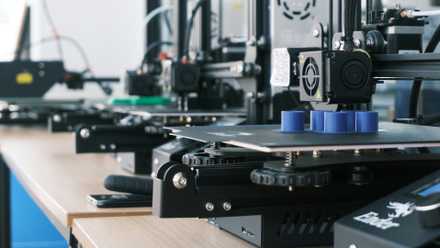
Control and monitor your 3D printer from your Raspberry Pi using OctoPrint
If you want a way to control and monitor your 3D printer, you should consider turning your Raspberry Pi into an OctoPrint server.
A Raspberry Pi can serve as your network storage option until you outgrow it
While a Raspberry Pi-based NAS isn't a good fit for large projects, sometimes all you need is a cheap, reliable place to store your digital files that aren't on the devices you carry around with you. For that, the Raspberry Pi is a perfect fit, and can handle your network-attached storage needs until you outgrow the drives you're using with it. And by that point, you'll know how much utility having a NAS brings to your life, and you can buy a purpose-built device or repurpose some old PC hardware for the task.
