
Single-board computers (SBCs) are some of the most versatile devices on the market. They've been a bastion for the hobbyist world, bringing a lot to the table in terms of functionality within a small form factor. This makes them prime for use in home networking. They're easy to stash away with your other network equipment and don't require much in the way of power. Here's a list of 5 of the most practical uses for SBCs in your home network.
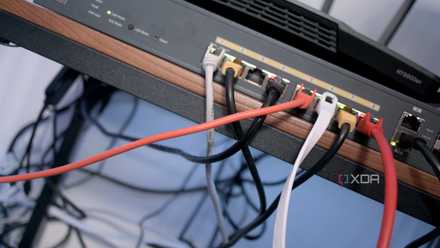
I let my home network fall into a state of disarray and it's time to fix it
Networking is probably one of the last things any homeowner considers when setting up a home-based office or upgrading the router. Cabling is left dangling and if you throw in a switch, hardwire a few devices, and configure a mesh network, things can quickly get out of hand. This is precisely what's happened with my home network where it's anything but tidy and isn't efficient with switch daisy-chaining favored over routing cables to existing ports. The plan is to install a small server cabinet, something I didn't believe I'd require but here we are! Do you take care of your home network?
5 Pi-hole
Lightweight, network-wide ad-blocking
Implementing a network-wide ad-blocker is not only a great way to ditch installing browser plugins, but also to give a slight boost to the responsiveness of your network when browsing the internet. Pi-hole is a lightweight ad-block solution for use on practically any SBC. It's easy to set up, compatible with basically any SBC, and can be run on a variety of Linux distros.
Pi-hole isn't limited to just ad-blocking. It functions as your network's DNS, which can help with network responsiveness as well as privacy. You can also configure it to be your DHCP server, but you might find the configuration options to be even more basic than what is available on your router. There are better options for setting up DHCP on an SBC, as follows.
4 DHCP server
Easy control of your IP addresses
Setting up your own DHCP server can help with exercising finer control over how IP addresses are assigned to your devices. It's also another way to create a layer of redundancy on your network. In a lot of cases, your bog-standard router might not have any configuration options for DHCP besides turning it on or off, which is quite unhelpful if you're looking to tweak things like IP ranges or lease time. An SBC's low power usage and small form factor make it a prime candidate to be used as a DHCP server. A couple of good Linux-based options are Dnsmasq and ISC DHCP.
Here's why you should (and shouldn't) map static IPs on your router
Mapping a static IP to some of your devices can save you time and hassle, but it isn't perfect.
3 DNS server
Enhance the speed and privacy of your browsing
A DNS server is what translates domain names, like google.ca, into an IP address that your device can understand. Without any configuration, your devices use your ISP's DNS to perform translating duties. Most ISPs do a serviceable job of this, but with a custom DNS, you can speed up your connection, keep it more private, and increase reliability. You can even block specific content, namely ads. We've already covered Pi-hole, which runs on an SBC and blocks ads using DNS, but it's also possible to host your own DNS without the ad-blocking functionality. The aforementioned Dnsmasq is a great option here as well, and all your SBC would need is networking functionality.
2 VPN
A great replacement for a paid VPN service
Using a VPN to tunnel your traffic is a proven method to enhance your privacy online. A VPN works by masking your true IP address, tunneling any network activity from your device through a third party. Many users pay monthly for premium VPN services, which is a good way to easily protect your online endeavors. However, there are downsides to this approach. Instead of exposing your activity to your ISP, you do so to your VPN provider. This sways many users to create their own VPNs on their home network, and SBCs are a great tool for doing so.
You can use basically any SBC for a VPN, all it needs is network capability and a small amount of storage. Depending on your level of usage, you may want to opt for something slightly more powerful than the cheapest SBC off the shelf, but for lighter traffic with only a handful of devices, lower powered solutions are just fine.

How to protect your privacy with an SBC-powered VPN server
A PiVPN server is the best way to protect your privacy without exposing your data to a third-party VPN provider
1 Firewall
Keep your network secure
As long as your devices are connected to the internet, your home network is exposed to potential cyberattacks. One of the best ways to mitigate nefarious traffic is to implement a firewall. A firewall is essentially a filter for your internet. Specific sets of rules are applied to ensure only your desired traffic is flowing in and out of your private network.
Setting up a dedicated firewall is an excellent use of an SBC. Though the process may be a bit daunting for a newcomer, it’s definitely worth the investment. Practically any SBC with two RJ45 jacks will be sufficient for setting up a strong firewall.

How to protect your home network with a Raspberry Pi firewall
Here's how you can configure a network-wide firewall with your Raspberry Pi
Incredibly versatile networking in a small package
SBCs are the perfect medium for implementing a variety of small but practical applications on your home network. If you're new to the world of SBCs, don't worry! You don't need anything fancy to implement any of the things in this list on your home network, a starter SBC will handle it just fine. For more performance-intensive applications, however, a mini PC may be worth your consideration.

Arduino vs Raspberry Pi: Which board should you buy for your next DIY project?
Don't be fooled by their appearance — there's a world of difference between the tiny Arduino and Raspberry Pi boards!