
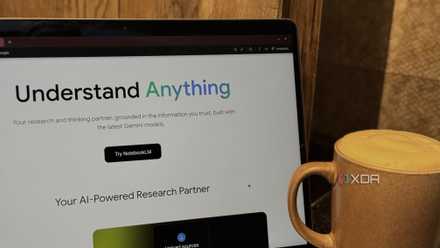
Just like researching when at school, the process is significantly easier with a study buddy to keep you on track. NotebookLM is one of our favorite tools for solo study, with deep insights gleaned from the sources you feed it, and nowhere else.
But it's even better when paired up with another tool, as the combination fills in the gaps left by the other, making your research stack superpowered. Perplexity is my favorite sourcing tool, but until recently, there was no way to connect the two together.
Please stop using NotebookLM as a note-taking app
Stop treating NotebookLM like a...notebook.
Perplexity is hands-down better at finding sources than NotebookLM
Move over Google, there's a new search king in town
Perplexity is hands-down my favorite tool for reducing research time. That's partly because it can search the web, social media, GitHub, and a range of professional sources for relevant, up-to-date information that AI models might not have access to. But it's also because it sources every single fact it surfaces, so I can go and double-check on anything that I'm not sure of.
What it's not so good at is being self-referential once another follow-up question is asked. The original sources are still in the thread, but Perplexity wants to continue with follow-up questions from the latest query, not the one before. Which can be a problem when you're trying to go back and glean new inspiration.
NotebookLM is almost the mirror opposite
Each notebook in NotebookLM is limited in the number of sources you can add, but it won't forget them once you add them. That makes it perfect for information mining or for asking questions across multiple notebooks as your knowledge repository grows. Adding the two together gets you the best sourcing engine with possibly the best cross-referencing one, and that's only going to make your learning easier.
-
Perplexity
-
NotebookLM MCP CLI
NotebookLM is a closed garden — until you add MCP
Connecting Perplexity to NotebookLM gives me the best chance of actionable research
Perplexity can connect to NotebookLM with the same MCP server that we use to connect to Claude. It's worth mentioning that it only works on macOS right now, because while the Perplexity Desktop app works on Windows, you can only use HTTP-based MCP servers on the Microsoft side of things.
Once set up, you might never have to open NotebookLM ever again. You can do pretty much everything that you can do from the browser without leaving the Perplexity app, from creating notebooks to sending search results into it, and even advanced features like creating Audio Overviews. About the only things you can't do are listen to the audio or the video if you create one, but you can query your notebooks as if you were in the browser view.
Now I can pipe my Perplexity results straight into a new notebook for later use
NotebookLM has a ton of organization and sorting tools that no other AI tool I've used can match (yet). From Audio Overviews to the new Cinematic Videos, mind maps, and study guides, it's fantastic at finding connections between your sources and surfacing them for you to learn from.
And unlike many other AI tools, it will stick to the sources you add, reducing hallucinations and random answers that haven't been verified. That's very different to how Perplexity works when you ask questions about the first set of sources that it finds, often going to find more sources to back up the answer, forgetting what it already collected in favor of a new set of results.

Perplexity will never fully replace ChatGPT — but it is replacing my research workflow
I still use ChatGPT daily, but Perplexity has completely changed how I research and validate information
The one-two punch of Perplexity and NotebookLM is unbeatable
Whether you're using an MCP or manually adding Perplexity sources into NotebookLM, the combo is unparalleled for research. Perplexity is much better at pulling context and data from a much wider range of sources than NotebookLM. But it falls a little flat when you start asking it questions, and after a while, it forgets what you are talking about. Putting those sources into NotebookLM makes them your source of truth, and none of the usual context window forgetfulness can happen.