
I know that SSD endurance ratings don't really matter for the average user. Even if you're gaming, browsing, and working every day for 10 years, you'll probably exhaust only a third of your SSD's TBW rating. The condition, though, is that you use your consumer SSD like an average consumer. And that doesn't include running heavy, 24/7 server-grade workloads on your consumer SSD. These drives can handle some productivity workloads, but hammering them with constant writes can chew through their endurance rating faster than you think. If you've had a consumer SSD fail on you prematurely, chances are you might be using your PC as a home server. There's a reason people use different systems for different use cases. If you've been using your humble consumer drive for relentless, always-on workloads, it might be time to stop. Enterprise SSDs are built to handle these kinds of environments, and they don't even cost that much on the used market.
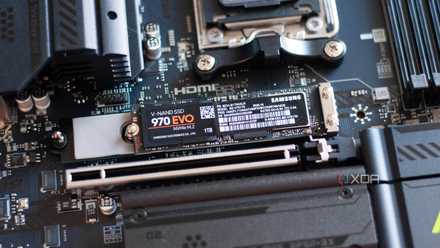
Stop killing your SSD: 4 common habits you need to break
Your SSD's days could be numbered
Consumer SSDs can outlast your PC, but only when you use them as consumer drives
There's a limit to how far you can stretch a consumer drive
If you look at the TBW rating for most 1TB SSDs, you'll probably see 600 TBW on the spec sheet. This means that the drive is rated to last for at least 600TB of writes. If you calculate how much time you, as an average consumer, will take to write 600TB of data onto a drive being used every day, you'll land somewhere between 30 and 60 years. That's an absurd amount of time, yes, but it goes to show that even consumer SSDs can last for way longer than people think. So, worrying about killing your SSD by using it too much is frankly foolish. Of course, you need to ensure a sufficient amount of free space for efficient garbage collection and avoiding write amplification. And any drive can experience a power or heat-related failure years before its TBW ratings have been exhausted. That said, most people will replace their entire PC twice or thrice before they need to replace their SSD.
These calculations, however, don't consider workloads that have no place in a "standard consumer environment." I'm talking about the multiple virtual machines, containers, and databases that you have running on your PC that doubles up as a home server. These workloads can perform countless concurrent writes in a short span of time, and can exhaust your consumer SSD's write cycles way faster than on a purely consumer-oriented system. There are other factors at play here, other than the TBW rating itself. A constant load on an SSD that isn't engineered or rated for it will eventually create operational and stability issues. So, even if your DIY home server hasn't chewed through the SSD's endurance, it can still send it to an early grave.
Samsung 990 EVO Plus
- Storage capacity
- 1TB, 2TB, 4TB
- Hardware Interface
- PCIe Gen 4 x4 / Gen 5 x2
- TBW
- 600TB per TB

All-SSD storage servers: The good, the bad, and the NASty
NAS rigs that can only house SSDs have a handful of perks and quirks
Enterprise SSDs are built different
Horses for courses
I mentioned how stressing your consumer SSD with constant writes in a server-like environment isn't good for its health. This is because it doesn't have the internal hardware to sustain 24/7 write activity. That's what enterprise SSDs are for. Consumer drives are designed for small burst workloads, whereas enterprise SSDs are often "overengineered." What this means is that even after years of use in an actual server environment, they have a lot of their lifespan left, which is why cheap, pre-owned enterprise drives are so popular on eBay. A 4TB enterprise SAS drive is rated for 7000, nearly thrice that of an equivalent consumer SSD.
The secret here is the more advanced internals used in enterprise SSDs. They feature advanced NAND flash, higher-grade power delivery, better controllers, optimized firmware, power loss protection, and multi-layered error correction. They recognize the realities of enterprise and data center usage, and are appropriately designed to excel in heavy workloads. Your consumer SSD may not be running those exact workloads in your DIY home server, but overloading it with constant write activity can still lead to early failure. If you really want a full-fledged home server, create one separate from your PC. Use specialized hard drives and enterprise SSDs that are better suited to the job. And if you must use a few consumer SSDs on your dedicated server, prioritize prosumer drives and tweak them with adequate guardrails.

3 reasons why used enterprise NVMe drives are the best storage bargain right now
They're built to perform, last a lifetime, and could save you a lot of money
Protect your SSD even if you're not using it as a server drive
Some best practices are always essential
It's great if you're not hammering your consumer SSD with relentless writes. You're already skipping the one thing that can quickly kill your SSD. That said, you still need to avoid overheating your drive or killing it with a power surge. Ensure your case has enough fresh air coming in, use a heatsink for the SSD (or an elaborate cooler if it's a Gen5 drive), and don't skimp on the UPS. Surge protection is essential not only to avoid data corruption, but also to protect your hardware from power-induced failure. You should use a dedicated scratch disk instead of storing everything on your main SSD, thereby minimizing needless writes, especially if you're a creative professional.
Save on Storage Deals: SSDs, NAS & Networking Discounts
Monitoring your SSD health once or twice a year is also recommended to spot errors early. Tools like CrystalDiskInfo use your drive's S.M.A.R.T. data to show remaining lifespan, critical warnings, write errors, and more. You might need to start worrying if you spot uncorrectable errors on the drive. Also, keep your SSD firmware updated — you never know when a faulty firmware can lead to premature failure. This actually happened on an early batch of Samsung 980 Pro SSDs, where an urgent firmware update was needed to stop the drives from degrading too early.
CrystalDiskInfo
CrystalDiskInfo is a free software utility designed to monitor and report on your storage devices.

5 mistakes to avoid when using SSDs in RAID
It's awesome using SSDs in RAID. Just avoid these mistakes.
Don't force your consumer SSD to perform like an enterprise drive
While you might be able to get away with using consumer SSDs for server use for a few years, you'll inevitably shave many more years from their lifespan. Consumer drives just aren't built to sustain heavy write activity in 24/7 server-like environments. Use enterprise SSDs or advanced hard drives if you want to run an elaborate home server. And leave your consumer drives for your regular PC usage.