Zendesk AI pricing calculator: what it really costs in 2026


Last edited June 13, 2026
Table of Contents
Why Zendesk won't give you a simple calculator
Most software has a pricing page you can do arithmetic on. Zendesk's pricing gives you the per-seat plan numbers cleanly enough, but the part that actually drives your AI bill, the per-resolution rate, is quote-only and negotiated per contract. There's no public rate card, which is why a real Zendesk AI pricing calculator doesn't exist as a single number you can plug into.
That's the whole reason this guide exists. Once you understand the three layers and how they interact, you can build the calculator yourself in a spreadsheet, and more importantly, you can spot where the bill runs away from you before you sign.
Here's the mental model for the whole post:
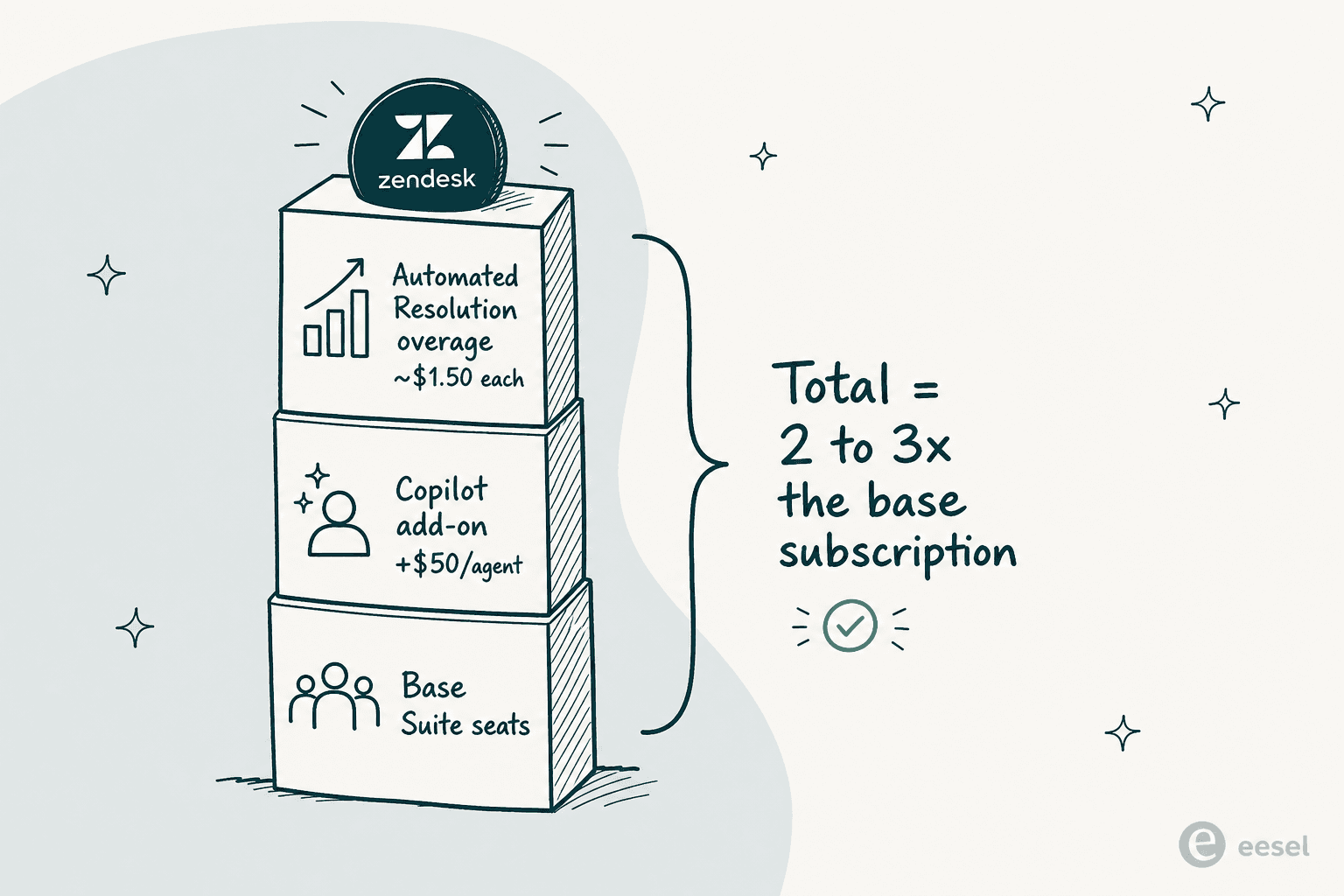
Layer 1: the base Suite seats
Everything starts with a per-agent Suite seat, billed annually (monthly billing costs more). This is the floor you pay before a single AI feature turns on. Our Zendesk licensing guide goes deeper, but here's the ladder:
| Plan | Price (per agent/month, annual) | Best for | AI included |
|---|---|---|---|
| Support Team | $19 | Teams outgrowing a shared inbox; email/ticketing only | None |
| Suite Team | $55 | Multi-channel support | AI Agents (Essential), AI-powered Knowledge Base, Action Builder |
| Suite Professional | $115 | Advanced automation and AI insights | Everything in Team + App Builder, AI Writing Tools, basic Admin Copilot |
| Suite Enterprise + Copilot | Contact Sales | Security, governance, proactive AI | Everything + Intelligent Triage, full Auto Assist, generative AI for voice |
There's also a free Startups program, a six-month Suite trial for up to 50 agents at qualified early-stage companies. Useful, but it ends, and when it does you're back on this ladder. For a fuller tour of the tiers, our Zendesk plans and pricing breakdown covers what each one actually unlocks.
The key thing for your calculator: seats are a fixed monthly cost that scales with headcount, not with how much work the AI does. Even if your AI resolves 80% of tickets, you still pay full freight on every agent seat. That seat dependency is the first place the model starts to feel expensive, and it's a recurring theme in Zendesk AI alternatives discussions.
Layer 2: the Copilot add-on
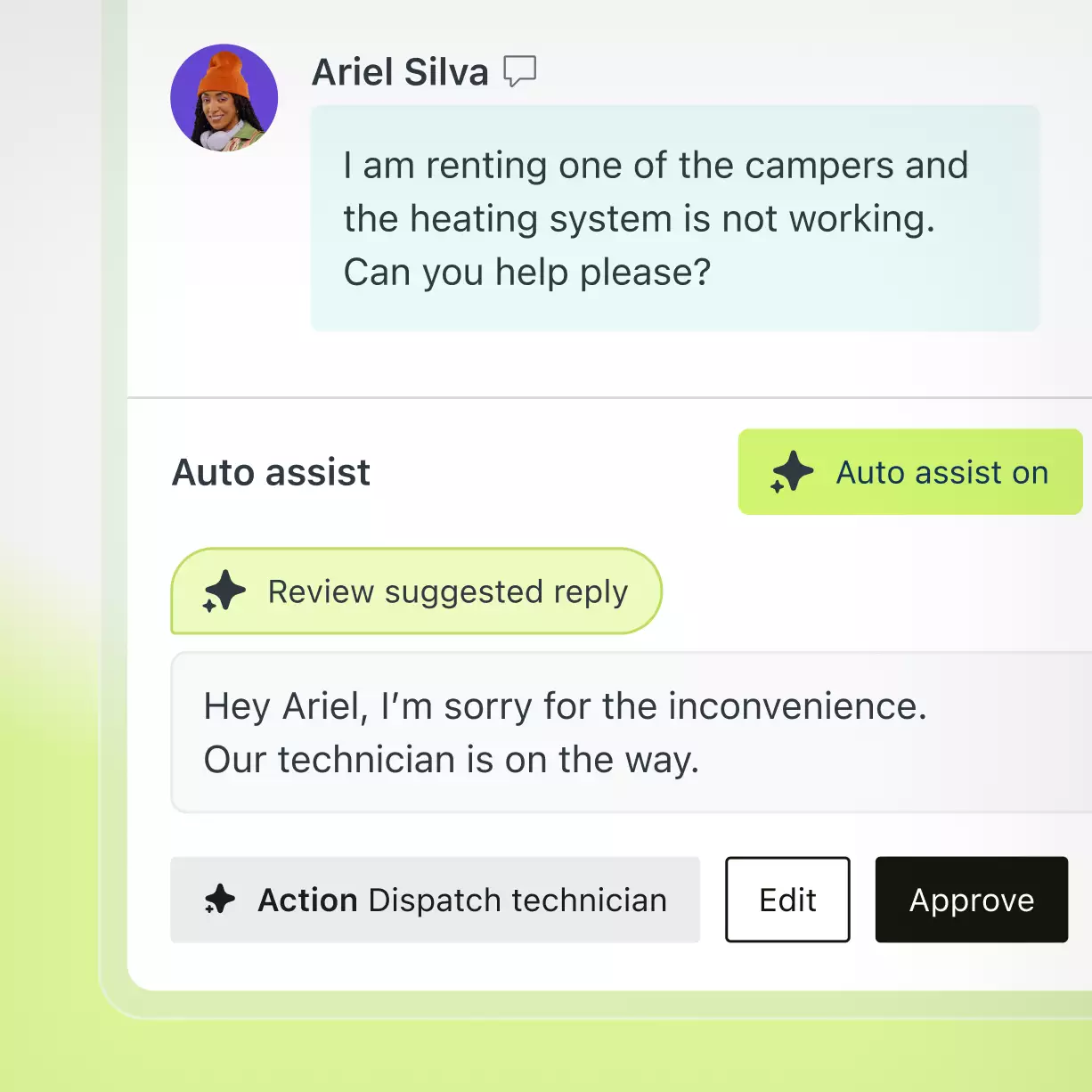
Here's where a lot of buyers get tripped up. The autonomous customer-facing bot (AI Agents) and the agent-side assistant (Copilot) are two different products with two different billing models. Copilot is the one that drafts replies, suggests next steps, and auto-executes approved actions for your human agents.
Below the Enterprise tier, Copilot is a paid add-on at $50/agent/month, billed yearly. That's on top of your seat price, and it's per agent, so a 10-person team adds $500/month just to switch it on. At the Professional tier you get a few limited Copilot features (the AI writing tools), but full Auto Assist and Admin Copilot need the add-on or an Enterprise contract.
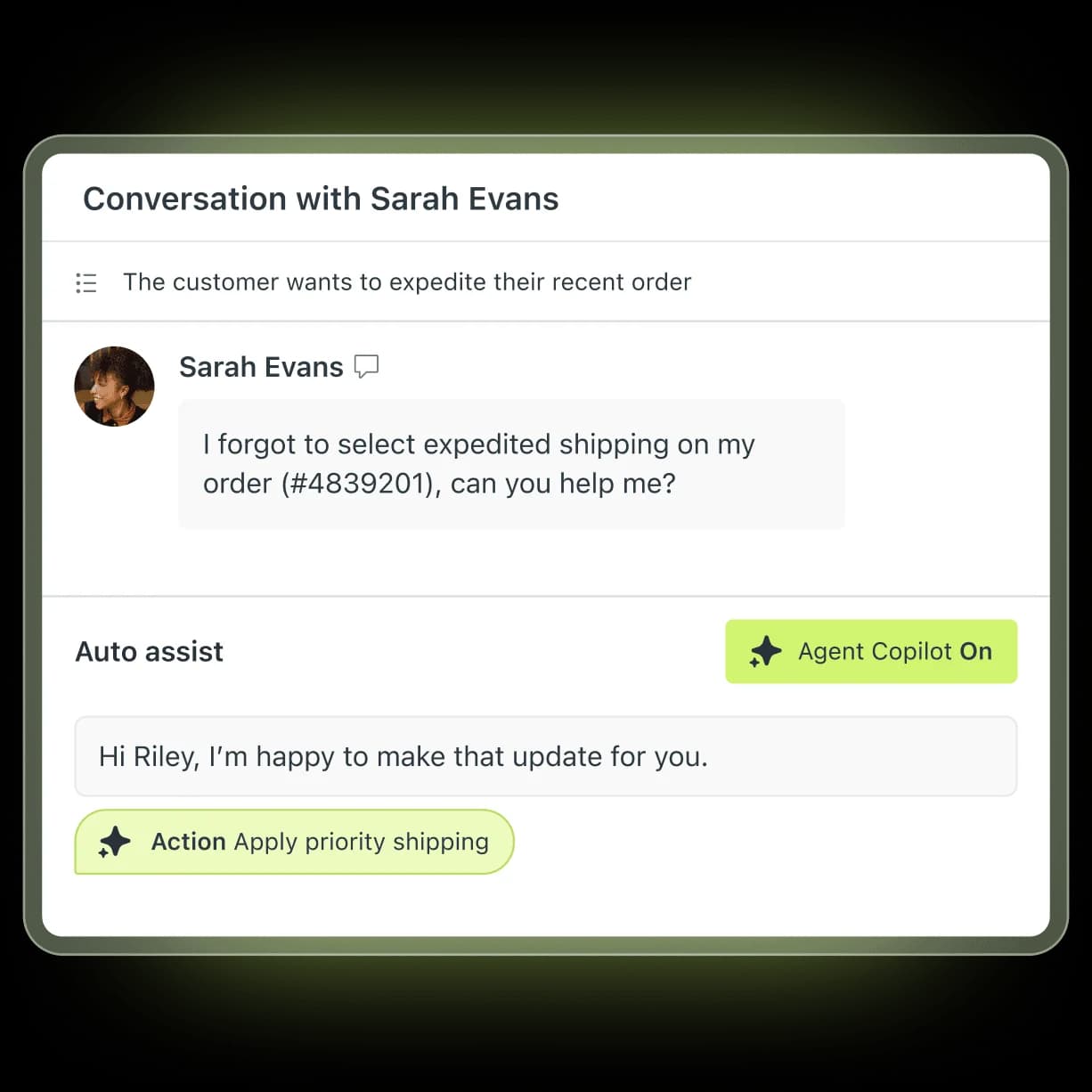
Copilot isn't the only $50/agent add-on either. The same price tag covers the Workforce Engagement Bundle (QA + workforce management) and the Contact Center (advanced telephony). None of these are AI-resolution costs, they're flat per-seat surcharges, and they're easy to forget when you're estimating. If your team is leaning on Copilot to draft answers, our guide to drafting replies with AI in Zendesk walks through what it does day to day.
Layer 3: the per-resolution charge (the one that scales with volume)
This is the layer that turns a predictable subscription into a variable bill. Zendesk's AI billing unit is the Automated Resolution, and understanding exactly what counts is the single most important thing for your calculator.
What counts as a billable resolution
As of May 18, 2026, Zendesk splits every AI-handled conversation into three tiers, and only one of them costs money:
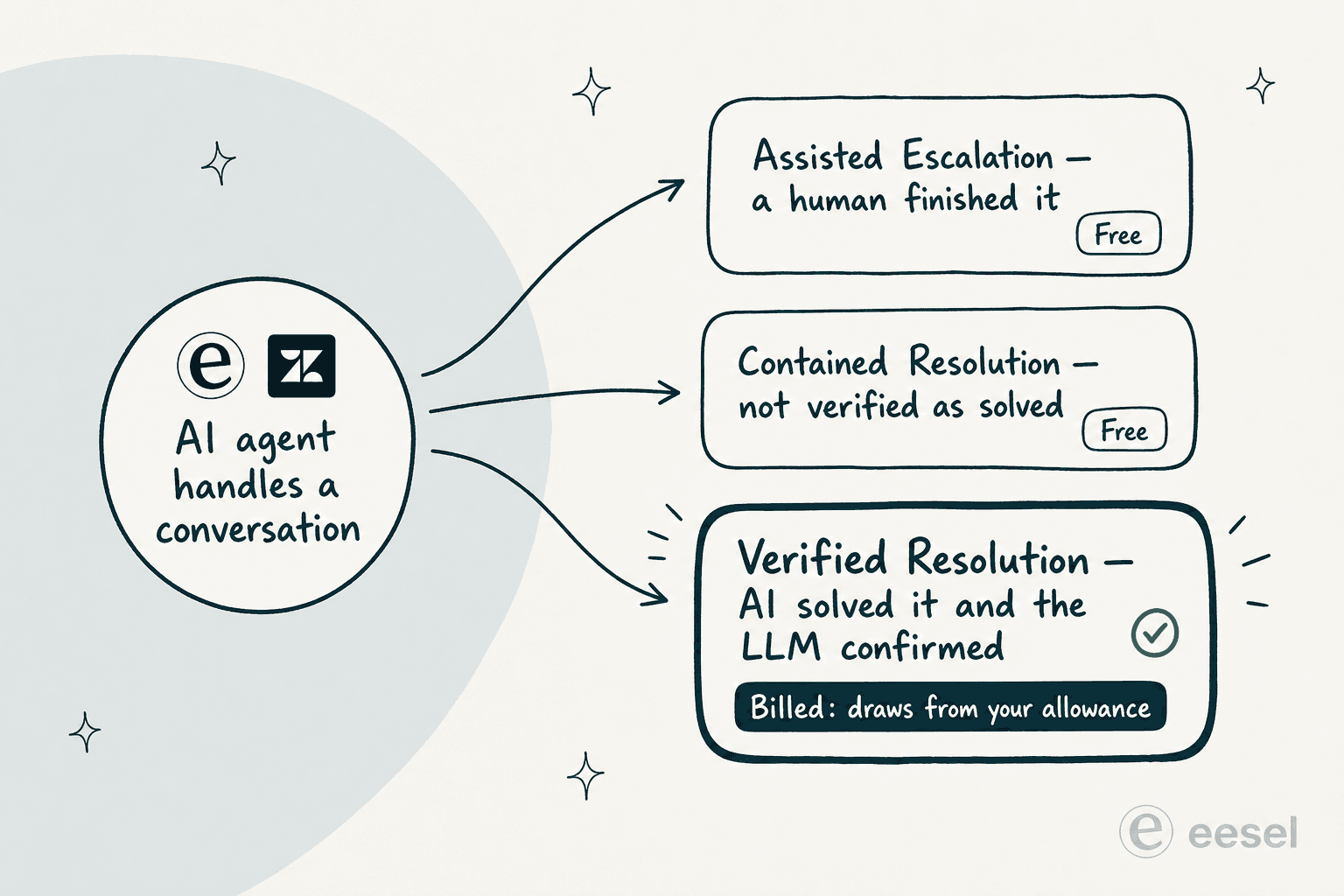
| Outcome | What happened | Billed? |
|---|---|---|
| Assisted Escalation | The AI gathered info or routed the ticket, but a human resolved it | No, free |
| Contained Resolution | The AI replied, the customer didn't follow up, but the LLM couldn't confirm it was solved | No, free |
| Verified Resolution | The AI resolved the issue and an LLM verification step confirmed it | Yes, drawn from your allowance |
This is a genuine improvement on the old model, which we documented in our pay-per-resolution guide. Before May 2026, a customer who simply went quiet for 72 hours counted as a paid resolution, even if their problem was never solved and they'd already given up. One Zendesk community member put the old logic bluntly:
"If a client just leaves a conversation, it doesn't mean that it is resolved. I'm surprised that you're going to charge $1.5 per such conversation."
Community comment on the Zendesk automated resolutions article
What a resolution actually costs
Each plan ships with a baseline allowance of resolutions per agent per month, historically 5 for Team, 10 for Professional, and 15 for Enterprise, with a hard ceiling of 10,000 per year. Go over, and you're into overage territory.
The published overage rate is the missing number. Triangulating from third-party teardowns and user reports, it lands around $1.20 to $1.50 per Verified Resolution, with pre-purchased "committed usage" packs at the lower end and pay-as-you-go overage at the higher end. A reviewer on r/Zendesk working through their own contract math landed in the same place:
"From what I can see in regards to this new 'Automated Resolution' pricing model, we'll be paying about $1.50–$1.20 per resolution."
u/Warp_DotDev, r/Zendesk on the new AR pricing model

For your calculator, the safe move is to estimate billable resolutions as your monthly AI-handled volume times your expected verification rate (60 to 70% is a reasonable starting assumption for a clean knowledge base), subtract your included allowance, and multiply the rest by $1.50 to model the worst case.
Building your Zendesk AI cost calculator
Put the three layers together and you have the formula:
Monthly Zendesk AI cost = (agents × plan price) + (agents × $50 Copilot) + (billable Verified Resolutions − included allowance) × per-resolution rate
Let's run it for three real team shapes. All examples use Suite Professional ($115/agent), the Copilot add-on, the $1.50 worst-case overage rate, and assume the listed conversation volume is fully billable to keep the math honest about the ceiling.
| Scenario | Small team | Mid-size team | High-volume team |
|---|---|---|---|
| Agents | 5 | 10 | 25 |
| Seats (× $115) | $575 | $1,150 | $2,875 |
| Copilot (× $50) | $250 | $500 | $1,250 |
| AI conversations/month | 500 | 2,000 | 8,000 |
| Included resolutions | 50 | 100 | 250 |
| Billable resolutions | 450 | 1,900 | 7,750 |
| Resolution overage (× $1.50) | $675 | $2,850 | $11,625 |
| Total monthly | ~$1,500 | ~$4,500 | ~$15,750 |
| AI as multiple of base | ~2.6x | ~3.9x | ~5.5x |
The pattern is the thing to notice: the more your AI works, the faster the resolution layer outgrows everything else. For the high-volume team, the per-resolution charge alone is bigger than seats and Copilot combined. This is the opposite of how most teams imagine AI savings working, where automation gets cheaper at scale.
Where the bill runs away from you
A few risk factors make Zendesk AI pricing harder to forecast than the table suggests.
There's no graceful spend cap. Zendesk's only overage control is to pause AI agents entirely once you hit your limit. There's no soft monthly ceiling that throttles spend while keeping the AI on, so your choice during a spike is "pay the overage" or "turn off automation."
Overage is billed monthly, even on annual plans. A seasonal volume spike, a product launch, a viral support issue, generates an immediate overage bill that month. Retailers heading into the holidays feel this most.
Committed usage requires forecasting upfront. The cheaper per-resolution rate only comes from pre-buying resolution packs. Guess too low and you pay overage rates; guess too high and you've prepaid for resolutions you didn't use.
It's worth being fair here: the AI Agents product itself is capable, and the May 2026 tier change removed the most-hated part of the old model. The problem isn't the technology, it's that the pricing has four or five layers that all move independently. As one Reddit user who'd churned put it:
"We stopped using it because ARs are a rip off, and it's a rushed product to get into the AI hype."
u/OGShakey, r/Zendesk on AI Agents
One more thing the calculator can't show you: AI Agents only resolve well on top of a clean, comprehensive knowledge base. Teams without one report around 20% automation in month one, climbing toward 70% only after sustained KB cleanup, which means your early bills can be high while your verification rate is still low. Our guide to Zendesk AI agents setup and costs covers how to get that curve moving faster.
The flat-rate comparison most calculators skip
The reason the per-resolution model feels punishing is structural: you're paying for seats you'd need anyway, plus a per-seat AI surcharge, plus a usage charge that scales with success. A different model prices only the work the AI actually does.
That's the pitch behind eesel, which sits directly on top of Zendesk (and 100+ other tools) and charges a flat $0.40 per resolved ticket, with no seat fees, no platform fee on self-serve, and no monthly minimum. Run the same mid-size scenario from our table, 2,000 AI resolutions a month, and the comparison looks like this:
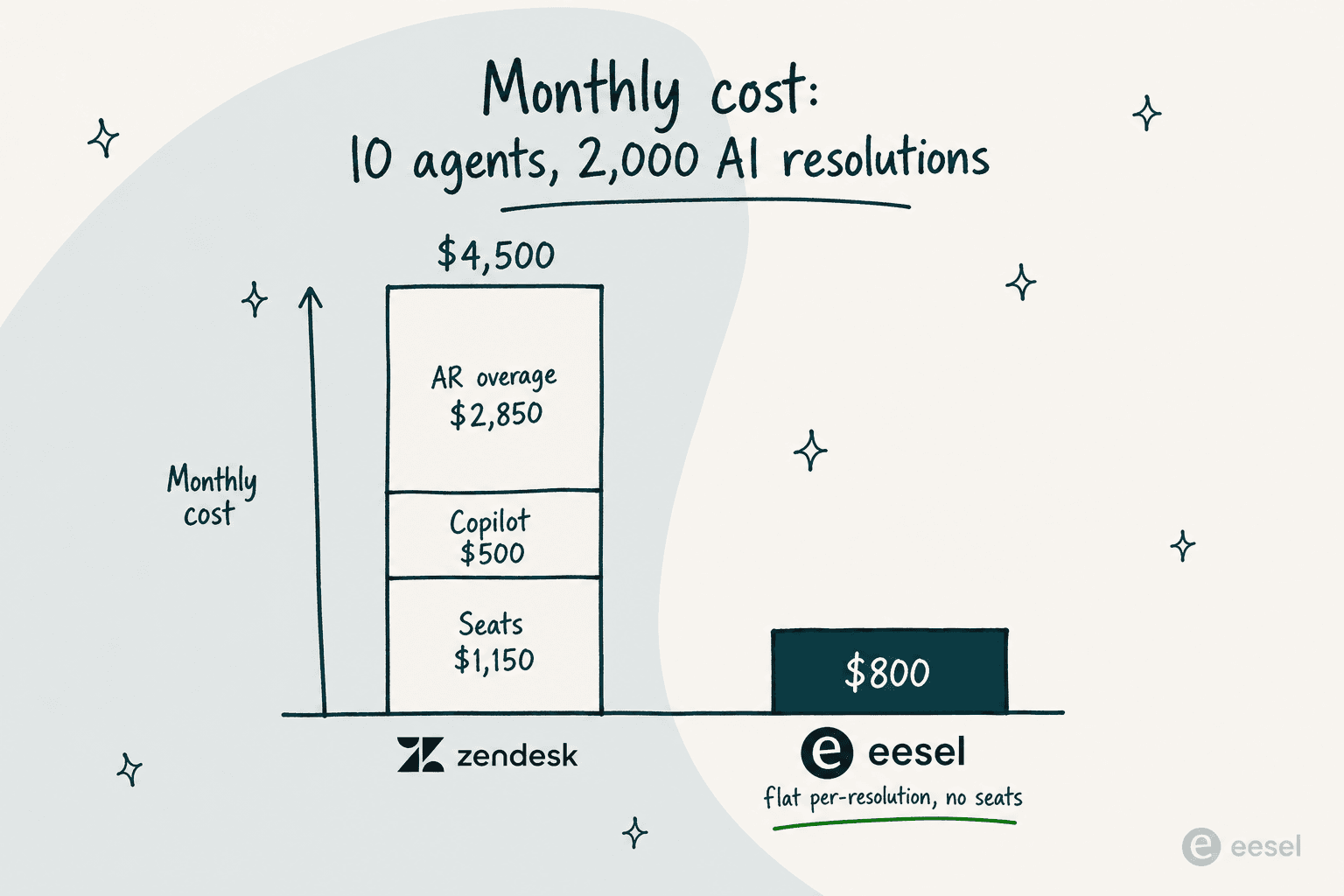
The gap isn't a gimmick, it's the seat layer and the Copilot layer disappearing. You can see eesel's full model on the pricing page: a free $50 credit to start, a default monthly spend cap that simply pauses the agent (no surprise bills), and a 25% discount if you commit to $300+/month. If you're weighing the broader field, our Zendesk AI alternatives roundup covers where eesel fits and where it doesn't.
This isn't to say everyone should switch. If you're deep in the Enterprise tier with Copilot bundled and your verification rate is high, Zendesk's first-party integration is convenient. But if the variable, uncappable resolution charge is what's keeping you up at night, a flat-rate tool changes the shape of the bill entirely.
Try eesel
If you've read this far, you're probably trying to make a Zendesk AI bill predictable, and that's exactly the problem eesel is built to solve. It runs as an AI agent right inside Zendesk: it reads your existing tickets and help center, drafts and sends replies, takes actions, and escalates the edge cases, billed at a flat $0.40 per resolution with no per-seat fees and a hard spend cap you set yourself.
The differentiator that matters most for cost control: you can route a slice of your volume (say 200 of 1,000 monthly tickets) and pay only for that, then scale up as you trust it, instead of committing to resolution packs upfront. Start with the free $50 credit, no card required.
Frequently Asked Questions

Share this article

Article by
Alicia Kirana Utomo
Kira is a writer at eesel AI with a Computer Science background and over a year of hands-on experience evaluating AI-powered customer service tools. She focuses on breaking down how helpdesk platforms and AI agents actually work so that support teams can make better buying decisions.