

What Is an Embedded Web Server?
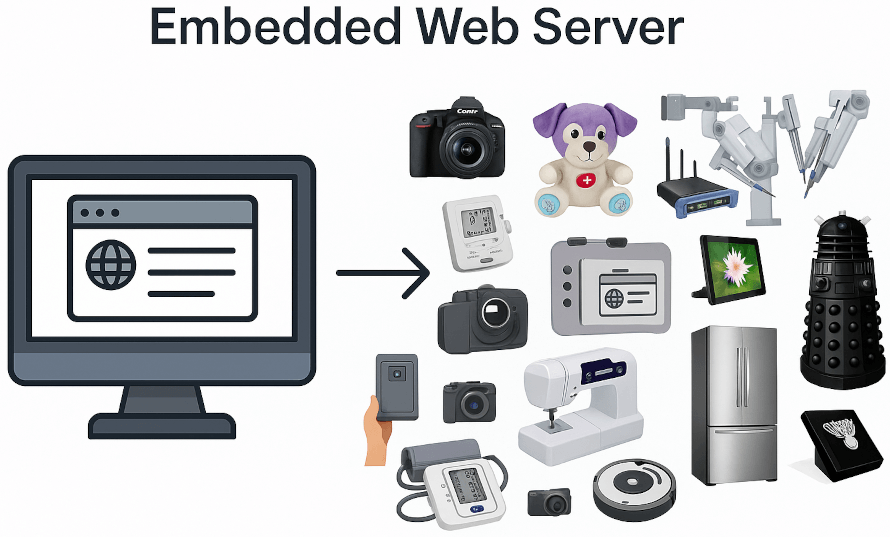
An embedded web server is a web server integrated directly into an embedded device rather than installed on a standalone computer. It runs as part of the firmware or software stack and exposes pages, files, APIs, and sometimes real-time services over HTTP or HTTPS.
Embedded web servers are widely used in industrial devices, IoT products, and network-connected equipment to provide configuration interfaces, diagnostics, and APIs, often replacing dedicated HMIs or custom tools.
In practical terms, an embedded web server lets a device provide a browser-based interface for setup, configuration, monitoring, diagnostics, updates, and APIs. It can replace physical controls on headless devices, often reducing hardware cost by eliminating onboard displays, or add remote access and serviceability to devices with a display.
More advanced embedded web servers, often referred to as Embedded Application Servers, extend beyond HTTP handling to provide a full application framework within the device. They can support real-time messaging, secure IoT connectivity, device-to-cloud integration, modern passwordless authentication and access control, and higher-level programming models for faster development. An example of this approach is provided later.
Embedded Web Server Quick Answer
- What it is
An embedded web server is HTTP or HTTPS server software built into a device, controller, gateway, machine, or embedded product. - Why teams use it
It gives users and service teams a browser-based interface for setup, diagnostics, monitoring, firmware updates, APIs, and local device control. - What changes the design
Security, TLS, authentication, certificates, memory, real-time constraints, and the need for dynamic application logic determine whether a simple web server is enough. - How Real Time Logic fits
Real Time Logic provides compact embedded HTTP/web servers, C/C++ web server libraries, the Barracuda App Server, Xedge, and Mako Server for different device classes and operating systems.
When Should You Use an Embedded Web Server?
The main reason to embed a web server is simple: the browser is already the most widely deployed user interface runtime in the world. If a device can serve a web interface, users do not need a special configuration tool, custom desktop software, or a dedicated hardware HMI just to operate the product.
- Lower hardware cost: A browser-based interface can reduce or eliminate the need for built-in displays, keypads, and custom front panels.
- Remote access: Service teams, operators, and integrators can configure and monitor the device from a laptop, tablet, or phone on the local network or from a remote network via an online IoT bridge.
- Faster deployment: A familiar web UI shortens installation and reduces training requirements.
- Easier integration: The same device can expose both a human-facing UI and programmatic (machine) interfaces such as REST APIs or WebSockets.
- Field maintainability: Logs, status pages, diagnostics, and software update flows can be delivered directly from the device.
For product teams, the bigger advantage is often architectural. A browser-based interface decouples the user experience from the physical device, making updates, support, and feature expansion easier throughout the product lifecycle, especially when using an Embedded Application server.
Common Use Cases for an Embedded Web Server
Embedded web servers show up anywhere a device needs to be configured, monitored, or controlled over a network. Typical use cases include:
- Device provisioning: First-boot setup, network onboarding, certificate enrollment, and commissioning workflows.
- Configuration management: Forms for device settings, user roles, schedules, thresholds, recipes, and communication parameters.
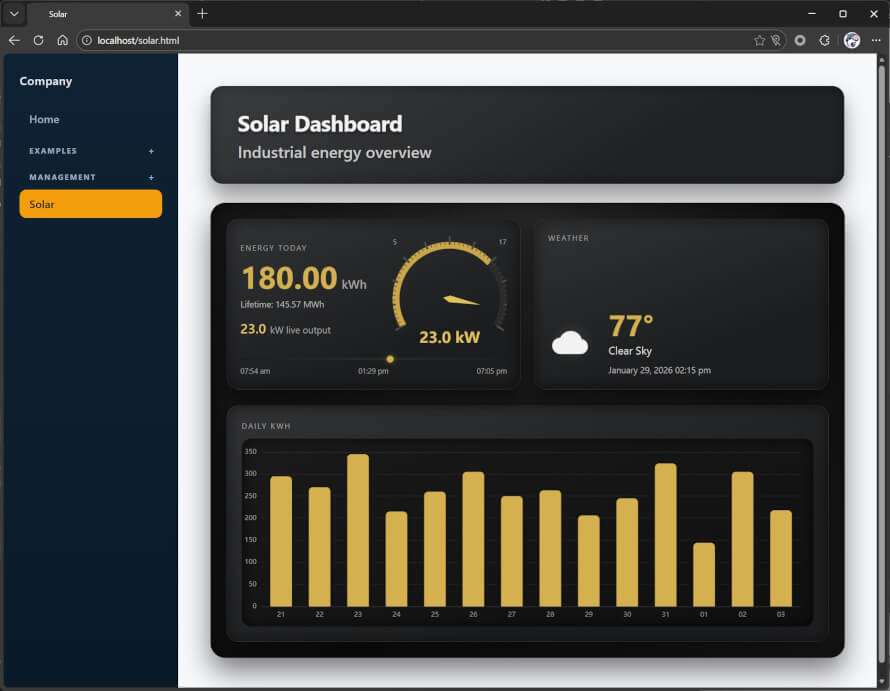
- Status dashboards: Live telemetry, alarms, health data, counters, and event logs.
- Remote control: Manual control pages for test equipment, industrial machines, building systems, or connected appliances.
- Maintenance and service: Firmware updates, backup and restore, diagnostics, and troubleshooting tools.
- Machine integration: REST endpoints, JSON APIs, file upload/download flows, and browser-based engineering tools.
Common examples include routers, gateways, PLCs, industrial controllers, medical devices, energy systems, smart building equipment, printers, test instruments, and IoT products that need local administration without relying entirely on the cloud.
What Devices Can Use an Embedded Web Server?
Any device with a network interface and a TCP/IP stack can potentially host an embedded web server. Ethernet, Wi-Fi, and cellular are all common transport options, and the server can run on anything from a small MCU to an embedded Linux system.
What matters more than the device category is the available resource budget and the product requirements:
- CPU: Enough headroom for request handling, TLS, dynamic page generation, and any real-time work the device must still perform.
- RAM: Needed for HTTP and socket buffers, request parsing, TLS sessions, page generation, and concurrent users.
- Flash or storage: Required for the server itself, static assets, certificates, logs, and update packages.
- Network reliability: Browser-based management is only useful when the product has an appropriate network path to the user.
- UI ambition: A simple status page and a modern browser app have very different footprint and maintenance costs.
That is why the right answer can differ sharply between a Cortex-M MCU running an RTOS and a Linux-based industrial controller.
Resource Constraints and When Not to Use One
An embedded web server is not automatically the right choice. The browser is convenient, but the convenience comes with memory, security, and maintenance costs that should be weighed early.
The main constraints are usually not raw HTTP handling but everything around it: HTTPS, authentication, certificate management, persistent connections, and front-end assets storage. TLS alone can drastically change a design's RAM requirements. Rich interfaces may increase that burden further.
For devices that are too constrained for a full on-device implementation, an IoT/web co-processor can be a better path. See When Not to Embed a Web Server for a deeper discussion, and How to use an Embedded Web Server Co-Processor for an example of offloading web and IoT functionality to another microcontroller.
Embedded HTTP Server vs. Embedded Web Server
The terms embedded HTTP server and embedded web server are often used interchangeably, especially for small systems. That overlap is understandable because HTTP is the core protocol underneath the web interface. At the protocol level, a basic embedded HTTP server typically does four things:
- Open a listening socket, typically on port 80 for HTTP or port 443 for HTTPS.
- Accept incoming client connections.
- Parse the request line, headers, and body.
- Return a response such as a file, generated page, JSON payload, or error code.
An HTTP server can be designed using just a few code lines. The Basic HTTP Server Example in the Barracuda App Server's socket documentation shows how small a basic server can be.
Embedded Web Server vs. Embedded Application Server
An embedded application server builds on web-server functionality and adds higher-level services for dynamic applications. Instead of only serving static assets or manually handling request/response logic, it can provide templates, request routing, scripting, session management, server-side business logic, WebSockets, IoT protocols such as MQTT, and reusable development APIs.
👉 For a detailed analysis, see Web Server vs. Application Server
Embedded Web Interface Architecture Options
The embedded web server is only one part of the overall system. You must also define how the browser UI is implemented and how responsibilities are split between the device and the client. In practice, embedded web interfaces fall into three main architectural categories
- Traditional Server-Side Web Interfaces:
Each user interaction sends a request to the embedded server, which processes it and returns a new HTML page. This approach is often easier to develop and debug, especially with a server-side language like Lua Server Pages (LSP) , which puts less strain on the browser, making it ideal for low-powered clients such as mobile devices. Downsides include slightly slower response times due to full-page reloads, a slight increase in CPU usage on the embedded device, and challenges in maintaining persistent WebSocket connections when switching pages. - Client-Side Web Interfaces (Single-Page Applications, or SPAs):
SPAs load a single HTML page and dynamically update its content using JavaScript. They reduce server traffic, offer a smoother user experience, and enable real-time connections, such as WebSockets. However, they can be heavier on the client-side and very complex to build and secure, especially for developers in embedded environments. - Hybrid Web Interfaces:
Hybrid solutions blend the simplicity of server-side rendering with the interactivity of client-side apps, without the overhead of full-blown SPAs. Using tools like htmx, the browser can request and update HTML fragments from the server in response to user actions, all while staying on the same page. This results in a snappy user experience with minimal JavaScript, reduced complexity, and easier WebSocket integration. For embedded developers, this is a powerful middle ground: you keep your logic server-side but still get a dynamic, modern UI. See the tutorial LSP + htmx: A Powerful Duo for Embedded Web Apps for more information and ready to run examples.
👉 For a broader introduction to browser-based device UIs, see What Is an Embedded Web Interface.
Security Considerations for Embedded Web Servers
When embedding a web server into a device, security cannot be an afterthought; it must be baked into the design from day one. While traditional IT security principles are a good starting point, embedded systems introduce constraints and attack surfaces that go beyond the typical IT web app.
We cover security topics in depth across several tutorials, but here are a few key questions to consider as a starting point:
- What does authentication mean?
In embedded systems, the browser must authenticate the device, and the device must authenticate the browser user. This mutual trust needs to be secured against tampering and eavesdropping. - What's more critical - encryption or authentication?
Encryption without proper authentication is like whispering secrets to a stranger in the dark. If the peers don't trust each other, encryption falls apart. The article Interpreting EU Cyber Resilience Act Expectations for Embedded Web Interfaces explains this in detail. - What if the device is physically stolen?
Is sensitive data, such as configuration files, user credentials, or private keys, stored on the device? If yes, it must be encrypted at rest, including embedded X.509 private keys. - How are software updates handled?
If your product is destined for the European market, secure OTA updates are no longer optional. Under the EU Cyber Resilience Act, this is becoming a compliance requirement, not just a best practice. - Are you following basic web security hygiene?
Web vulnerabilities like XSS don't disappear just because your web app is running on an on-premises device. Be sure to follow OWASP guidelines, starting with common attack vectors.
Embedded Web Server on RTOS vs. Embedded Linux and Other HLOS Platforms
The right embedded web server architecture depends heavily on the operating environment.
RTOS and Bare-Metal Designs
RTOS-based systems usually operate under tighter memory and CPU budgets and often have stricter real-time constraints. In these systems, footprint, deterministic behavior, and careful integration with the existing control application tend to dominate the design. That often favors smaller stacks, narrower UI scope, and disciplined use of TLS and dynamic content.
Embedded Linux and Other High-Level Operating Systems (HLOS)
Embedded Linux, QNX, and similar HLOS platforms provide more memory, storage, process isolation, and tooling. That makes it easier to support richer web applications, higher-level languages, and more capable security and update workflows. The tradeoff is not that web development becomes trivial, but that the platform can support a broader set of implementation choices.
For many teams, the RTOS versus HLOS decision determines whether the best answer is a compact embedded HTTP server, a C-based embedded web server, or a more complete application server running higher-level code.
Real Time Logic Embedded Web Server Products
Real Time Logic provides four main embedded web server and embedded application server options because device requirements vary widely. A small MCU, an RTOS-based controller, and an embedded Linux gateway should not be forced into the same architecture.
Once the product requirements are clear, choose the smallest implementation that still meets them. Start with the use case, not the technology label.
- Choose a compact embedded HTTP server when memory and footprint dominate the design.
- Choose a fuller embedded web server in C or C++ when you want low-level control and direct firmware integration.
- Choose a higher-level RTOS web and IoT runtime when faster development, Lua scripting, APIs, and IoT/OT protocols matter.
- Choose an HLOS application server when the target is embedded Linux, QNX, Windows, or another higher-level operating system.
The four server options are:
1. Minnow Server for Very Small Microcontrollers
Minnow Server is aimed at highly constrained 16-bit and 32-bit MCUs where footprint is the dominant concern. It is a strong fit for simple configuration pages, basic status reporting, and lightweight browser access in designs with very tight RAM and flash budgets.
2. Barracuda Embedded Web Server for Low-Level C and C++ Development
Barracuda Embedded Web Server is the better fit when you need secure and sophisticated web functionality but still want a C-based programming model and direct control over performance, memory use, and application behavior. It can support everything from device UIs to custom APIs and more advanced browser interactions.
3. Xedge for RTOS-Based High-Level Web and IoT Applications
Xedge is designed for teams that want a higher-level development model on RTOS targets, especially when the product needs a richer web interface, IoT or OT protocols, connected features, or faster development iteration than hand-coded C alone usually provides, along with an easier path to EU Cyber Resilience Act conformity.
For microcontroller or retrofit designs that cannot carry the full web and IoT workload on the main CPU, see using Xedge as part of a co-processor design.
4. Mako Server for Embedded Linux and Other HLOS Targets
Mako Server targets embedded Linux, QNX, Windows, and other higher-level OS platforms where a compact but capable application server is often the most productive choice for local web UIs, secure remote access, and API-driven systems.
How These Options Relate
- Xedge and Mako Server are built on the Barracuda App Server (BAS) Source Code Library.
- BAS is built on the Barracuda Embedded Web Server Source Code Library.
Quick Selection Guide
| Situation | Likely Fit | Why |
|---|---|---|
| Ultra-constrained MCU, small browser UI | Minnow Server | Best when footprint and simplicity dominate the decision. |
| RTOS device, C or C++ team, custom secure web functionality | Barracuda Embedded Web Server | Good when low-level control and tight firmware integration matter most. |
| RTOS device, faster feature delivery, richer UI and IoT workflows | Xedge | Useful when a higher-level programming model shortens development time. |
| Embedded Linux or other HLOS platform, dynamic web application needs | Mako Server | Fits products that can benefit from a compact application server on a larger software platform. |
Related solution: The Intelligent Edge Controller is not a separate web server option in this list. It is an industrial edge-controller solution built on Real Time Logic web and application-server technology for products that must bridge OT, IT, local HMI, on-premises IoT, and programmable edge logic.
If your team is weighing low-level C development against faster higher-level application logic design, Using Lua for Embedded Development vs. Traditional C Code and Lua Fast-Tracks Embedded Web Application Development are useful next reads.
AI-Assisted Embedded Web Interface Design
Did you know that AI-assisted embedded web interface design can be particularly effective when using high-level embedded web servers and application frameworks? The article AI-assisted Embedded Web Interface Design explains how AI-assisted development can simplify the creation of embedded web interfaces and IoT applications. The article also introduces Spec-Driven AI Development as a more disciplined alternative to blind vibe coding, showing how AI can accelerate development while still requiring proper engineering practices.
LSP-Claw makes this workflow practical. LSP-Claw is an MCP server for BAS-based tools such as Mako Server, Xedge, and Xedge32. It gives an AI agent a controlled lab application where it can inspect examples, create Lua/LSP files, run the lab, and debug server-side code through runtime feedback. On embedded or RTOS systems, the device can keep running while the AI agent restarts only the lab application being tested.
Embedded Web Server Guides and Tutorials
This page is meant to cover the broad topic of the embedded web server. The resources below go deeper into specific subtopics and implementation patterns:
- What Is an Embedded Web Interface for a deeper look at browser-based device UIs, including required certifications.
- What Is an Embedded Application Server for the next level of server-side capability.
- Designing Your First Professional Embedded Web Interface for guidance on building scalable, maintainable device UIs using a ready-to-use template engine designed for easy customization, including AI-assisted development, while aligning with embedded constraints and long product lifecycles.
- Your First Embedded Single Page Application for a practical introduction to client-side UI design in embedded systems, including tradeoffs, architecture, and real-time interaction patterns.
- Embedded Web Server Tutorials for a full list of tutorials.
- When Not to Embed a Web Server for cases where a browser-based architecture is the wrong fit.
- IoT and Web for Legacy Embedded Products for offload and retrofit strategies.
- Interpreting EU Cyber Resilience Act Expectations for Embedded Web Interfaces for security and compliance expectations.
- How to Hack Web Servers on Private Networks for why "it is only on the local network" is not an adequate security model.
Posted in FAQ