|
VOOZH | about |
|
VOOZH | about |
This article was published as a part of the Data Science Blogathon
According to the experts, 80 percent of all global data is unstructured. It could be photographs, documents, audio and video recordings, and web content. To make use of the information contained in it, we need to extract it and find patterns/draw useful insights. But how do we get that unstructured data into a structured format? This is where Web Scraping comes into the picture.
In simple terms, Web scraping, web harvesting, or web data extraction is an automated process of collecting large data(unstructured) from websites. The user can extract all the data on particular sites or the specific data as per the requirement. The data collected can be stored in a structured format for further analysis.
In today’s world, web scraping has gained a lot of attention and has a wide range of uses. A few of them are listed below:
Steps involved in web scraping:
It’s that simple guys..!!
In this article, we will be building our own dataset by extracting Domino’s Pizza reviews from the website consumeraffairs.com/food.
We will be using requests and BeautifulSoup for scraping and parsing the data.
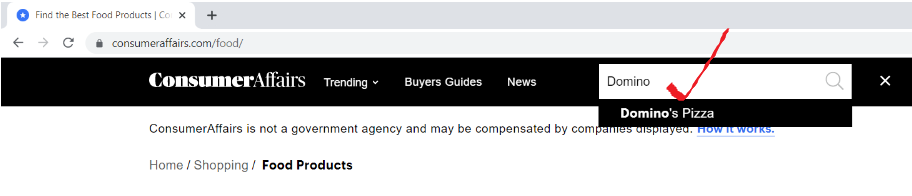
Open the URL “consumeraffairs.com/food” and search for Domino’s Pizza in the search bar and hit Enter.
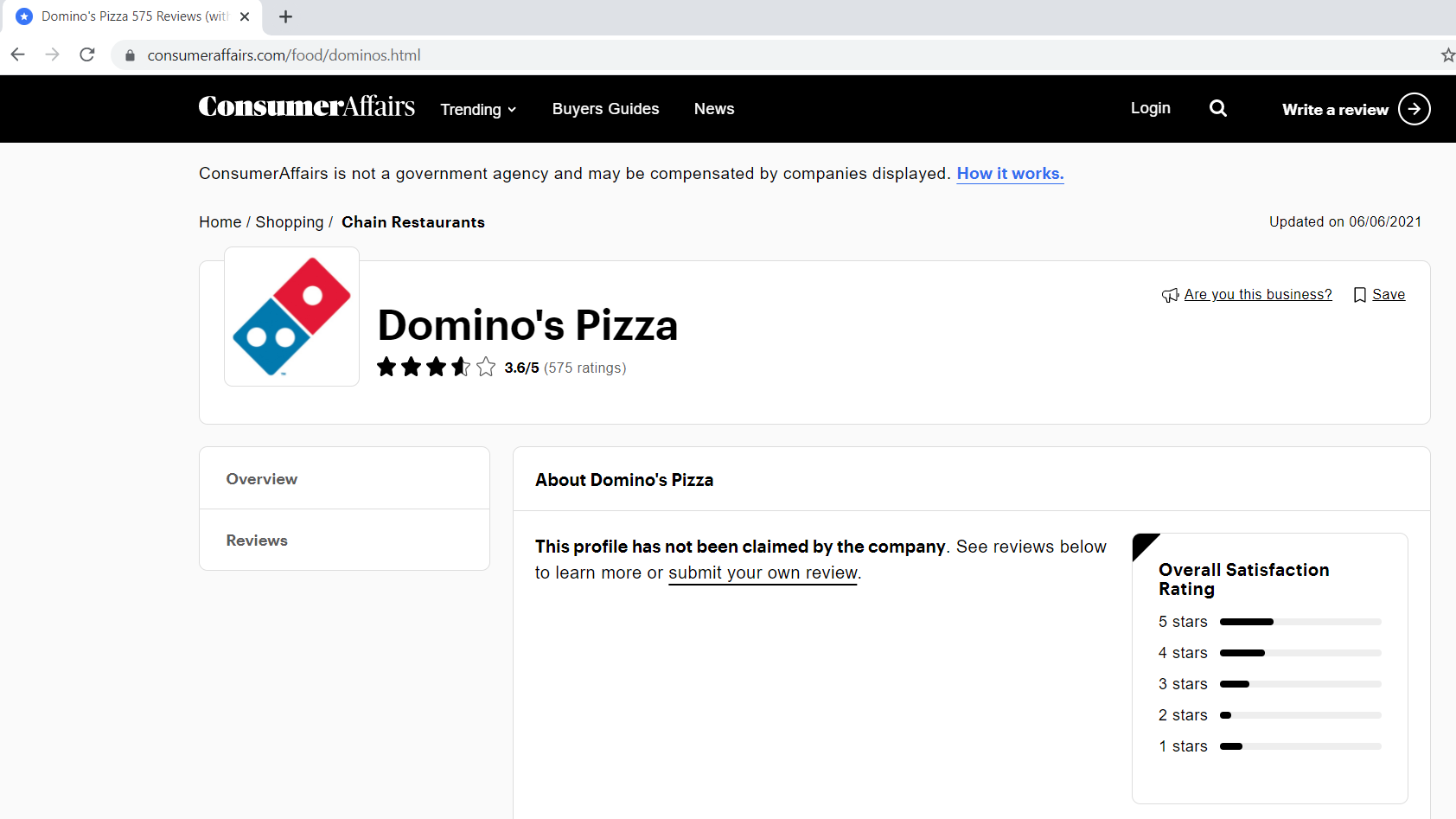
Below is how our reviews page looks like.
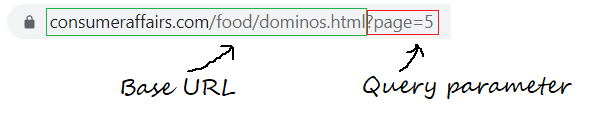
Step 1.1: Defining the Base URL, Query parameters
Base URL is the consistent part of your web address and represents the path to the website’s search functionality.
base_url = "https://www.consumeraffairs.com/food/dominos.html?page="
Query parameters represent additional values that can be declared on the page.
query_parameter = "?page="+str(i) # i represents the page number
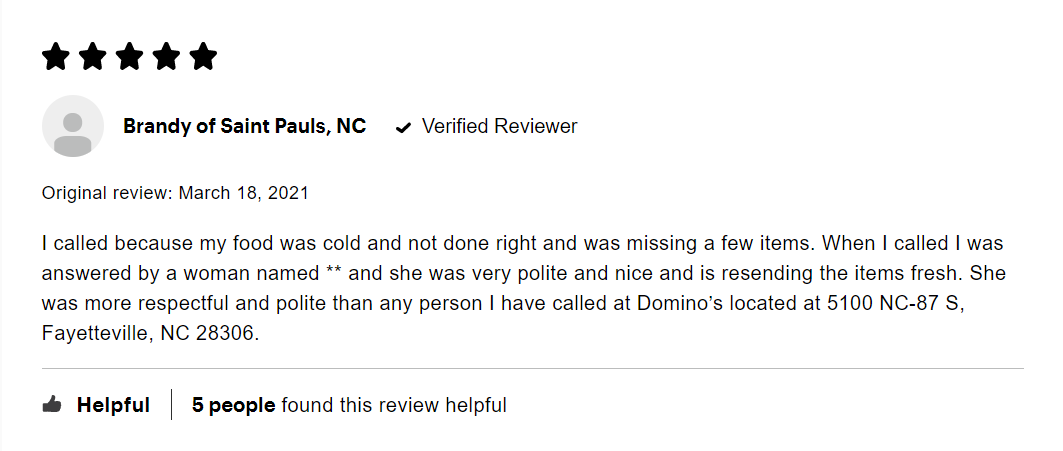
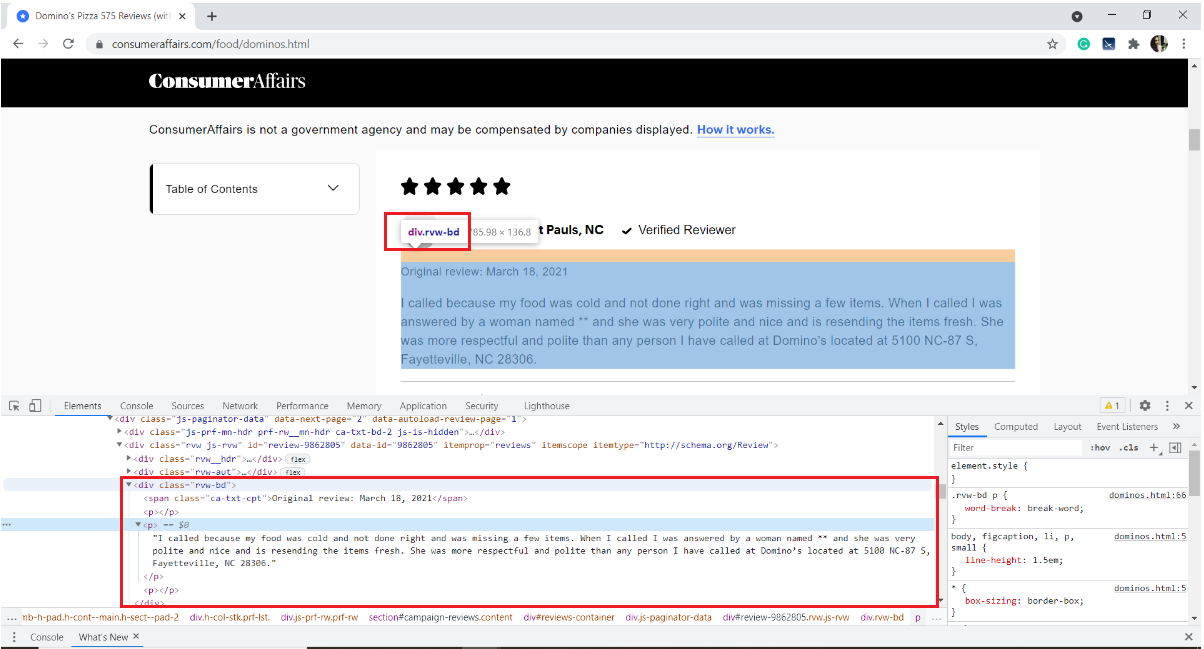
Below is an image of a sample review. Each review has many elements: the rating given by the user, username, review date, and the review text along with some information about how many people liked it.
Our interest is to extract only the review text. For that, we need to Inspect the page and obtain the HTML tags, attribute names of the target element.
To inspect a web page, right-click on the page, select Inspect, or use the keyboard shortcut Ctrl+Shift+I.
In our case, the review text is stored in the HTML <p> tag of the div with the class name “rvw-bd“
With this, we got familiar with the webpage. Let’s quickly jump into the scraping.
Begin with installing the necessary modules/packages
pip install pandas requests BeautifulSoup4
Import necessary libraries
import pandas as pd
import requests
from bs4 import BeautifulSoup as bs
pandas – to create a dataframe
requests – to send HTTP requests and access the HTML content from the target webpage
BeautifulSoup – is a Python Library for parsing structured HTML data
Create an empty list to store all the scraped reviews
all_pages_reviews = []
define a scraper function
def scraper():
Inside the scraper function, write a for loop to loop through the number of pages you would like to scrape. I would like to scrape the reviews of five pages.
for i in range(1,6):
Creating an empty list to store the reviews of each page(from 1 to 5)
pagewise_reviews = []
Construct the URL
url = base_url + query_parameter
Send HTTP request to the URL using requests and store the response
response = requests.get(url)
Create a soup object and parse the HTML page
soup = bs(response.content, 'html.parser')
Find all the div elements of class name “rvw-bd” and store them in a variable
rev_div = soup.findAll("div",attrs={"class","rvw-bd"})
Loop through all the rev_div and append the review text to the pagewise_reviews list
for j in range(len(rev_div)):
			# finding all the p tags to fetch only the review text
			pagewise_reviews.append(rev_div[j].find("p").text)
Append all pagewise review to a single list “all_pages_reviews”
for k in range(len(pagewise_reviews)):
 all_pages_reviews.append(pagewise_reviews[k])
At the end of the function, return the final list of reviews
return all_pages_reviews
Call the function scraper() and store the output to a variable 'reviews'
# Driver code
reviews = scraper()
4.1 storing to a pandas dataframe
i = range(1, len(reviews)+1)
reviews_df = pd.DataFrame({'review':reviews}, index=i)
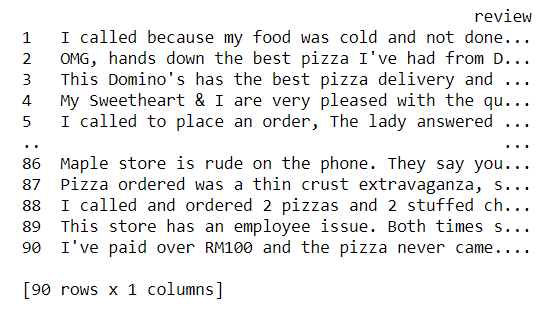
Now let us take a glance of our dataset
print(reviews_df)
4.2 Writing the content of the data frame to a text file
reviews_df.to_csv('reviews.txt', sep='t')
With this, we are done with extracting the reviews and storing them in a text file. Mmm, it’s pretty simple, isn’t it?
# !pip install pandas requests BeautifulSoup4
import pandas as pd
import requests
from bs4 import BeautifulSoup as bs
base_url = "https://www.consumeraffairs.com/food/dominos.html"
all_pages_reviews =[]
def scraper():
 for i in range(1,6): # fetching reviews from five pages
 pagewise_reviews = []
 query_parameter = "?page="+str(i)
	url = base_url + query_parameter
	response = requests.get(url)
	soup = bs(response.content, 'html.parser')
	rev_div = soup.findAll("div",attrs={"class","rvw-bd"})

 for j in range(len(rev_div)):
 # finding all the p tags to fetch only the review text
 pagewise_reviews.append(rev_div[j].find("p").text)

 for k in range(len(pagewise_reviews)):
 all_pages_reviews.append(pagewise_reviews[k])
 return all_pages_reviews

# Driver code
reviews = scraper()
i = range(1, len(reviews)+1)
reviews_df = pd.DataFrame({'review':reviews}, index=i)
reviews_df.to_csv('reviews.txt', sep='t')
By the end of this article, we have learned the step-by-step process of extracting content from any given web page and storing them in a text file.
We can further develop this example by scraping usernames, review text. Perform vectorization on the cleaned review text, and group the users according to the reviews written. We can use Word2Vec or CounterVectorizer to convert text to vectors and apply any of the Machine Learning clustering algorithms.
BeautifulSoup library: Documentation, Video Tutorial
GitHub Repo Link to download the source code
I hope this blog helps understand web scraping in Python using the BeautifulSoup library. Happy learning !! 😊
The media shown in this article are not owned by Analytics Vidhya and are used at the Author’s discretion.
Hi, my name is Harika. I am a Data Engineer and I thrive on creating innovative solutions and improving user experiences. My passion lies in leveraging data to drive innovation and create meaningful impact.
GPT-4 vs. Llama 3.1 – Which Model is Better?
Llama-3.1-Storm-8B: The 8B LLM Powerhouse Surpa...
A Comprehensive Guide to Building Agentic RAG S...
Top 10 Machine Learning Algorithms in 2026
45 Questions to Test a Data Scientist on Basics...
90+ Python Interview Questions and Answers (202...
8 Easy Ways to Access ChatGPT for Free
Prompt Engineering: Definition, Examples, Tips ...
What is LangChain?
What is Retrieval-Augmented Generation (RAG)?
It is a really helpful document! Hence I thought about downloading this as a pdf. After downloading, the codes in the "complete python code" part, didn't come out as they are on the website. There were no line breaks after any code line. Please fix this if possible. Thank you.
Edit
Resend OTP
Resend OTP in 45s