|
VOOZH | about |
|
VOOZH | about |
Object-oriented programming (OOP) is a notion that depends on the concept of objects. In OOP, objects are defined with their own set of attributes/properties.
It is important because it helps the developers in writing clean, modular code that can be reused throughout the development. . With modular coding, we get control of functions and modules.
It comes in handy primarily in the case of large application development.
If you are a beginner, pay a good amount of time to understand the terminology explained below.
Class: It is a user-defined blueprint of an object with a predefined set of attributes common to all the objects.
Instance/Object: It is an individual entity that is created from a class.
__init__ method: __init__ method in OOP is nothing but a special function. Special functions are the functions that are used to enrich the class. These can be easily identified as they have double underscores on either side. __init__ method is used to initialize the attributes. It is called a constructor in other programming languages.
Creating a class: The class statement creates a new class with a given ClassName.
The name of the class in Python follows Pascal Case. It is a naming convention where each word starts with a capital letter without any special characters used.
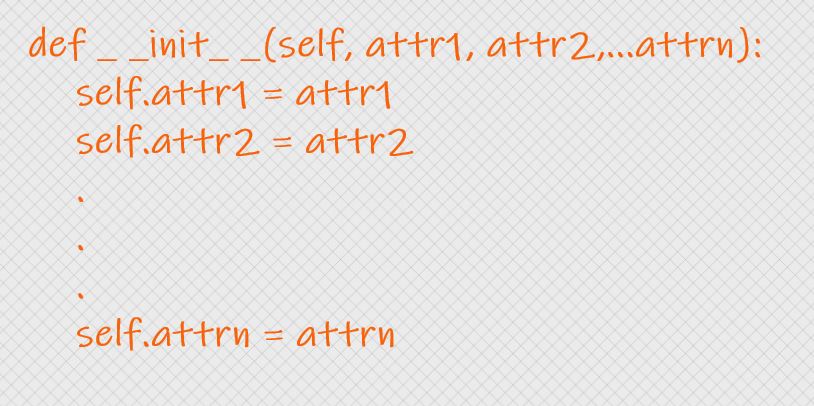
Initializing the attributes/variables: We are initializing the object with n attributes namely attr1, attr2,…., attrn.
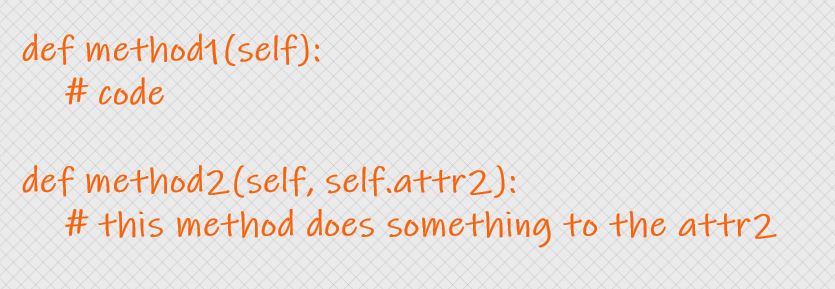
Creating Methods: Method is nothing but a function with a set of rules based on which objects behave. Created two methods names method1, method2. Choose the method inputs based on the requirement. Here, method1 does not take any inputs other than the object. Whereas, method2 takes self.attr2 and does something to it.
class ClassName:


def __init__(self, attr1, attr2):

self.attr1 = attr1

self.attr2 = attr2


def method1(self):

pass


def method2(self, attr2):

pass
Let’s create a class that represents the authors at Analytics Vidhya. The main attributes of authors are their names and the number of articles that are published.
Then create two methods – one that prints the author’s details and another that updates the number of articles written by an author and are published.
class BlogathonAuthors:


def __init__(self, author_name, num_articles):

self.author_name = author_name

self.num_articles = num_articles

print("Created new author object")


def show(self):

"""This method prints the details of the author"""

print("In show method")

print(f"Author Name: {self.author_name}nNum of published articles: {self.num_articles}")


def update(self, num_articles):

"""This method updates the number of published articles"""

print("In update method")

self.num_articles = num_articles
The process of creating an instance or object from a class is called Instantiation. While creating an object, we should pass the arguments that are defined in the __init__ method.
Syntax: object = ClassName(arguments)
author1 = BlogathonAuthors("Harika", 10)
The above code creates an object named “author1” whose name is “Harika” and has written 10 articles.
Similarly, we can create any number of objects required.
author2 = BlogathonAuthors("Joey", 23)
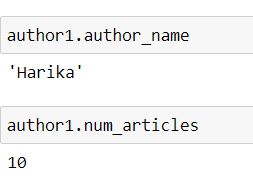
The syntax for accessing the attributes is object.attribute
The author’s name is accessed using author1.author_name, and the number of articles is accessed using author1.num_articles.
Rather than just displaying we can also change the values.
author1.num_articles = 9
Calling Methods: The two ways of calling methods are ClassName.method(object) or object.method()
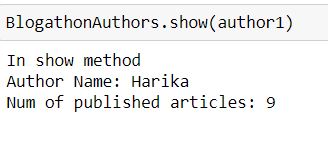
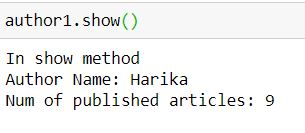
Calling the show method to display the information about author1.
BlogathonAuthors.show(author1)
author1.show()
Wait, if you are familiar with functions in Python, you may get a doubt that the “show” method accepts one argument but we didn’t pass any.
Think of a minute about what’s happening here and continue reading further to know the answer.
show(self) method accepts one argument that is the object itself. The self keyword here points to the instance/object of the class. So when we call object.method(), it is nothing but we are passing the object as an argument.
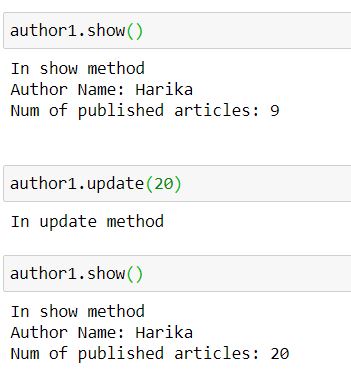
Now, calling the update method and changing the number of articles.
author1.update(20)
After the update, if we see the details of author1, the number of articles will be 20.
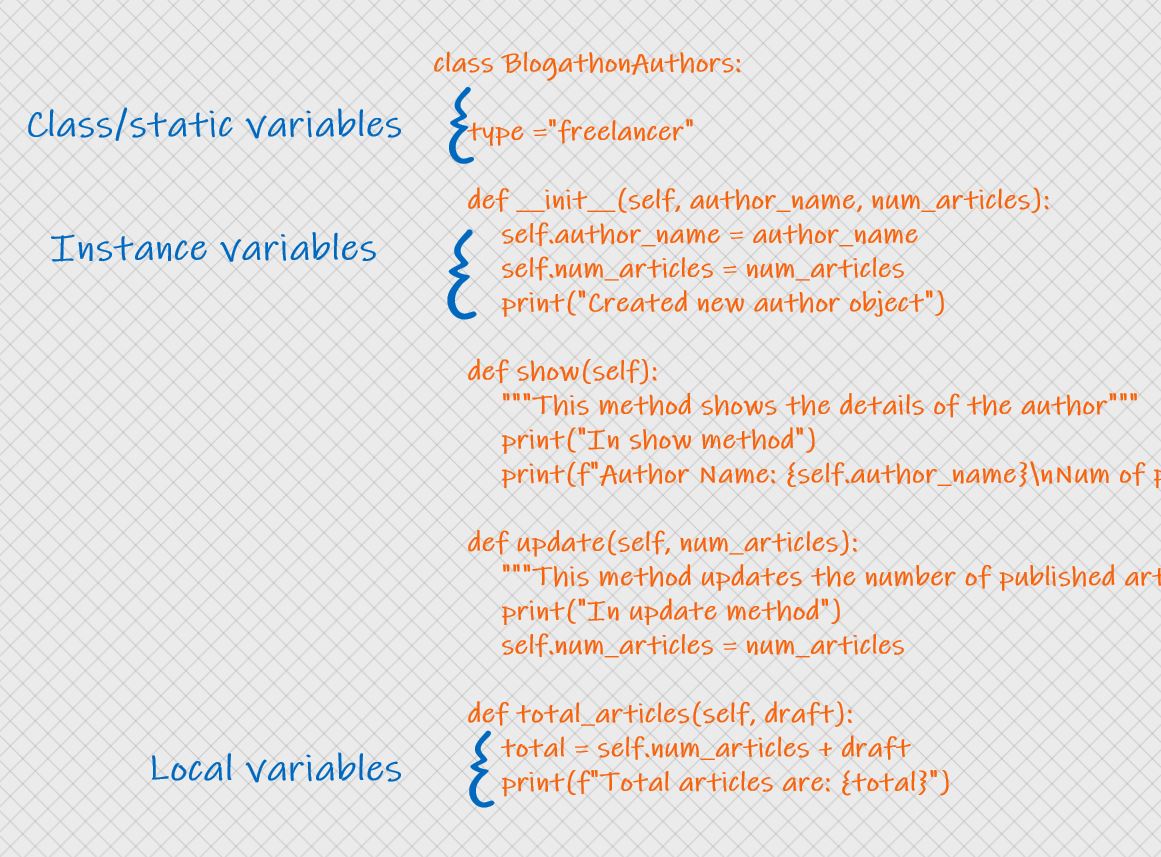
The three different types of variables in OOP in Python are:
Instance Variables: Variables that are defined inside __init__ are called instance variables and these are of object level.
Class/Static Variables: Variables that are defined outside the __init__ method are called class variables and these are of class level.
Local variables: Variables that are confined to a method are called local variables and these are of method level.
To better understand the variables, create a variable that holds the type of authors’ work. All the blogathon authors are freelancers.
Also, let us create another method “total_articles” that takes the number of articles drafted, and stores the sum of published, drafted articles to a variable called “total“
so, here “type” is a class variable, and “total” is a local variable.
class BlogathonAuthors:
type ="freelancer"
def __init__(self, author_name, num_articles):
self.author_name = author_name
self.num_articles = num_articles
print("Created new author object")
def show(self):
"""This method prints the details of the author"""
print("In show method")
print(f"Author Name: {self.author_name}nNum of published articles: {self.num_articles}nType of Work: {BlogathonAuthors.type}")
def update(self, num_articles):
"""This method updates the number of published articles"""
print("In update method")
self.num_articles = num_articles
def total_articles(self, draft):
total = self.num_articles + draft
print(f"Total articles are: {total}")
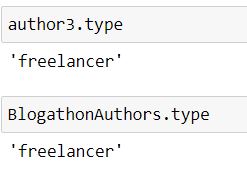
Accessing class variables: can be accessed using ClassName.variable or object.variable
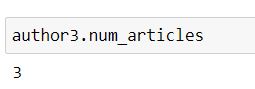
author3 = BlogathonAuthors("Karl", 3)
author3.type
Accessing instance variables: object.variable
Accessing local variables:
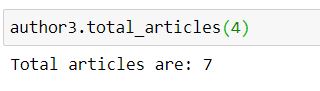
Upon calling the total_articles function, it prints the total articles.
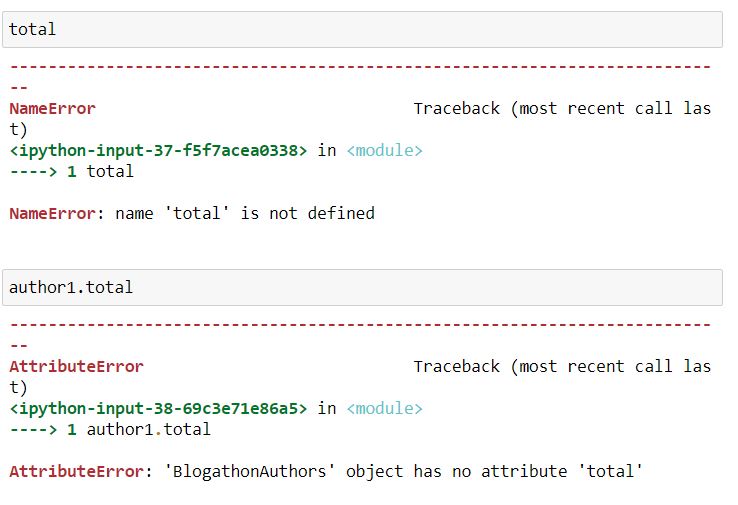
But it throws an error if we try to access the “total” variable outside the total_articles method.
The three types of Methods in OOP are:
Instance methods: These are the methods used to get or set object attributes. These methods are also known as accessor methods (gets the details), mutator methods (sets the details). In our example, the “show” method is the getter/accessor method and the “update” method is the setter/mutator method.
Class methods: To work with class/static variables we need to use the class methods.
Syntax:
@classmethod
def methodName(cls):
 # update staticvariable
 # return staticvariable
@classmethod is a decorator that is used to declare a class as a class method.
Static Methods: Any method that is neither related to class or object is a Static method.
Syntax:
@staticmethod
def methodName():
 # code
@staticmethod is a decorator that is used to declare a method as a static method.
For example, let’s add a class method to our existing class that returns the type of authors’ work, and a static method that prints some text.
class BlogathonAuthors:


type ="freelancer"


def __init__(self, author_name, num_articles):

self.author_name = author_name

self.num_articles = num_articles

print("Created new author object")


def show(self):

"""This method prints the details of the author"""

print("In show method")

print(f"Author Name: {self.author_name}nNum of published articles: {self.num_articles}nType of Work: {BlogathonAuthors.type}")


def update(self, num_articles):

"""This method updates the number of published articles"""

print("In update method")

self.num_articles = num_articles


def total_articles(self, draft):

total = self.num_articles + draft

print(f"Total articles are: {total}")


@classmethod

def return_type(cls):

return cls.type


@staticmethod

def stat_method():

print("I am a static method")
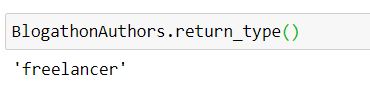
Calling Class method: ClassName.method()
BlogathonAuthors.return_type()
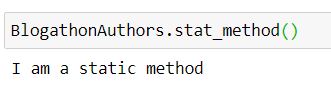
Calling Static method: ClassName.method()
BlogathonAuthors.stat_method()
Thank you for being patient till the conclusion. By the end of this article, we are familiar with the basic concepts of OOP in Python. Stay tuned to my next article on some other OOP concepts.
I hope this article is informative. Feel free to share it with your study buddies.
Feel free to check out my other blog posts from my Analytics Vidhya Profile.
You can find me on LinkedIn, Twitter in case you would want to connect. I would be glad to connect with you.
For immediate exchange of thoughts, please write to me at [email protected].
Happy Learning!
The media shown in this article are not owned by Analytics Vidhya and are used at the Author’s discretion.
Hi, my name is Harika. I am a Data Engineer and I thrive on creating innovative solutions and improving user experiences. My passion lies in leveraging data to drive innovation and create meaningful impact.
GPT-4 vs. Llama 3.1 – Which Model is Better?
Llama-3.1-Storm-8B: The 8B LLM Powerhouse Surpa...
A Comprehensive Guide to Building Agentic RAG S...
Top 10 Machine Learning Algorithms in 2026
45 Questions to Test a Data Scientist on Basics...
90+ Python Interview Questions and Answers (202...
8 Easy Ways to Access ChatGPT for Free
Prompt Engineering: Definition, Examples, Tips ...
What is LangChain?
What is Retrieval-Augmented Generation (RAG)?
Compliments to Harika! Well done and very clear explanations. Giaki - Italy
Edit
Resend OTP
Resend OTP in 45s