|
VOOZH | about |
|
VOOZH | about |
This article was published as a part of the Data Science Blogathon.
When creating data pipelines, Software Engineers and Data Engineers frequently work with databases using Database Management Systems like PostgreSQL.
This article explores the fundamentals of interacting with a database and using Database APIs (DBAPI) to connect with a database from another language or web server. It covers the fundamentals of DBAPIs and how they enable Python-based database interactions.
Source: analyticsindiamag.com
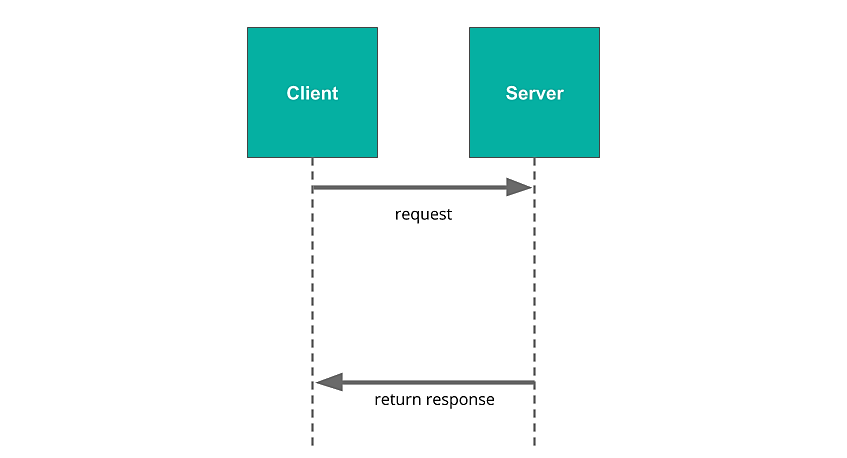
A server is a centralized piece of software that interacts with users across a network (like the Internet) to provide services. A client is a software that may request a server for information, similar to the web browser on one’s computer. The browser (the client) contacts the server when accessing a web page, and the server responds by returning the page’s data.
Source: udacity.com
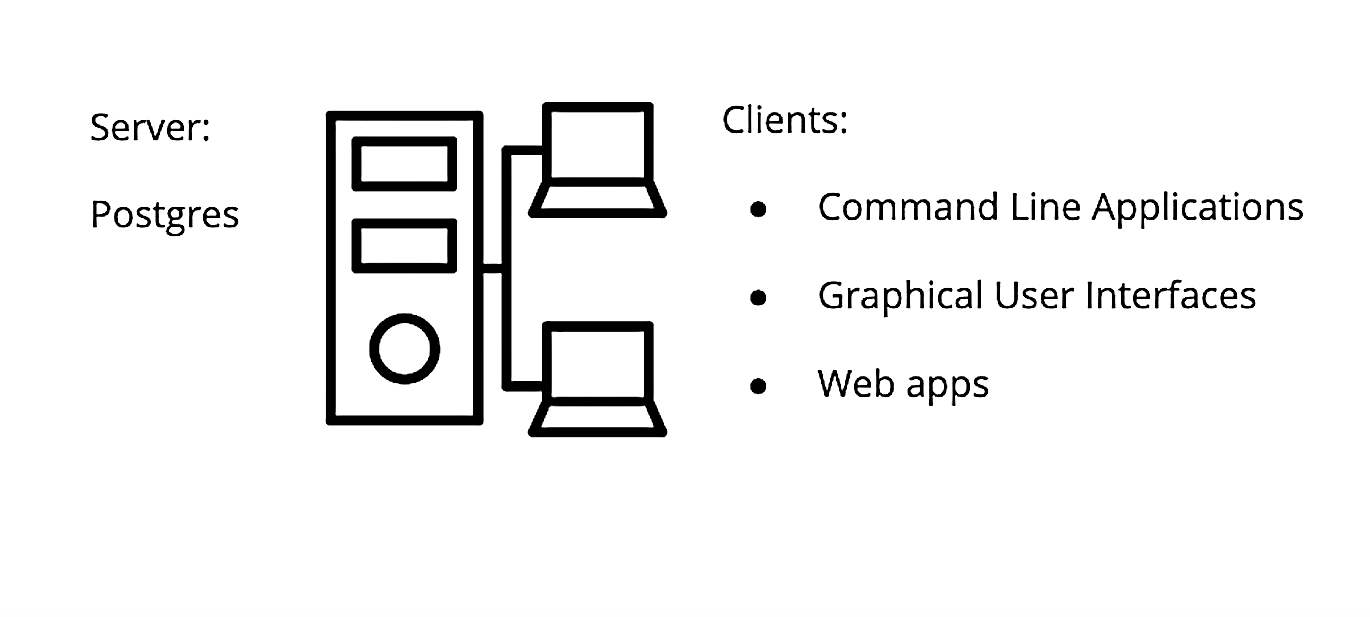
Any application that makes requests to a database is a database client. The database client may, in certain situations, be a web server. The web server fulfills requests from the browser as a server, but when it requests data from a database, it functions as a client to that database, and the database is the server (because it is fulfilling the request).
The database system PostgreSQL (Postgres), which can communicate with several clients, serves as the server in this scenario. The client might take a variety of forms, such as:
Source: udacity.com
The same network-wide communication protocol (TCP/IP) allows multiple clients to communicate with the same database server simultaneously in various ways. A database server can serve another web server that is serving additional clients. The database server then treats the web server as a client in such a scenario.
Postgres has to be installed before utilizing it. MacOS may already have Postgres because it comes pre-installed in the computer. Here are some instructions for downloading and installing it, just in case:
The PGAdmin client and the psql client will both be installed. A good feature of Postgres is that it includes certain utility programs, such as createuser and createdb, that one may use as they learn more about. A user named postgres is created by default, and this user has complete superadmin access to the entire PostgreSQL instance running on the operating system.
What is Postgres (features):
A few fundamental operations and commands are available on the Postgres command line (psql client) for general reference.
Open the terminal, then sign in as a specific user to the psql client.
| MacOS | $ sudo -u -i |
| Linux | $ sudo -u psql |
| Windows | psql -U |
The default installed user is called postgres. Later, the username and password can be changed.
$ psql -U
Password for user postgres:
Creating a new database.
The installed default database is called postgres. However, a new database can be created using the below command (SQL statement). The new database can be opened using the “c” psql command.
postgres=#
postgres=# CREATE DATABASE new_database;
CREATE DATABASE
postgres=# c new_database
You are now connected to database "new_database" as user "postgres".
new_database=#
Creating a sample table (table1) and populating it with sample data.
postgres=#
postgres=# CREATE DATABASE new_database;
CREATE DATABASE
postgres=# c new_database
You are now connected to database "new_database" as user "postgres".
new_database=# CREATE TABLE table1 (
new_database(# id SERIAL PRIMARY KEY,
new_database(# description VARCHAR(30) NOT NULL );
CREATE TABLE
new_database=# INSERT INTO table1 (description) VALUES ('New table'),('called table 1');
INSERT 0 2
new_database=# SELECT * FROM table1;
 id | description
----+----------------
 1 | New table
 2 | called table 1
(2 rows)
As can be seen, the SQL command (SELECT * FROM table1;) queries the database and displays all the content of table1. Exit the psql client using the quit command “q”.
Great!
When utilizing a given application (client) and a particular programming language, one may occasionally need to interface with the database (server), query its contents, and use its results. A DBAPI would be useful, for instance, if a data engineer wanted to create a data pipeline using Python.
Database Adapters is another name for DBAPIs in use today. They offer a common interface that allows a programming language like Python to communicate with a relational database server. A database adapter is a basic library to create SQL queries that connect to databases.
Every server framework or language has a distinct DBAPI for interacting with a database system. For instance, Python (Django or Flask) and Postgres utilize the psycopg2 DBAPI, whereas the NodeJS framework and Postgres database system use the node-postgres database adapter. In the case of psycopg2, the subject of the next section, the database adapter turns the output of a SQL query (such as SELECT * FROM table_name;) into a list of tuples in Python.
Installation of psycopg2 and using it to establish a connection to our Postgres server and interact with it in Python. The following are the steps:
$ python --version
Python 3.10.4
pip install psycopg2
Use the latest version of pip installed in your environment (i.e., pip3)
Create a local directory and create a sample python file (sample.py). Open the file in a code editor (vs. code). Use the python code below to perform a basic SQL operation.
NB:
import psycopg2
# Establish a connection with to your existing database and start a session
connection = psycopg2.connect('dbname=new_database user= host=localhost password=')
# Create a session for database transactions
cur = connection.cursor()
# Create a new table in the database
cur.execute('''
 CREATE TABLE newtable (
 id INTEGER PRIMARY KEY,
 status BOOLEAN NOT NULL DEFAULT False
 );
''')
# Insert records into the new table
cur.execute('''
 INSERT INTO newtable (id,status) VALUES (1,True);
''')
# Commit the transactions in the session
connection.commit()
# Close the connection to the session
connection.close()
cur.close()
Save the sample.py script and then run it in a terminal: all python (or python3) and point to the saved python file using the command below.
$ python sample.py
NB: You might sometimes get an operational error:
$ python sample.py
Traceback (most recent call last):
 File "D:Dev LearningDev ArticlesBlogathonsample.py", line 6, in
 connection = psycopg2.connect('dbname=new_database ')
 File "C:UsersonyanAppDataLocalProgramsPythonPython310libsite-packagespsycopg2__init__.py", line 122, in connect
 conn = _connect(dsn, connection_factory=connection_factory, **kwasync)
psycopg2.OperationalError: connection to server at "localhost" (::1), port 5432 failed: fe_sendauth: no password supplied
Try adding a password and specifying the user.
psycopg2.connect("dbname=database user= host=localhost password=password")
Next, you check your database for any changes made by your python script. Reopen your psql client using the same steps as before, and view your tables using the “dt” command.
new_database=#
new_database=# dt
 List of relations
 Schema | Name | Type | Owner
--------+----------+-------+----------
 public | newtable | table | postgres
 public | table1 | table | postgres
(2 rows)
In conclusion, this article discussed common methods for interacting and connecting to Postgres databases. The main lessons learned were, in brief, as follows:
As they work with enormous amounts of data, database systems like PostgreSQL, SQLite, MS SQL Server, etc., are essential to a Data Engineer’s work.
The media shown in this article is not owned by Analytics Vidhya and is used at the Author’s discretion.
GPT-4 vs. Llama 3.1 – Which Model is Better?
Llama-3.1-Storm-8B: The 8B LLM Powerhouse Surpa...
A Comprehensive Guide to Building Agentic RAG S...
Top 10 Machine Learning Algorithms in 2026
45 Questions to Test a Data Scientist on Basics...
90+ Python Interview Questions and Answers (202...
8 Easy Ways to Access ChatGPT for Free
Prompt Engineering: Definition, Examples, Tips ...
What is LangChain?
What is Retrieval-Augmented Generation (RAG)?
Edit
Resend OTP
Resend OTP in 45s