|
VOOZH | about |
|
VOOZH | about |
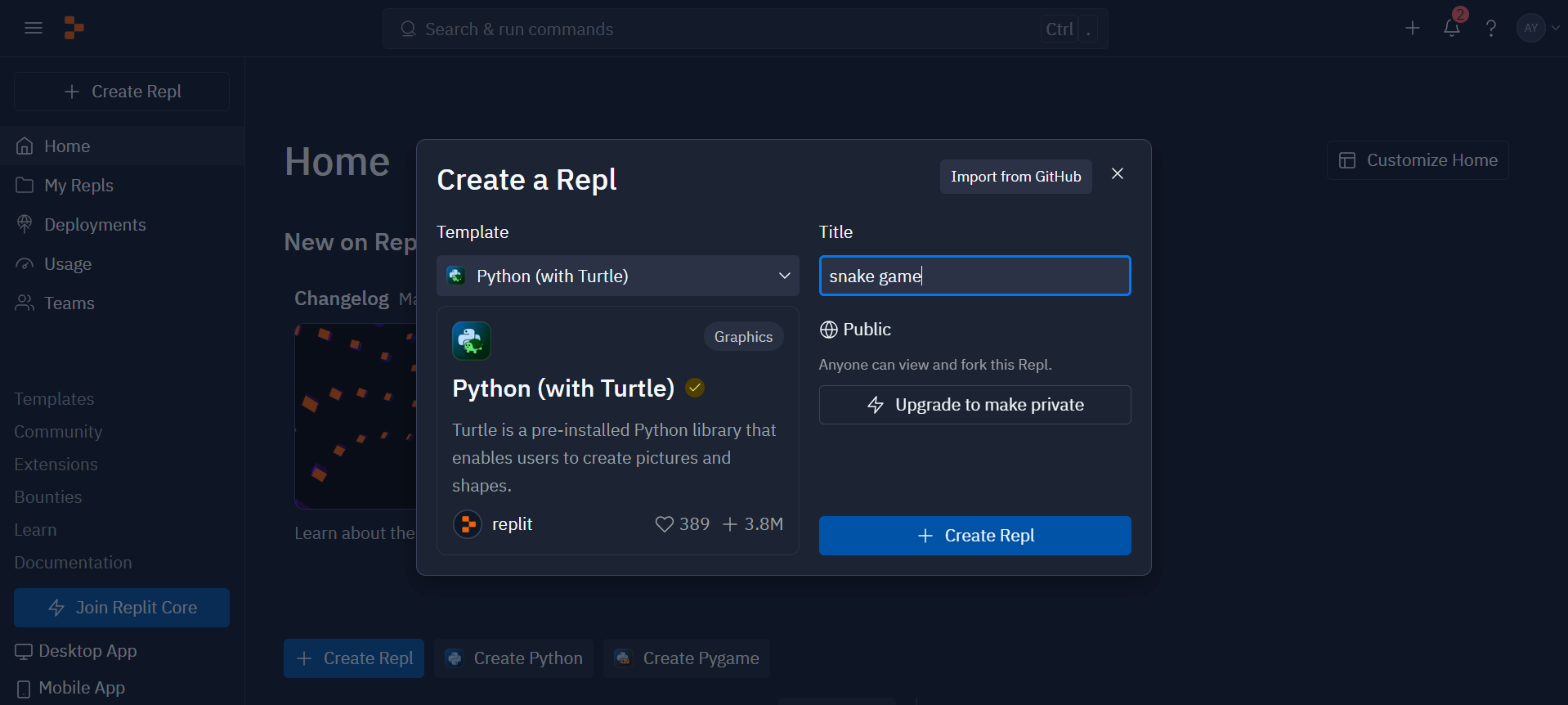
Python is both fun and straightforward to use. With a wide range of libraries available, Python makes our lives easier by simplifying the creation of games and applications. In this article, we’ll create a classic game that many of us have likely played at some point in our lives – the snake game. If you haven’t experienced this game before, now’s your chance to explore and craft your very own version without the need to install heavy libraries on your system. To make this nostalgic snake game, you just need a basic understanding of Python and an online coding editor like repl.it.
The snake game is a timeless arcade classic where the player controls a snake that grows in length as it consumes food. In this implementation, let’s break down the code to understand how the game is structured and how the Turtle library is used for graphics and user interaction.
The Turtle graphics library in Python provides a fun and interactive way to create shapes, draw on the screen, and respond to user input. It’s often used for educational purposes, teaching programming concepts through visual feedback. This code utilizes Turtle to create the game elements such as the snake, food, and score display.
A web coding platform called Repl.it allows you to develop, run, and collaborate on code directly within your web browser. It supports many different programming languages and has built-in compilers and interpreters in addition to features like code sharing, version control, and teamwork. Developers extensively use it for learning, fast prototyping, and code sharing because it is simple to use and requires no setup.
Let us start building our first game with python. For doing so we need to follow certain steps below:
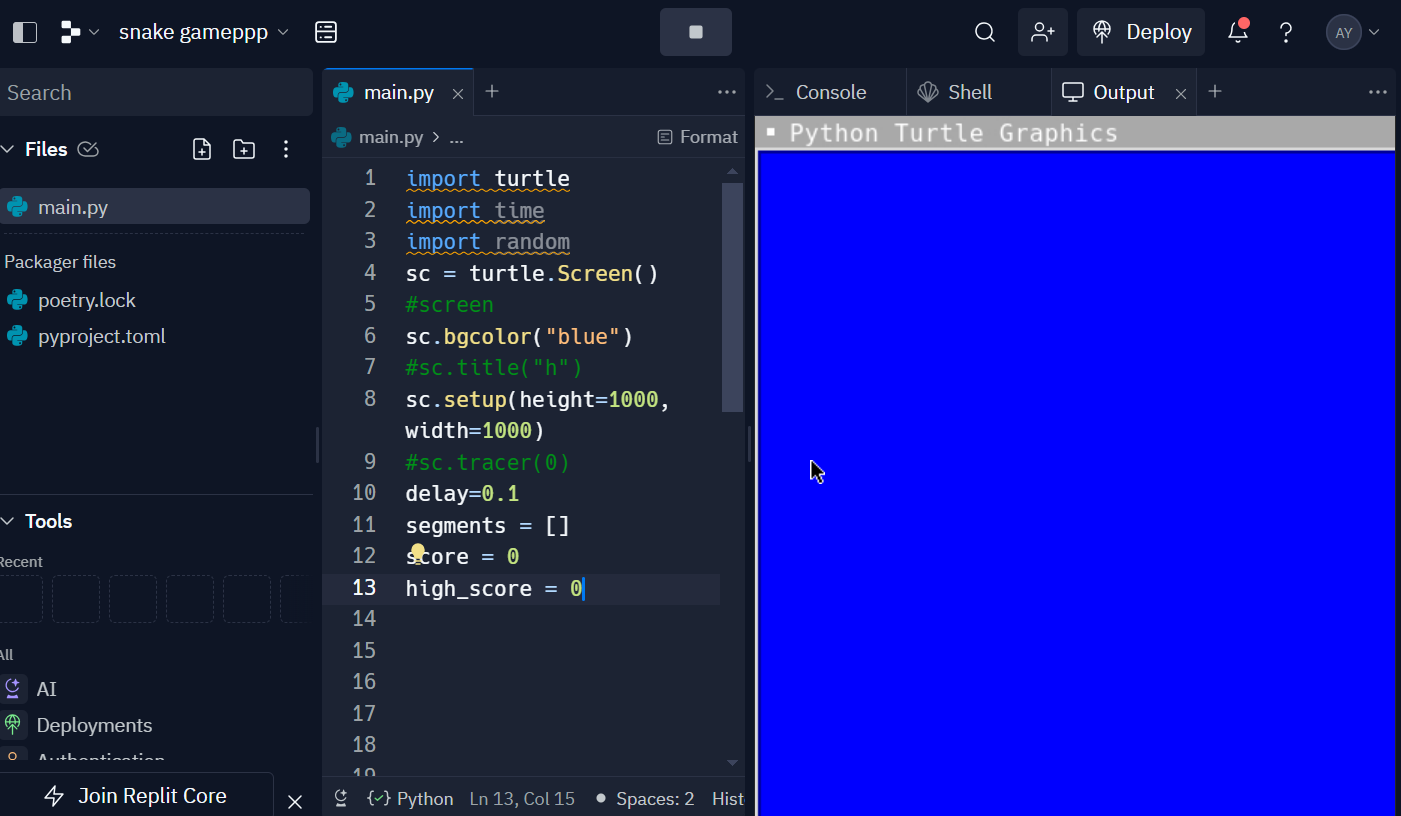
This marks the initial step in developing the game known as Snake. Turtle, random, and time are among of these.
import turtle
import time
import randomThis includes establishing the screen’s dimensions, adding a blue background, and adding a small delay to ensure fluid gameplay. We also set up variables like high_score to retain the highest score attained, score to monitor the player’s score, and segments to track the snake’s body.
# Initialize the screen
sc = turtle.Screen()
sc.bgcolor("blue")
sc.setup(height=1000, width=1000)
delay = 0.1

# Initialize variables
segments = []
score = 0
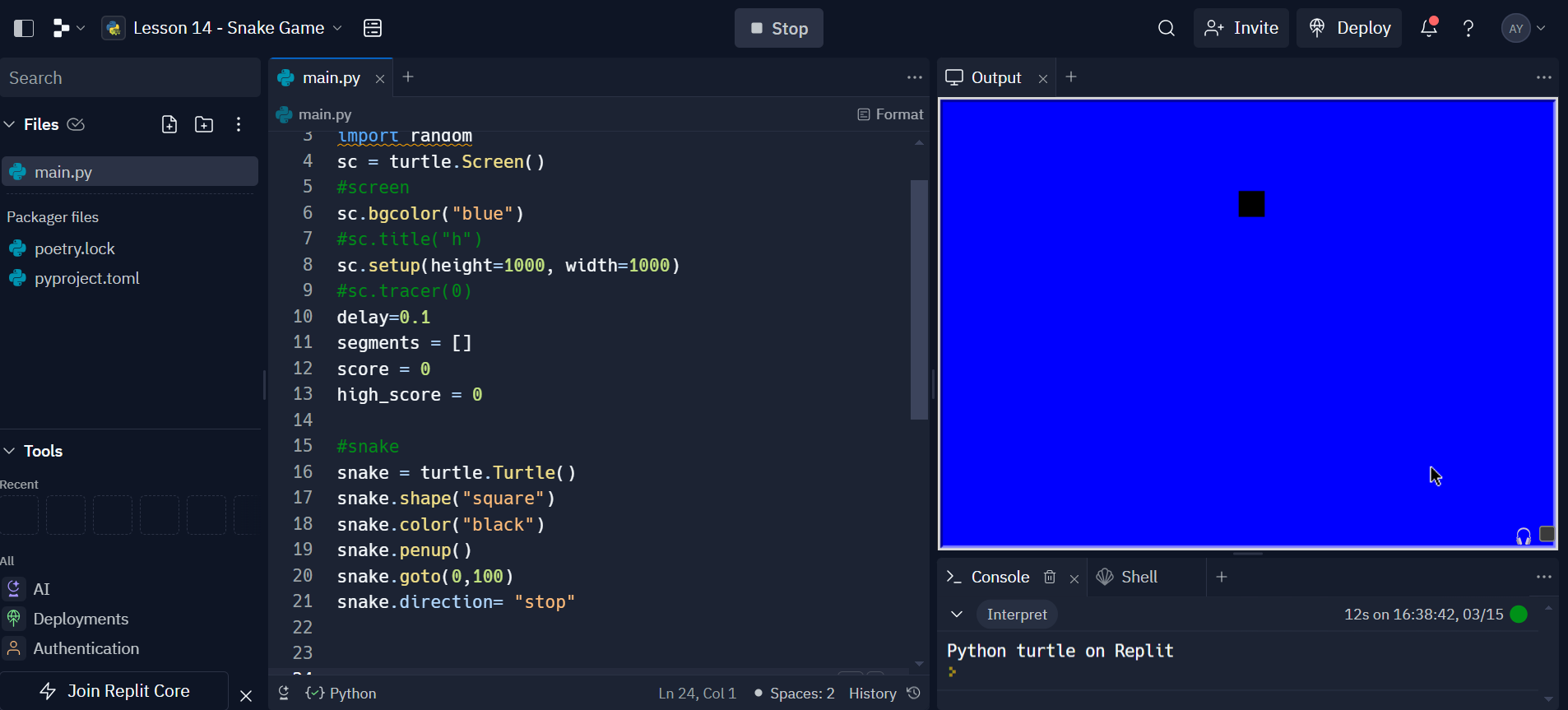
high_score = 0A turtle object with a square form symbolizes the snake. We locate the pen at the center of the screen (goto(0, 100)), set its color to black, then elevate it to avoid drawing lines. Originally set to “stop”, the snake’s direction remains stationary until the player begins to move it.
# Create the snake
snake = turtle.Turtle()
snake.shape("square")
snake.color("black")
snake.penup()
snake.goto(0, 100)
snake.direction = "stop"We define the snake’s movement functions (move()) according to its direction at that moment. These functions control the snake’s ability to move up, down, left, and right. They move the head of the snake 20 units in the appropriate direction when asked.
# Functions to move the snake
def move():
 if snake.direction == "up":
 y = snake.ycor()
 snake.sety(y + 20)
 if snake.direction == "down":
 y = snake.ycor()
 snake.sety(y - 20)
 if snake.direction == "left":
 x = snake.xcor()
 snake.setx(x - 20)
 if snake.direction == "right":
 x = snake.xcor()
snake.setx(x + 20)Using sc.listen() and sc.onkey(), we configure key listeners to control the snake. The related routines (go_up(), go_down(), go_left(), go_right()) alter the snake’s direction in response to key presses on the w, s, a, or d keyboard.
# Functions to link with the keys
def go_up():
 snake.direction = "up"

def go_down():
 snake.direction = "down"

def go_left():
 snake.direction = "left"

def go_right():
 snake.direction = "right"

# Listen for key inputs
sc.listen()
sc.onkey(go_up, "w")
sc.onkey(go_down, "s")
sc.onkey(go_left, "a")
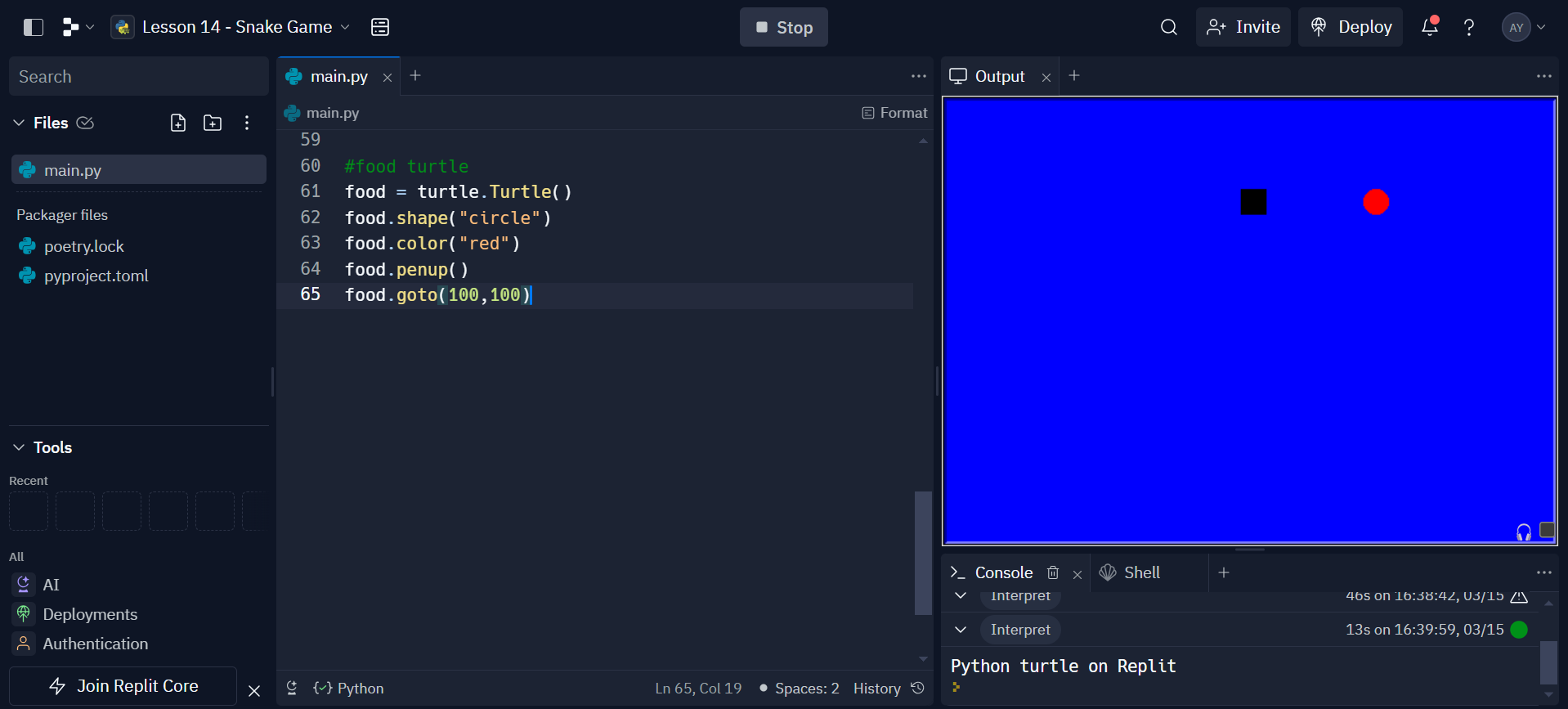
sc.onkey(go_right, "d")The food is represented by a circular turtle object with a red color. Initially placed at coordinates (100, 100), it serves as the target for the snake to eat. When the snake collides with the food, it “eats” the food, and a new one appears at a random location.
# Create the food
food = turtle.Turtle()
food.shape("circle")
food.color("red")
food.penup()
food.goto(100, 100)
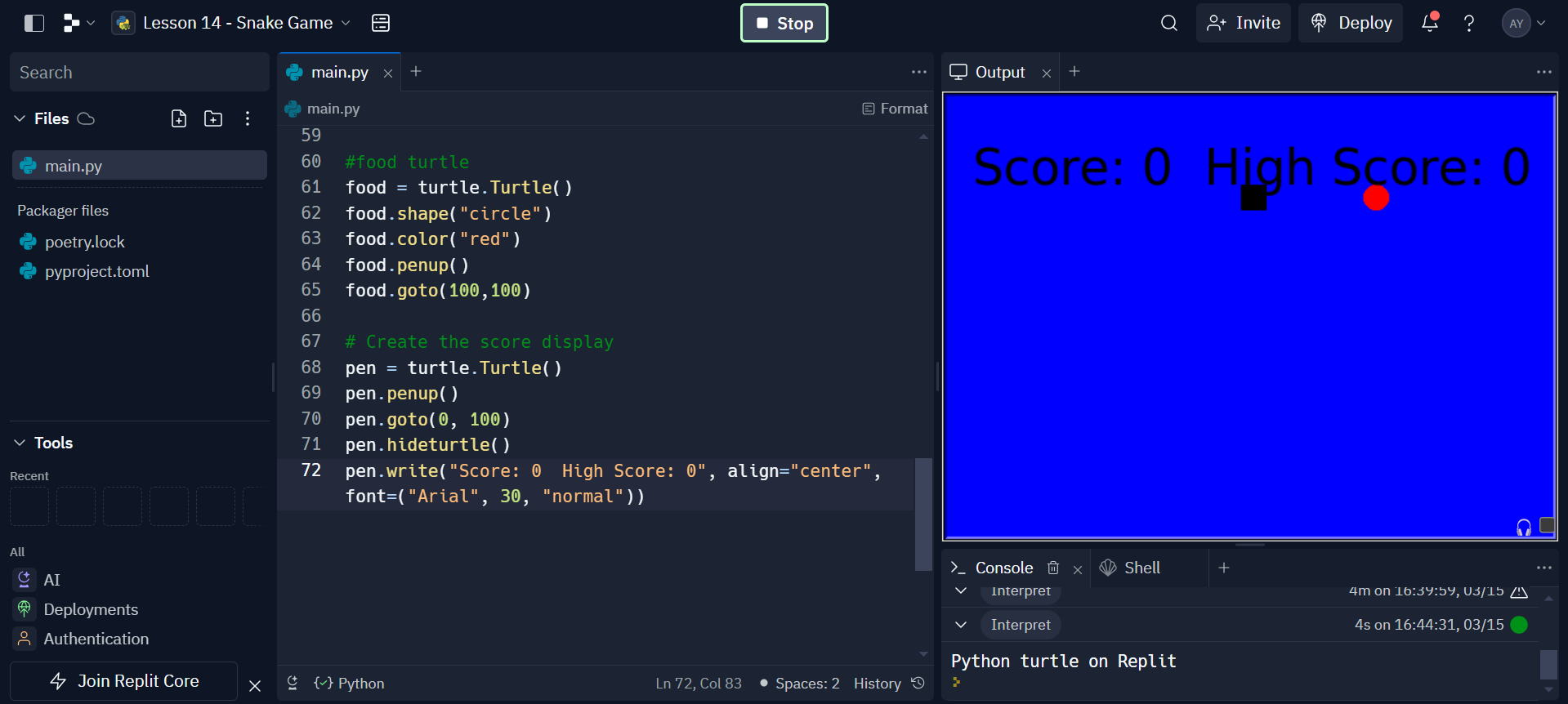
A turtle object (pen) displays the player’s score and the highest score achieved. This information updates each time the snake eats the food.
# Create the score display
pen = turtle.Turtle()
pen.penup()
pen.goto(0, 100)
pen.hideturtle()
pen.write("Score: 0 High Score: 0", align="center", font=("Arial", 30, "normal")
The core of the Snake game is the primary game loop. It manages user input, updates the screen, moves the snake, looks for collisions, and regulates how the game plays out. Let’s examine the specific functions of each section of the main loop in more detail:
while True:
 sc.update() # Update the screen
 move() # Move the snake
 time.sleep(delay) # Introduce a slight delay for smooth gameplay
move(): This function controls the snake’s movement based on its current direction. It moves the snake’s head by 20 units in the direction specified by the player’s input. The snake continuously moves in the direction it was last directed until the player changes its direction.delay variable is set to 0.1 at the beginning of the code. The purpose of this delay is to control the speed of the game. Without it, the snake would move too quickly for the player to react, making the game difficult to play. if snake.distance(food) < 20:
x = random.randint(-200, 200)
y = random.randint(-200, 200)
food.penup()
food.goto(x, y)
food.pendown()
# Increase the length of the snake
new_segment = turtle.Turtle()
new_segment.shape("square")
new_segment.color("grey")
new_segment.penup()
segments.append(new_segment)
score += 1
# Update score and high score
if score > high_score:
high_score = score
pen.clear()
pen.write("Score: {} High Score: {}".format(score, high_score), align="center", font=("Arial", 30, "normal"))
Eating Food
snake) comes within a distance of 20 units from the food (food), it means the snake has “eaten” the food.random.randint().Growing the snake body
new_segment) is created, which becomes part of the segments list.score += 1) each time the snake eats food.Score Updation
pen object.pen.clear() function clears the previous score display.pen.write(). for i in range(len(segments) - 1, 0, -1):
x = segments[i - 1].xcor()
y = segments[i - 1].ycor()
segments[i].goto(x, y)
# Move the first segment to follow the head
if len(segments) > 0:
x = snake.xcor()
y = snake.ycor()
segments[0].goto(x, y)
segments list, starting from the last segment (len(segments) - 1) down to the second segment (0), moving each segment to the position of the segment in front of it.Updating the First Segment (Head)
snake).This code provides a basic structure for a Snake game using the Turtle graphics library. The game involves controlling a snake to eat food and grow longer while avoiding collisions with walls and its own tail. It’s a great beginner project for learning about game development concepts, basic Python programming, and working with user input and graphics. Feel free to customize and expand upon this code to add features like collision detection, increasing difficulty, or adding levels to make your Snake game even more exciting!
If you want to learn more about python then enroll in our free python course.
Also read our more articles related to python here:
A. Yes, you can create a snake game in Python using libraries like Turtle for graphics and user interaction.
A. The snake game in Python commonly uses algorithms like collision detection and movement logic to control the snake’s behavior.
A. To code a game in Python, you’ll need to define the game’s rules, implement graphics using libraries like Pygame or Turtle, and handle user input for interaction.
A. Yes, the snake game is relatively easy to code in Python, especially with libraries like Turtle, which simplifies graphics and user interaction, making it accessible for beginners.
My name is Ayushi Trivedi. I am a B. Tech graduate. I have 3 years of experience working as an educator and content editor. I have worked with various python libraries, like numpy, pandas, seaborn, matplotlib, scikit, imblearn, linear regression and many more. I am also an author. My first book named #turning25 has been published and is available on amazon and flipkart. Here, I am technical content editor at Analytics Vidhya. I feel proud and happy to be AVian. I have a great team to work with. I love building the bridge between the technology and the learner.
GPT-4 vs. Llama 3.1 – Which Model is Better?
Llama-3.1-Storm-8B: The 8B LLM Powerhouse Surpa...
A Comprehensive Guide to Building Agentic RAG S...
Top 10 Machine Learning Algorithms in 2026
45 Questions to Test a Data Scientist on Basics...
90+ Python Interview Questions and Answers (202...
8 Easy Ways to Access ChatGPT for Free
Prompt Engineering: Definition, Examples, Tips ...
What is LangChain?
What is Retrieval-Augmented Generation (RAG)?
Edit
Resend OTP
Resend OTP in 45s