Airtable pricing 2026: Which plan is worth it? (we compared)

Last edited October 3, 2025

Table of Contents
So, you're thinking about using Airtable. It's a fantastic tool that blends the simplicity of a spreadsheet with the power of a database, but let's be honest, the pricing can be a real head-scratcher. Between the per-user fees and the various usage limits, it's easy to get hit with a surprise bill.
This guide will walk you through every Airtable pricing plan, step by step, so you can figure out what you actually need without overpaying.
What is Airtable?
Airtable is a cloud-based platform that lets you build and share databases, but without needing a degree in computer science. Think of it as a spreadsheet that got a major upgrade. Instead of being stuck with just text and numbers in rows and columns, you can use all sorts of field types like file attachments, checkboxes, and dropdown menus.
Teams use it for pretty much everything you can imagine: project management trackers, content calendars, simple CRMs, and inventory logs. The big draw is its flexibility and visual-first approach. You can switch between different views like grids, calendars, Kanban boards, and galleries to see your work in whatever way makes the most sense, all without touching a line of code.
The two things you must know about Airtable pricing
Before we get into the nitty-gritty of each plan, you need to wrap your head around the two core components of Airtable's pricing strategy: seats and usage limits. These two things are woven together and are usually where the confusion (and unexpected costs) come from.
How per-seat Airtable pricing works
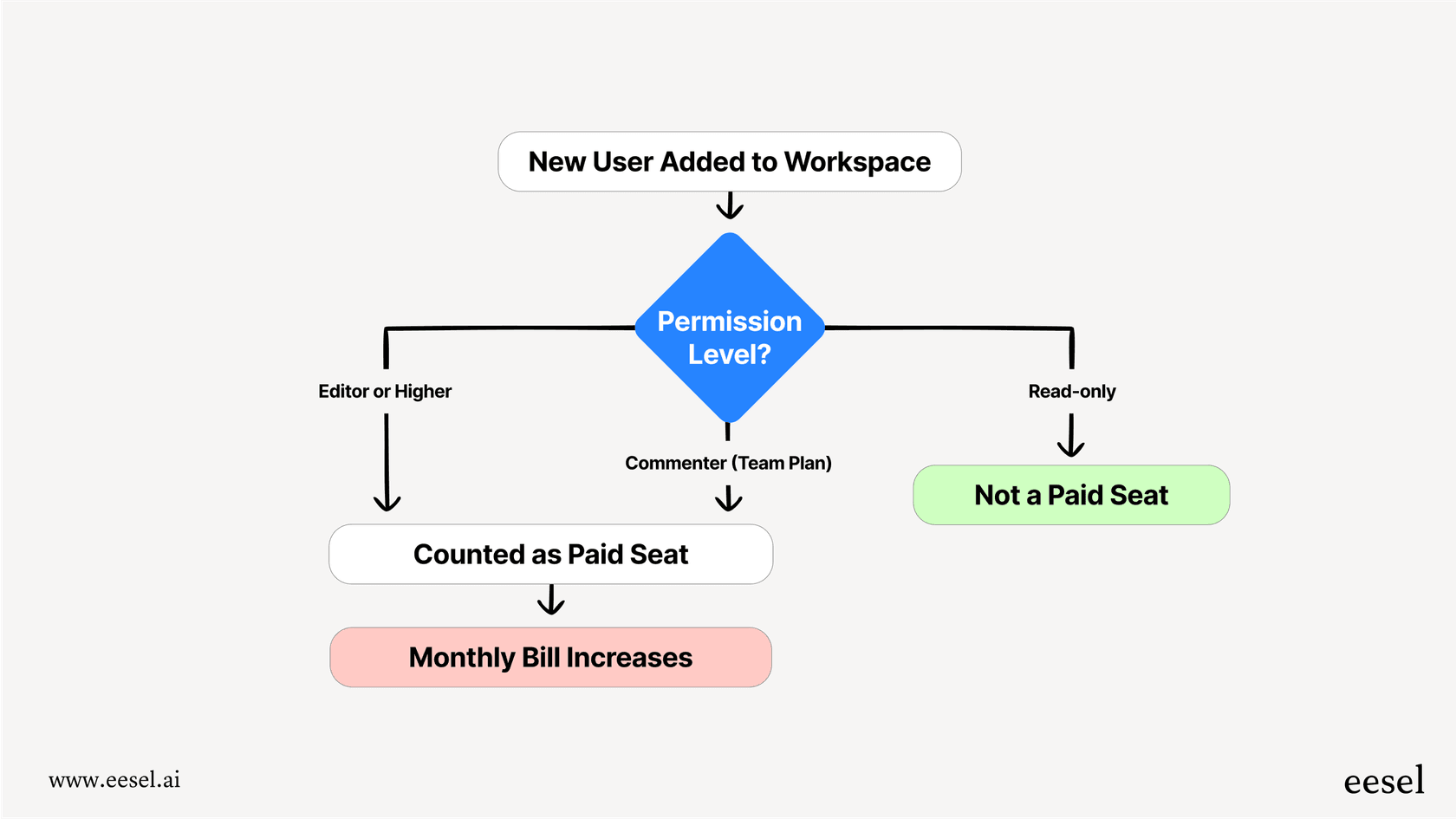
Airtable bills you for every person who needs to actively edit or contribute to a base. On the Team plan, any collaborator with "Commenter" permissions or higher is counted as a paid seat. For the Business plan, this shifts to "Editor" permissions or higher.
This can get expensive, fast. Imagine you have a few colleagues who only need to update a status field once a week or add a quick comment. You might still have to pay for a full seat for each of them, causing your monthly bill to creep up.
Understanding Airtable's usage limits
On top of paying for each user, every plan has strict caps on key resources. If you bump up against one of these limits, your workflow can come to a screeching halt until you upgrade.
Here are the main ones to keep an eye on:
-
Records per base: This is simply the number of rows you can have in one database. The free plan’s 1,000-record limit is a common roadblock for anyone trying to manage ongoing projects or a decent-sized list of contacts.
-
Attachment space per base: If your work involves a lot of images, PDFs, or other files, this storage limit can become a problem sooner than you think.
-
Automation runs per month: Automations are what make Airtable feel magical, letting you create custom workflows. But you only get a set number of runs each month.
-
API calls per month: If you’re connecting Airtable to other apps or building a custom interface, you’re limited in how many times those tools can "talk" to Airtable.
| Plan | Records per Base | Attachment Space | Automation Runs |
|---|---|---|---|
| Free | 1,000 | 1 GB | 100 / month |
| Team | 50,000 | 20 GB | 25,000 / month |
| Business | 125,000 | 100 GB | 100,000 / month |
| Enterprise Scale | 500,000+ | 1,000 GB | 500,000 / month |
A detailed look at the Airtable pricing plans
Airtable has four plans, each aimed at a different kind of user. Here’s a full rundown of what’s in each plan, who it’s really for, and where it falls short.
The Airtable free plan
-
Cost: $0
-
What you get: Unlimited bases, 1,000 records per base, 1 GB of attachments, 100 automation runs per month, and up to 5 editors.
-
Who it's for: Individuals, students, or tiny teams just kicking the tires and exploring the basic features.
-
The catch: That 1,000-record limit is a major hurdle for most real business uses. You also don't get important features like Gantt charts, extensions, or advanced permissions, making it unsuitable for serious project management.
The Airtable team plan
-
Cost: $20 per seat/month (paid annually) or $24 per seat/month (paid monthly).
-
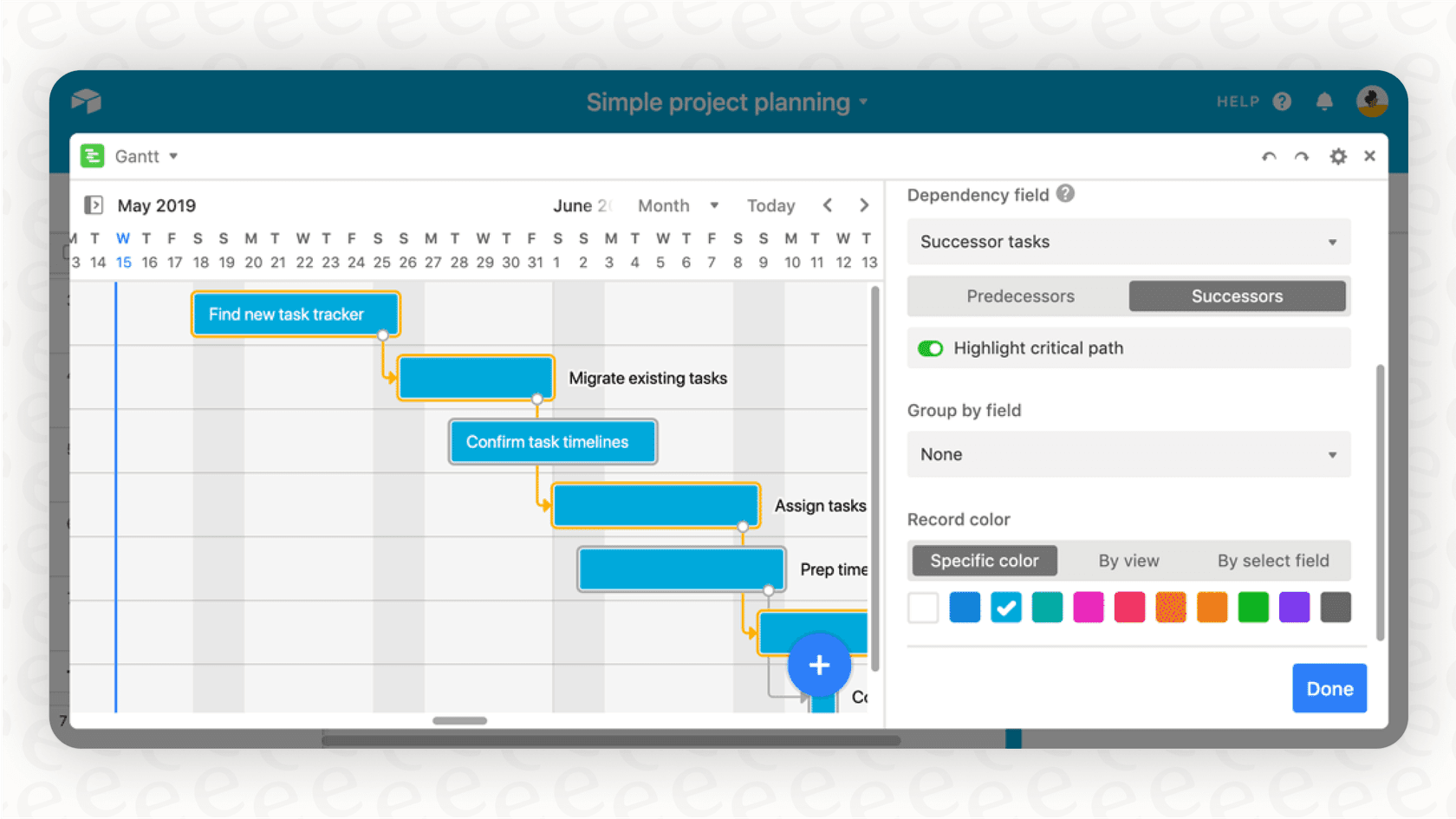
What you get: 50,000 records per base, 20 GB of attachments, 25,000 automation runs/month, Gantt and Timeline views, and access to extensions.
-
Who it's for: Growing teams that need more room for their data and better tools for managing projects and workflows together.
-
The catch: This plan is missing advanced admin controls, SAML-based SSO for security, and two-way data syncing. The cost can also balloon quickly, since even people who only need to leave comments are billed as full users.
The Airtable business plan
-
Cost: $45 per seat/month (paid annually) or $54 per seat/month (paid monthly).
-
What you get: 125,000 records per base, 100 GB of attachments, 100,000 automation runs/month, an admin panel, SAML-based SSO, and two-way sync.
-
Who it's for: Departments and organizations that need better security, admin oversight, and more powerful integrations.
-
The catch: It’s a pretty big price jump from the Team plan. And while the limits are higher, they can still be a constraint for businesses trying to build truly scalable, data-heavy applications.
The Airtable enterprise scale plan
-
Cost: You have to talk to their sales team for a custom quote.
-
What you get: 500,000+ records per base, 1,000 GB of attachments, 500,000 automation runs/month, an Enterprise Hub for managing the whole organization, audit logs, and advanced security.
-
Who it's for: Large companies with complex workflows and strict rules around security, governance, and compliance.
-
The catch: The price isn't public, which makes it impossible to budget for without getting into a lengthy sales cycle. It's a serious financial commitment meant for massive-scale operations.
| Plan Name | Price (Annual) | Records per Base | Attachment Space | Automation Runs | Key Features | Best For |
|---|---|---|---|---|---|---|
| Free | $0 | 1,000 | 1 GB | 100 / month | Unlimited bases, Interface Designer | Individuals or small teams exploring the tool. |
| Team | $20/seat/month | 50,000 | 20 GB | 25,000 / month | Gantt/Timeline views, Extensions | Growing teams needing more collaboration. |
| Business | $45/seat/month | 125,000 | 100 GB | 100,000 / month | Admin Panel, SAML SSO, Two-way sync | Departments needing more control and security. |
| Enterprise Scale | Custom | 500,000+ | 1,000 GB | 500,000 / month | Enterprise Hub, Audit Logs, Advanced Security | Large organizations with complex compliance needs. |
The hidden headaches in the Airtable pricing model
The pricing page gives you the numbers, but the true cost of using Airtable often comes from issues baked into its "one-platform-for-everything" approach.
The collaborator cost trap
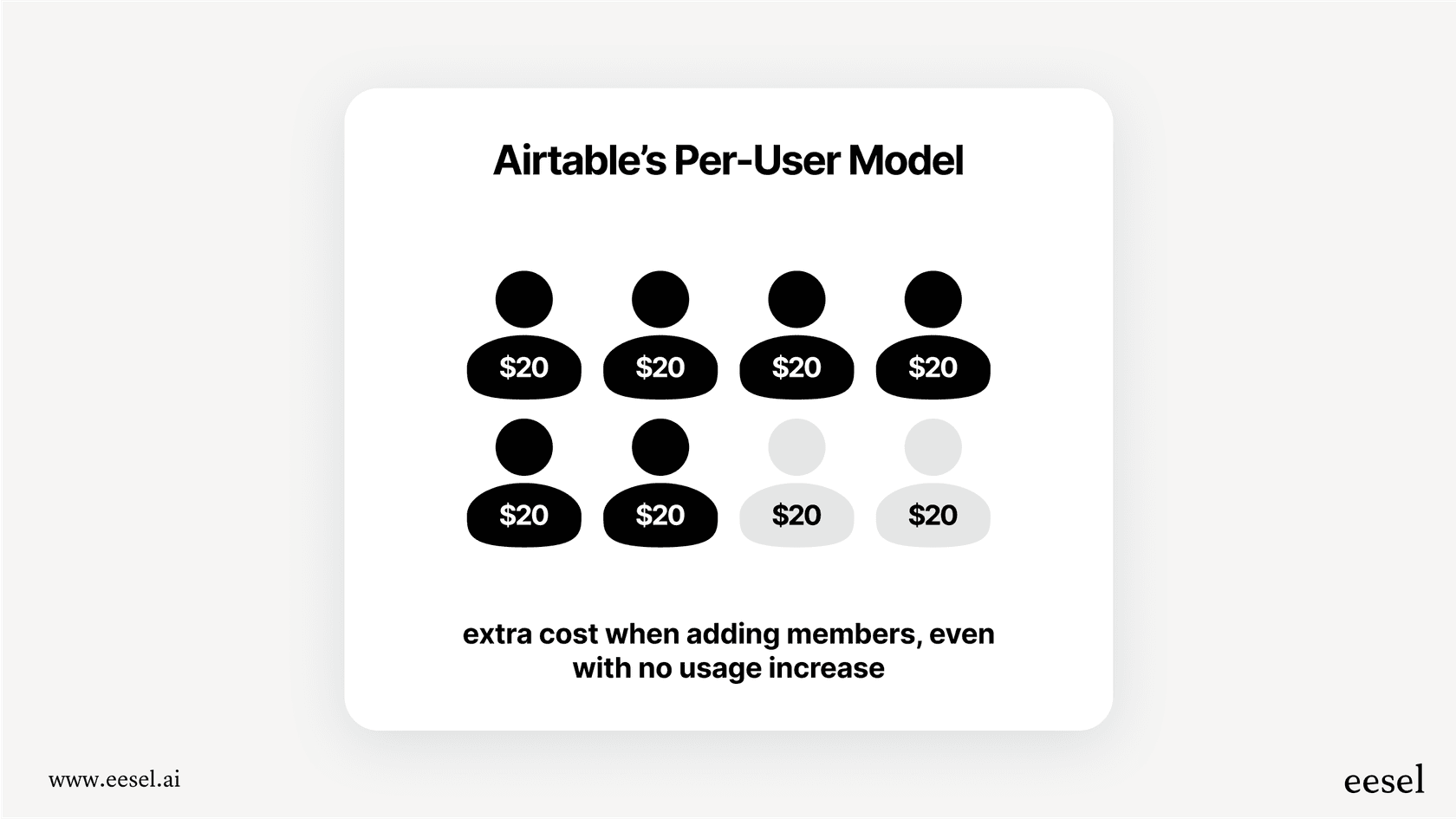
The most common complaint about Airtable pricing is, by far, the per-seat model. Many workflows just need a quick thumbs-up or a one-line update from a bunch of different people. Forcing every one of them into a paid seat feels wasteful and inflates your costs. It's why so many teams end up trying to build clunky workarounds, like custom front-end apps, just to avoid adding another paid seat.
Scaling pains and performance dips
Even on the pricier plans, you’re always living in the shadow of the record limits. As your data grows, you're constantly being pushed toward a more expensive tier. What's worse, some users report that performance starts to drag long before they hit the official limits, especially in bases with a lot of linked records. This puts you in a tough spot: either fork over the cash for a pricey enterprise plan or begin the painful process of migrating to a more robust database.
The vendor lock-in problem
When you build all your essential business processes, workflows, and custom apps inside a single, closed platform like Airtable, it becomes incredibly difficult to ever leave. This is known as "vendor lock-in." Your entire operation becomes dependent on their platform, leaving you at the mercy of their price hikes and feature changes because the thought of switching is just too daunting. It's a common risk with any tool that tries to be the single source of truth for your entire company.
A different way forward: Adding intelligence without replacing your tools
The headaches with Airtable's pricing and platform-centric model point to a broader shift in how modern companies work. The most flexible and cost-effective solutions are usually the ones that plug into your existing tools, rather than forcing you to move your whole world into theirs.
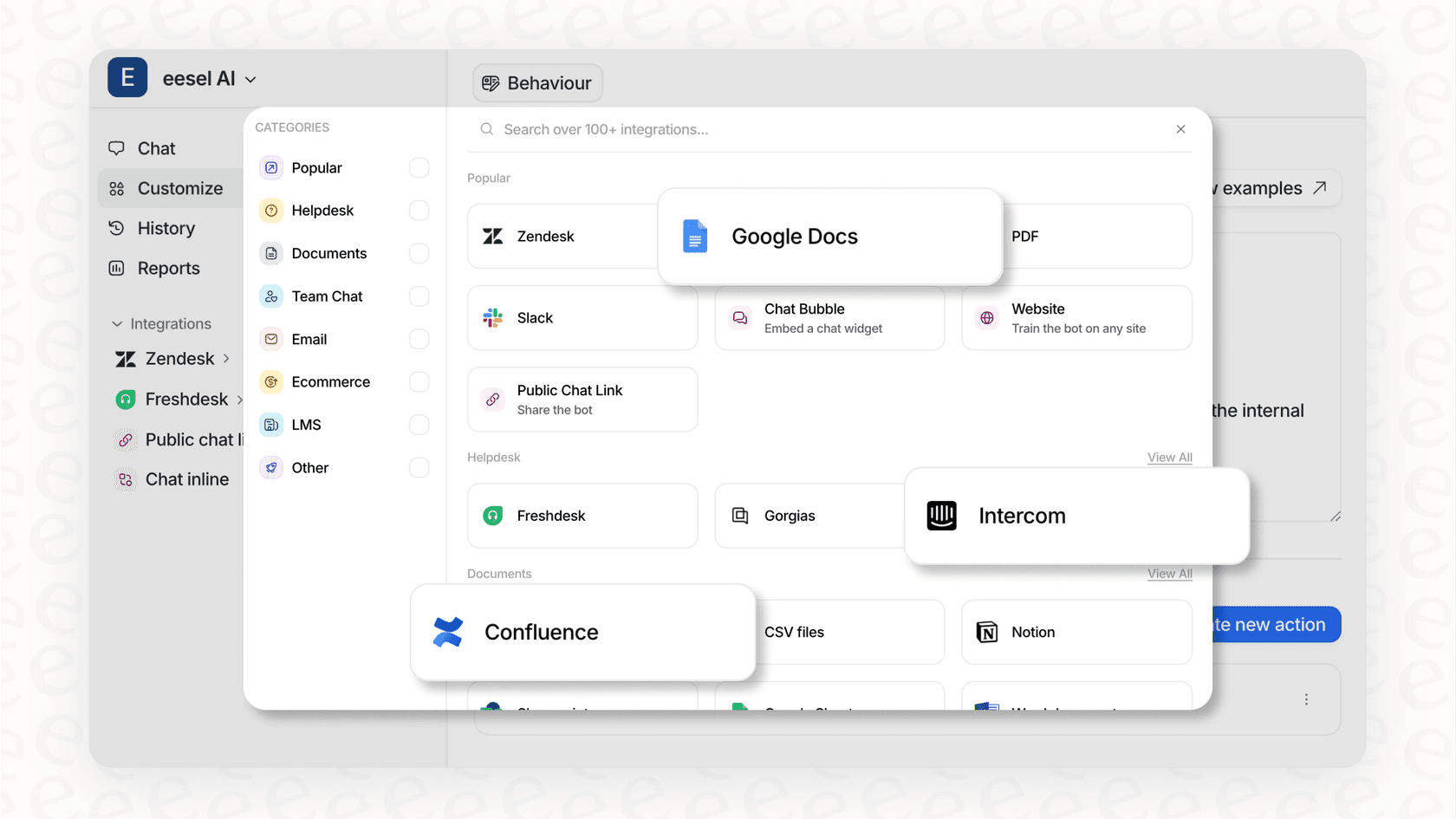
This is the philosophy behind tools like eesel AI, which focuses on customer support and internal knowledge. Instead of demanding you migrate your entire help desk or wiki, it connects seamlessly with the tools you already use, like Zendesk, Confluence, and Slack. This approach has some real advantages over the rigid platform model:
-
No "rip and replace": eesel AI enhances the tools you already have, saving you from a costly and disruptive migration. This neatly sidesteps the vendor lock-in problem.
-
Clear, predictable pricing: Unlike Airtable's confusing mix of per-seat fees and usage caps, eesel AI's pricing is straightforward and based on AI interactions. You won’t find hidden fees per ticket resolution, which makes your costs predictable and easy to manage.
-
Go live in minutes, not months: You can set up eesel AI yourself without being forced into mandatory demos or long sales calls. It's a refreshingly different experience from the typical enterprise software onboarding.
What's the right Airtable pricing choice for you?
Airtable is a powerful and versatile tool, there's no doubt about it. But its pricing structure means you have to be very deliberate about how you use it to avoid sticker shock. To make it work long-term, you need to stay on top of every paid seat and every usage limit.
For many teams, a more modern, integrated approach just makes more sense. Tools that enhance your existing workflows, rather than replacing them, often give you more flexibility and predictable costs down the road. It's about finding what fits your team's process, not forcing your process to fit the tool.
Frequently asked questions

Share this article

Article by
Kenneth Pangan
Writer and marketer for over ten years, Kenneth Pangan splits his time between history, politics, and art with plenty of interruptions from his dogs demanding attention.