How to implement AI in customer support: a step-by-step guide


Last edited June 24, 2026
Table of Contents
- What "implementing AI" actually means
- Step 1: Get your knowledge in order
- Step 2: Connect to your existing helpdesk
- Step 3: Start in copilot mode
- Step 4: Simulate on your past tickets before going live
- How much can AI realistically handle?
- Step 5: Turn on automation with confidence-based routing
- Step 6: Measure, tune, and expand
- Common mistakes to avoid
- Try eesel for your AI support rollout
What "implementing AI" actually means
I work on eesel's support side, and I spend my days in the queue, so let me start with the honest part. I have spent the last few years watching AI go live on real support queues, and the failures all rhyme. A team gets excited, points a chatbot at their entire inbox, and within a week it has confidently told a customer something that is just wrong. Trust evaporates, the bot gets switched off, and "AI doesn't work for us" becomes the company line.
That outcome is avoidable, and the way you avoid it is structural, not magical. Implementing AI in customer support means layering automation onto your existing process in stages, where each stage earns the next. You are not replacing your team or your helpdesk. You are giving your team a teammate that starts by suggesting, graduates to handling the easy stuff, and only ever touches what it can handle well.
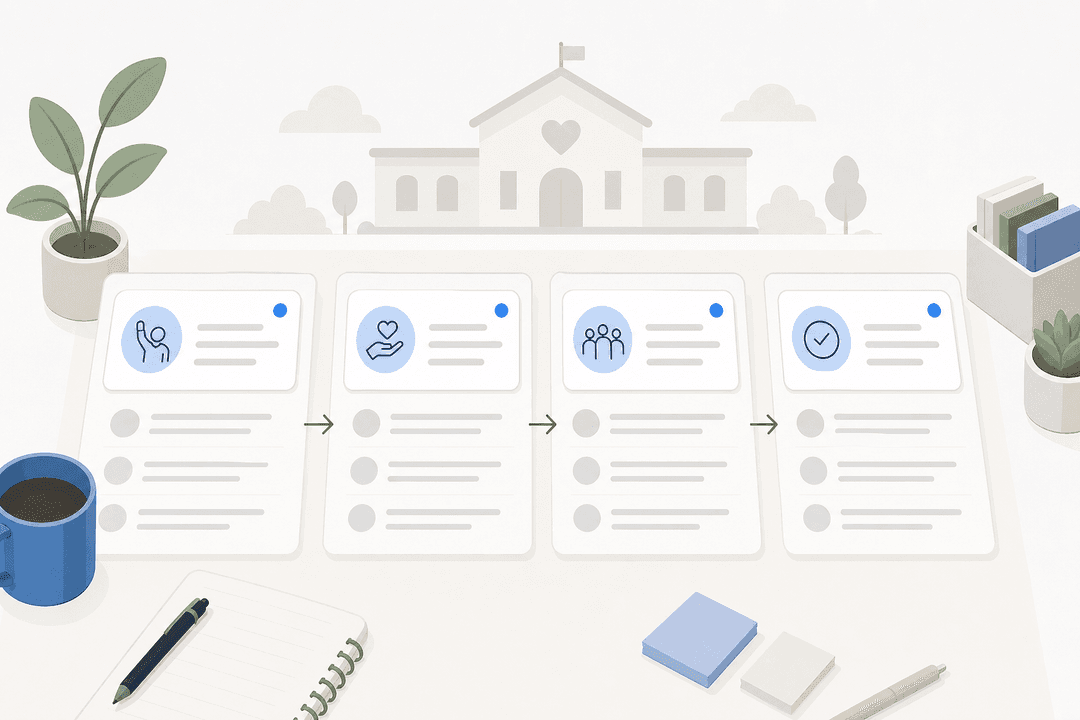
Here is the path most successful rollouts actually walk:
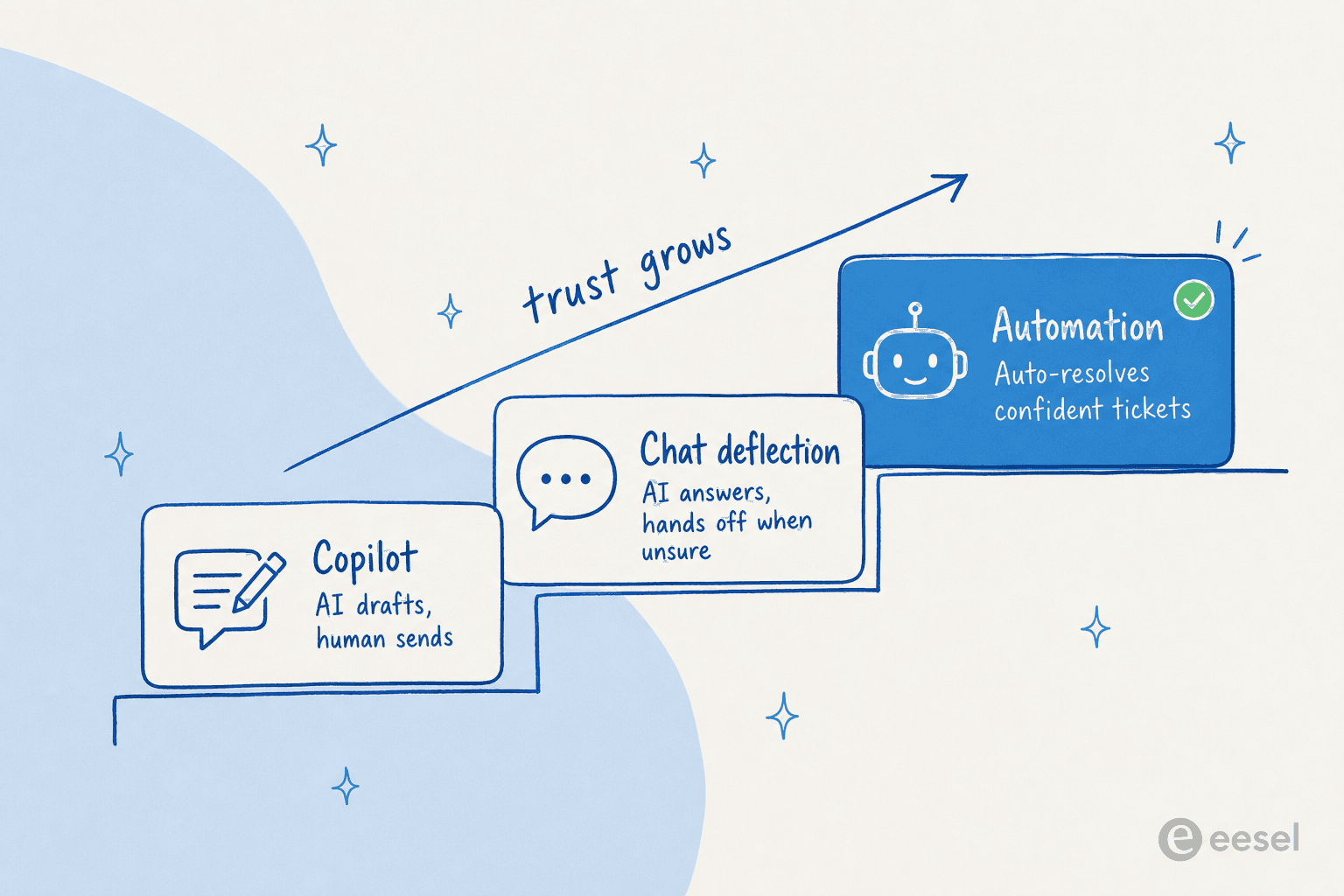
The rest of this guide is those stages, in order, with the gotchas I have seen trip teams up at each one. If you want the broader conceptual backdrop first, our practical guide to AI and automation covers the why; this one is the how.
Step 1: Get your knowledge in order
AI support answers are only as good as what the AI can read. Before you connect anything, take an honest look at where your answers actually live: your help center, your internal macros and canned responses, past tickets, that one Notion doc only a senior agent knows about, the policy buried in a Slack thread.
The work here is not glamorous, but it is the highest-leverage thing you will do. If a question has no documented answer, no AI can deflect it, it can only guess, and guessing is exactly what you are trying to prevent. A quick audit usually surfaces three problems: docs that contradict each other, answers written for the wrong audience, and big gaps where the real answer only exists in someone's head.
You do not need a perfect knowledge base to start, but you do need to know where the holes are. Good AI support software pulls from many sources at once rather than forcing everything into one wiki, which means you can connect what you have today and fill gaps as you go. If you are starting from scratch on the docs side, our notes on AI knowledge management and the benefits of an AI knowledge base are a useful starting point.
Step 2: Connect to your existing helpdesk
The second mistake I see, right after "automate everything," is "rip out the helpdesk." You do not need to. The whole point of a modern AI layer is that it sits on top of Zendesk, Freshdesk, Gorgias, or whatever you already run, rather than asking your team to learn a new tool and migrate years of ticket history.

Connecting is the easy part, usually an OAuth click and a knowledge sync. The thing to actually decide here is scope: which channels and which ticket types the AI is even allowed to look at. One of the most common requests I hear from cautious teams is some version of "there are certain tickets I don't want going through AI." That is a healthy instinct, and any tool worth using lets you scope it. Connect everything, but switch the AI on narrowly. For the channel-by-channel mechanics, see how to connect AI to your knowledge bases and our AI customer service workflow walkthrough.
Step 3: Start in copilot mode
This is where I tell every team to begin, and where most should stay for the first few weeks. In copilot mode, the AI drafts a reply and an agent reviews it before it goes out. Nothing reaches a customer unread.

Copilot mode does two jobs at once. It immediately speeds up your team, because editing a solid draft is faster than writing from scratch, which is the most direct route to reducing first response time. And it gives you a low-risk feedback loop: every time an agent edits or rejects a draft, you learn exactly where the AI is weak before a single customer is exposed to it. Treat the edit rate as your readiness signal. When agents are sending drafts with little or no change on a given ticket type, that type is a candidate for automation. When they are rewriting every draft, you have found a knowledge gap from Step 1.
One realistic expectation: in early testing, the share of drafts good enough to send completely untouched is often modest at first, even when the directional accuracy is high. That is not failure, that is the feedback loop doing its job. The drafts get better as the corrections accumulate.
Step 4: Simulate on your past tickets before going live
Here is the step that separates a calm rollout from a scary one, and the one teams skip most often. Before you let the AI talk to a customer, run it against tickets it has already seen the outcome of: your own history.
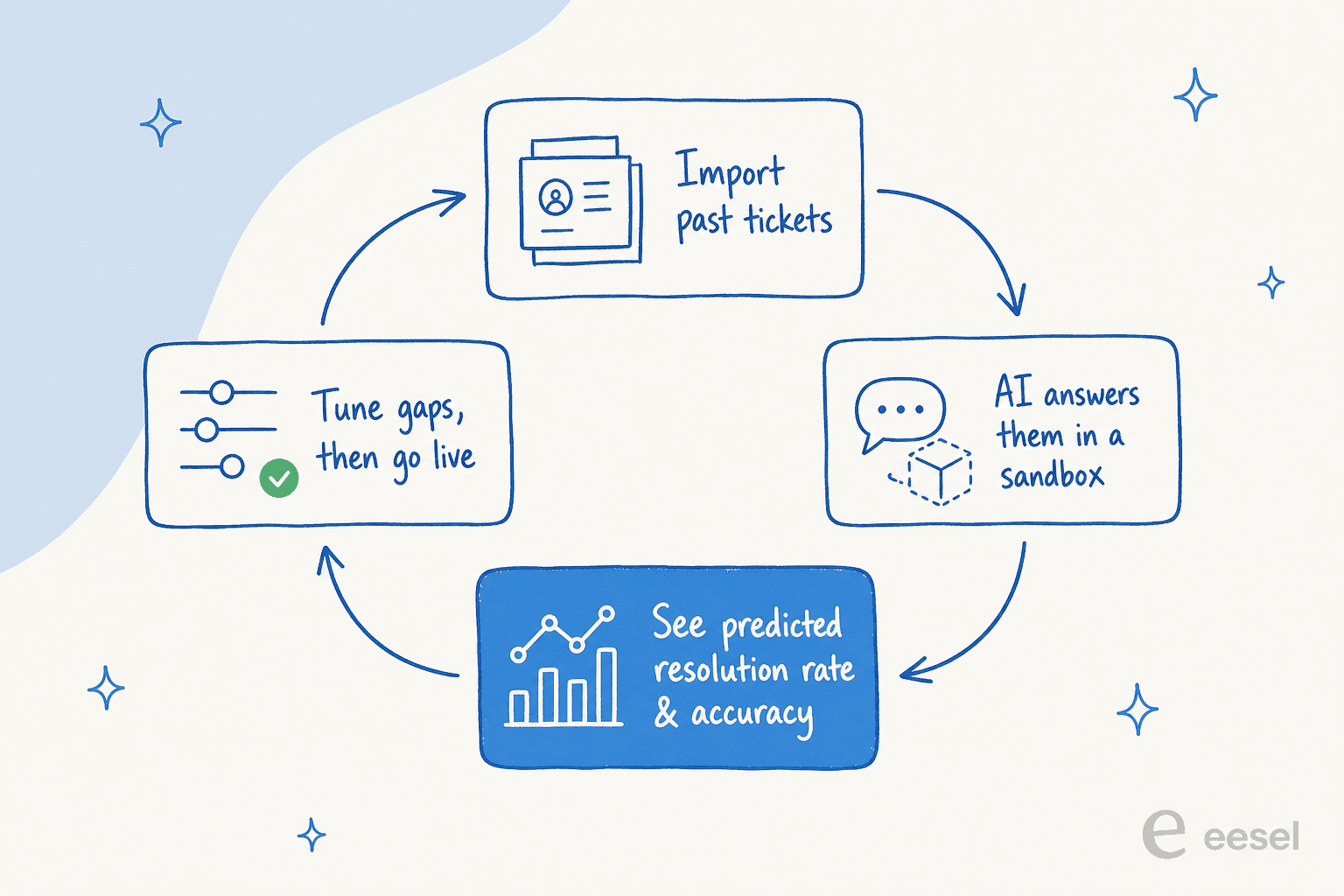
A good simulation replays a few hundred or a few thousand of your closed tickets through the AI in a sandbox and shows you what it would have done: which it would have resolved, which it would have escalated, where it would have gone wrong. That turns "I hope this works" into a number you can look at before you commit. In real trials I have seen this kind of run come back with figures like 93% triage accuracy and 100% spam detection on a live ticket sample, alongside category-level breakdowns showing the AI was near-perfect on refund-status questions but shakier on edge-case warranty claims. That is gold, because it tells you exactly which ticket types to automate first and which to keep human.

The simulation is also where you set realistic expectations with your boss. Instead of promising "AI will handle everything," you can say "on last quarter's tickets, the AI would have resolved this specific slice at this accuracy." That is a forecast you can defend. If you are weighing the build-it-yourself route here, this is exactly the kind of capability that makes buying win: one team told us they could have written their own LLM app but did not want to invest the time maintaining it, and the simulation tooling is a big part of what you would have to build.
How much can AI realistically handle?
Before you flip on automation, it helps to put rough numbers to it. The honest answer to "how much can AI handle" depends on your ticket mix, but a large chunk of most support queues is repetitive: order status, password resets, refund timelines, the same five policy questions. Plug your own numbers in below to get a back-of-the-envelope estimate of the volume and hours an AI layer could take off your plate.
Treat the output as a ceiling, not a promise. The point is to see whether the prize is worth the project, and for most teams running a few thousand tickets a month, it clearly is.
Step 5: Turn on automation with confidence-based routing
Now the part everyone wanted on day one, done safely. When you flip on customer-facing automation, the mechanism that makes it safe is confidence-based routing: the AI scores how sure it is about each ticket, auto-answers the ones above your threshold, and hands the rest to a human without touching them.
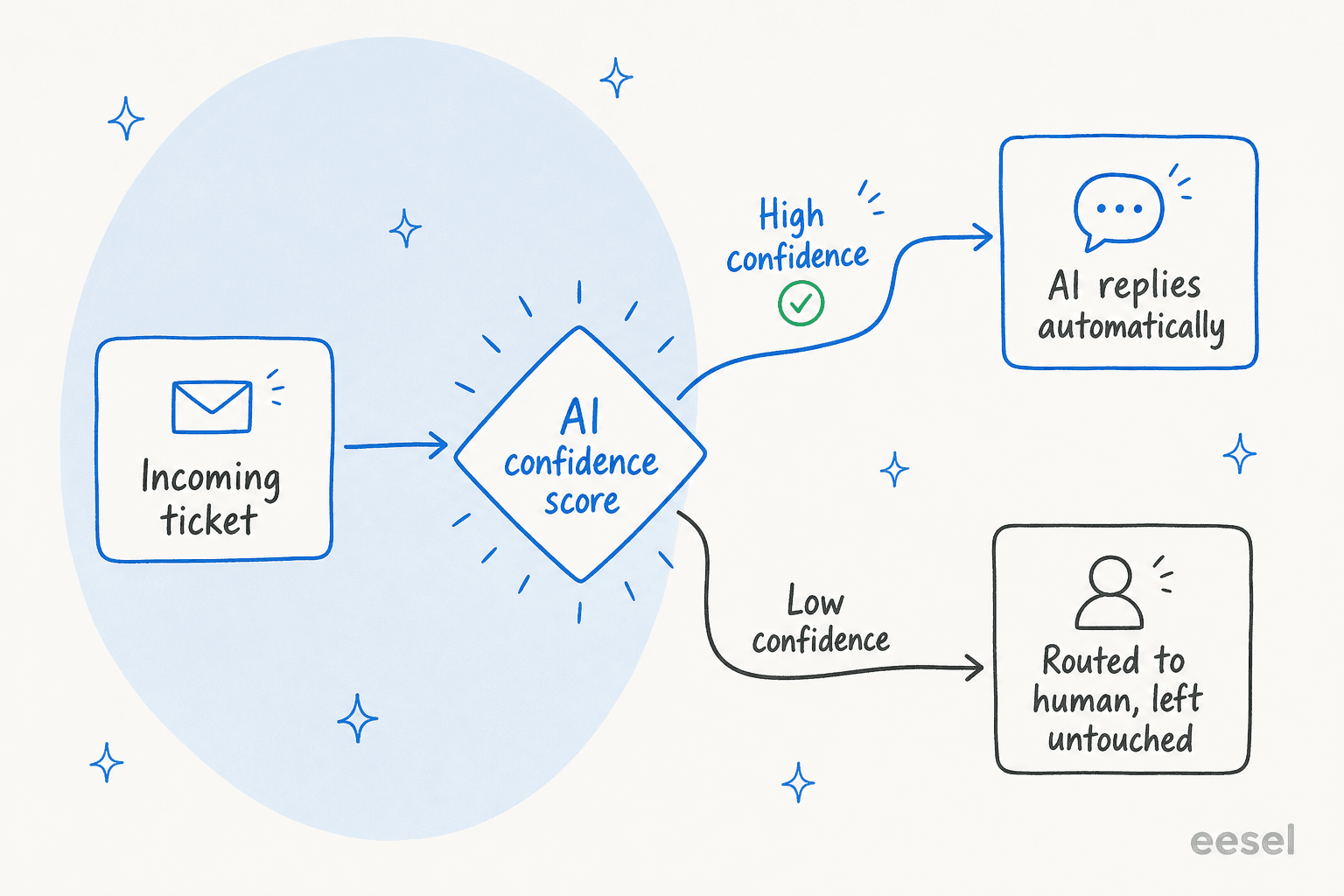
This is, by a wide margin, the most important setting in the whole rollout, and it is the one buyers care about most. As one CX lead at a high-volume DTC brand put it to us: "The AI will never be able to answer 100% of the questions", and the moment it tries and fails quietly, you are stuck checking thousands of tickets to find the bad answers. What that team needed, and what most teams need, is an AI that handles only the tickets it is confident about and leaves all the others alone. Get the threshold right and the AI never has to say "sorry, I don't know" to a customer, because the uncertain tickets quietly route to a person instead.
Start conservative. Set a high confidence bar so the AI only auto-resolves the clearest cases, watch the results for a week, then lower it gradually as trust builds. Pair routing with clean escalation rules so handoffs to a human carry full context, and exclude the ticket types your simulation flagged as risky. This is also the difference between a real AI agent and a rule-based chatbot: the agent knows when not to answer.
Step 6: Measure, tune, and expand
Going live is the middle of the project, not the end. Once automation is on, the job becomes a tight loop: watch the metrics, find where the AI is underperforming, fix the underlying knowledge or instructions, and slowly widen the scope.

The metrics that matter are the ones you can compare to your human baseline: resolution rate, deflection rate, first response time, and CSAT on AI-handled tickets specifically. Resolution rate climbs over time, not overnight. One internal IT team we work with started at around 15% deflection and set a 55% target, and that gap is the normal shape of a healthy rollout, you close it by feeding the loop, not by flipping a switch. Our guide to AI customer service metrics covers what to track and how.
Expansion is the reward. Once one ticket type is running clean, add the next: more channels, more languages, and workflows like ticket classification and triage. It is also how you grow toward genuine 24/7 coverage without adding headcount. The teams that win don't try to boil the ocean; they automate one well-understood slice, prove it, and repeat.
Common mistakes to avoid
A few patterns show up again and again. Avoid these and you are most of the way there:
- Automating everything on day one. The fastest way to lose your team's trust. Start in copilot, expand by ticket type.
- Skipping the simulation. Going live without testing on past tickets is guessing. The simulation is your cheapest insurance.
- Setting the confidence bar too low, too early. A few bad public answers cost more than a slightly lower automation rate. Start high, lower gradually.
- Treating knowledge as one-and-done. Stale docs produce stale answers. The hallucination risk lives in the gaps between your docs and reality.
- Measuring vanity numbers. "Tickets touched by AI" sounds great and means little. Track genuine resolution and CSAT.
Try eesel for your AI support rollout
If everything above sounds like a lot of moving parts, that is exactly the problem we built eesel to collapse into one tool. It plugs into the helpdesk you already run, trains on your past tickets and help center automatically, and lets you run the whole sequence from this guide, copilot drafts, a simulation on your own history, and confident automation with the routing controls that keep the AI in its lane.

The part I like, as someone who sits in the queue, is that you can scope it tightly and start tiny: one ticket type, in copilot, simulated first. No rip-and-replace, no quarter-long project. Try eesel free and run a simulation on your own tickets to see your real numbers before you automate a thing.
Frequently Asked Questions

Share this article

Article by
Riellvriany Indriawan
Riell is a designer and writer at eesel AI with about two years of experience researching CX platforms, AI chatbots, and helpdesk software. She combines her design background with a sharp eye for how these tools actually look and feel in practice — making her comparisons unusually visual and user-focused.