OpusClip explained: A 2025 guide to features, pricing, and limitations


Last edited November 14, 2025

We’ve all been there. You wrap up a two-hour podcast or an in-depth webinar, and you know it’s packed with golden nuggets. But the idea of sitting down and manually scrubbing through all that footage to find and edit short clips for TikTok, Reels, and Shorts is just… exhausting. Repurposing your long-form content is one of the smartest things you can do, but it's also a massive time sink.
This is the exact problem a tool like OpusClip was built to solve. It’s an AI-powered platform that promises to turn your long videos into viral-worthy shorts with just a few clicks. But the real question is, does it actually work as advertised?
In this guide, we’ll give you the full, honest scoop on OpusClip. We’ll break down its features, walk through the pricing, and cover some important limitations you should know about before you jump in.
What is OpusClip?
Simply put, OpusClip is an AI tool that automates the painful process of creating short-form content. You give it a long video, and its AI gets to work, analyzing the footage to find what it thinks are the most interesting parts. It then chops those highlights into short clips, already formatted and ready for you to post on social media.
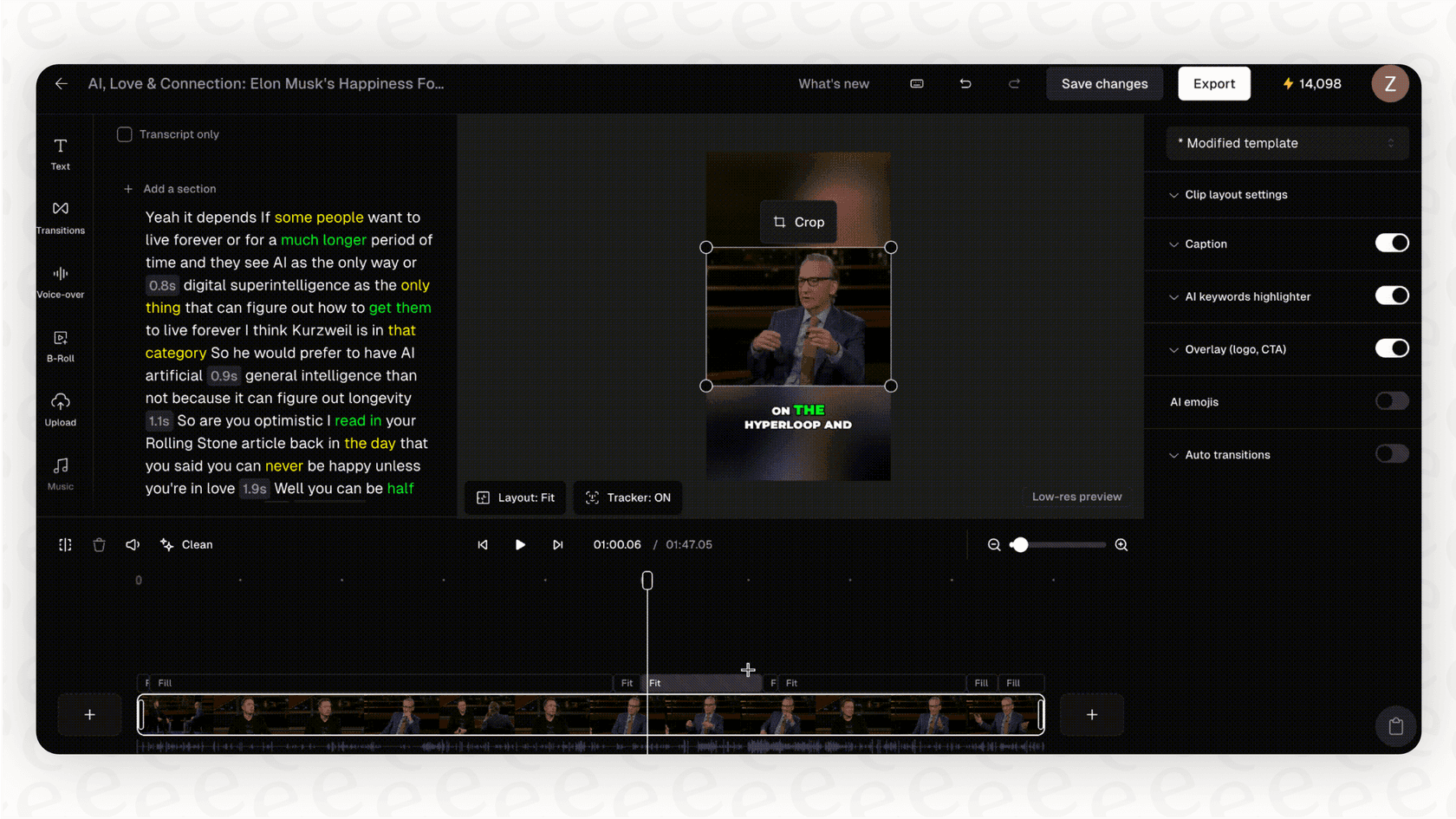
It’s designed for anyone who makes long-form videos and wants to show up on short-form platforms without spending their entire life in an editing program. Think podcasters, YouTubers, social media managers, and marketers. The platform uses some pretty advanced AI to understand what's happening in a video, analyzing visuals, audio, and dialogue, to guess which parts will make someone stop scrolling.
A breakdown of features
OpusClip has several AI-powered features designed to make the clipping process faster. Here’s a closer look at what you get.
AI clipping and virality score
The main feature of OpusClip is what they call "ClipAnything." Some of the earlier tools in this space only really worked well with simple talking-head videos, but this technology is built to handle a wider range of content like vlogs, gaming streams, and multi-person interviews. The AI scans your video and pulls out the moments it flags as highlights.
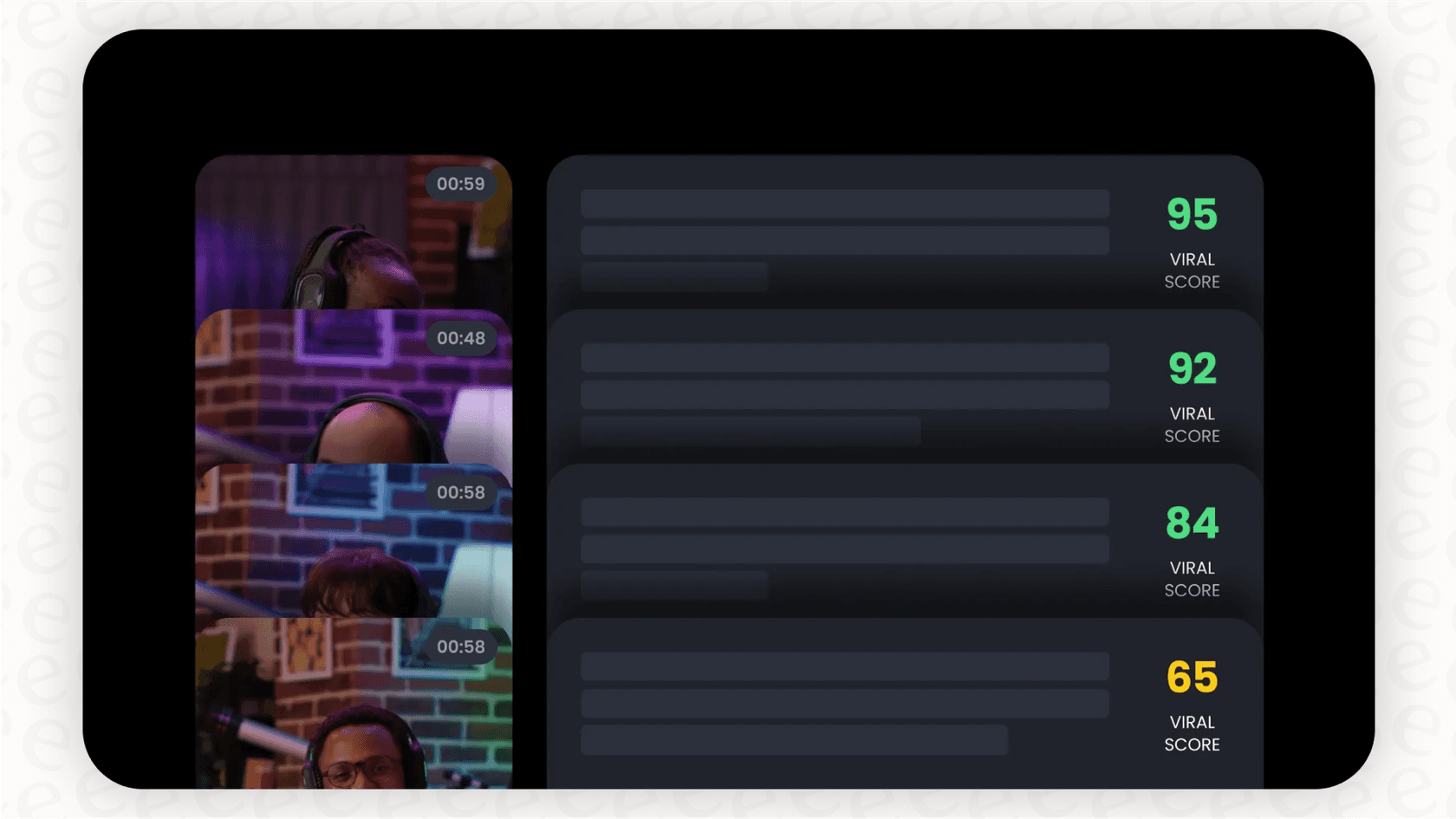
To help you decide which clips are worth posting, OpusClip gives each one a "virality score" from 1 to 100. It's the AI's best guess at how well the clip might do on social media. It's a cool idea, but you should definitely take it with a grain of salt. Many users have reported that the score isn't always a great predictor; sometimes a clip with a low score blows up while a high-scoring one gets no traction at all.
Auto reframing and animated captions
Most podcasts and webinars are shot horizontally, which looks terrible on platforms like TikTok and Instagram Reels. OpusClip automatically reframes your videos into the vertical 9:16 format. Its AI is smart enough to follow the person speaking or the main subject, making sure they stay in the center of the frame.
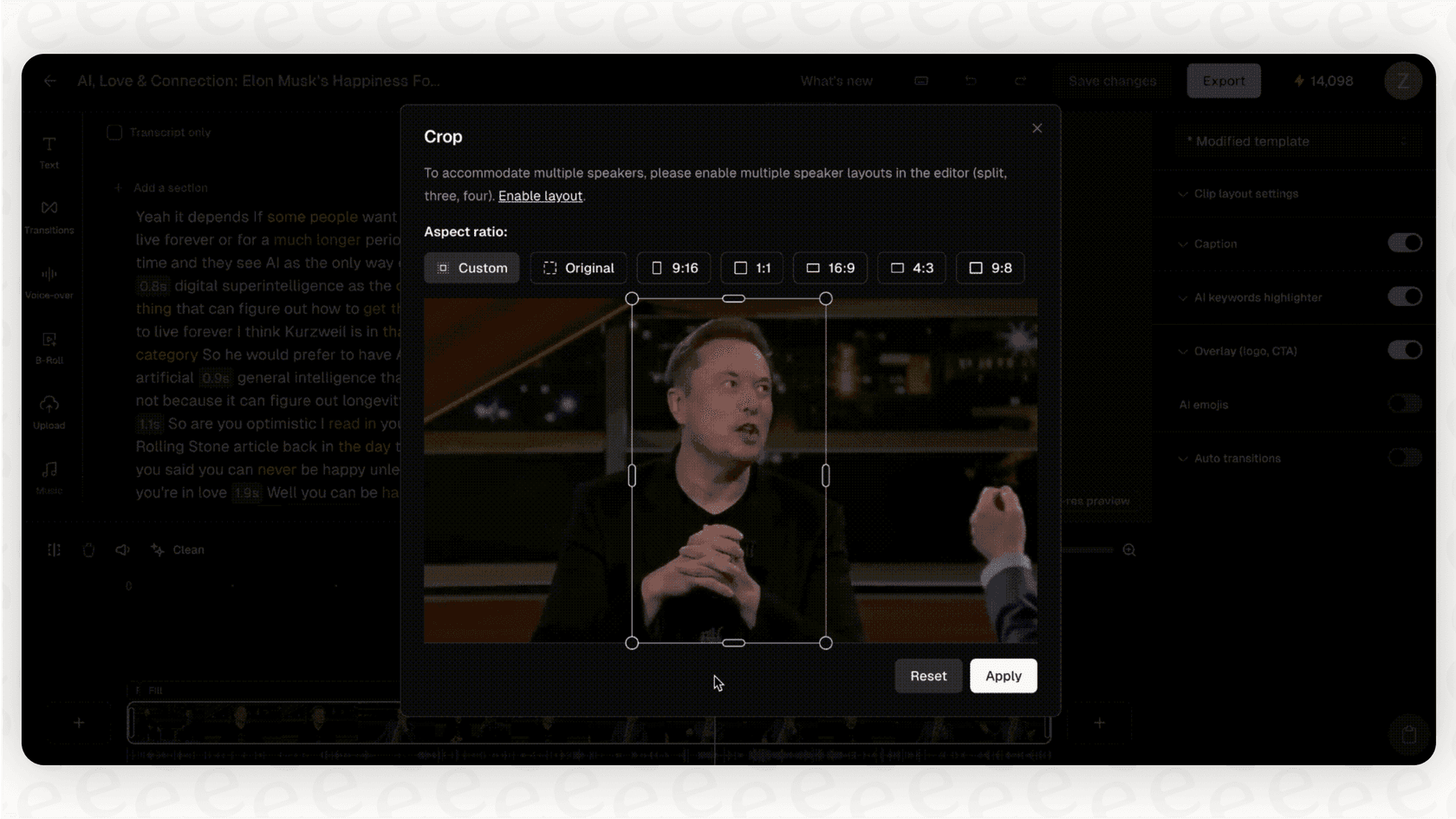
The platform also adds animated captions automatically, which is a huge time-saver and a must-have for people watching videos with the sound off. OpusClip says it has over 97% accuracy, which is pretty good. There are a couple of small issues, though. If your original video already has subtitles burned into it, the new captions can just sit on top, which looks messy. The customization options for the captions are also a bit basic, so you might struggle to get them to perfectly match your brand's style.
AI B-roll and the in-app editor
To spice up your clips, OpusClip offers an AI B-roll feature that automatically adds relevant stock footage. For instance, if you're talking about coffee, it might drop in a quick shot of someone pouring a latte.
If you need to make any changes, there’s a built-in editor. You can change the start and end points of your clips, fix typos in the captions, and make other small adjustments. This is where a lot of users get a bit frustrated. The editor can be clunky and not very intuitive. It’s usually good enough for a simple trim, but for anything more detailed, you’ll probably find yourself exporting the clips and finishing them in a more powerful tool like Adobe Premiere Pro or Descript.
Pricing plans
Before you sign up, it's good to know how the pricing is structured. The platform runs on a credit system, where one minute of video you upload to be processed costs one credit. So, a 60-minute podcast will use up 60 of your credits.
Here's a look at their plans:
| Plan | Price (Monthly) | Monthly Processing Minutes (Credits) | Key Features |
|---|---|---|---|
| Free | $0 | 60 minutes | Watermarked videos, auto-reframing, auto-captions |
| Starter | $15 | 150 minutes | No watermark, virality score, AI editor, multi-source import |
| Pro | $29 | 3,600 minutes (billed annually) | Everything in Starter + AI B-roll, social scheduler, multiple aspect ratios |
| Business | Custom | Custom | API access, dedicated support, advanced team features |
One thing to watch out for is the Pro plan. It gives you a huge number of credits for a pretty reasonable price, but that price is based on paying for the whole year upfront. If you want to pay month-to-month, it costs quite a bit more, so keep that in mind.
The real-world limitations
While OpusClip is a fantastic shortcut for a tedious task, it’s not perfect. Here are some of the practical issues you might run into.
The challenge of context and quality
The biggest downside is one that’s common with most AI tools: it just doesn't have a human's touch. An AI can spot a topic or a moment when someone gets energetic, but it can’t understand your company's specific sense of humor, inside jokes, or the strategic reason you created the content in the first place.
This means you sometimes get clips that are technically correct but just feel a little… off. The AI might cut a sentence off at an awkward spot or completely miss a subtle point that a human editor would catch right away. It's the classic trade-off: you save a ton of time, but you might lose some of the nuance that makes your content feel like yours.
A tool for one job, not a full workflow
OpusClip is a highly specialized tool. It takes long videos and makes them short. It does that one thing pretty well, but that's where its usefulness stops. For a business, content is so much more than just a way to get views. Those webinars, product demos, and training videos are filled with valuable knowledge.
This brings up a bigger question: after you’ve made your short clips, what happens to all the useful information left behind in the original video? How does it help your customer support agents, your sales team, or the new person you just hired?
When you need more than just clips: Scaling business knowledge
Changing the format of your content is great for marketing, but repurposing the knowledge inside that content is what helps you scale your business. OpusClip can help you get more likes and follows, but it can't answer a customer's question, help resolve a support ticket, or empower your internal teams.
This is where you need a broader kind of automation. Instead of just making clips, you need a system that can understand and use the information from all your company documents to provide help in real time.
Beyond video clips: Automating support with your knowledge base
If your goal is bigger than just pumping out social media content, you'll need a different type of AI. This is where a platform like eesel AI enters the picture. It’s built not just to slice up content but to understand and automate your entire company knowledge base, powering everything from customer support to internal questions.
eesel AI can take the transcripts from the same videos you'd put into OpusClip, mix them with all your other documentation, and use that combined knowledge to give instant, accurate answers. It solves the problems of a single-purpose tool by offering a more complete solution for your business.
-
Bring all your knowledge together, instantly: Unlike tools that only handle one type of content, eesel AI connects to all your knowledge sources. It works seamlessly with helpdesks like Zendesk and Freshdesk, company wikis in Confluence or Google Docs, and even your history of past support tickets to get a full picture of your business.
-
Get up and running in minutes: You don't have to sit through long onboarding calls or mandatory sales demos. eesel AI is designed to be self-serve, so you can connect your helpdesk and knowledge bases in just a few clicks and get started on your own time.
-
Total control and risk-free testing: Nervous about letting an AI talk directly to your customers? eesel AI gives you a powerful prompt editor so you can define the AI's exact personality, tone, and what it should and shouldn't do. Even better, you can run it in a simulation mode on thousands of your past support tickets to see exactly how it would have performed before you ever turn it on for a real customer.
Is OpusClip the right tool for the right job?
So, should you use OpusClip? It really just depends on what you're trying to accomplish.
If you’re a content creator or a marketer whose main goal is to quickly create social media clips from long videos, OpusClip is a fantastic and efficient tool. It will save you a ridiculous amount of time and help you stay consistent on platforms like TikTok and Instagram.
But if you're running a business where knowledge is your most important asset, you'll probably hit its limits pretty fast. For scaling your support, cutting down on repetitive tickets, and giving your team instant and reliable answers, you need a platform that does more than just edit videos.
Frequently asked questions

Share this article

Article by
Kenneth Pangan
Writer and marketer for over ten years, Kenneth Pangan splits his time between history, politics, and art with plenty of interruptions from his dogs demanding attention.