Plaud AI: A complete 2025 overview for professionals


Last edited October 14, 2025
We’ve all been there. You're in a big meeting, trying to listen intently while also frantically typing notes, hoping you don't miss a key detail. The idea of an AI note-taker that just captures everything for you sounds like a dream, right? It would free you up to actually think and participate. That’s exactly the problem the Plaud AI voice recorder aims to solve by pairing a sleek little gadget with a smart app to record, transcribe, and summarize your chats.
But is a dedicated piece of hardware the best answer for everyone, especially when you can't afford to miss a thing? This guide will give you an honest look at what Plaud AI is, how it works, what it costs, and some of the real-world limitations you should know about. We'll get into where it shines and where it stumbles, particularly for business tasks that need more than just a simple transcript.
What is Plaud AI?
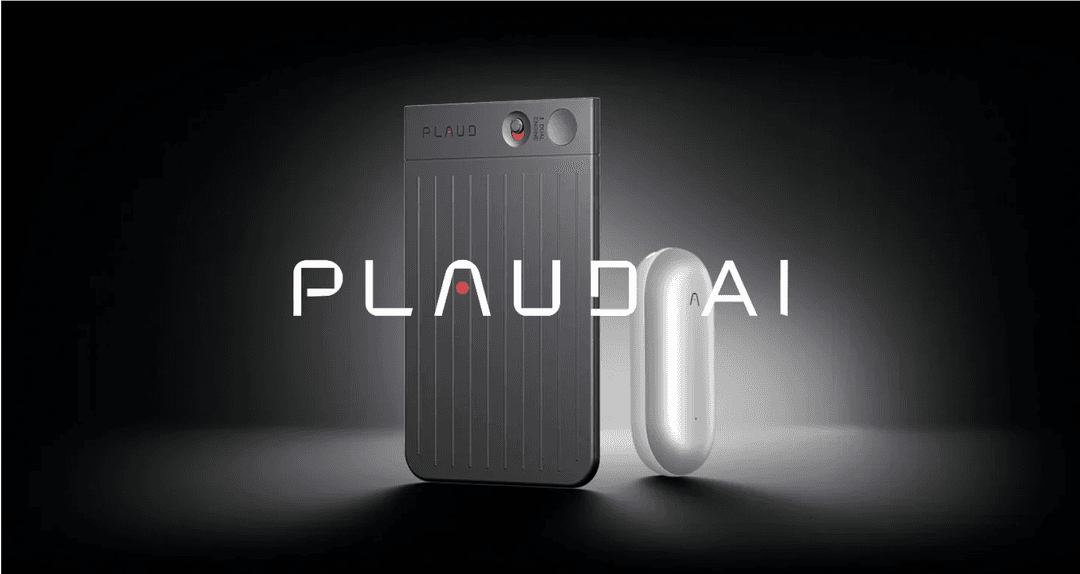
At its core, Plaud AI is a two-part system: a physical, pocket-sized recorder and a phone app that uses AI to make sense of the audio. The main idea is to give you a simple, one-touch way to record audio from meetings, calls, or even just random thoughts on the go. The app then takes over, turning that audio into organized, searchable text.
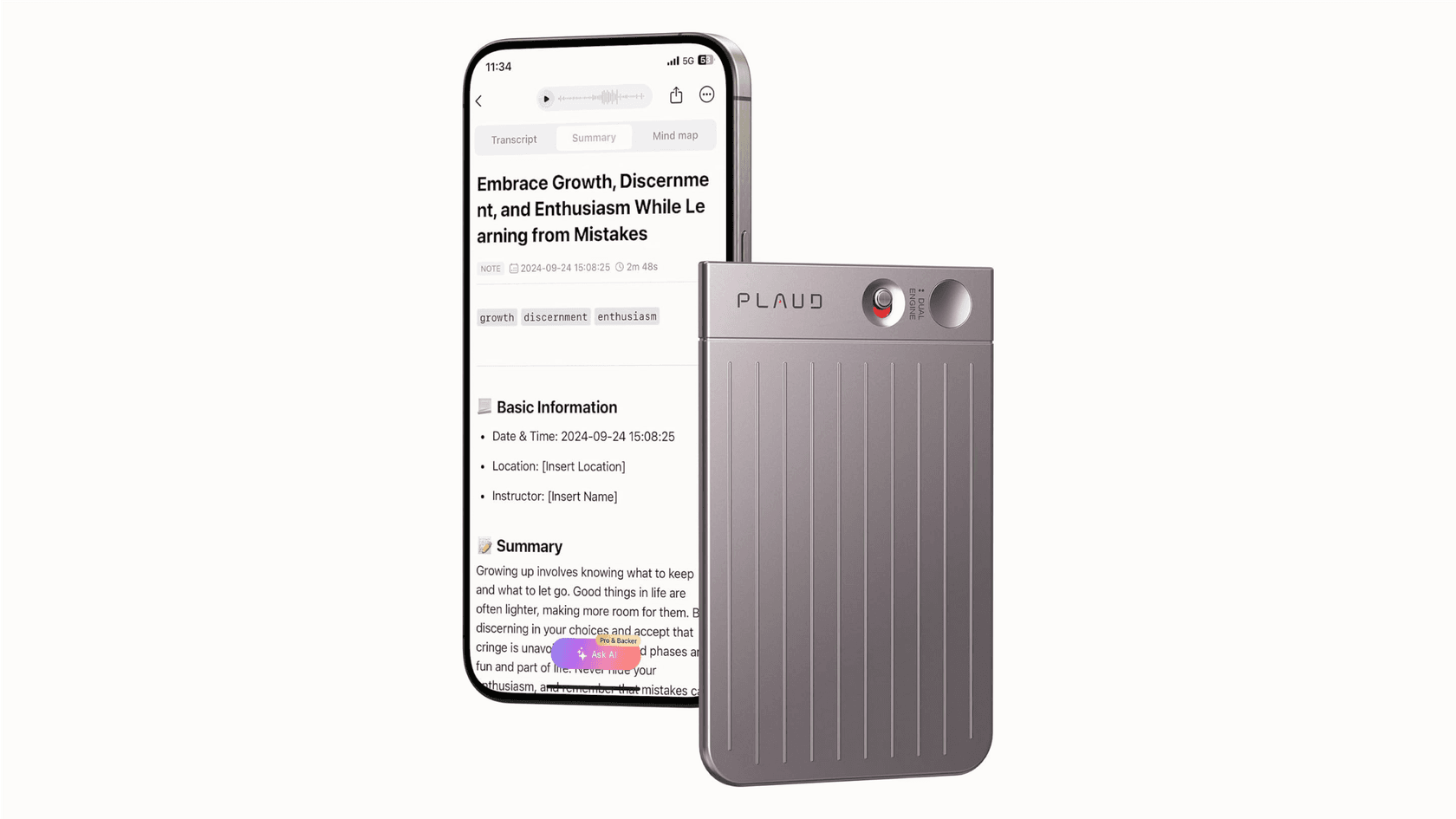
The company has a couple of different models, like the Plaud Note (a super thin, card-like device) and the Plaud NotePin (a smaller, wearable version), but they all do the same basic job. It's pitched to just about everyone, from executives and lawyers to students and content creators, who want to ditch the manual labor of note-taking and build a personal library of their conversations.
How Plaud AI works
The whole process is meant to be pretty simple. First, you hit record on the physical Plaud device. It has a switch that lets you choose between two modes: one for recording everything in a room, and another that uses a Vibration Conduction Sensor (VCS) to capture audio straight from your phone during a call. That dual-mode recording is one of its clever hardware tricks.
When you're done, the audio file syncs to the Plaud app on your phone. From there, the app sends the file up to Plaud’s cloud, where the AI part kicks in. It transcribes the audio into text and then uses AI models, including OpenAI's GPT, to whip up a summary, pull out action items, or even create a mind map.
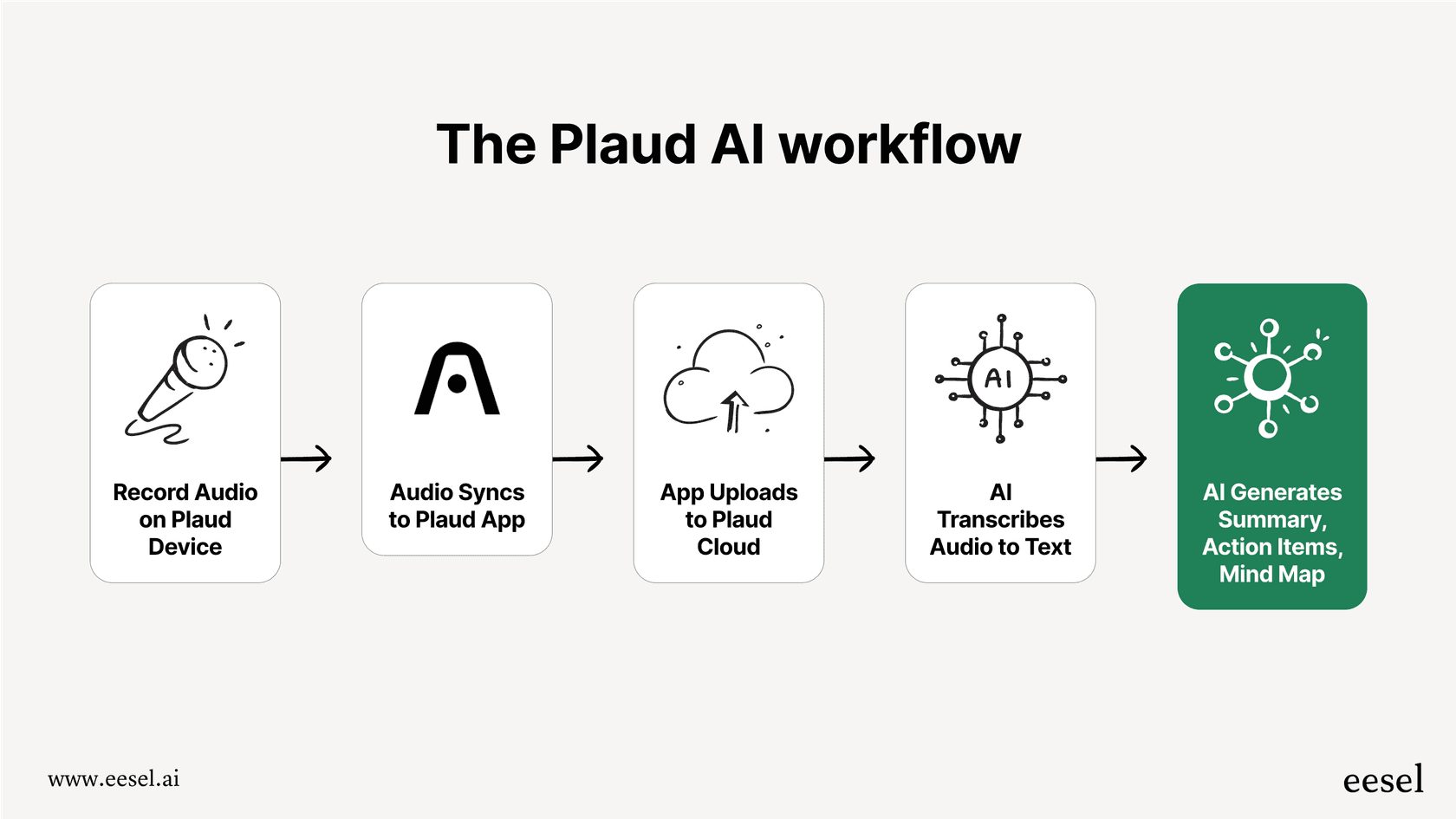
It's worth pointing out that a lot of the heavy lifting is done by third-party AI services. That's not a knock against it, but it does mean the product's real value comes down to the quality of the hardware and how smoothly it all works together. If any piece of that puzzle fails, whether it's a recording glitch or a sync error, the whole system can fall apart.
Key Plaud AI features and ideal use cases
The Plaud app is where your recordings get their second life. Here are the main things it can do for you:
-
AI Transcription: The app turns your audio into text and supports over 100 languages, which is pretty impressive.
-
AI Summarization: Instead of leaving you with a huge wall of text, the AI can create structured summaries, meeting minutes, to-do lists, and mind maps to help you find the important stuff fast.
-
Speaker Labels: It does its best to identify who's talking and a label them in the transcript, which is a big help when you're trying to remember who said what.
-
Cloud Storage: All your recordings and transcripts live in the cloud, so you can get to them from the app or a web browser.
These features make Plaud AI a pretty handy tool for certain situations, especially for individuals. It really hits its stride in a few areas:
-
Personal Productivity: If you're the type of person who likes to capture quick thoughts, voice memos, or even keep an audio journal without having to unlock your phone and find an app, it's a slick little gadget.
-
Academic Use: Students could find it super useful for recording long lectures. They can use the summaries to build study guides and review key points without having to listen to the whole two hours again.
-
Individual Professional Use: For a solo consultant or an executive who just wants a personal backup of their meetings and calls, it can be a good way to keep everything organized.
But this is where a major catch starts to become clear. While it's great for capturing information for your own use, the system is a bit of a lone wolf. The notes and summaries it creates are disconnected from the places where work actually gets done, like your helpdesk, project management tool, or company wiki.
Plaud AI pricing
Let's talk money. The pricing for Plaud AI is broken into two pieces: you have to buy the device, and then you need a subscription to get all the AI features.
First up, the one-time cost for the hardware:
-
Plaud Note / NotePin: Usually sells for $159.
-
Plaud Note Pro: This one is priced at $179.
Then, you've got the recurring software subscription:
-
Starter Plan (Free): This comes with the device and gives you 300 minutes of transcription each month.
-
Pro Plan ($17.99/month or $99/year): If you need more recording time, this plan bumps you up to 1,200 minutes a month and unlocks some fancier summary templates.
| Item | Cost |
|---|---|
| Hardware (One-time) | |
| Plaud Note / NotePin | $159 |
| Plaud Note Pro | $179 |
| Subscription (Recurring) | |
| Starter Plan | Free (300 mins/month) |
| Pro Plan | $17.99/month or $99/year (1,200 mins/month) |
Honestly, if you plan on using this for work regularly, those 300 free minutes will disappear in a hurry. That makes the paid Pro Plan pretty much essential, which pushes the total cost up quite a bit over time.
Limitations and considerations for Plaud AI
While the idea of an AI-powered recorder is cool, the reality of using one for work brings up some serious drawbacks that you need to think about.
The risk of unreliability in professional settings
Here's the thing: when you're relying on a tool for important business conversations, it has to work. Every. Single. Time. Unfortunately, that isn't always a guarantee with Plaud AI. As one tech leader pointed out in a Reddit thread, the device failed him during a two-hour executive board meeting. The result was a corrupted file and a complete loss of the entire discussion. For high-stakes moments like merger talks, client negotiations, or critical support calls, a failure like that is more than just an oops, it can be a huge blow to your professional reputation.
The constraints of hardware dependency
The entire Plaud AI experience is built around a physical gadget. That means it can be lost, forgotten at home, run out of battery, or just break. If you don't have the device with you when an important conversation pops up, you're out of luck. This is a world away from software-based tools that are always available on your computer. And for a team? Trying to buy and manage dozens of these things would be a logistical headache.
Beyond simple notes: The need for integrated AI agents
This might be the biggest hurdle for any serious business use: Plaud AI is a capture tool, not an action tool. Its job is done after it gives you a transcript and a summary. But for a customer support or IT team, the goal isn't just to record what a customer said. The goal is to solve their problem, update their ticket, and maybe even improve the knowledge base so the next person doesn't have the same issue.
This is where an integrated AI platform like eesel AI takes a completely different road. Instead of adding another piece of hardware to your life, eesel AI connects directly to the software you already use day in and day out, like your helpdesk, Slack, and internal wikis. It doesn't just listen to conversations; it actively helps resolve them.
Here’s a quick comparison of how the two stack up for business teams:
| Feature | Plaud AI | eesel AI |
|---|---|---|
| Primary Function | Records, transcribes, and summarizes audio. | Automates support, drafts replies, and manages tickets. |
| Setup | Requires physical hardware and app installation. | 100% software, go live in minutes. |
| Integration | A separate, external workflow. | Native integration with Zendesk, Slack, docs, etc. |
| Knowledge Source | Recorded audio. | Past tickets, help centers, Confluence, Google Docs. |
| Key Action | Creates a text summary. | Resolves tickets, drafts agent replies, triages issues. |
| Reliability | Dependent on hardware performance. | Software-based, with robust simulation and gradual rollout. |
The better alternative for business workflows: eesel AI
For business teams, a software platform that plugs right into your existing tools is just a more powerful and dependable way to go. With eesel AI, you can be up and running in a few minutes. There's no hardware to order or tricky setup. You just connect it to your helpdesk and knowledge sources, and it starts learning right away.
The smart thing about eesel AI is that it doesn't need you to record new conversations because it learns from the thousands of conversations you already have saved in your past tickets, help center articles, and internal docs. This lets it get up to speed on your company's specific issues and tone of voice from day one.
Most importantly, an AI agent from eesel can actually do things. It can read a new customer email, figure out what they need, find the right answer in your knowledge base, and send a complete, accurate reply, all without a human agent needing to step in. It can also handle jobs like tagging tickets, sending them to the right department, or looking up order info from your Shopify store. That's a universe away from just getting a text summary of a phone call.
Finally, you can test it all out with total peace of mind. eesel AI’s simulation mode lets you see exactly how it would have handled thousands of your past tickets. This gives you a clear picture of its performance before you ever let it talk to a live customer, which takes away the risk of it failing during a real interaction.
Choose the right tool for the job
So, what's the bottom line? Plaud AI is a clever and well-made gadget for anyone who wants to automate their personal note-taking. It’s perfect for capturing those fleeting ideas, recording lectures, or keeping a personal log of conversations. However, its reliance on hardware, potential for unreliability, and lack of connection to business tools make it a risky and limiting pick for professional teams.
When your goal is to make your business run smoother, automate tasks, and give better support to customers or employees, you need a tool that's actually built for that. An integrated, software-based platform is more reliable, scalable, and powerful. It turns your team's existing knowledge into automated action, instead of just another pile of notes.
Frequently asked questions

Share this article

Article by
Kenneth Pangan
Writer and marketer for over ten years, Kenneth Pangan splits his time between history, politics, and art with plenty of interruptions from his dogs demanding attention.